
Bruni Bruni Basics-Clear 4052225309778
Bruni Screen Protector for Telpo M1 Instruction Manual
Model: Bruni Basics-Clear 4052225309778 | Brand: Bruni
1. Introduction
This manual provides detailed instructions for the installation, maintenance, and general use of your Bruni Screen Protector compatible with Telpo M1. Please read this manual thoroughly before use to ensure optimal performance and longevity of your product.
The Bruni Screen Protector is a high-quality protective film designed to safeguard the display of your Telpo M1 device. It is made from scratch-resistant, highly transparent PET material, ensuring clear visibility and touch sensitivity.
2. Product Features
- Accurate Fit: Specifically developed and compatible with Telpo M1.
- Durable Material: Made of scratch-resistant, highly transparent PET material.
- Easy Application: Can be applied easily and without bubbles.
- Residue-Free Removal: Can be removed or repositioned at any time without leaving residue.
- Secure Adhesion: Once attached, the glue-free protective film remains securely in place with optimal edge adhesion.
- Optimized Touch: Ensures unadulterated display of screen contents and no impairment of usability on touch displays.
- Made in Germany: Manufactured with high-quality standards.
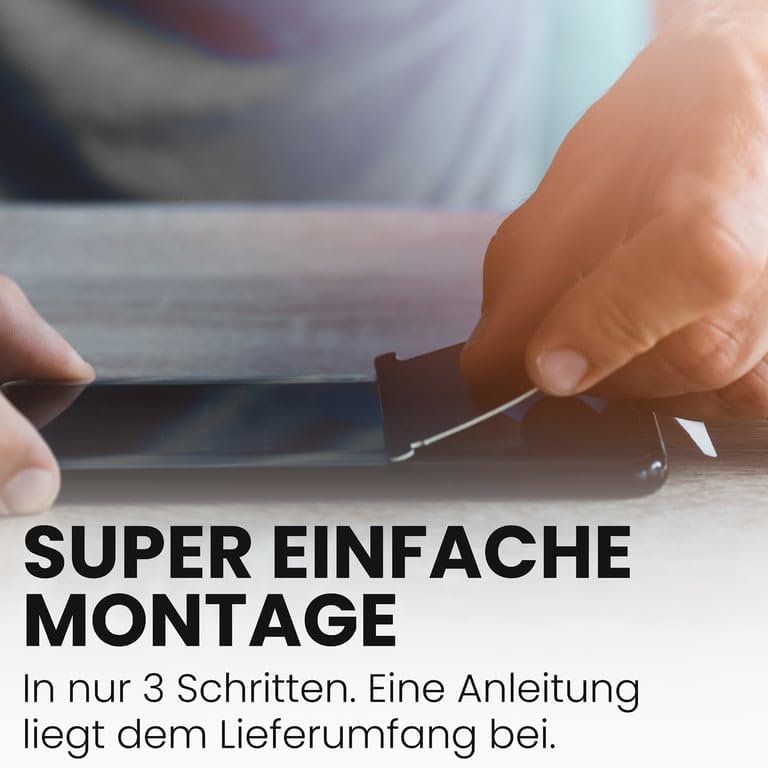
Figure 2.1: Key features of the Bruni screen protector.
3. Package Contents
Please verify that all items are present in the package before proceeding with installation.
- Bruni Screen Protector compatible with Telpo M1 (2X)
- Application Aid
- Microfiber Cloth
- Installation Instructions (this manual)

Figure 3.1: Illustration of typical package contents. This image shows the screen protector, an application aid, a microfiber cloth, and the instruction manual.
4. Setup and Installation
Proper installation is crucial for the performance and longevity of your screen protector. Follow these steps carefully.
4.1. Preparation
- Clean Environment: Choose a clean, dust-free environment for installation. Dust particles can cause bubbles under the protector.
- Clean Device Screen: Thoroughly clean the screen of your Telpo M1 device using the provided microfiber cloth. Ensure there are no smudges, fingerprints, or dust. You may use a screen cleaning solution if necessary, but ensure the screen is completely dry before proceeding.
- Identify Sides: Identify the adhesive side of the screen protector. It is usually protected by a removable film.
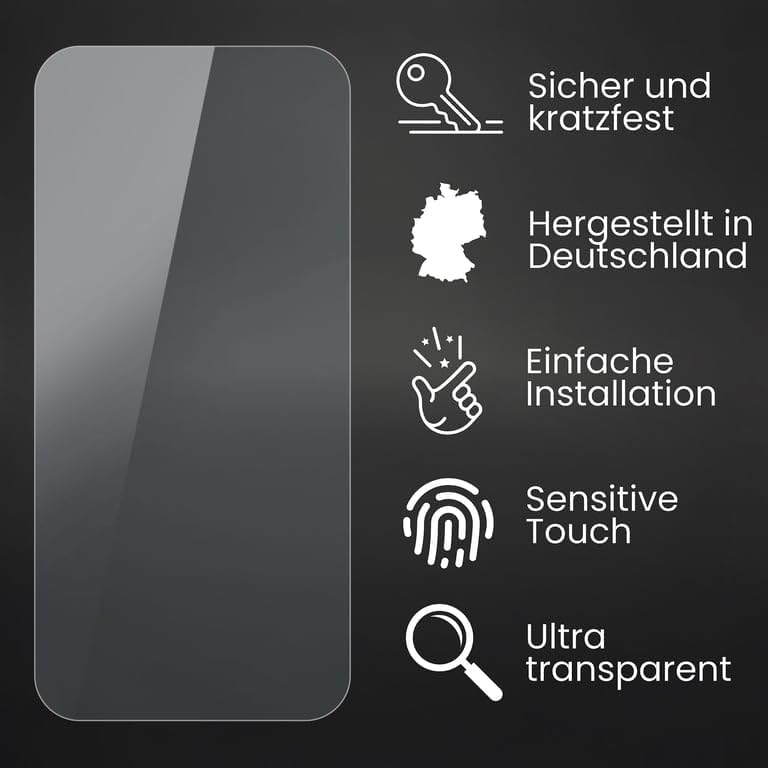
Figure 4.1: Ensure your device screen is clean and free of dust before application.
4.2. Application Steps
- Peel Back Protective Layer: Carefully peel back a small portion of the protective layer from one end of the screen protector (e.g., the top). Avoid touching the adhesive side.
- Align and Apply: Align the exposed adhesive edge of the screen protector with the corresponding edge of your Telpo M1 screen. Ensure precise alignment with cutouts for cameras or sensors.
- Smooth Down: Slowly and gradually lower the rest of the screen protector onto the device screen while simultaneously using the application aid (or a credit card wrapped in the microfiber cloth) to smooth out any air bubbles. Work from the applied edge towards the opposite end.
- Remove Remaining Protective Layer: As you smooth, continue to peel off the remaining protective layer from the screen protector.
- Final Smoothing: Once the entire protector is applied, use the application aid to gently push any remaining small bubbles towards the edges of the screen until they disappear.

Figure 4.2: The application process involves careful alignment and smoothing to prevent bubbles.
5. Operating and Usage
Once installed, the screen protector operates passively, providing continuous protection to your device's display. No specific operational steps are required beyond normal device usage.
- Touch Sensitivity: The Bruni screen protector is designed to maintain the original touch sensitivity of your Telpo M1. You should experience no degradation in responsiveness.
- Display Clarity: The crystal-clear material ensures that the display's colors and brightness remain uncompromised.

Figure 5.1: The screen protector maintains optimal touch sensitivity.

Figure 5.2: The protector ensures true color representation without attenuation.
6. Maintenance and Care
To ensure the longevity and clarity of your screen protector, follow these simple maintenance guidelines:
- Regular Cleaning: Gently wipe the screen protector with a clean, soft, lint-free cloth (like the provided microfiber cloth) to remove fingerprints, dust, and smudges.
- Avoid Harsh Chemicals: Do not use abrasive cleaners, alcohol, or ammonia-based solutions, as these can damage the protector's coating.
- Protection from Sharp Objects: While the protector is scratch-resistant, avoid direct contact with extremely sharp objects to prevent deep scratches.
- Storage: If you remove the protector for any reason, store it flat and in a clean environment to prevent dust accumulation on the adhesive side.
7. Troubleshooting
Here are some common issues and their solutions:
| Problem | Possible Cause | Solution |
|---|---|---|
| Bubbles after installation | Dust particles trapped underneath, or improper smoothing during application. | Gently lift the nearest edge of the protector and use the application aid to push the bubble towards the lifted edge. For dust, carefully lift the protector, remove the dust with a dust-absorber sticker (not included), and reapply. |
| Protector not adhering at edges | Dust or oil on the screen edge, or improper alignment. | Ensure the screen edges are perfectly clean before application. If already applied, gently press down on the edges for a few seconds. If the issue persists, the protector may need to be replaced. |
| Reduced touch sensitivity | Rare, but could be due to air pockets or improper installation. | Ensure there are no air bubbles, especially over the touch-sensitive areas. Re-smooth the protector. If the problem persists, verify the protector is correctly aligned and consider re-installation or replacement. |
8. Product Specifications
| Attribute | Detail |
|---|---|
| Product Name | Screen Protector compatible with Telpo M1 Protector Film |
| Brand | Bruni |
| Model Number | Bruni Basics-Clear 4052225309778 |
| Compatible Devices | Telpo M1 |
| Material | Polyethylenterephthalat (PET) |
| Item Hardness | 4H |
| Color | Basics-Clear |
| Product Dimensions | 6.54 x 3.54 x 0.5 inches (Packaging) / 6.5"L x 3.5"W (Film) |
| Item Weight | 0.388 ounces |
| Manufacturer | atFoliX GmbH |
| Country of Origin | Germany |
9. Warranty and Support
Bruni products are manufactured with high-quality standards. For specific warranty information or technical support, please refer to the manufacturer's official website or contact their customer service directly.
- Manufacturer: atFoliX GmbH
- Seller: atFoliX Germany (on Amazon)
- Return Policy: 30-day refund/replacement policy (as per Amazon's buybox winner information).
For further assistance, please visit the Bruni official website or contact their support team.
Ask a question about this manual
Ask about setup, troubleshooting, compatibility, parts, safety, or missing instructions. Manuals+ will review the question and use this page’s manual context to help answer it.