
1. Introduction
Thank you for purchasing the NITECORE HA13 Multipurpose Dual Beam Headlamp. This manual provides detailed instructions for the safe and effective use of your headlamp. Please read it thoroughly before operation and retain it for future reference.

Image 1: NITECORE HA13 Headlamp with its packaging and included AAA batteries.
The NITECORE HA13 is a compact and lightweight headlamp designed for various outdoor activities, offering both white and red light outputs. It features a dual hybrid power source system, allowing it to be powered by either 3 x AAA batteries or the NITECORE HLB1300 Li-ion Battery Pack.
2. Product Features
- Max Output: 350 Lumens
- Max Beam Distance: 120 meters
- Max Beam Intensity: 3500 candela
- Max Runtime: Up to 140 hours (on Ultralow mode with AAA batteries)
- Dual Hybrid Power Source: Compatible with 3 x AAA batteries or NITECORE HLB1300 Li-ion Battery Pack
- White and Red Light Outputs: Versatile illumination for different scenarios.
- Special Modes: Location Beacon, SOS.
- Frosted Surface Design: Provides comfortable, soft illumination.
- Intelligent Voltage Regulation: Compatible with various AAA battery types (Alkaline, Ni-MH, Primary Lithium).
- Lockout Mode: Prevents accidental activation.
- Ultra-low Standby Power Consumption.
- Lightweight and Durable: Constructed from PC material.
3. Package Contents
- NITECORE HA13 Headlamp
- 3 x AAA Batteries
- Headband
- User Manual (this document)
4. Component Names
Familiarize yourself with the different parts of your HA13 headlamp:
- Power Button
- Mode Button
- Battery Compartment
- Headband Slot
- Light Source (White/Red LEDs)

Image 2: The NITECORE HA13 headlamp in use, illustrating its compact design and how it sits on the head.
5. Battery Installation
The HA13 can be powered by 3 x AAA batteries or the NITECORE HLB1300 Li-ion Battery Pack.
5.1 Using AAA Batteries
- Open the battery compartment cover located on the side of the headlamp.
- Insert three (3) AAA batteries according to the polarity markings (+ and -) inside the compartment.
- Close the battery compartment cover securely until it clicks.

Image 3: Proper insertion of 3 AAA batteries into the NITECORE HA13 headlamp's battery compartment.
5.2 Using NITECORE HLB1300 Li-ion Battery Pack (Sold Separately)
- Open the battery compartment cover.
- Insert the HLB1300 Li-ion Battery Pack into the compartment, ensuring correct orientation.
- Close the battery compartment cover securely.

Image 4: The NITECORE HA13 supports both AAA batteries and the NITECORE HLB1300 Li-ion Battery Pack as power sources.
Note: The HA13 features Intelligent Voltage Regulation, making it compatible with various AAA battery types including alkaline, Ni-MH rechargeable, and primary lithium batteries.

Image 5: The HA13's intelligent voltage regulation ensures compatibility with various AAA battery chemistries.
6. Operating Instructions
6.1 Power On/Off
- To Turn On: Press and hold the Power Button for 1 second. The headlamp will turn on in the previously used white light mode.
- To Turn Off: While the light is on, press and hold the Power Button for 1 second.
6.2 White Light Mode Selection
- When the white light is on, short press the Power Button to cycle through brightness levels: ULTRALOW (6 Lumens) → LOW (100 Lumens) → HIGH (350 Lumens).
- The headlamp has mode memory and will reactivate in the last used white light mode.
6.3 Red Light Activation and Mode Selection
- To Activate Red Light: While the headlamp is off, press and hold the Mode Button for 1 second. The red light will turn on in CONSTANT-ON mode.
- Red Light Mode Cycle: While the red light is on, short press the Mode Button to cycle through: CONSTANT-ON (5 Lumens) → SLOW FLASHING (5 Lumens).
- To Turn Off Red Light: While the red light is on, press and hold the Mode Button for 1 second.
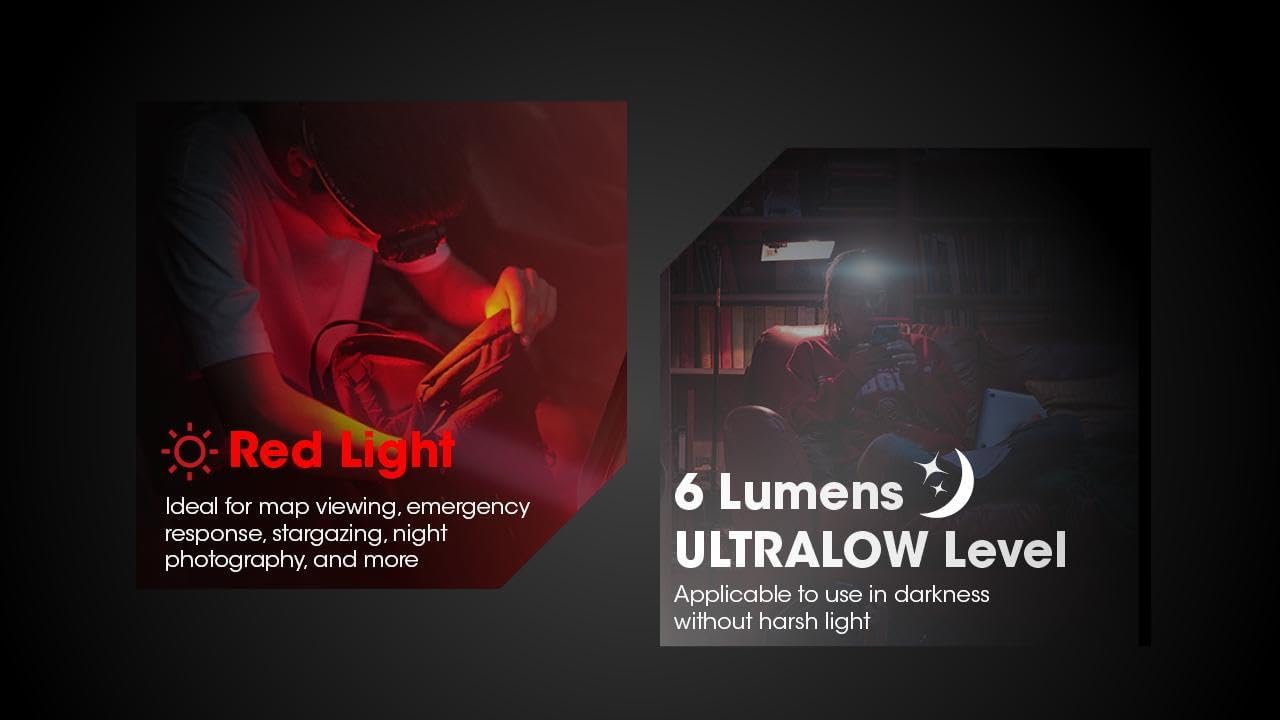
Image 6: The HA13 offers a red light for preserving night vision and an ultralow white light for subtle illumination.
6.4 Special Modes (SOS / Location Beacon)
- To Access Special Modes: While the headlamp is off, double press the Power Button. This will activate the SOS mode.
- Cycle Special Modes: While in SOS mode, short press the Power Button to cycle to Location Beacon.
- To Exit Special Modes: Press and hold the Power Button for 1 second.
6.5 Lockout Mode
The lockout mode prevents accidental activation of the headlamp during transport or storage.
- To Activate Lockout: While the headlamp is off, press and hold both the Power Button and Mode Button simultaneously for 1 second. The headlamp will flash once to indicate it has entered lockout mode.
- To Deactivate Lockout: While in lockout mode, press and hold both the Power Button and Mode Button simultaneously for 1 second. The headlamp will flash once and then turn on in ULTRALOW white light mode.

Image 7: The HA13 features ultra-low standby power and a lockout mode to prevent unintended activation.
7. Maintenance
- Clean the headlamp body with a soft, damp cloth.
- If the headlamp is not used for an extended period, remove the batteries to prevent leakage and corrosion.
- Store the headlamp in a cool, dry place.
8. Troubleshooting
- Problem: Headlamp does not turn on.
- Solution: Check if batteries are inserted correctly with proper polarity.
- Solution: Replace batteries if they are depleted.
- Solution: Ensure the headlamp is not in Lockout Mode. Deactivate lockout if necessary.
- Problem: Light output is dim or flickers.
- Solution: Replace batteries with fresh ones.
- Solution: Ensure battery contacts are clean. Clean with a cotton swab if necessary.
9. Specifications
The following table details the technical specifications and performance data for the NITECORE HA13 headlamp.

Image 8: Detailed technical data for the NITECORE HA13, including brightness, runtime, and beam distance for both AAA and HLB1300 power sources.
| Max Output | 350 Lumens |
| Max Beam Distance | 120 m |
| Max Beam Intensity | 3500 cd |
| Max Runtime | 140 h (AAA, Ultralow) / 160 h (HLB1300, Ultralow) |
| Dimensions | 59mm x 50mm x 36mm (2.32" x 1.97" x 1.42") |
| Weight | 67 g / 2.36 oz (without batteries) |
| Impact Resistance | 1 meter |
| Water Resistance | IPX6 |
| Battery | 3 x AAA batteries or 1 x NITECORE HLB1300 Li-ion Battery Pack |
| Light Source Type | LED (White Light, Red Light) |
| Material | PC Material |
Note: The stated data is measured using 3 x 1.5V alkaline AAA batteries or the HLB1300 Li-ion Battery Pack (1,300mAh) under laboratory conditions. The data may vary in real-world use due to different battery usage or environmental conditions.
10. Safety Precautions
- Do not shine the light directly into eyes.
- Do not disassemble or modify the headlamp, as this may void the warranty and cause damage.
- Keep out of reach of children.
- Avoid exposing the headlamp to extreme temperatures or direct sunlight for prolonged periods.
- Ensure the battery compartment is sealed properly to maintain water resistance.
11. Warranty and Support
NITECORE products are backed by a warranty. For detailed warranty information and support, please refer to the official NITECORE website or contact your local distributor. Please retain your purchase receipt for warranty service.
For further assistance, please visit the Nitecore Store on Amazon.


