
1. Introduction
Welcome to the user manual for your new MSI Cyborg 15 Gaming Laptop. This guide provides essential information to help you set up, operate, maintain, and troubleshoot your device. The MSI Cyborg 15 is designed for high-performance gaming and demanding tasks, featuring a 13th Gen Intel Core i7-13620H processor, NVIDIA GeForce RTX 4050 graphics, a 15.6-inch FHD 144Hz display, 32GB DDR5 RAM, and a 1TB PCIe SSD. Please read this manual thoroughly to ensure optimal use and longevity of your laptop.

This image displays the MSI Cyborg 15 Gaming Laptop from the front, showcasing its 15.6-inch display with a dynamic gaming graphic, highlighting the 144Hz refresh rate and NVIDIA GeForce RTX 4050 graphics.
2. Setup
2.1 What's in the Box
- MSI Gaming Laptop
- AC Adapter and Power Cord
- Quick Start Guide (if applicable)
2.2 Initial Power-On and Configuration
- Connect Power: Plug the AC adapter into the laptop's power input port and then into a wall outlet.
- Power On: Open the laptop lid and press the power button, typically located on the keyboard deck.
- Windows Setup: Follow the on-screen instructions to complete the Windows 11 Home setup process. This includes selecting your region, connecting to a Wi-Fi network, creating a user account, and accepting the license agreement.
- Updates: Once setup is complete, connect to the internet and allow Windows to download and install any pending updates. It is also recommended to check for driver updates from the MSI support website.
3. Operating Your MSI Cyborg 15
3.1 Display and Visuals
Your MSI Cyborg 15 features a 15.6-inch Full HD (1920x1080) IPS-Level display with a 144Hz refresh rate, providing smooth and clear visuals for gaming and multimedia. The 45% NTSC color gamut ensures vibrant image quality.

The MSI Cyborg 15 laptop is depicted showcasing its 144Hz IPS-Level display, emphasizing smooth and fluid motion, crucial for an immersive gaming experience.
3.2 Performance (CPU & GPU)
The laptop is powered by a 13th Gen Intel Core i7-13620H Processor, featuring 10 Cores (6 Performance-cores and 4 Efficient-cores) and 16 Threads, with a max turbo frequency of up to 4.9 GHz. This processor is designed for demanding applications and multitasking.

This image highlights the 13th Gen Intel Core i7-13620H processor within the MSI Cyborg 15, emphasizing its hybrid core architecture with 6 Performance-cores and 4 Efficient-cores for enhanced multitasking and demanding applications.
For graphics, it features an NVIDIA GeForce RTX 4050 with 6GB GDDR6 dedicated memory. This GPU leverages the NVIDIA Ada Lovelace architecture, providing advanced features like Ray Tracing and AI-accelerated performance for realistic graphics and high frame rates in games.
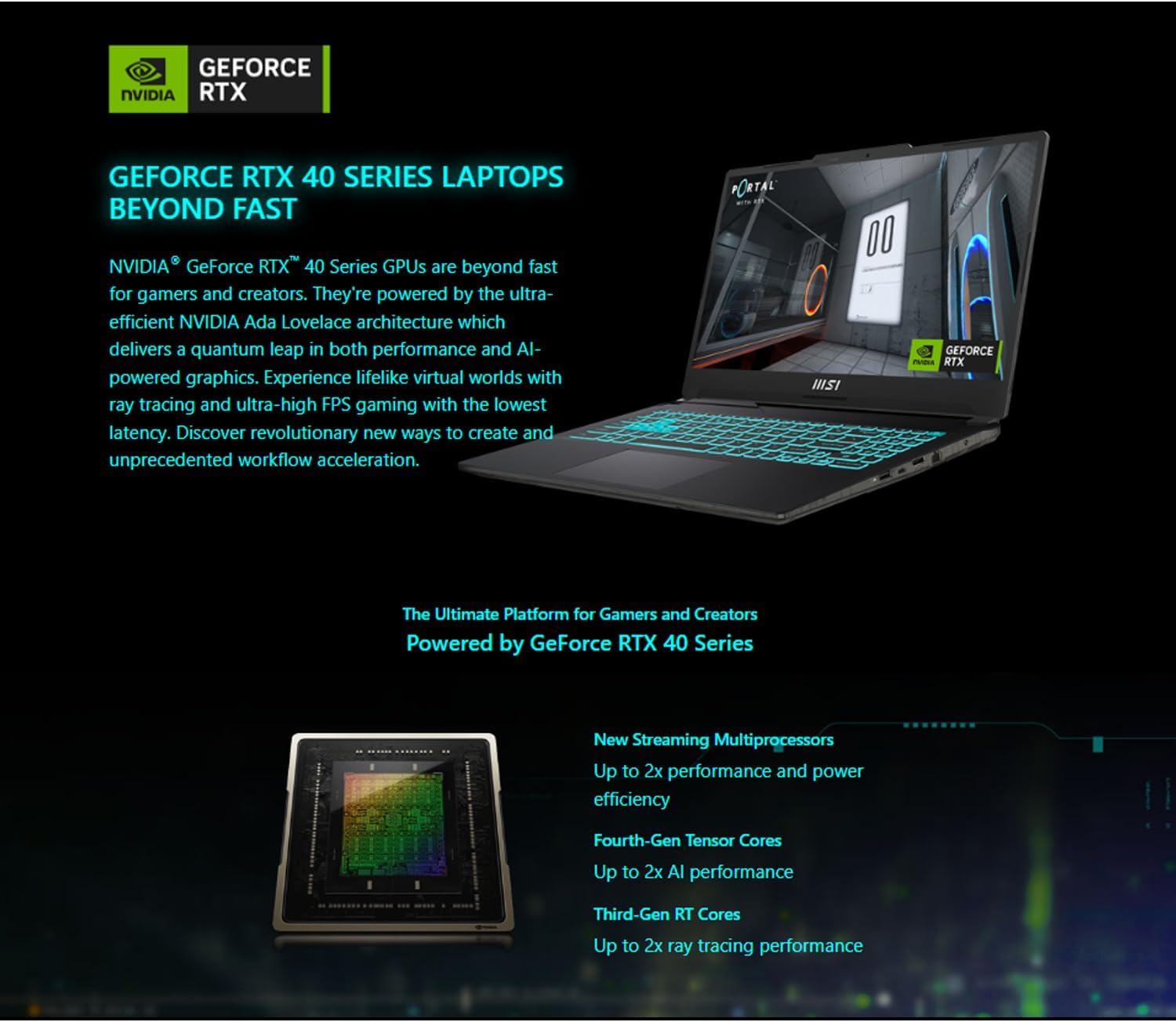
The MSI Cyborg 15 is shown with a game running on its screen, accompanied by text promoting the NVIDIA GeForce RTX 40 Series laptops, powered by the ultra-efficient NVIDIA Ada Lovelace architecture for superior gaming and creative performance.

A detailed graphic illustrating the key advancements of the NVIDIA GeForce RTX 40 Series, including new Streaming Multiprocessors for improved power efficiency, Fourth-Gen Tensor Cores for AI performance, and Third-Gen RT Cores for enhanced ray tracing.

This image showcases the impact of Ray Tracing with a visual comparison, alongside icons representing various features like cutting-edge GPUs, realistic graphics, AI-accelerated performance, game responsiveness, live streaming capabilities, AI-enhanced voice/video, and overall performance reliability.
3.3 Memory and Storage
The laptop comes with 32GB of high-bandwidth DDR5 SDRAM, allowing for smooth multitasking and efficient handling of demanding applications. Storage is provided by a 1TB PCIe NVMe M.2 Solid State Drive, ensuring fast boot-up times and rapid data transfer speeds.
3.4 Connectivity and Ports
The MSI Cyborg 15 offers a comprehensive set of ports for various peripherals and external displays:
- 2 x USB 3.2 Gen 1 Type-A ports
- 1 x USB 3.2 Type-C port (with DisplayPort functionality)
- 1 x HDMI port (supports 4K@60Hz)
- 1 x RJ-45 Ethernet port
- 1 x Audio Combo Jack
- Kensington Lock slot
Wireless connectivity includes Wi-Fi 6 for fast and reliable internet access and Bluetooth for connecting wireless accessories.

A clear diagram illustrating the various input/output ports available on the MSI Cyborg 15, including power input, HDMI, Ethernet (RJ45), USB Type-C with DisplayPort, USB Type-A, an audio combo jack, and a Kensington Lock slot.
3.5 Keyboard and Touchpad
The laptop features a backlit keyboard, enhancing visibility in low-light conditions. The translucent keycaps and chassis components provide a unique aesthetic. The touchpad is designed to be 32% larger, offering a more comfortable and precise navigation experience.
3.6 Cooling System
The MSI Cyborg 15 incorporates the Cooler Boost technology with a new CPU & GPU Shared-Pipe design. This system efficiently dissipates heat, ensuring stable performance even during extended gaming sessions, complemented by MSI's exclusive thermal grease.

An angled view of the MSI Cyborg 15 highlighting its advanced Cooler Boost cooling system, which features a new CPU & GPU Shared-Pipe design for efficient heat dissipation, ensuring optimal performance during intense gaming sessions.
3.7 Operating System
The laptop comes pre-installed with Windows 11 Home, offering a modern interface, enhanced performance features, and compatibility with a wide range of applications and games.

An illustrative diagram detailing the core features of the MSI Cyborg 15, including its operating system (Windows 11 Home), processor (Intel Core i7-13620H), graphics card (NVIDIA GeForce RTX 4050), Cooler Boost technology, and unique translucent keycaps and chassis components.
4. Maintenance
4.1 Cleaning Your Laptop
- Use a soft, lint-free cloth to clean the screen. For stubborn smudges, use a screen-specific cleaning solution applied to the cloth, not directly to the screen.
- Wipe down the keyboard and chassis with a slightly damp, soft cloth. Avoid excessive moisture.
- Use compressed air to clear dust from keyboard keys and ventilation grilles.
4.2 Battery Care
- Avoid completely discharging the battery frequently.
- If storing the laptop for an extended period, ensure the battery is charged to about 50-60%.
- Operate the laptop in a well-ventilated area to prevent overheating, which can affect battery life.
4.3 Software Updates
- Regularly check for Windows updates through the Settings app.
- Visit the official MSI website for the latest driver updates for your specific model (Cyborg 15 A13VE), especially for graphics drivers and chipset drivers.
5. Troubleshooting
5.1 Laptop Not Powering On
- Ensure the AC adapter is securely connected to both the laptop and a working power outlet.
- Check if the power outlet is functional by plugging in another device.
- Try holding the power button for 15-20 seconds to perform a hard reset.
5.2 Display Issues
- If the screen is black, try connecting an external monitor to verify if the laptop is outputting a signal.
- Ensure display drivers are up to date.
- Adjust brightness settings using the keyboard function keys (Fn + F8 for backlight).
5.3 Connectivity Problems (Wi-Fi/Bluetooth)
- Ensure Wi-Fi and Bluetooth are enabled in Windows settings.
- Restart your router/modem for Wi-Fi issues.
- Update wireless drivers from the MSI support website.
- For Bluetooth, try removing and re-pairing the device.
6. Specifications
| Feature | Specification |
|---|---|
| Brand | MSI |
| Model Name | Cyborg 15 A13VE |
| Standing screen display size | 15.6 Inches |
| Screen Resolution | 1920 x 1080 pixels |
| Max Screen Resolution | 1920x1080 Pixels |
| Processor | 4.9 GHz core_i7_family (13th Gen Intel Core i7-13620H) |
| RAM | 32 GB DDR5 |
| Hard Drive | 1 TB SSD (PCIe NVMe M.2) |
| Graphics Coprocessor | NVIDIA GeForce RTX 4050 (6GB GDDR6) |
| Chipset Brand | NVIDIA |
| Card Description | Dedicated |
| Graphics Card Ram Size | 6 GB |
| Wireless Type | 802.11ax (Wi-Fi 6) |
| Hardware Platform | PC |
| Operating System | Windows 11 Home |
| Item Weight | 4.37 pounds |
| Product Dimensions | 14.15 x 9.86 x 0.9 inches |
| Color | Black |
| Number of Processors | 10 |
| Computer Memory Type | DDR5 RAM |
| Hard Drive Interface | PCIE x 4 |
| Power Source | AC & Battery |
| Batteries | 1 Lithium Ion batteries required. (included) |
| Special Feature | Backlit Keyboard |
7. Warranty and Support
MSI provides a standard warranty for its products. For detailed warranty terms and conditions, please refer to the warranty card included with your product or visit the official MSI website. For technical support, driver downloads, and service inquiries, please visit the MSI support portal:
Always ensure you have your product's serial number and model name (Cyborg 15 A13VE) ready when contacting support.


