
ASHATA Richohw9wZE8NV
ASHATA Richohw9wZE8NV Wireless Video Doorbell Camera User Manual
Model: Richohw9wZE8NV
1. Introduction
Thank you for choosing the ASHATA Richohw9wZE8NV Wireless Video Doorbell Camera. This smart doorbell provides enhanced home security with features such as two-way audio, HD night vision, and WiFi connectivity. This manual will guide you through the setup, operation, and maintenance of your new device.
2. Package Contents
Please verify that all items are present in your package:
- 1 x Wireless Doorbell Camera Unit
- 1 x Indoor Chime Unit
- 1 x USB Charging Cable (Type-C)
- 1 x User Manual

Image: The complete package contents, including the doorbell camera, indoor chime, and USB-C charging cable.
3. Product Overview
Familiarize yourself with the main components of your ASHATA Wireless Video Doorbell Camera system.

Image: Front view of the doorbell camera unit, showing the camera lens and doorbell button.

Image: Front view of the indoor chime unit, featuring its speaker grille.
4. Setup Instructions
4.1 Initial Charging
Before first use, fully charge the Wireless Doorbell Camera using the provided USB Type-C cable. The doorbell has an integrated 800mAh battery.
4.2 Mobile Application Installation
Download and install the dedicated mobile application for your ASHATA Video Doorbell. Search for the app in your device's app store. Ensure your mobile phone's Wi-Fi is enabled and grant all necessary permissions to the application for proper functionality.
4.3 Wi-Fi Connection
- Open the installed application on your mobile device.
- Follow the in-app instructions to add your new doorbell camera.
- Ensure your doorbell camera is within range of a strong 2.4G Wi-Fi signal for stable connection.
- Complete the pairing process as guided by the application.
4.4 Installation Location
Mount the doorbell camera at your desired location near your entrance. Avoid placing it on surfaces that may obstruct the Wi-Fi signal.
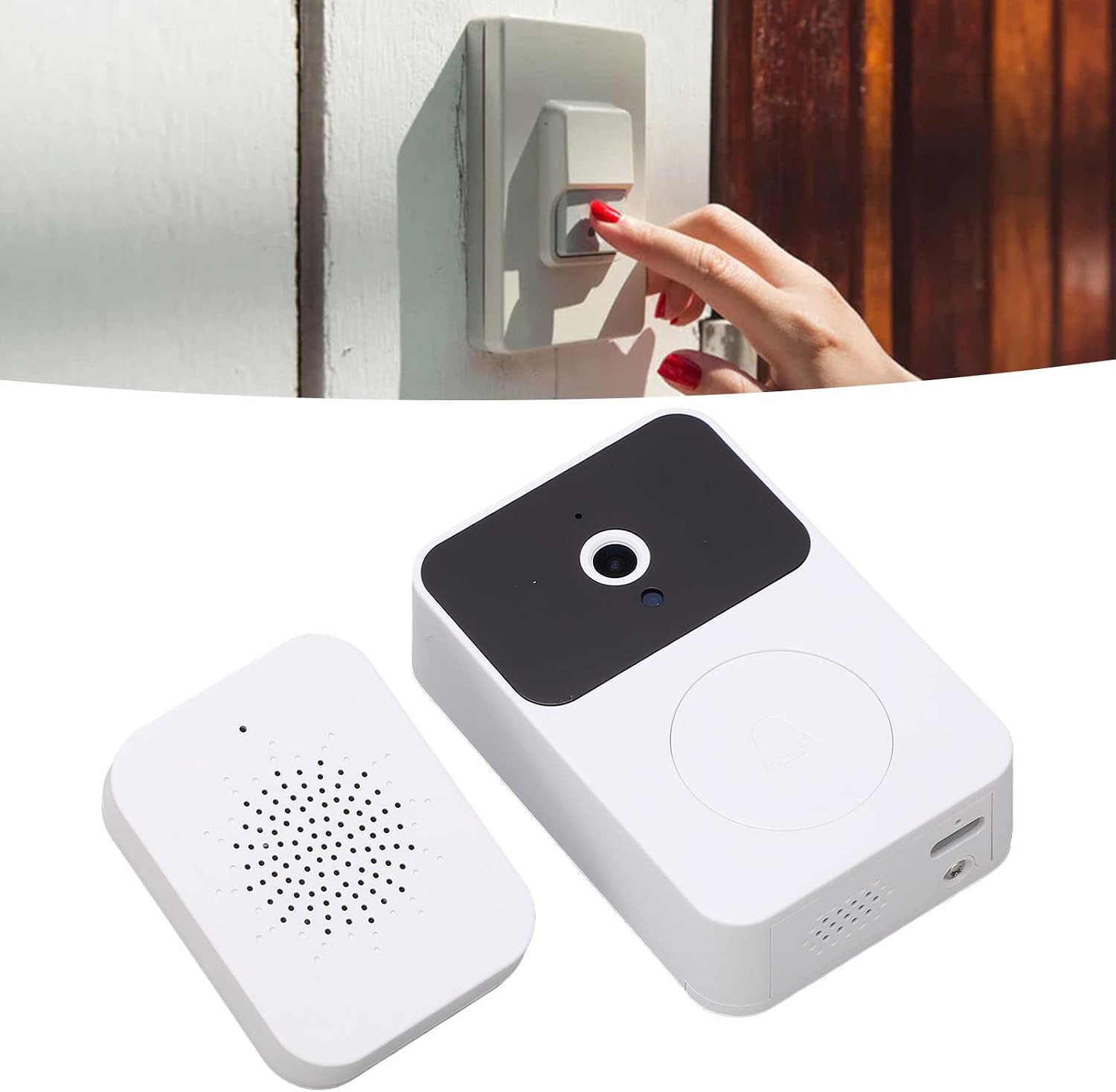
Image: Example of the doorbell camera installed next to a door, ready for use.
5. Operating Instructions
5.1 Receiving Visitor Notifications
When a visitor presses the doorbell button, the indoor chime unit will sound, and a notification will be sent to your paired mobile phone. You can then access the video dialogue interface on your phone to communicate with the visitor.
5.2 Two-Way Audio and Voice Change Function
The doorbell supports two-way audio communication. For added security, especially when alone, you can activate the voice change function through the mobile application to alter your voice during conversations.
5.3 HD Night Vision
The doorbell camera features adaptive infrared night vision. It automatically switches between day and night modes, providing clear visibility of visitors even in low-light conditions.
5.4 Chime Music Selection
The indoor chime unit offers 38 different melodies. Refer to the mobile application or the chime unit's physical buttons (if available) to cycle through and select your preferred chime sound.
6. Maintenance
6.1 Cleaning
Wipe the doorbell camera and indoor chime unit with a soft, dry cloth. Do not use abrasive cleaners or solvents.
6.2 Battery Life
The doorbell camera's 800mAh battery can last up to 365 days on standby. Recharge the unit when the battery indicator (if available) or app notification suggests low power.
6.3 Software Updates
Periodically check the mobile application for any available firmware updates for your doorbell camera to ensure optimal performance and access to new features.
7. Troubleshooting
- No Notification on Phone:
- Ensure your phone's Wi-Fi is on and has a stable internet connection.
- Verify that the mobile application has all necessary permissions enabled (notifications, microphone, camera, etc.).
- Check if the doorbell camera is connected to your home Wi-Fi network.
- Poor Video Quality / Disconnections:
- Ensure the doorbell camera is installed in an area with a strong 2.4G Wi-Fi signal.
- Reduce interference from other wireless devices.
- Restart both the doorbell camera and your Wi-Fi router.
- Doorbell Not Responding:
- Check the battery level of the doorbell camera and recharge if necessary.
- Perform a factory reset (refer to app for instructions if available).
8. Specifications
| Feature | Specification |
|---|---|
| Model Number | Richohw9wZE8NV |
| Battery Type | Integrated Lithium Battery |
| Battery Capacity | 800mAh |
| Standby Time | Up to 365 days |
| Wireless Connection | 2.4G Wi-Fi |
| Charging Interface | Type-C |
| Charging Time | Approximately 1.5 hours |
| Night Vision | Supported (Adaptive Infrared) |
| Video Call | Supported |
| Voice Change Function | Supported |
| Chime Melodies | 38 options |
| Material | ABS |
| Dimensions (L x W x H) | 15 x 10 x 4 cm |
| Weight | 128 grams |
9. Warranty and Support
Information regarding warranty and customer support for your ASHATA product may be available through your retailer or the official ASHATA website. Please retain your proof of purchase for warranty claims.
For further assistance, please contact ASHATA customer service or refer to the support section of the mobile application.
Ask a question about this manual
Ask about setup, troubleshooting, compatibility, parts, safety, or missing instructions. Manuals+ will review the question and use this page’s manual context to help answer it.