
1. Introduction
The Retevis B3H is a compact and lightweight FRS two-way radio designed for reliable communication. It features 16 preset channels, a 1620mAh rechargeable battery for extended use, and a shatterproof hidden display. This manual provides essential information for the safe and effective operation of your B3H walkie talkie.
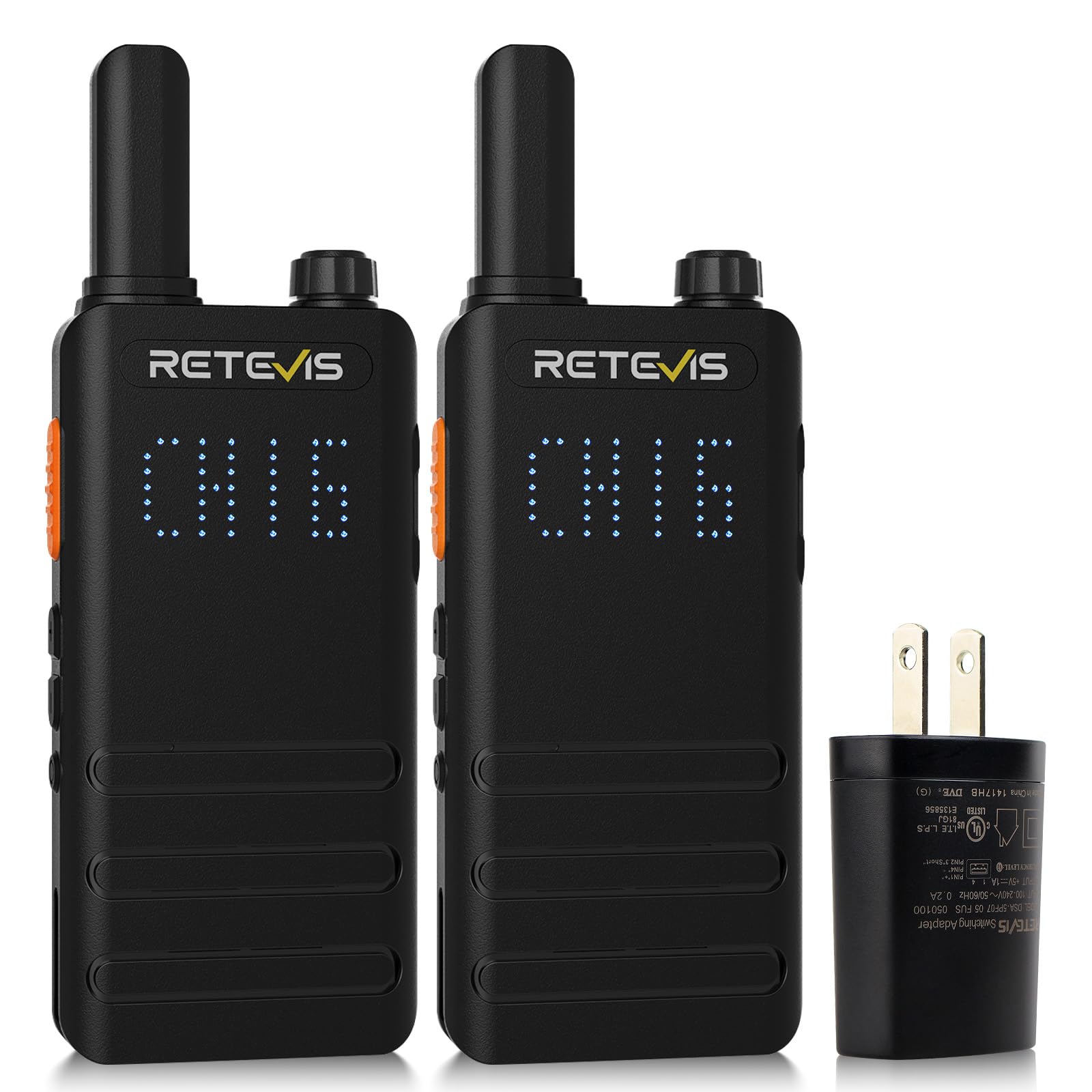
Figure 1: Retevis B3H Walkie Talkie
2. Package Contents
Verify that all items are present in your package:
- 2 x Retevis B3H Walkie Talkie (with 1620 mAh Li-ion battery included)
- 1 x USB-C Charging cable & Charger adapter
- 2 x Belt Clip
- 1 x User Manual

Figure 2: Included items in the Retevis B3H package.
3. Product Overview
The Retevis B3H features a minimalist design with essential controls for ease of use. Its ultra-thin and lightweight profile makes it convenient for various activities.
3.1 Components and Controls
- Antenna: Integrated for signal transmission and reception.
- Power/Volume Knob: Rotate to turn the radio on/off and adjust volume.
- PTT (Push-to-Talk) Button: Press and hold to transmit, release to receive.
- Channel Up/Down Buttons: Used to select channels.
- Hidden Display: Shows channel number, battery status, and other indicators.
- USB-C Charging Port: For recharging the battery.
- Belt Clip: For convenient carrying.

Figure 3: Front view with hidden display showing channel information.

Figure 4: Back view with regulatory information.
Video 1: Demonstrates the physical appearance and active view display of the B3H walkie talkie.
4. Setup
The Retevis B3H walkie talkies are designed to work out of the box with 16 pre-programmed FRS channels. No complex setup is required for basic operation.
4.1 Initial Use
- Charge the Battery: Before first use, fully charge the walkie talkie. Refer to the 'Charging' section for details.
- Attach Belt Clip: Secure the belt clip to the back of the radio if desired.
- Power On: Rotate the Power/Volume knob clockwise until you hear a click and the display illuminates.
- Select Channel: Use the Up/Down buttons to select one of the 16 available channels. Ensure all radios you wish to communicate with are on the same channel and CTCSS/DCS code.
5. Operating Instructions
5.1 Basic Communication
- Transmit: Press and hold the PTT button. Speak clearly into the microphone. Release the PTT button to finish transmitting.
- Receive: Ensure the PTT button is not pressed. The radio will automatically receive transmissions on the selected channel.
- Adjust Volume: Rotate the Power/Volume knob to increase or decrease the listening volume.
5.2 VOX (Voice Operated Exchange) Function
The VOX function allows hands-free transmission without pressing the PTT button. The radio will automatically transmit when it detects your voice.
- Activate VOX: Adjust the radio to channel 7. Power off the radio. Then, press and hold the UP key while powering on the radio. The display will indicate VOX activation.
- Deactivate VOX: Repeat the activation steps.

Figure 5: VOX function for hands-free operation.
Video 2: Instructions on how to activate the VOX function on the B3H radio.
Video 3: Detailed guide on using the VOX function of the B3H walkie talkie.
5.3 Emergency Alarm Function
The emergency alarm can be activated to alert others in urgent situations.
- Activate Alarm: Press and hold the DOWN key for approximately 3 seconds. The alarm icon will display on the screen, and an alarm sound will be emitted.
- Deactivate Alarm: Press any button to stop the alarm.

Figure 6: Emergency alarm feature for safety.
Video 4: Demonstrates how to enable the emergency alarm function.
Video 5: Quick guide on using the emergency alarm function of the B3H 2 Way Radio.
5.4 Key Lock Function
The key lock function prevents accidental channel changes or button presses.
- Activate Key Lock: Press and hold the PTT button and the DOWN button simultaneously until a 'di' sound is heard and a lock icon appears on the display.
- Deactivate Key Lock: Repeat the activation steps.
Video 6: Demonstrates how to turn on the key lock function of the B3H.
Note: The channel lock state may not be remembered after the radio is powered off and on again.
6. Charging
The Retevis B3H walkie talkie is equipped with a 1620mAh rechargeable Li-ion battery, providing up to 18 hours of continuous use and 49 hours of standby time. It features a convenient USB-C charging port.
- Connect Charger: Insert the USB-C charging cable into the radio's charging port.
- Connect Power: Plug the USB-C cable into the provided charger adapter or any compatible USB power source (e.g., power bank, PC, vehicle charger).
- Charging Indicator: The hidden display will show a charging animation or indicator.
- Full Charge: Charging typically takes 3-4 hours. The indicator will change or stop animating when fully charged.

Figure 7: Charging the B3H walkie talkies.
Video 7: Explains the charging status indicators of the B3H walkie talkie.
7. Maintenance
Proper maintenance ensures the longevity and optimal performance of your Retevis B3H walkie talkie.
- Cleaning: Use a soft, damp cloth to clean the radio's exterior. Do not use harsh chemicals or solvents.
- Storage: Store the radio in a cool, dry place when not in use. Avoid extreme temperatures and direct sunlight.
- Battery Care: Do not overcharge or deep discharge the battery. If storing for extended periods, charge the battery to about 50% capacity.
- Water Resistance: This product is not water resistant. Avoid exposure to water or high humidity.
8. Troubleshooting
| Problem | Possible Cause | Solution |
|---|---|---|
| Radio does not power on | Battery is depleted or not properly installed. | Charge the battery. Ensure the battery is securely connected. |
| Cannot communicate with other radios | Radios are on different channels or CTCSS/DCS codes. Out of range. | Ensure all radios are on the same channel and CTCSS/DCS settings. Move closer to the other radio. |
| Muffled or unclear audio | Microphone or speaker obstructed. Signal interference. | Ensure microphone and speaker are clear. Move to an area with less interference. |
| Channel changes accidentally | Key lock is not activated or reset after power cycle. | Activate the key lock function. Be aware that key lock may reset upon power cycling. |
9. Specifications
| Feature | Detail |
|---|---|
| Brand | Retevis |
| Model Number | A9269A-C9034A (B3H) |
| Color | Black |
| Number of Channels | 16 |
| Frequency Range | FRS |
| Talking Range Maximum | 1 Mile (actual range varies based on terrain and conditions) |
| Battery Capacity | 1620mAh Li-ion (included) |
| Battery Average Life | 18 Hours (continuous use) |
| Standby Time | Up to 49 Hours |
| Charging Time | 3-4 Hours |
| Charging Port | USB-C |
| Voltage | 3.7 Volts |
| Water Resistance Level | Not Water Resistant |
| Special Features | Large battery, Lightweight, Shatterproof hidden display, VOX, Emergency Alarm, Key Lock |
| FCC ID | 2A3OORT22D |
10. Warranty and Support
10.1 Warranty Information
Retevis provides a 2-year warranty for the radio body and a 1-year warranty for accessories. This includes a 30-day no-reason return policy. For service beyond the warranty period, maintenance services are available, with buyers responsible for associated costs.
10.2 Customer Support
For any questions, issues, or warranty claims, please contact Retevis customer support directly through Amazon. They aim to reply within 12 hours.
Seller: Retevis Direct
For further assistance, visit the Retevis Store on Amazon.


