
Introduction
This manual provides detailed instructions for the safe and effective operation of your ROTAZA S118 Foldable 4K Camera Mini Drone. Designed for ease of use, this drone is suitable for beginners and children, offering features like one-button takeoff and landing, altitude hold, and a 4K HD FPV camera for capturing stunning aerial photos and videos. Please read this manual thoroughly before first use to ensure optimal performance and safety.
Package Contents
Upon opening your ROTAZA S118 drone package, you should find the following items:
- ROTAZA S118 Mini Drone
- Remote Control
- Carrying Case
- Rechargeable Batteries (Quantity: 1 A batteries included)
- Charging Cable
- Spare Propellers
- Small Screwdriver (for maintenance)
- User Manual (this document)

Image: The ROTAZA S118 Mini Drone, its remote control, spare parts, and carrying case are neatly arranged, showcasing all included components.
Setup Guide
- Unfold the Drone: Gently unfold the four arms of the drone until they lock into place. Ensure all propellers are securely attached and free from obstruction.

Image: The ROTAZA S118 drone with its foldable arms extended, illustrating its compact design and readiness for operation.
- Install Drone Battery: Insert the fully charged drone battery into the designated compartment on the drone. Ensure it clicks securely into place.
- Power On Drone: Press and hold the power button located on the top of the drone until the indicator lights illuminate.
- Install Remote Control Batteries: Open the battery compartment on the back of the remote control and insert the required batteries. Close the compartment securely.
- Power On Remote Control: Press the power button on the remote control. The indicator lights should begin to flash.
- Pairing: The drone and remote control should automatically pair. The indicator lights on both devices will become solid once successfully paired. If pairing fails, turn both devices off and repeat steps 3-5.
- Calibrate Gyroscope: Place the drone on a flat, level surface. Push both joysticks on the remote control down and to the right simultaneously for a few seconds until the drone's lights flash rapidly and then become solid, indicating successful calibration.
- Connect to App (Optional): Download the official ROTAZA drone app from your device's app store. Connect your smartphone to the drone's Wi-Fi network (usually named "ROTAZA-XXXX"). Open the app to view the live camera feed and access additional features.
Operating Instructions
Basic Flight Controls
- One-Key Takeoff/Landing: Press the one-key takeoff/landing button (often indicated by an arrow pointing up/down) on the remote control. The drone will automatically ascend to a stable hovering height or descend gently for landing.
- Manual Takeoff: Push the left joystick up to start the propellers. Then, push the left joystick up again to lift off.
- Altitude Hold: The drone features an altitude hold function, allowing it to maintain a stable height automatically once the left joystick is released.
- Directional Control: Use the right joystick to control forward, backward, left, and right movement.
- Rotation: Use the left joystick to rotate the drone left or right.
Advanced Features
- Headless Mode: Activate Headless Mode by pressing the dedicated button on the remote. In this mode, the drone's orientation is relative to the pilot, making it easier to control without worrying about the drone's front direction.
Image: A visual representation of the drone's beginner-friendly features: Headless Mode, One Key Start/Land, and Altitude Hold, simplifying flight control.
- 360° Flip: Ensure the drone has sufficient altitude (at least 2 meters). Press the 360° flip button, then push the right joystick in any direction to perform an aerial flip.
- Speed Modes: The drone offers 3 speed modes (5 km, 10 km, 15 km) to accommodate different skill levels. Press the speed adjustment button to cycle through the modes.

Image: The drone's brushless motor for powerful and quiet operation, alongside an illustration of its three adjustable speed modes for varied flying experiences.
- Obstacle Avoidance: Activate the obstacle avoidance feature via its dedicated button. The drone will automatically detect and attempt to avoid obstacles in its path, enhancing safety for beginners.
- Smart Gesture Control: Utilize specific hand gestures to command the drone for taking photos or videos. Refer to the app's guide for detailed gesture recognition.
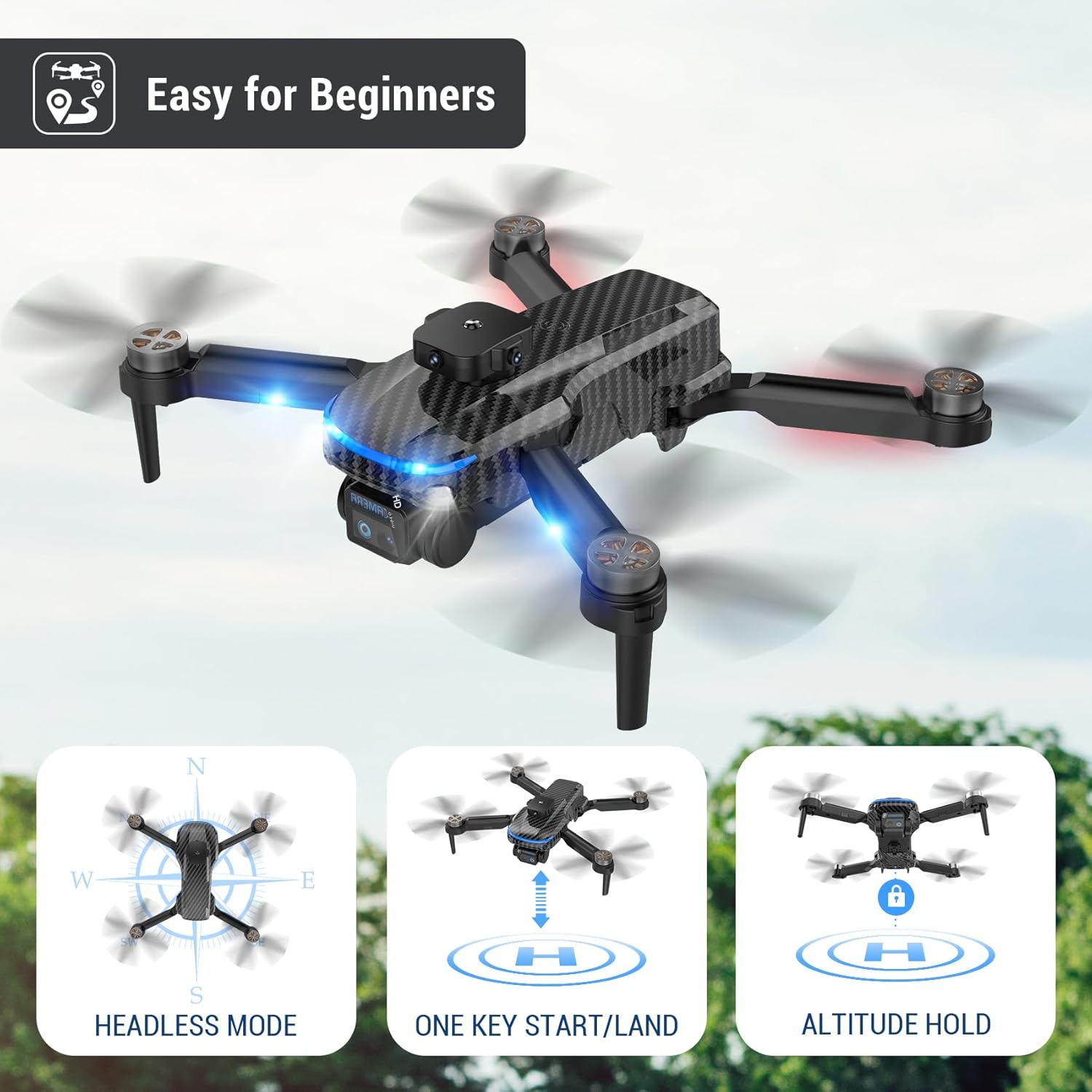
Image: People using hand gestures to control the drone, illustrating the Smart Gesture Control feature for capturing photos and videos.
Camera Operation
- 4K HD FPV Camera: The drone is equipped with a 4K HD FPV camera. Connect to the drone's Wi-Fi via the app to view a live feed on your smartphone.
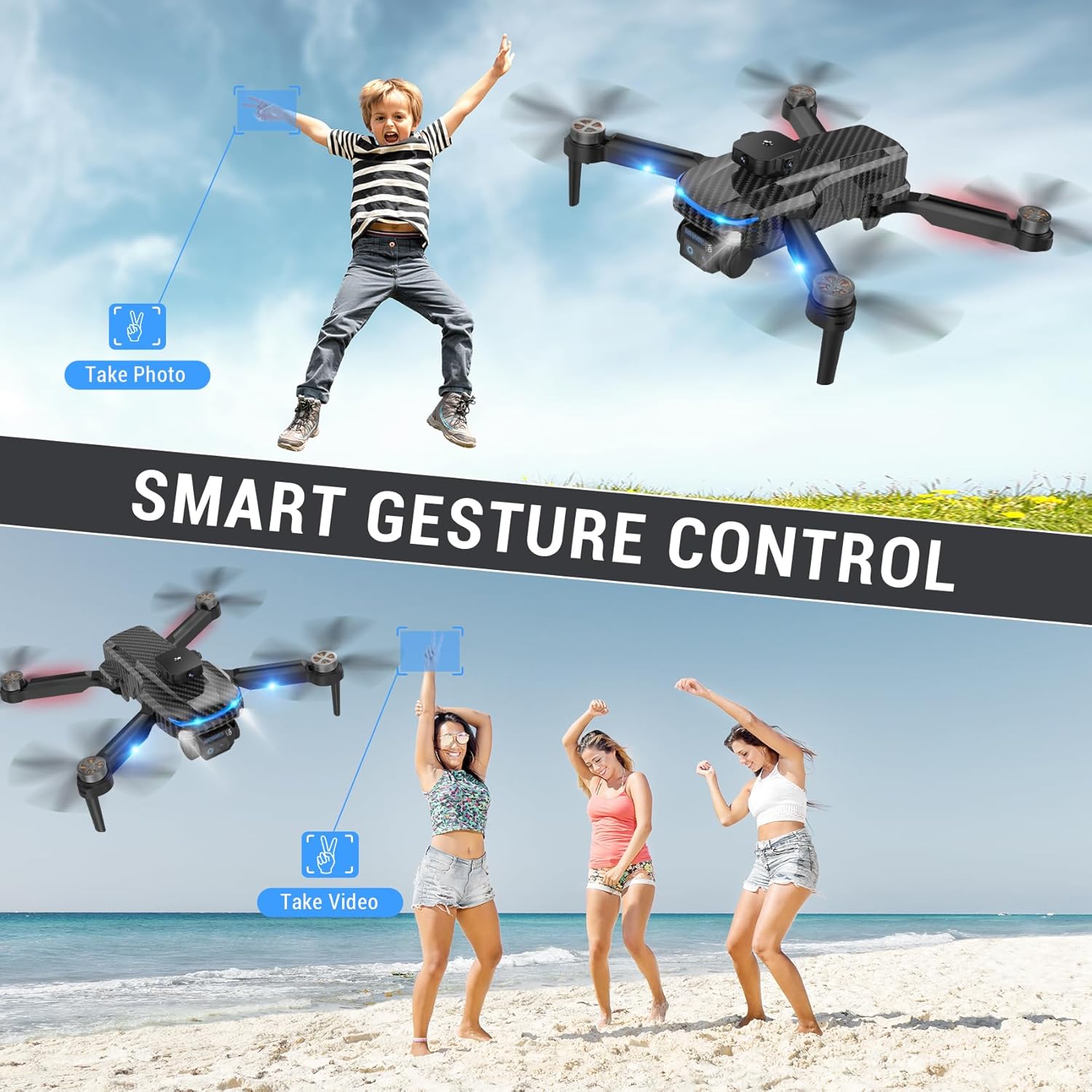
Image: Close-up of the drone's adjustable 4K camera, highlighting its ability to support both vertical and horizontal screen angle shooting for diverse aerial photography.
- Camera Adjustment: The camera supports 90° adjustment for varied shooting angles. This can be controlled manually or via the app.
- Photo/Video Capture: Use the dedicated buttons on the remote control or the app interface to capture photos (JPEG, PNG) and record videos (MP4).
Maintenance
- Propeller Inspection: Regularly check propellers for damage (cracks, bends). Replace damaged propellers using the provided spare parts and screwdriver.
- Battery Care: Charge batteries fully before each flight. Do not overcharge. Store batteries in a cool, dry place when not in use.
- Cleaning: Use a soft, dry cloth to clean the drone body and camera lens. Avoid using harsh chemicals or liquids.
- Storage: When not in use, fold the drone and store it in its carrying case to protect it from dust and damage.
Troubleshooting
| Problem | Possible Cause | Solution |
|---|---|---|
| Drone does not power on. | Low or uncharged battery. | Ensure battery is fully charged and correctly inserted. |
| Remote control does not respond. | Remote control batteries are low or incorrectly inserted. Not paired. | Replace remote control batteries. Re-pair drone and remote. |
| Drone drifts during flight. | Gyroscope not calibrated. Wind interference. | Calibrate the gyroscope on a flat surface. Fly in calm conditions. |
| Poor camera quality/no live feed. | Weak Wi-Fi connection. App not connected. | Ensure strong Wi-Fi connection. Reconnect app to drone's Wi-Fi. |
| Drone does not perform 360° flip. | Insufficient battery charge or altitude. | Ensure battery is fully charged and drone is at least 2 meters high. |
Specifications
- Brand: ROTAZA
- Model Name: S118
- Color: Black
- Material: Carbon Fiber
- Product Dimensions: 5.5"L x 3.54"W x 2.95"H (Folded)
- Item Weight: 4.4 ounces (123.99 Grams)
- Video Capture Resolution: 4K
- Video Output Resolution: 4K
- Video Capture Format: MP4
- Supported Image Format: JPEG, PNG
- Connectivity Technology: Wi-Fi
- Remote Control Technology: Wi-Fi
- Control Type: App Control
- Battery Cell Composition: Lithium
- Batteries: 1 A battery required (included), Rechargeable Battery Included: Yes
- Skill Level: Beginner
- Age Range (Description): Kid
- Special Feature: Carbon fiber pattern
- Included Components: Carrying Case
- UPC: 767552622066
Warranty and Support
For warranty information or technical support, please refer to the contact details provided in the product packaging or visit the official ROTAZA website. Keep your purchase receipt as proof of purchase for any warranty claims.
For more products from ROTAZA, visit the ROTAZA Store on Amazon.

