
Oculview B0CJV8SWJF
Oculview Cellular Trail Camera User Manual
Model: B0CJV8SWJF
Introduction
Thank you for choosing the Oculview Cellular Trail Camera. This advanced game camera is designed for remote monitoring of wildlife, property, or construction sites, offering 2.7K live streaming, 14MP image capture, and 4G LTE cellular connectivity. Its solar-powered design and IP66 waterproof rating ensure reliable operation in various outdoor environments. This manual provides detailed instructions for setup, operation, maintenance, and troubleshooting to help you maximize your camera's performance.
Package Contents
- Oculview Cellular Trail Camera
- Integrated Solar Panel
- 32GB Memory Card
- SIM Card (with 300M data)
- Mounting Strap
- Mounting Bracket and Screws
- USB Cable
- User Manual (this document)
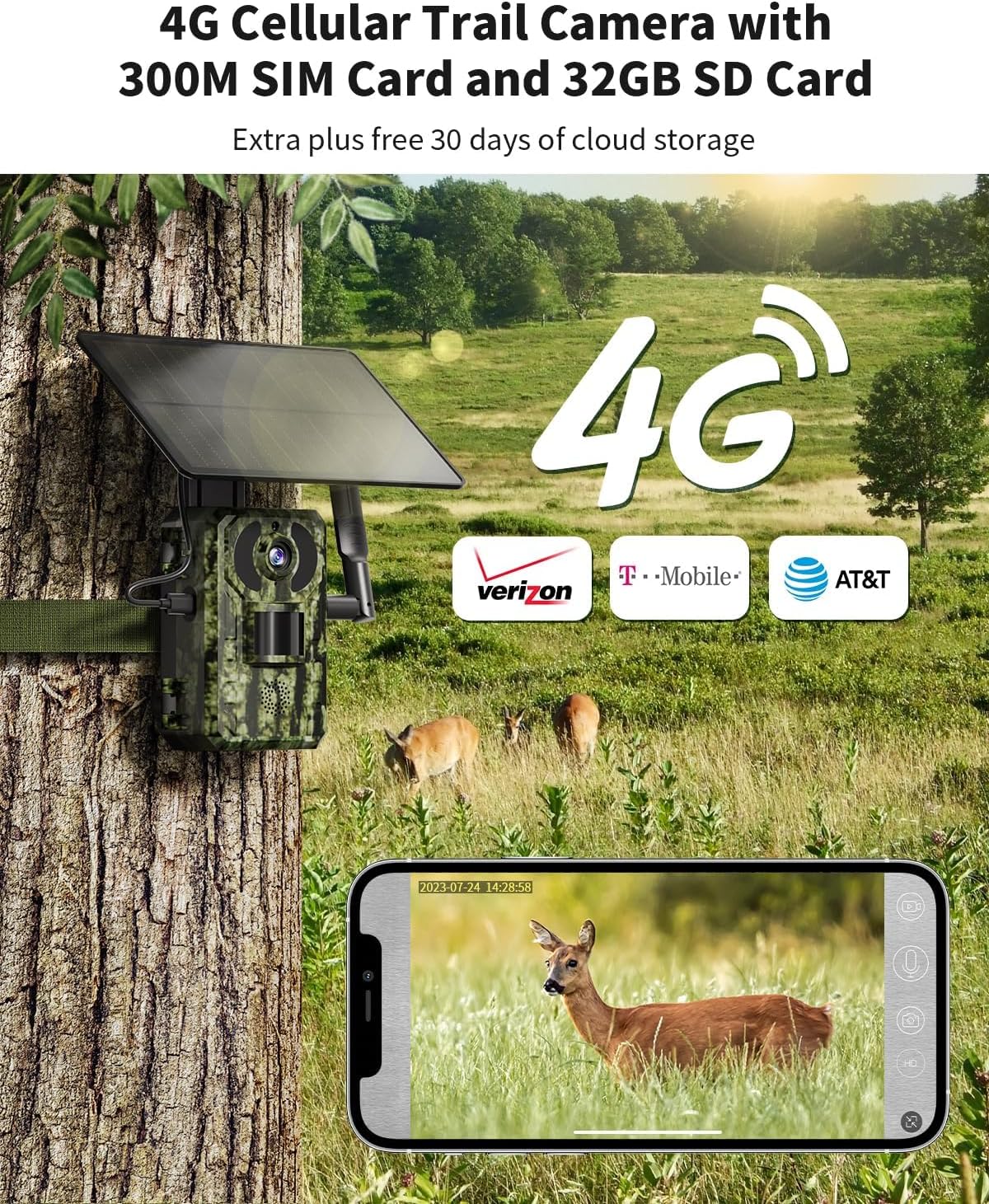
Image: The Oculview Cellular Trail Camera, showcasing the included 4G LTE SIM card and 32GB SD card, essential components for cellular connectivity and data storage.
Setup Guide
1. Insert SIM and Memory Card:
Locate the card slots on the camera body. Carefully insert the provided 4G LTE SIM card and the 32GB memory card into their respective slots. Ensure they are correctly oriented and click into place.
2. Power On:
The camera features a built-in rechargeable battery and an integrated solar panel. Ensure the solar panel is exposed to direct sunlight for optimal charging. The camera will automatically power on once sufficient charge is detected or if connected via USB.
3. Download and Configure Ucon App:
Download the 'Ucon' app from your smartphone's app store (iOS or Android). Follow the in-app instructions to register an account and add your Oculview camera. This typically involves scanning a QR code on the camera or entering its serial number. The app will guide you through initial network configuration.
4. Mounting the Camera:
Choose a suitable location for your camera, such as a tree or post, ensuring a clear view of the area you wish to monitor and good exposure for the solar panel. Use the provided mounting strap or bracket and screws to securely attach the camera. Adjust the angle for optimal coverage.

Image: The Oculview Cellular Trail Camera mounted on a wooden fence, demonstrating its solar panel for continuous power in remote locations.
Operating Instructions
Live Video Streaming and Image Capture
The Oculview camera supports real-time 2.7K video streaming and 14MP still image capture, accessible via the Ucon app. Ensure a stable 4G cellular connection for optimal performance.
- Access Live View: Open the Ucon app, select your camera, and tap the 'Live View' option to see real-time footage.
- View Recorded Media: Navigate to the 'Playback' or 'Gallery' section within the app to review captured 14MP images and 2.7K videos.

Image: A smartphone screen showing a live video feed from the Oculview trail camera, demonstrating remote viewing capabilities.

Image: A visual representation highlighting the camera's ability to provide both 2.7K live video and high-resolution 14MP still images.
Motion Detection and Trigger Time
The camera features an ultra-fast 0.2-second trigger time, ensuring quick capture of detected motion. You will receive alert notifications directly through the Ucon app.
- Adjust Sensitivity: Within the Ucon app settings, you can adjust the motion sensor's sensitivity to optimize detection for your specific environment.
- Receive Alerts: Ensure push notifications are enabled for the Ucon app on your smartphone to receive instant alerts when motion is detected.

Image: An illustration demonstrating the rapid 0.2-second trigger time of the Oculview camera compared to slower alternatives, ensuring quick capture of moving subjects.
Wide-Angle Detection
The 120° wide-angle lens provides an expansive field of view, minimizing blind spots and capturing more of the surrounding area.

Image: A diagram illustrating the 120-degree wide-angle detection range of the camera, showing its ability to cover a broad area.
Maintenance
Solar Panel Care:
Periodically clean the surface of the solar panel to ensure maximum light absorption and efficient charging. Remove any dust, dirt, or debris that may accumulate.
Weather Protection (IP66 Waterproof):
The camera is rated IP66 waterproof, providing protection against dust ingress and powerful water jets. While designed for outdoor use, avoid submerging the camera in water. Ensure all covers and seals are properly closed after accessing card slots or ports.
Memory Card Management:
When the memory card reaches its maximum capacity, the camera is designed to automatically overwrite the oldest recordings to continue capturing new events. Regularly back up important footage to prevent loss.

Image: The Oculview trail camera enduring rainfall, illustrating its IP66 waterproof design for reliable outdoor performance.
Troubleshooting
| Problem | Possible Cause | Solution |
|---|---|---|
| No Live Stream/Connectivity Issues | Insufficient cellular data; poor 4G signal; SIM card not properly inserted; app configuration error. | Check data balance in Ucon app and recharge if necessary. Relocate camera to an area with better 4G coverage. Reinsert SIM card. Verify app settings and camera pairing. |
| Camera Not Capturing Events | Motion sensor sensitivity too low; obstruction in detection area; low battery; memory card full. | Increase motion sensor sensitivity in Ucon app. Clear any obstructions. Ensure solar panel is charging effectively. The camera automatically overwrites oldest data when full, but check if the card is corrupted. |
| Poor Image/Video Quality | Lens dirty; low light conditions; subject too far. | Clean the camera lens with a soft cloth. Ensure adequate lighting for optimal capture. Note that night vision performance is up to 82 feet. |
| Battery Not Charging | Solar panel obstructed or dirty; insufficient sunlight; faulty solar panel/battery. | Ensure solar panel is clean and receives direct sunlight for several hours daily. If issues persist, contact Oculview support. |
Specifications
| Feature | Detail |
|---|---|
| Model | B0CJV8SWJF |
| Video Capture Resolution | 2.7K |
| Effective Still Resolution | 14 MP |
| Trigger Time | 0.2 seconds |
| Lens Angle | 120° Wide Angle |
| Night Vision Range | 82 Feet |
| Connectivity Protocol | Cellular (4G LTE) |
| Compatible Networks | Verizon, T-Mobile, AT&T |
| Power Source | Solar Powered (built-in rechargeable battery) |
| Waterproof Rating | IP66 |
| Control Method | APP Control (Ucon App) |
| Product Dimensions (L x W x H) | 4.72 x 2.95 x 2.17 inches |
| Item Weight | 2.05 pounds |
| Included Memory Card | 32GB |
| Included SIM Card Data | 300M |
Warranty and Support
For warranty information and technical support, please refer to the official Oculview website or contact Oculview customer service directly. Details can often be found on the product packaging or within the Ucon app's 'About' section.
You can also visit the Oculview Store on Amazon for more product information and support resources.