
1. Product Overview
The SZSKYING QI-ZRKO-NKVP Sea View Computer Gaming Case is designed for ATX motherboards, offering a spacious and visually appealing enclosure for high-performance PC builds. It features a unique sea view tempered glass design, ample cooling support, and convenient front panel connectivity.

Figure 1.1: Front view of the SZSKYING QI-ZRKO-NKVP Gaming PC Case, showcasing its tempered glass panel.
2. Key Features
- 270° Full View Tempered Glass Design: Provides an expansive view of your internal components, ideal for showcasing RGB lighting and custom builds.
- Advanced Connectivity: Equipped with a Type-C port, one USB 3.0 port, one USB 2.0 port, and a 2-in-1 audio port on the front panel for easy access.
- Extensive Cooling Support: Supports up to 9 x 120mm cooling fans (3x top, 2x side, 1x rear, 3x bottom) and radiators up to 360mm for optimal thermal performance.
- ATX Motherboard Compatibility: Designed to accommodate ATX, Micro-ATX, and Mini-ITX motherboards with support for backside wire plug-in for cleaner cable management.
- Unique Front RGB Lighting: The front panel features integrated ARGB lighting with color-changing effects, controllable via a dedicated LED button.
- Tool-free Removable Side Panel: Simplifies installation and maintenance with an easily detachable tempered glass side panel.
- High-quality Dust Filters: Magnetic dust filters on the top and bottom help prevent dust accumulation, ensuring longevity and optimal performance.

Figure 2.1: Detailed view of the front panel interface, including Type-C, USB 3.0, USB 2.0, Audio 2-in-1, LED, and Power buttons.

Figure 2.2: Illustration of the tool-free removable tempered glass side panel mechanism for easy access.

Figure 2.3: Close-up of the high-quality magnetic dust filters, designed for easy removal and cleaning.
Video 2.1: An overview of the Computer Gaming Case, highlighting its design and features.
3. Setup and Installation
3.1 Unpacking
Carefully remove the PC case from its packaging. Inspect the case for any signs of damage during transit. Retain all packaging materials for future transport or storage.
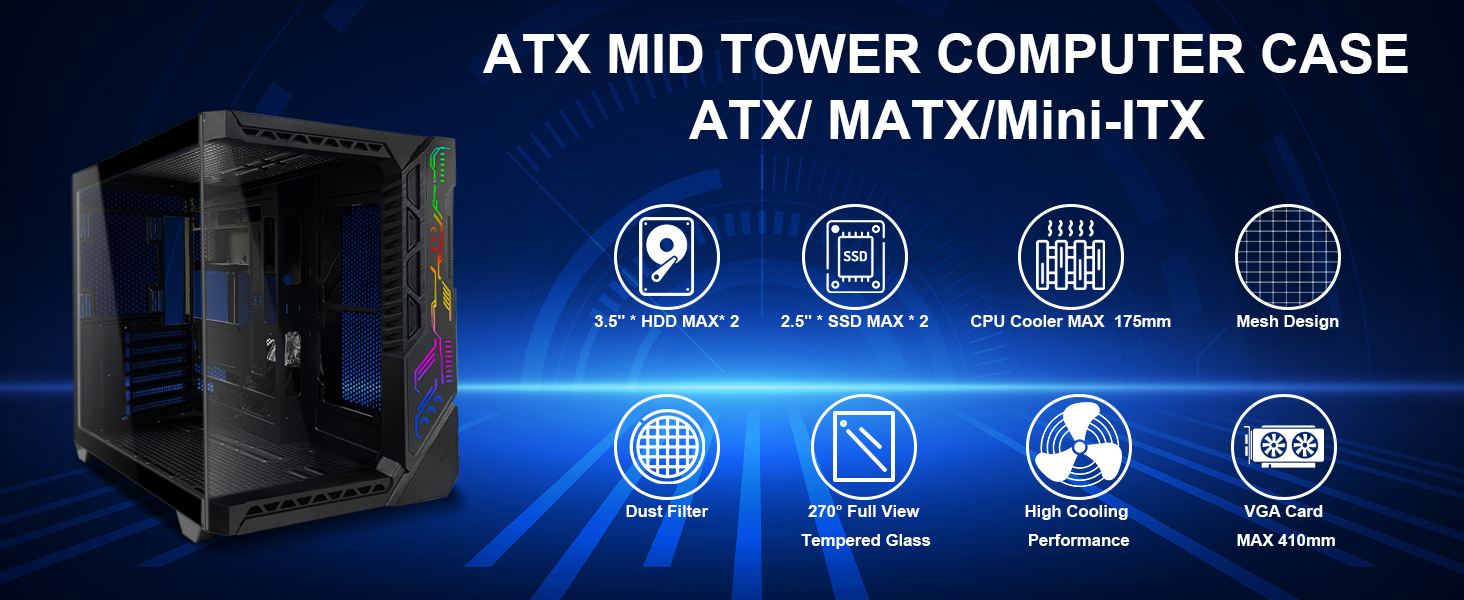
Figure 3.1: The PC case as it appears in its protective packaging.
3.2 Component Installation Guidelines
The QI-ZRKO-NKVP case provides a flexible layout for various components. Ensure all components are compatible with ATX form factor and dimensions before installation.
- Motherboard: Supports ATX, Micro-ATX, and Mini-ITX motherboards. Utilize the backside wire plug-in feature for improved cable management.
- Cooling Fans & Radiators:
- Top: Up to 3 x 120mm fans or 1 x 360mm water cooler.
- Side: Up to 2 x 120mm fans or 1 x 240mm water cooler.
- Rear: 1 x 120mm fan.
- Bottom: Up to 3 x 120mm fans or 1 x 360mm water cooler.
- CPU Cooler Height: Maximum 175mm.
- Graphics Card Length: Maximum 410mm.
- Storage: Supports 3.5" HDD and 2.5" SSD installations.

Figure 3.2: Internal layout and component installation guide, showing fan and radiator placements.
3.3 Cable Management
The case is designed with ample space behind the motherboard tray for effective cable routing. Utilize the provided cable ties to secure cables and maintain optimal airflow.
4. Operating Instructions
4.1 Powering On/Off
Press the Power Button located on the front panel to turn the PC on or off. Ensure all internal components are correctly connected to the power supply unit before powering on.
4.2 RGB Lighting Control
The front panel ARGB lighting can be controlled using the dedicated LED Button. Press the button to cycle through various lighting modes and colors. Hold the button to turn the lighting on or off.
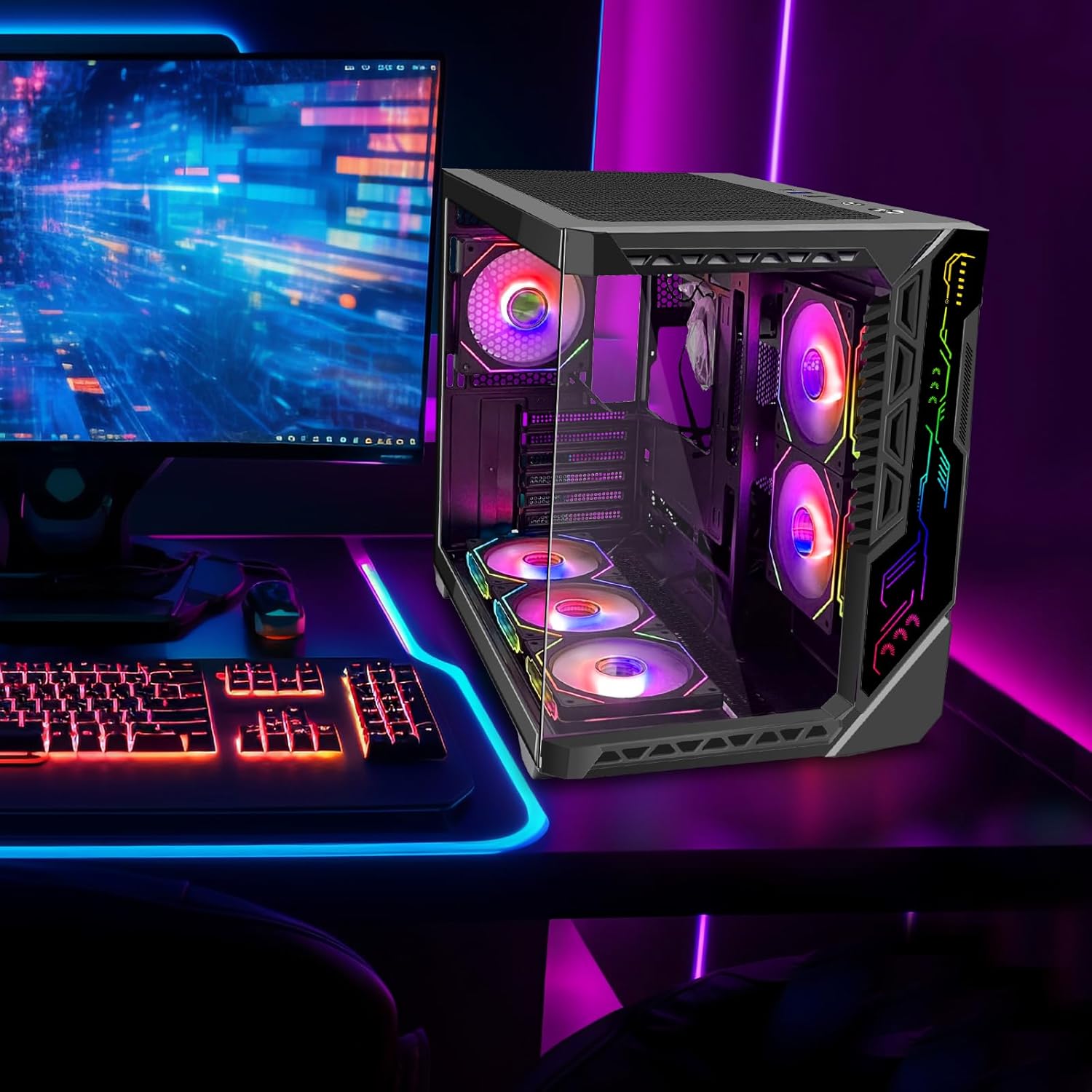
Figure 4.1: The gaming PC case illuminated with vibrant RGB lighting, showcasing its aesthetic appeal.
5. Maintenance
5.1 Cleaning Dust Filters
Regularly clean the magnetic dust filters located on the top and bottom of the case. Gently lift the filters, remove accumulated dust using a soft brush or compressed air, and reattach them securely.
5.2 General Cleaning
Wipe the exterior surfaces of the case, including the tempered glass panels, with a soft, damp cloth. Avoid using abrasive cleaners or solvents that could damage the finish or glass.
6. Troubleshooting
| Problem | Possible Cause | Solution |
|---|---|---|
| PC does not power on. | Loose power connections, faulty power supply, incorrect front panel wiring. | Check all power cables (PSU, motherboard, components). Verify front panel power switch connection to motherboard. Test PSU if possible. |
| RGB lighting not working. | Loose RGB cable connection, incorrect software settings, faulty LED strip. | Ensure RGB cables are securely connected to the motherboard or controller. Check motherboard RGB software settings. Press the LED button on the front panel to cycle modes. |
| Fans not spinning or noisy. | Loose fan connection, dust accumulation, fan speed settings. | Verify fan power connections. Clean dust from fan blades and filters. Adjust fan speed settings in BIOS/UEFI or fan control software. |
| USB ports not functioning. | Loose internal USB header connection, driver issues. | Check the internal USB 2.0, USB 3.0, and Type-C header connections on the motherboard. Ensure correct drivers are installed for your motherboard's chipset. |
7. Specifications
| Feature | Detail |
|---|---|
| Model Name | QI-ZRKO-NKVP |
| Brand | SZSKYING |
| Case Type | Mid Tower |
| Motherboard Compatibility | ATX, Micro-ATX, Mini-ITX |
| Dimensions (LxWxH) | 16.9 x 11.6 x 13.3 inches (42.9 x 29.5 x 33.8 cm) |
| Item Weight | 15.77 pounds (7.15 kg) |
| Material | SPCC (Steel Plate Cold Rolled) |
| Front I/O Ports | 1x Type-C, 1x USB 3.0, 1x USB 2.0, 1x Audio 2-in-1, LED Button, Power Button |
| Max CPU Cooler Height | 175mm |
| Max GPU Length | 410mm |
| Fan Support | Top: 3x120mm; Side: 2x120mm; Rear: 1x120mm; Bottom: 3x120mm (Total 9 fans) |
| Radiator Support | Top: 360mm; Side: 240mm; Bottom: 360mm |
| Power Supply Mounting Type | Bottom Mount or Rear Mount |

Figure 7.1: Dimensional diagram of the SZSKYING ATX Mid Tower Case.
8. Warranty and Support
For warranty information, technical support, or any inquiries regarding your SZSKYING QI-ZRKO-NKVP Gaming PC Case, please contact the manufacturer directly through their official website or the retailer where the product was purchased. Please have your model number (QI-ZRKO-NKVP) and purchase details ready when contacting support.