
1. Product Overview
The WMK IDW13 Smart Watch is a versatile wearable device designed for daily use, fitness tracking, and smart notifications. It features a 1.85-inch HD touchscreen, Bluetooth calling capabilities, and built-in Alexa voice assistance. The watch monitors various health metrics including heart rate, SpO2, stress levels, and sleep patterns, and supports over 120 sports modes. Its 3ATM waterproof rating makes it suitable for various water activities.
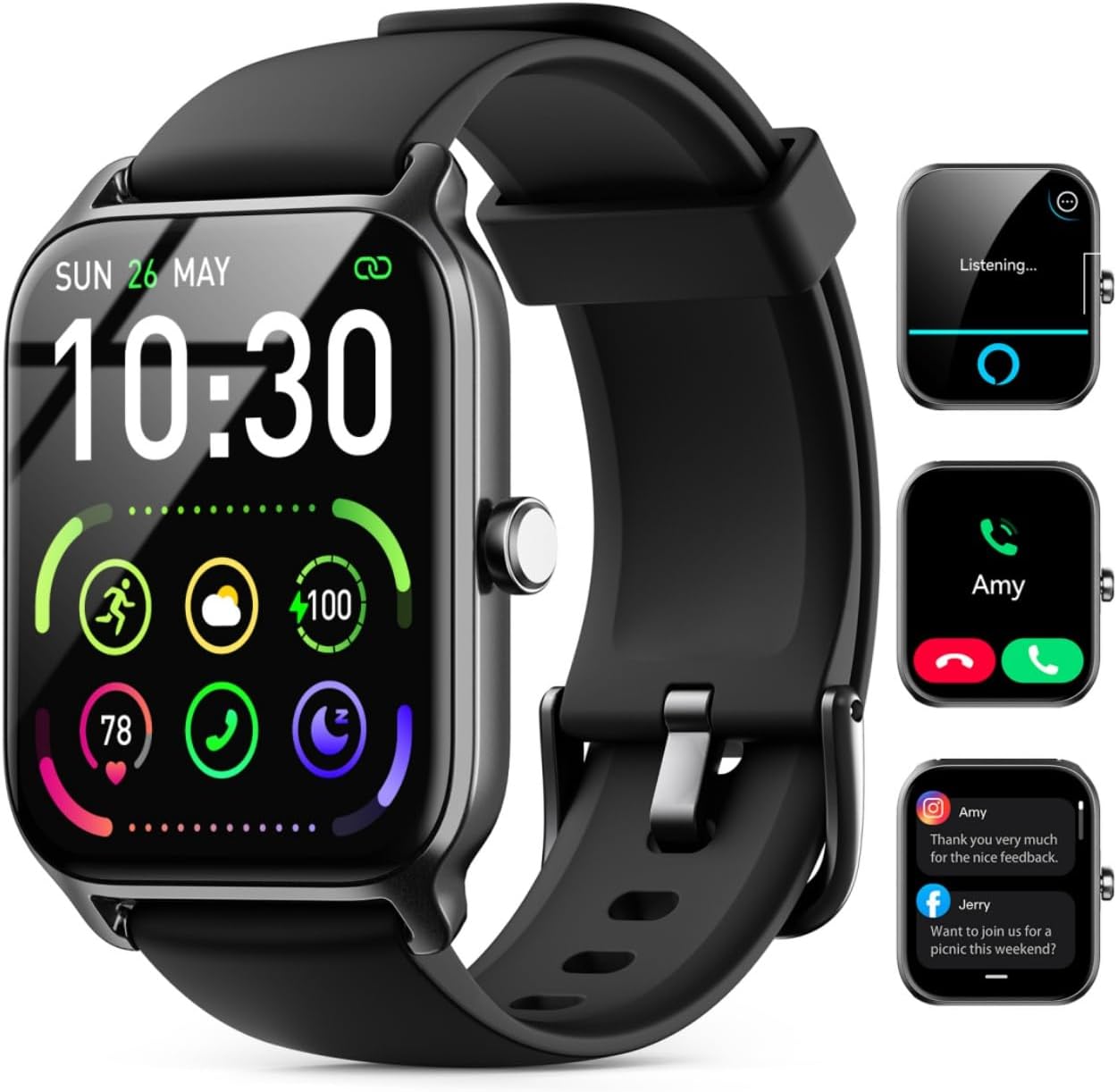
Image: WMK IDW13 Smart Watch displaying time, date, and various health metrics.
2. What's in the Box
- Smartwatch Body ×1
- Smartwatch Band ×1
- Smartwatch Charging Cable ×1
- Smartwatch Manual ×1
3. Setup
3.1 Charging the Smart Watch
Before initial use, fully charge your WMK IDW13 Smart Watch. Use the provided magnetic charging cable. Connect the USB-A end of the cable to a 5V power supply (e.g., a computer USB port or a phone charger adapter). Align the magnetic end of the cable with the charging contacts on the back of the watch. The watch will vibrate and light up to indicate it is charging correctly.
Video: Demonstrates how to connect the magnetic charging cable to the WMK IDW13 Smart Watch and a power source.

Image: Close-up of the magnetic charging cable attaching to the watch's charging points.
3.2 App Download and Pairing
To unlock the full functionality of your smart watch, download the 'VeryFit' app from the Google Play Store or Apple App Store. Scan the QR code provided in the manual or on the watch screen during initial setup to quickly find the app. Once installed, open the app and follow the on-screen prompts to pair your watch via Bluetooth. Ensure Bluetooth is enabled on your smartphone.

Image: The 'VeryFit' app icon on a smartphone screen.
3.3 Wearing the Watch
For accurate health monitoring, ensure the watch is worn snugly but comfortably on your wrist. The sensors on the back of the watch need to maintain good contact with your skin. You should be able to insert one finger between the watch back and your skin. If the watch is too tight or too loose, sensor readings may be inaccurate.

Image: A person wearing the smart watch on their wrist, demonstrating proper fit.
4. Operating the Smart Watch
4.1 Screen Navigation
- Tap the screen: To enter a menu item or select an option.
- Swipe up/down: To scroll through menus and notifications.
- Swipe left/right: To access quick settings or different feature screens.
- Press the side button: To return to the main watch face or access the app list.
4.2 Customizable Watch Faces
The WMK IDW13 offers a variety of customizable watch faces. To change the watch face, tap and hold on the current watch face, then swipe left or right to browse available options. You can also upload personal photos via the VeryFit app to create custom watch faces.

Image: A selection of customizable watch faces available for the smart watch.
4.3 Bluetooth Calling and Smart Notifications
With Bluetooth 5.3, the watch allows you to make and receive calls directly from your wrist. It also provides vibration alerts for incoming messages from SMS, email, and various social media apps (e.g., Facebook, WhatsApp, Instagram, Twitter). Note that replying to messages is not supported directly from the watch.

Image: The smart watch screen showing an incoming call and various app notifications.
4.4 Alexa Built-in
The smart watch integrates an AI assistant, allowing for smooth voice commands and hands-free calls. You can ask Alexa questions and receive instant voice replies directly from your wrist.

Image: The smart watch screen showing the Alexa listening interface.
4.5 Health Monitoring
The watch is equipped with high-performance optical sensors for continuous health monitoring:
- Heart Rate: Real-time heart rate tracking.
- SpO2: Blood oxygen saturation monitoring.
- Stress Level: Identifies and analyzes stress patterns.
- Sleep Tracker: Records deep sleep, light sleep, and wakefulness.
- Menstrual Cycle Tracking: Helps record and predict menstrual periods.
Note: This device is not intended for medical use. Health data is for reference only.

Image: The smart watch screen showing current heart rate, blood oxygen, and stress level readings.
4.6 Activity Tracking
The fitness tracker supports over 120 sports modes, including walking, running, cycling, swimming, and yoga. It continuously records daily steps, distances, and calories burned.

Image: A man running outdoors, with the smart watch displaying his activity data.
4.7 Other Features
The WMK IDW13 Smart Watch includes additional useful features:
- Weather forecasts
- Stopwatch
- Alarms
- Timer
- Sedentary reminders
- Water drinking reminders
- Flashlight
- Music and Camera control
- Find phone functionality

Image: A collage of smart watch screens showing various features such as weather, alarm, music control, and camera control.
5. Maintenance
5.1 Water Resistance
The WMK IDW13 Smart Watch has a 3ATM waterproof rating, meaning it is resistant to splashes, rain, and can be worn during swimming in shallow water. It is not suitable for hot showers, saunas, or deep diving. After exposure to water, use the built-in vibration drainage feature to expel any water from the speaker and microphone.

Image: A man swimming while wearing the smart watch, highlighting its water resistance.
5.2 Battery Life and Charging
The watch features a 350mAh battery, providing approximately 10 days of normal use and up to 30 days of standby time on a single charge. A full charge takes about 2.5 hours.

Image: The smart watch connected to its charger, showing battery level and charging status.
6. Troubleshooting
- Watch not turning on: Ensure the watch is fully charged. Connect it to the charger and wait a few minutes before attempting to power it on.
- Cannot pair with phone: Make sure Bluetooth is enabled on your phone and the watch is within range. Restart both devices and try pairing again through the VeryFit app.
- Inaccurate health data: Ensure the watch is worn correctly, snug against your wrist, but not too tight. Clean the sensors regularly.
- Notifications not received: Check app permissions on your phone to ensure the VeryFit app has access to notifications. Verify that notifications are enabled within the VeryFit app settings for the desired applications.
- Alexa not responding: Ensure the watch is properly connected to your phone and has an active internet connection. Check Alexa settings within the VeryFit app.
7. Specifications
| Product Dimensions | 1 x 1 x 1 inches |
| Item Weight | 1.38 ounces (39 Grams) |
| Item Model Number | IDW13 |
| Batteries | 1 Lithium Polymer batteries required (included) |
| Battery Capacity | 300 Milliamp Hours |
| Standing Screen Display Size | 1.85 Inches |
| Connectivity Technology | Bluetooth |
| Wireless Communication Standard | Bluetooth |
| Operating System Compatibility | iOS 9.0 and above / Android 6.0 or above |
| Waterproof Rating | 3ATM |
8. Warranty and Support
WMK offers a 5-year guarantee for the IDW13 Bluetooth Smart Watch. For any product problems or suggestions, please contact WMK customer support. They aim to respond within 24 hours to resolve your issue.
For further assistance, please refer to the official WMK store or contact their customer service directly.


