
ARRMA ARA3230ST2
ARRMA Gorgon 2WD 1/10 Scale RC Monster Truck Instruction Manual
Model: ARA3230ST2
1. Important Safety Information
WARNING: Read this entire instruction manual to become familiar with the features of the product before operating. Failure to operate the product correctly can result in damage to the product, personal property, and cause serious injury. This is a sophisticated hobby product. It must be operated with caution and common sense and requires some basic mechanical ability. Failure to operate this product in a safe and responsible manner could result in injury or damage to the product or other property.
This product is not intended for use by children without direct adult supervision. Do not use with incompatible components or alter this product in any way outside of the instructions provided by ARRMA. The product manual contains instructions for safety, operation, and maintenance. It is essential to read and follow all the instructions and warnings in the manual, prior to assembly, setup, or use, in order to operate correctly and avoid damage or serious injury.
2. Product Overview
The ARRMA Gorgon 2 Wheel Drive 1/10 Scale Ready-to-Run (RTR) Monster Truck is designed for durability and performance. This package includes everything needed to get started, from the truck itself to the battery and charger.
2.1 What's Included
- 1/10 GORGON 4X2 MEGA 550 Brushed Monster Truck
- Spektrum Waterproof SLT 2-in-1 ESC and Receiver Unit
- Mega 550 14T Brushed Motor
- Spektrum SLT2 2.4GHz Transmitter
- Spektrum S660 Waterproof Digital Steering Servo
- Spektrum 8.4V 3300mAh 7-Cell Hump Smart NiMH Battery with IC3 Connector
- Spektrum 2S LiPo Ready S120 USB-C Smart Charger
- 4 AA Transmitter Batteries
- 1.5mm, 2mm, and 2.5mm Hex Key and Multi-Tool
- Product Manual

Image: The ARRMA Gorgon 2WD Monster Truck, ready-to-run, shown with its included Smart NiMH battery and S120 USB-C Smart Charger.
3. Setup
3.1 Charging the Battery
- Connect the included Spektrum 8.4V 3300mAh 7-Cell Hump Smart NiMH Battery to the Spektrum S120 USB-C Smart Charger.
- Connect the S120 USB-C Smart Charger to a compatible USB power supply (not included, requires QC 2.0/3.0 18W+).

Image: Diagram illustrating the type of USB power supply required for charging the included battery.
The charger's LED indicator will show the charging status. Refer to the charger's specific instructions for detailed LED indications. Ensure the battery is fully charged before first use.
3.2 Installing Transmitter Batteries
Install the 4 included AA batteries into the Spektrum SLT2 2.4GHz Transmitter. Ensure correct polarity as indicated inside the battery compartment.
3.3 Binding the Transmitter and Receiver
Your ARRMA Gorgon truck comes pre-bound from the factory. However, if you need to re-bind the transmitter to the receiver, follow these steps:
- Ensure the transmitter is off and the vehicle's battery is disconnected.
- Turn on the transmitter.
- Connect the vehicle's battery. The receiver's LED should flash rapidly.
- Press and hold the bind button on the receiver. The LED will flash slowly.
- Release the bind button. The LED should turn solid, indicating a successful bind.
4. Operation
4.1 Basic Controls
- Steering Wheel: Turn left or right to control the vehicle's direction.
- Throttle Trigger: Pull to accelerate forward, push to brake or reverse.
4.2 Driving Tips
Always operate your RC truck in a safe, open area, away from people, pets, and obstacles. Avoid driving on public roads or near water. The Gorgon is designed for off-road bashing and can handle various terrains.
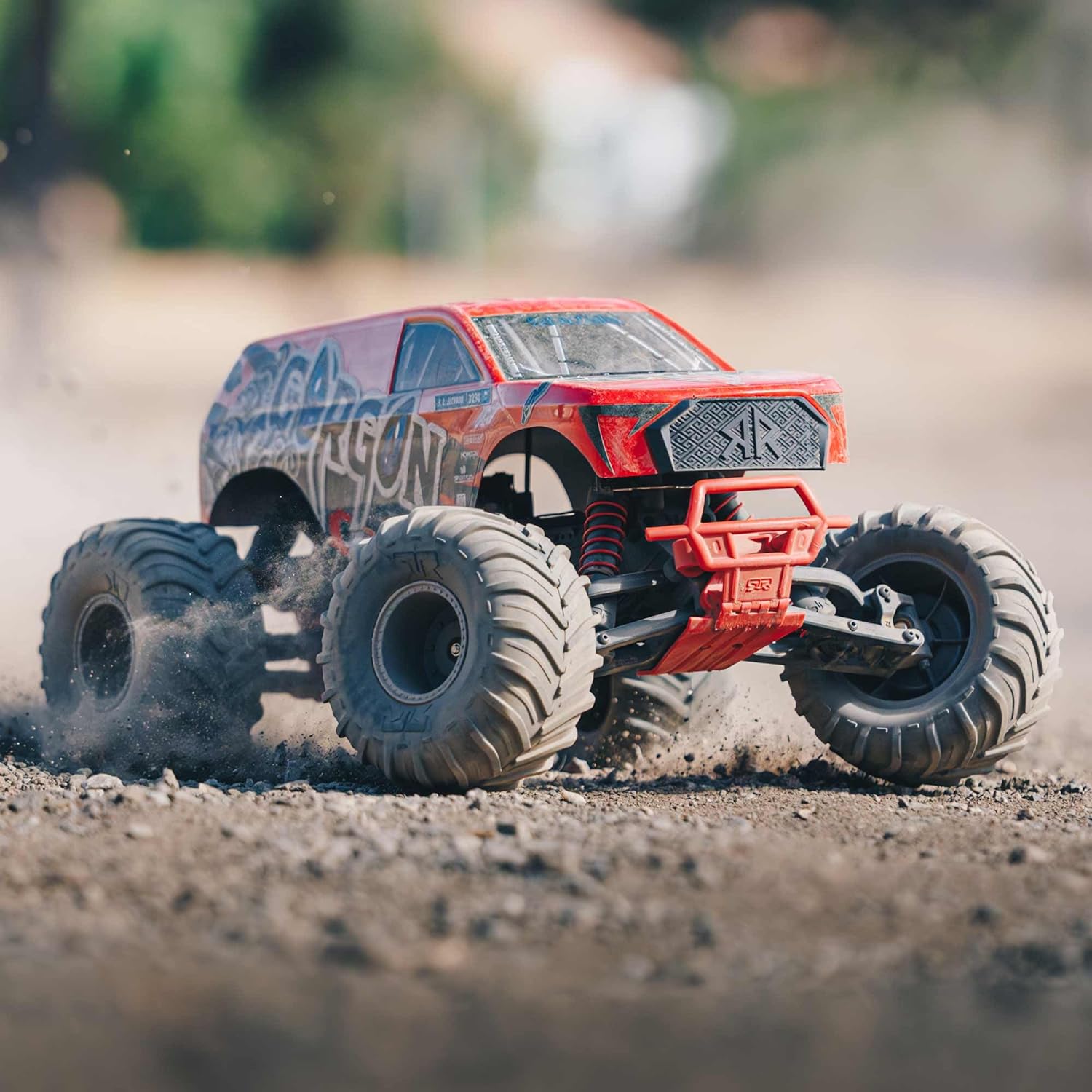
Image: Front view of the ARRMA Gorgon truck in motion on a dirt track.

Image: Rear view of the ARRMA Gorgon truck kicking up dirt during operation.
For optimal performance and longevity, allow the motor to cool down between battery packs, especially during aggressive driving. Consider adjusting the throttle limits on your transmitter if you are a beginner or operating in confined spaces.
5. Maintenance
Regular maintenance ensures the longevity and performance of your ARRMA Gorgon truck.
5.1 Cleaning
- After each use, remove dirt and debris from the chassis, suspension, and drivetrain using a soft brush or compressed air.
- Avoid using water directly on electronic components. If necessary, use a damp cloth to wipe down the body and tires.
5.2 Component Inspection
- Regularly check all screws and fasteners for tightness.
- Inspect the spur gear and pinion gear for wear or damage. A stripped spur gear can prevent the truck from moving.
- Examine the suspension components (shocks, control arms) for bends or cracks.
- Check the tires for punctures or excessive wear.
5.3 Battery Care
- Always store batteries in a cool, dry place.
- Do not overcharge or over-discharge batteries.
- Disconnect the battery from the vehicle when not in use.
6. Troubleshooting
| Problem | Possible Cause | Solution |
|---|---|---|
| Vehicle does not move | Low battery in vehicle or transmitter; stripped spur gear; loose motor wires. | Charge vehicle battery; replace transmitter batteries; inspect and replace spur gear if damaged; check motor connections. |
| Loss of control/Erratic behavior | Interference; loose antenna; un-bound transmitter/receiver. | Move to a different location; ensure antenna is properly positioned; re-bind transmitter and receiver. |
| Motor runs but wheels do not turn | Stripped spur gear or pinion gear; damaged drivetrain component. | Inspect and replace damaged gears; check drive shafts and axles. |
| Battery not charging | Faulty charger or battery; incorrect USB power supply. | Ensure USB power supply meets QC 2.0/3.0 18W+ requirements; try a different charger or battery if available; contact support. |
7. Specifications
- Model Number: ARA3230ST2
- Product Dimensions: 18.8 x 14.3 x 9.4 inches (47.75 x 36.32 x 23.88 cm)
- Item Weight: 5.95 pounds (2.7 kg)
- Manufacturer: ARRMA
- Recommended Age: 14 years and up
- Batteries: 4 AA batteries required for transmitter (included)
- Vehicle Battery: Spektrum 8.4V 3300mAh 7-Cell Hump Smart NiMH Battery with IC3 Connector (included)
- Charger: Spektrum 2S LiPo Ready S120 USB-C Smart Charger (included)
- Motor: Mega 550 14T Brushed Motor
- ESC/Receiver: Spektrum Waterproof SLT 2-in-1 ESC and Receiver Unit
- Servo: Spektrum S660 Waterproof Digital Steering Servo
8. Warranty and Support
For warranty information and technical support, please refer to the official ARRMA website or contact their customer service department. Keep your proof of purchase for any warranty claims.
Online resources, including detailed parts diagrams and additional setup videos, may be available on the ARRMA support portal.
Related documentsARA3230ST2


Ask a question about this manual
Ask about setup, troubleshooting, compatibility, parts, safety, or missing instructions. Manuals+ will review the question and use this page’s manual context to help answer it.