
Introduction
Thank you for choosing Philips LED R20 Ultra Definition Dimmable Light Bulbs. These bulbs are designed to provide high-quality, comfortable lighting that enhances the true colors of your home environment. Featuring a high Color Rendering Index (CRI) of 95 and a soft white 2700K color temperature, these bulbs offer a superior visual experience while being energy efficient.
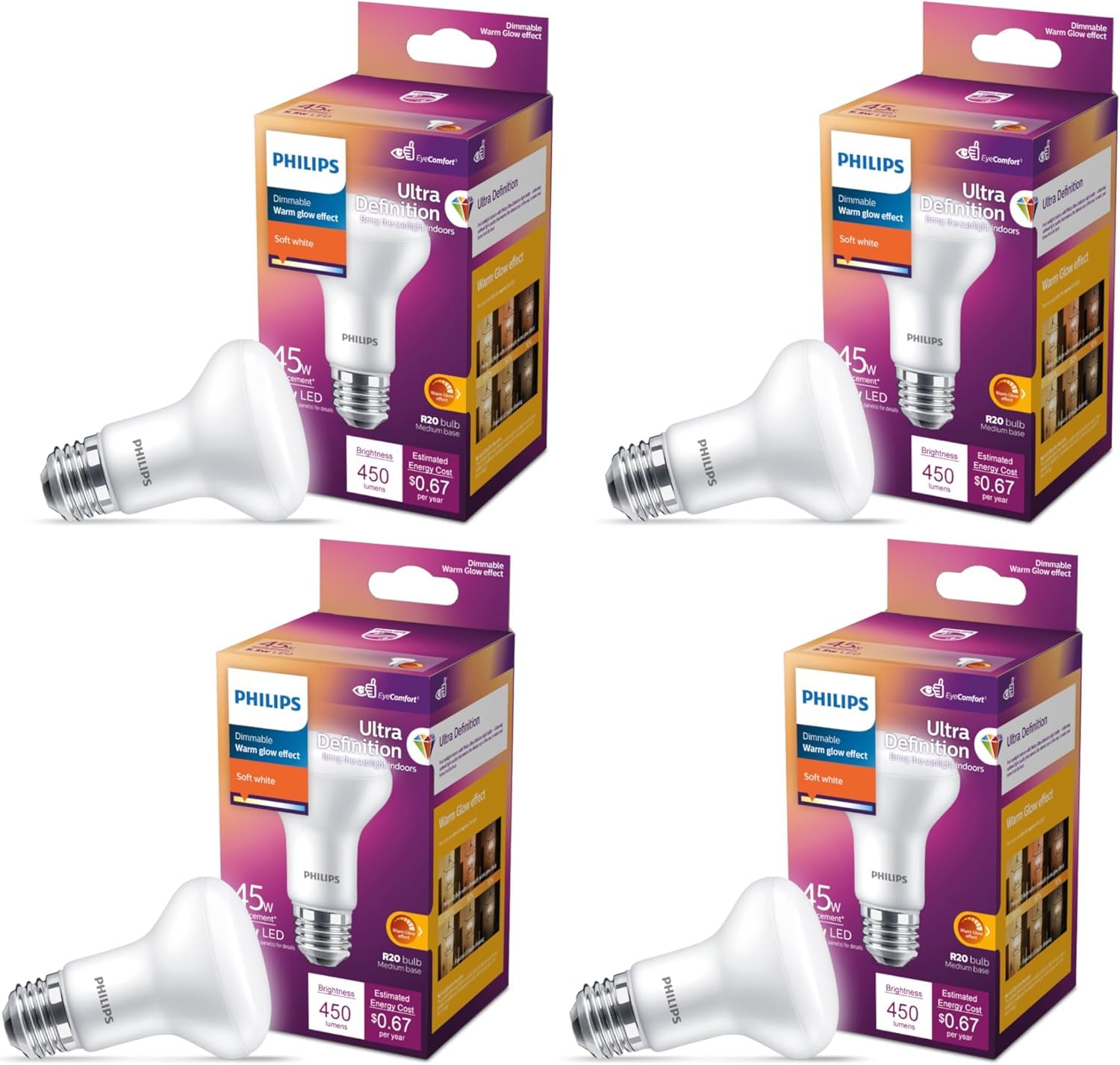
Image: A pack of four Philips LED R20 Ultra Definition Soft White light bulbs.
Key Features:
- Ultra Definition (CRI 95): Experience colors as they are meant to be seen, comparable to natural light.
- EyeComfort: Engineered to meet Philips' strict EyeComfort criteria, reducing flicker, glare, and stroboscopic effects for visual comfort.
- Dimmable: Smoothly dims to a warm glow, similar to traditional incandescent bulbs, when used with compatible dimmers.
- Soft White (2700K): Provides a warm and inviting light ambiance.
- Energy Efficient: Consumes only 5.5W while providing light equivalent to a 45W incandescent bulb.
Video: Demonstrates the Ultra Definition capabilities of Philips bulbs, highlighting how they render true colors compared to standard LEDs.
Video: Explains Philips' EyeComfort standard, detailing how these bulbs minimize flicker, glare, and stroboscopic effects for enhanced visual comfort.
Safety Information
- WARNING: Turn off power to the fixture before inspecting, installing, or removing the bulb.
- Risk of electric shock. Do not use where directly exposed to water.
- This bulb is for indoor use only.
- Do not use with incompatible dimmers. Refer to the dimmer manufacturer's instructions for compatibility.
- Do not disassemble the bulb. There are no user-serviceable parts inside.
- Ensure the bulb is securely screwed into the socket before turning on power.
Setup
Installing your Philips LED R20 bulb is a simple process.
- Turn off Power: Before installation, ensure the power supply to the light fixture is completely turned off at the circuit breaker or wall switch.
- Remove Old Bulb: Carefully unscrew the existing bulb from the fixture. Allow it to cool if it was recently in use.
- Install New Bulb: Gently screw the Philips LED R20 bulb into the E26 base socket. Do not overtighten.
- Restore Power: Turn the power back on at the circuit breaker or wall switch.
- Test: Turn on the light switch to ensure the bulb is functioning correctly.

Image: A close-up view of a Philips LED R20 bulb, highlighting its standard E26 screw base for easy installation.
Operating Instructions
Your Philips LED R20 bulb is designed for ease of use and provides high-quality light.
- Standard Operation: Simply turn on the light switch to illuminate the bulb. It will provide a consistent Soft White (2700K) light at 450 lumens.
- Dimmable Functionality: For dimming capabilities, ensure your light fixture is connected to a compatible LED dimmer switch. Adjust the dimmer to achieve your desired brightness level. The bulb will dim smoothly and can produce a warm glow at lower settings.
- Color Quality: These Ultra Definition bulbs feature a CRI of 95, ensuring that colors in your environment appear vibrant and true to life.

Image: A visual representation comparing various shades of white light, from 2700K Soft White to 5000K Daylight, illustrating color temperature differences.
Maintenance
Philips LED R20 bulbs require minimal maintenance.
- Cleaning: Ensure the power is off and the bulb is cool before cleaning. Wipe the bulb with a soft, dry cloth. Do not use liquid or abrasive cleaners, as they may damage the bulb's finish or internal components.
- Replacement: These LED bulbs have a long lifespan. When replacement is eventually needed, follow the 'Setup' instructions to safely replace the bulb.
- No User-Serviceable Parts: Do not attempt to open or repair the bulb. Any tampering will void the warranty.
Troubleshooting
If you encounter issues with your Philips LED R20 bulb, please refer to the following common solutions:
| Problem | Possible Cause | Solution |
|---|---|---|
| Bulb does not light up | No power to fixture, loose connection, faulty bulb | Check power switch and circuit breaker. Ensure bulb is screwed in tightly. Test bulb in another working fixture. |
| Bulb flickers or blinks | Incompatible dimmer, loose connection, electrical interference | Ensure dimmer is LED compatible. Tighten bulb in socket. If flickering persists, try bulb in a non-dimmable fixture to rule out dimmer issues. |
| Bulb does not dim properly | Incompatible dimmer, dimmer setting too low/high | Verify your dimmer is specifically designed for LED bulbs. Adjust dimmer settings within its recommended range. |
| Light output is too low/high | Dimmer setting, incorrect bulb for fixture | Adjust dimmer to desired brightness. Ensure the bulb's wattage and lumen output are suitable for your application. |
If the problem persists after trying these solutions, please contact Philips LED customer support.
Specifications
| Feature | Specification |
|---|---|
| Brand | Philips LED |
| Model Number | 576496 |
| Light Type | LED |
| Wattage | 5.5 Watts |
| Incandescent Equivalent | 45 Watts |
| Lumen Output | 450 Lumens |
| Bulb Shape Size | R20 |
| Bulb Base | E26 |
| Color Temperature | 2700 Kelvin (Soft White) |
| Dimmable | Yes |
| Color Rendering Index (CRI) | 95 |
| Voltage | 120 Volts |
| Frequency | 60 Hertz |
| Indoor/Outdoor Usage | Indoor |
| Material Type | Glass |
| Item Dimensions (W x H) | 2.48"W x 3.94"H |
| Item Weight | 0.31 Kilograms |
Warranty and Support
Manufacturer Warranty: This Philips LED R20 bulb comes with a 2-year manufacturer's warranty. Please retain your proof of purchase for warranty claims.
Customer Support: For technical assistance, troubleshooting beyond this manual, or warranty inquiries, please visit the official Philips Lighting website or contact their customer service department. Contact information can typically be found on the product packaging or the Philips Lighting website.
For more information on Philips EyeComfort and Ultra Definition technology, please visit www.philips.com/eyecomfort.


