
Product Overview
The 4DRC RC Plane (Model AH-G2) is a remote-controlled aircraft designed for recreational flying. Constructed from durable EPP material, it is lightweight and resilient. This model features a 6-axis gyro stabilizer for enhanced flight stability, even in light breezes, and includes blue and green LED lights for visibility during day and night flights. It is equipped with a 2.4GHz radio control system, offering a maximum control distance of 164 feet (50 meters).

Image: The 4DRC RC Plane, its remote controller, and two rechargeable batteries. The plane features blue and green LED lights along its wings.
Key Features:
- High Quality EPP Material: Lightweight and durable foam construction with propeller guards for safety.
- Easy to Play: One-key take-off/landing and auto-hovering functions for simplified operation.
- Headless Mode: Maintains consistent directional control relative to the pilot, simplifying orientation.
- 3-Speed Adjustable Modes: Allows for varied flight experiences, suitable for beginners to more experienced users.
- Long Flying Time: Includes two 3.7V 380mAh Li-polymer batteries, providing a total flight time of approximately 30 minutes.
- Colorful LED Lights: Integrated blue and green lights for enhanced visibility and aesthetic appeal during flight. Lights flash to indicate low battery.
- 2.4GHz Radio Control System: Ensures strong anti-interference ability and a stable connection up to 164 feet.
- 6-axis Gyro Stabilizer: Provides stable flight performance, even in windy conditions.
Package Contents
Please verify that all items listed below are present in your package:
- 1 x 4DRC RC Plane (Model AH-G2)
- 1 x Remote Controller
- 2 x 3.7V 380mAh Li-polymer Batteries
- 1 x USB Charging Cable
- Spare Propellers (quantity may vary)
- 1 x Small Screwdriver
- 1 x User Manual (this document)
Safety Guidelines
Operating any remote-controlled aircraft requires adherence to safety precautions to prevent injury or damage. Please read and understand all safety information before operating the 4DRC RC Plane.
General Safety:
- Age Recommendation: This product is recommended for users aged 14 years and up. Adult supervision is advised for younger users.
- Flight Environment: Fly in open, clear areas away from people, animals, buildings, and power lines. Avoid flying in strong winds or adverse weather conditions.
- Line of Sight: Always maintain visual line of sight with the aircraft during flight.
- Propeller Safety: Keep hands, face, and loose clothing away from rotating propellers. The propeller guards are designed for protection, but caution is still necessary.
- Battery Safety:
- Use only the provided charging cable and batteries.
- Do not overcharge or short-circuit batteries.
- Do not expose batteries to extreme temperatures or direct sunlight.
- If batteries swell or show signs of damage, discontinue use immediately.
- Water Exposure: The aircraft is not waterproof. Avoid contact with water or damp environments.
- Local Regulations: Be aware of and comply with all local laws and regulations regarding RC aircraft operation.
Safety Information from Product Listing: 4DG2 RC PLANE AIRPLANES JETS
Setup Guide
1. Charging the Aircraft Battery
- Connect the USB charging cable to a USB power source (e.g., computer USB port, USB wall adapter).
- Connect the other end of the charging cable to the aircraft battery.
- The charging indicator light on the charger will behave according to the battery status (e.g., off when charging, on when full). A full charge typically takes approximately 60-90 minutes per battery.
- Once fully charged, disconnect the battery from the charger.
Image: Two 3.7V 380mAh Li-polymer batteries included with the 4DRC RC Plane, providing extended flight time.
2. Installing Aircraft Battery
- Locate the battery compartment on the underside of the aircraft.
- Carefully insert a charged battery into the compartment, ensuring the connectors align.
- Secure the battery compartment cover.
3. Installing Remote Controller Batteries
- Open the battery cover on the back of the remote controller.
- Insert 3 AAA batteries (not included) into the battery compartment, observing correct polarity (+/-).
- Close the battery cover securely.

Image: The 2.4GHz remote controller for the 4DRC RC Plane, showing the throttle lever, steering yoke, speed up button, and light control button.
4. Pairing the Aircraft and Remote Controller
- Place the aircraft on a flat, level surface.
- Turn on the aircraft by connecting its battery. The aircraft's lights will begin to flash.
- Turn on the remote controller by sliding the ON/OFF switch.
- Push the throttle lever (left stick) all the way up, then pull it all the way down.
- The aircraft's lights will stop flashing and remain solid, indicating successful pairing.
Operating Instructions
1. Pre-Flight Check
- Ensure both aircraft and remote controller batteries are fully charged.
- Check that propellers are securely attached and free from damage.
- Select an open, clear flying area free from obstacles and people.
- Verify that the aircraft and remote are successfully paired.
2. Take-off
- One-Key Take-off: After pairing, press the One-Key Take-off/Landing button on the remote controller. The aircraft will automatically ascend to a stable hovering height.
- Manual Take-off: Gently toss the aircraft forward into the wind while simultaneously pushing the throttle lever up. This method is often preferred for foam gliders.

Image: Visual representation of the one-key take-off and landing function, simplifying flight initiation and conclusion.
3. Flight Controls
- Throttle Lever (Left Stick):
- Push up to increase altitude/speed.
- Pull down to decrease altitude/speed.
- Steering Yoke (Right Stick):
- Push left/right to turn the aircraft left/right.
- Headless Mode: Press the Headless Mode button (refer to remote diagram if available). In this mode, the aircraft's orientation is relative to the pilot, making it easier to control without needing to track the aircraft's front.
- 3-Speed Modes: Press the Speed Up button to cycle through low, medium, and high-speed modes. This allows adjustment for different skill levels and flying conditions.
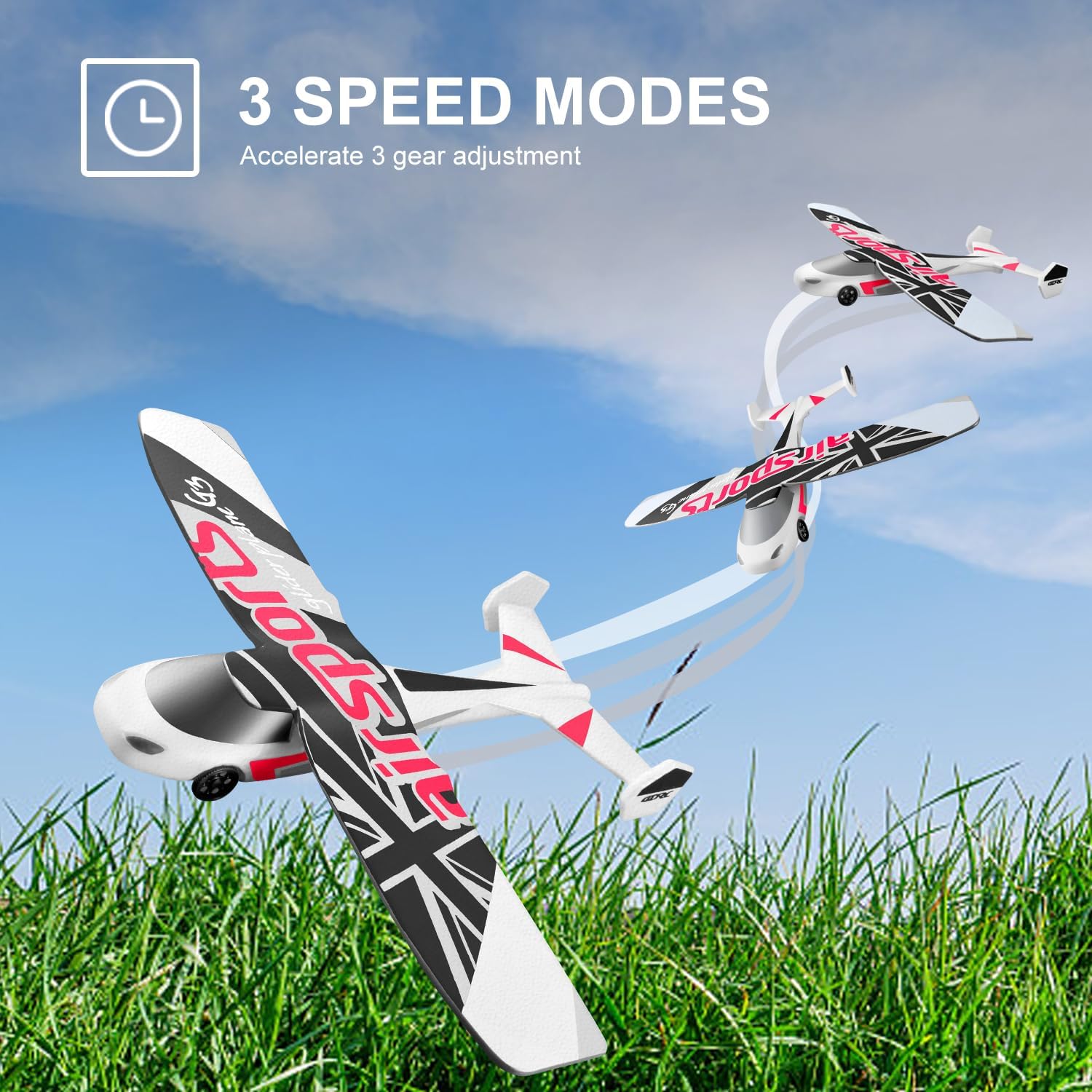
Image: The 4DRC RC Plane shown flying at three different speeds, illustrating the adjustable speed modes.

Image: A comparison showing how the 6-axis gyro stabilization system helps the plane fly stably, contrasting with unstable flight without it.
4. Special Features
- LED Lights: Press the Light Control button to turn the blue and green LED lights on or off. The lights will flash when the battery is low, signaling it's time to land.
- 3D Flips: While flying, press the 3D Flips button (if available on your remote) and then move the right stick in the desired direction to perform a flip. Ensure sufficient altitude before attempting.
- Circle Flight: Press the Circle Flight button (if available on your remote) to initiate an automatic circular flight path.

Image: The 4DRC RC Plane flying with its vibrant blue and green LED lights illuminated, enhancing visibility.

Image: The 4DRC RC Plane demonstrating its ability to perform 3D flips, adding an acrobatic element to flight.

Image: The 4DRC RC Plane executing a "Circle Flight" maneuver, showcasing its automated acrobatic capabilities.
5. Landing
- One-Key Landing: Press the One-Key Take-off/Landing button. The aircraft will automatically descend and land gently.
- Manual Landing: Slowly pull the throttle lever down to reduce altitude. Guide the aircraft to a clear landing spot. Reduce throttle completely upon touchdown.
Maintenance
- Cleaning: Wipe the aircraft gently with a clean, dry cloth after each use to remove dust or debris. Do not use water or chemical cleaners.
- Propeller Inspection: Regularly check propellers for any cracks, bends, or damage. Replace damaged propellers immediately using the provided spares and screwdriver.
- Battery Storage: Store batteries in a cool, dry place away from direct sunlight and extreme temperatures. For long-term storage, charge batteries to approximately 50% capacity.
- Aircraft Storage: Store the aircraft in a safe place to prevent physical damage, away from direct sunlight or heat sources.
- EPP Material Care: While durable, EPP foam can be damaged by sharp objects or excessive force. Handle with care.

Image: A close-up view highlighting the flexible EPP material and internal carbon fiber reinforcement of the 4DRC RC Plane, designed for durability.
Troubleshooting
| Problem | Possible Cause | Solution |
|---|---|---|
| Aircraft does not respond to remote. | Not paired, low remote/aircraft battery, out of range. | Re-pair aircraft and remote. Charge batteries. Ensure within 164 ft range. |
| Aircraft cannot take off or flies weakly. | Low aircraft battery, damaged propellers, heavy wind. | Fully charge aircraft battery. Replace damaged propellers. Fly in calm conditions. |
| Aircraft drifts or flies unevenly. | Not calibrated, strong wind, physical damage. | Ensure aircraft is placed on a flat surface during pairing. Avoid strong winds. Check for structural damage. |
| LED lights flashing during flight. | Low aircraft battery. | Land the aircraft immediately and recharge the battery. |
| Short flight time. | Battery not fully charged, old battery, continuous high-speed flight. | Ensure battery is fully charged. Consider replacing old batteries. Use lower speed modes for longer flight. |
Specifications
- Model Number: AH-G2
- Brand: 4DRC
- Product Dimensions: 11 x 14 x 3 inches (27.9 x 35.6 x 7.6 cm)
- Item Weight: 1.37 pounds (0.62 kg)
- Recommended Age: 14 years and up
- Batteries: 2 x 3.7V 380mAh Li-polymer (included)
- Control System: 2.4GHz Radio Control
- Control Distance: Approximately 164 feet (50 meters)
- Flight Time: Up to 30 minutes (with 2 batteries)
- Stabilization: 6-axis Gyro Stabilizer
- Material: EPP Foam
Warranty and Support
For warranty information or technical support, please contact the manufacturer, 4DRC, directly through their official website or the retailer from whom the product was purchased. Please retain your proof of purchase for any warranty claims.
For further assistance, you may visit the 4DRC Store on Amazon: 4DRC Store