
1. Safety Information
Please read all safety instructions carefully before assembly and use. Failure to follow these instructions may result in injury or damage to the product.
- Always operate the desk within its maximum weight capacity of 176 lbs (80 kg).
- Exercise caution when adjusting the desk height, especially if children or pets are nearby. Ensure no obstructions are in the desk's path.
- Do not force the desk to move if it encounters an obstruction or appears stuck.
- Ensure the desk is placed on a stable, level surface and properly anchored to prevent tipping.
- If you experience any discomfort during use, adjust your posture and take breaks.
- Keep all electrical components dry and away from liquids.
2. Product Overview
The BANTI Electric Height Adjustable Standing Desk is designed to provide a versatile workspace, allowing seamless transitions between sitting and standing positions. This desk features a robust steel frame and an electric motor for smooth height adjustments.
Key Features:
- Motorized Height Adjustment: Customize your working height from 27.3 inches to 45.5 inches with three programmable preset buttons.
- Sturdy Construction: Industrial-grade steel frame supports up to 176 lbs (80 kg).
- Collision Avoidance Technology: Sensors detect obstacles to prevent bumps and scratches during height adjustments.
- Quiet Operation: Desktop lifting speed of 20mm/s with noise levels below 55db.
- Easy Assembly: Desk platform is designed for straightforward assembly with precision screws and fittings.
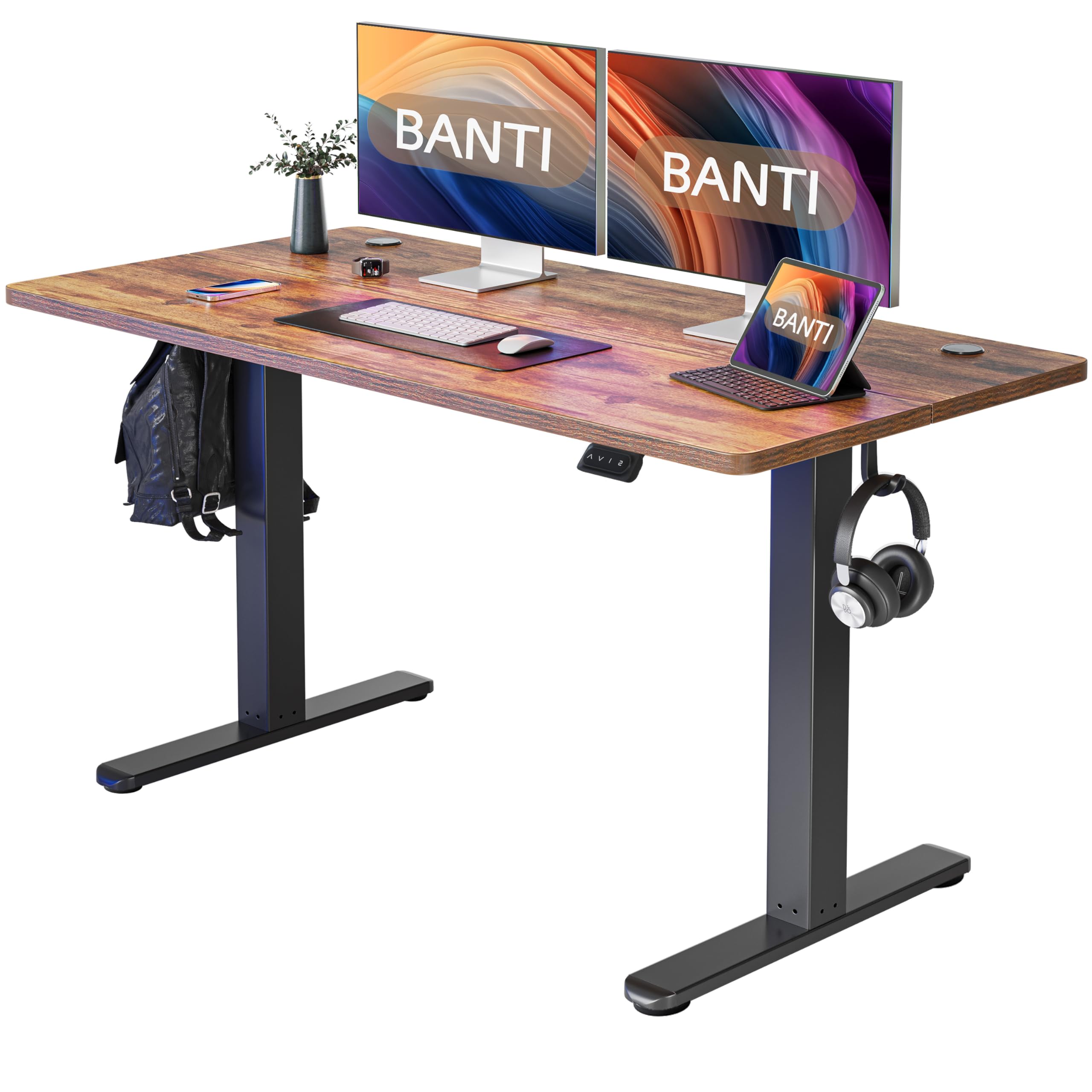
Image: Product dimensions of the BANTI 55x24 inch standing desk, showing a width of 55 inches, depth of 24 inches, and adjustable height from 28.3 inches to 45 inches.

Image: Illustration of the BANTI standing desk supporting a load, highlighting its 176 lbs weight capacity.
3. Setup and Assembly
Assembly of the BANTI standing desk is designed to be straightforward. It is recommended that two people perform the assembly to ensure safety and ease.
Included Components:
- Desk platform (2 sections)
- Desk frame components
- Control panel
- Motor and power supply
- 4 track rollers (optional installation)
- Headphone hook
- All necessary installation tools
- Installation instruction manual
Tools Required:
A drill is recommended for assembly, though all necessary tools are included.
Assembly Steps:
- Unpack all components and verify against the parts list in the included instruction manual.
- Assemble the desk frame according to the detailed diagrams in the manual. Ensure all screws are securely tightened.
- Attach the two desk platform sections using the provided precision screws and fittings.
- Mount the assembled desktop onto the frame.
- Install the control panel and connect all electrical cables as indicated in the manual.
- Optionally, attach the 4 track rollers for mobility or the height-adjustable feet for stationary use.
- Attach the headphone hook to your preferred location on the desk.
- Connect the power supply to a suitable electrical outlet.
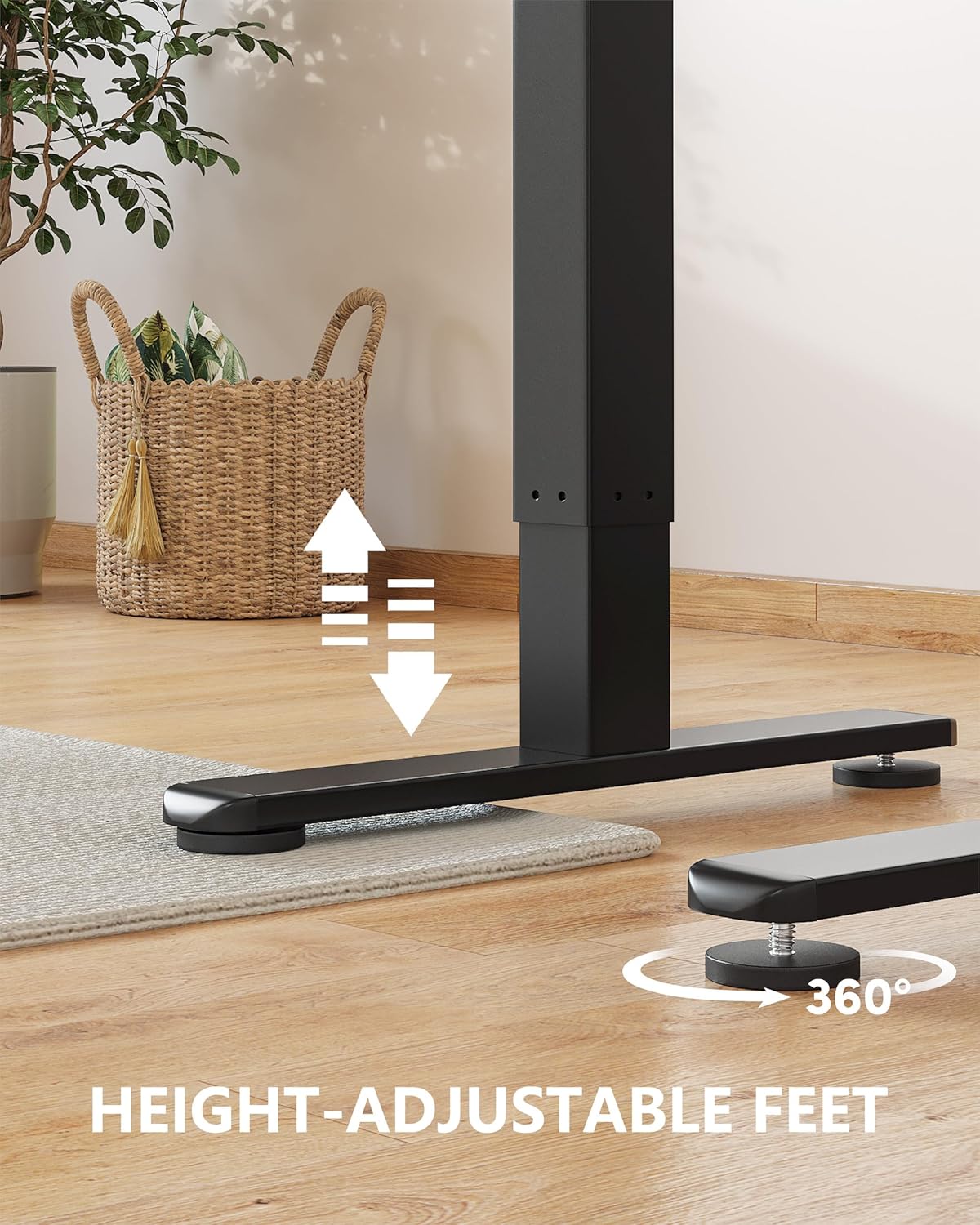
Image: Close-up of the height-adjustable feet on the BANTI standing desk, showing 360-degree rotation for leveling.
4. Operating Instructions
The BANTI standing desk features an intuitive control panel for easy height adjustment and memory settings.
Control Panel Functions:
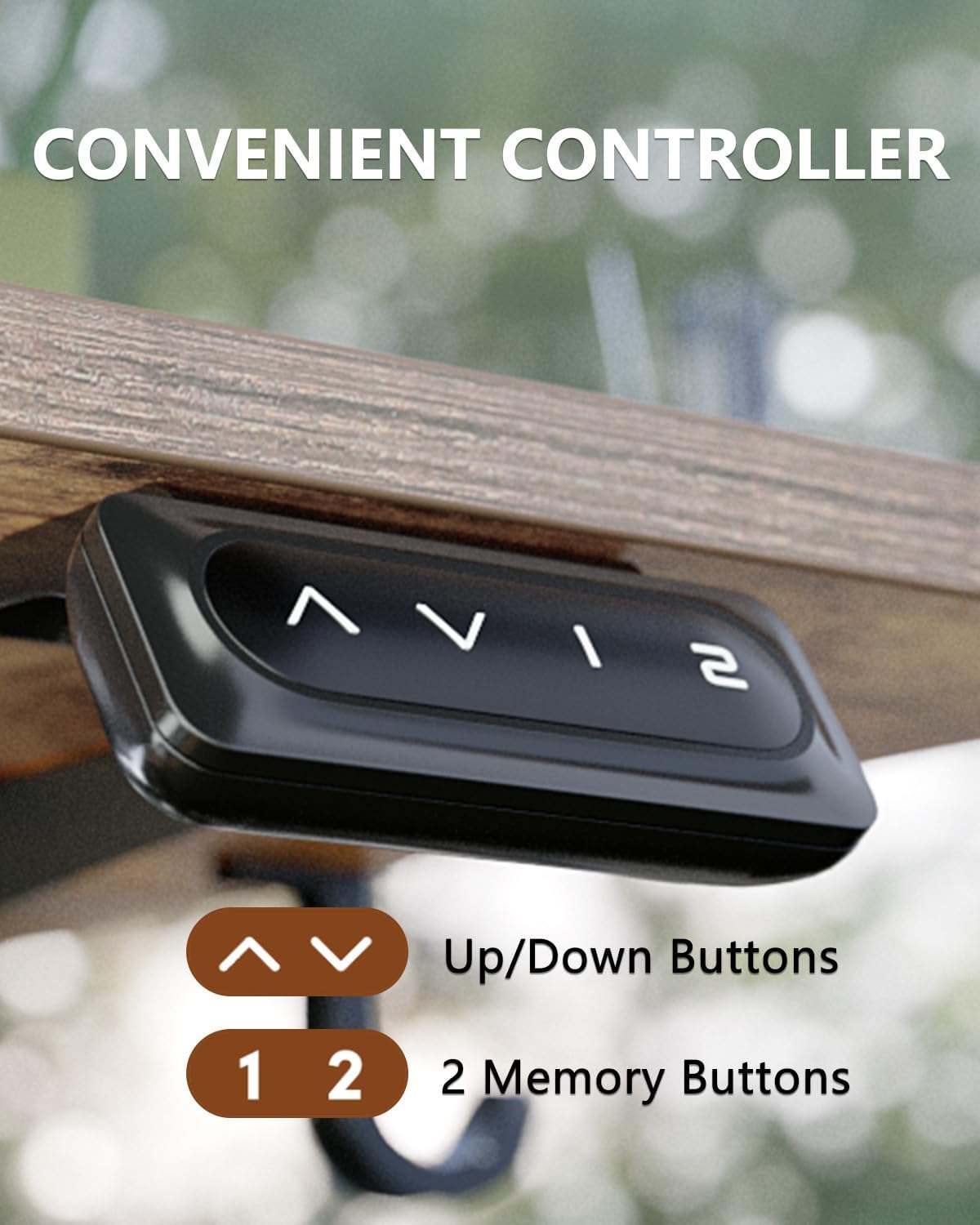
Image: Close-up of the BANTI standing desk control panel, showing up/down arrows and two memory buttons (1, 2).
- Up/Down Buttons (▲ / ▼): Press and hold to raise or lower the desk to your desired height. Release the button to stop movement.
- Memory Buttons (1, 2): The desk has 3 preset buttons to customize your desired height. To save a height setting: adjust the desk to the desired height, then press and hold one of the memory buttons (1, 2, or 3 if available) until you hear a beep or see the display flash. The height is now saved. To recall a saved height, simply press the corresponding memory button.
Height Range:
The desk can be adjusted from a minimum height of 27.3 inches to a maximum height of 45.5 inches.

Image: A person standing and a child sitting at two BANTI standing desks, illustrating the wide height adjustment range from 28.35 to 46.6 inches.
Collision Avoidance System:
The desk is equipped with sensors that detect obstacles in its path of travel. If an obstruction is detected, the desk will automatically stop and slightly reverse direction to prevent damage to the desk or objects.
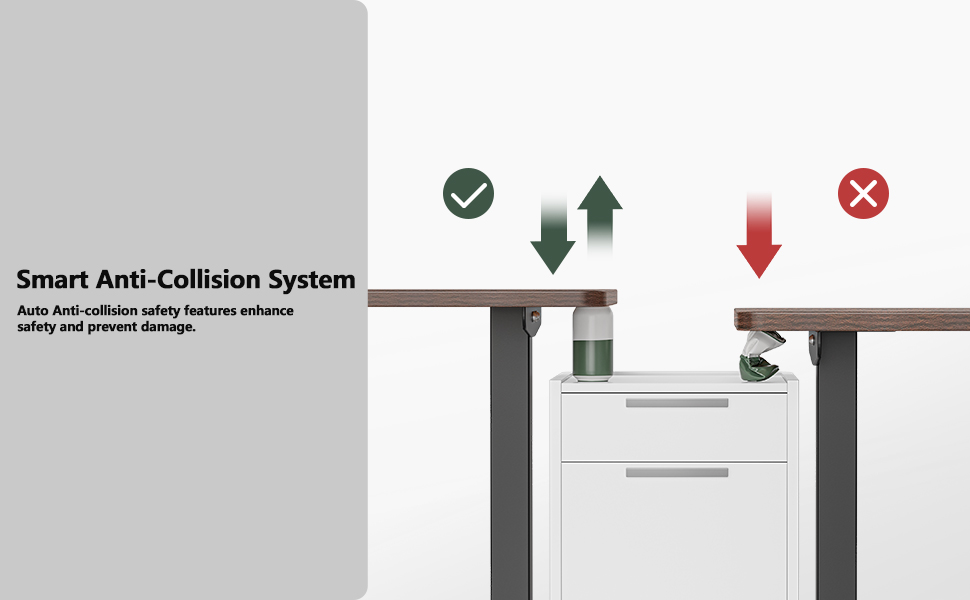
Image: Diagram illustrating the smart anti-collision system, showing the desk stopping and reversing when an object is detected between the desktop and a cabinet.
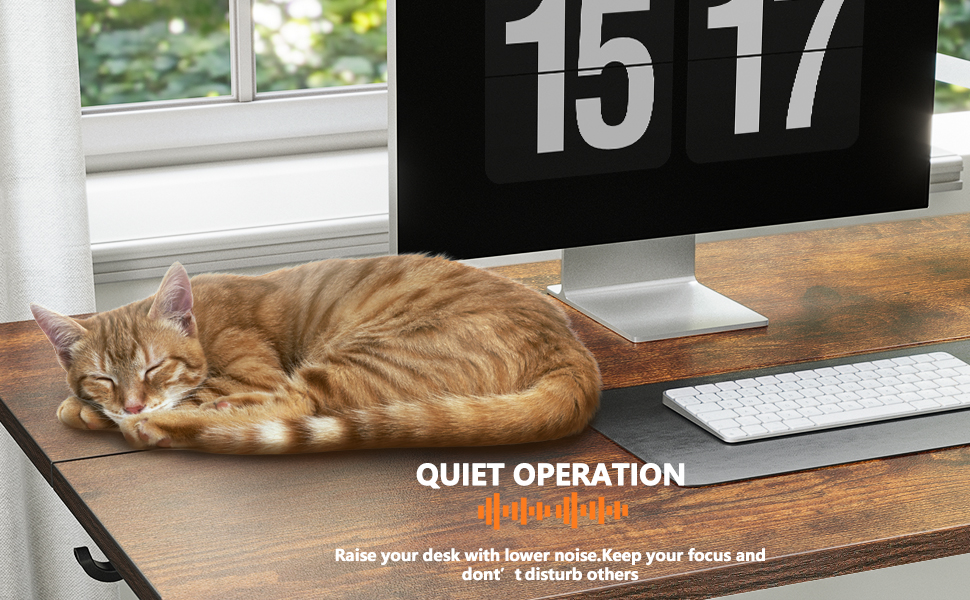
Image: A cat sleeping peacefully on the BANTI standing desk, illustrating its quiet operation.
5. Maintenance
Proper maintenance ensures the longevity and optimal performance of your BANTI standing desk.
- Cleaning: Wipe the desk surfaces with a damp cloth. Avoid harsh chemicals or abrasive cleaners that could damage the finish.
- Regular Checks: Periodically check all screws and connections to ensure they remain tight. Retighten if necessary.
- Cable Management: Ensure all cables are neatly managed and not pinched or tangled, which could affect desk operation or cause damage.
- Weight Distribution: Distribute weight evenly across the desktop to prevent strain on the lifting mechanism.

Image: A person standing at the BANTI desk with a dog, demonstrating the desk's ultimate stability with aerospace-grade lifting column connectors.

Image: A BANTI standing desk with weights on top, illustrating its dependable lifting mechanism tested for over 50,000 cycles under full load.
6. Troubleshooting
If you encounter any issues with your BANTI standing desk, refer to the following common troubleshooting steps:
- Desk Not Moving:
- Check if the power cord is securely plugged into both the desk and the wall outlet.
- Ensure there are no obstructions preventing movement. The collision avoidance system may have activated.
- Try resetting the desk by unplugging it for 30 seconds and then plugging it back in.
- Uneven Movement or Wobbling:
- Verify that all assembly screws are tight, especially those connecting the frame and desktop.
- Ensure the desk is on a level surface. Adjust the height-adjustable feet if necessary to stabilize the desk.
- Check that the weight on the desk is evenly distributed and not exceeding the maximum capacity.
- Error Codes on Display:
- Refer to the specific error code in your detailed installation instruction manual for resolution steps.
- If no manual is available or the issue persists, contact BANTI customer support.
7. Specifications
| Feature | Specification |
|---|---|
| Brand | BANTI |
| Model Number | B-SDE-DJ3 |
| Product Dimensions (D x W x H) | 24"D x 55"W x 28"H |
| Minimum Height | 27.3 Inches |
| Maximum Height | 45.5 Inches |
| Maximum Weight Recommendation | 176 Pounds (80 kg) |
| Base Material | Alloy Steel |
| Top Material Type | Engineered Wood |
| Number of Height Positions | 3 (Preset Buttons) |
| Desktop Lifting Speed | 20mm/s |
| No-load Noise Level | ≤ 55db |
| Required Assembly | Yes |
| Recommended Number of People for Assembly | 2 |
| Includes All Assembly Tools | Yes |
8. Warranty and Support
BANTI provides a 5-year warranty for this computer workstation. Technical support is also available to assist with any issues or questions you may have.
For warranty claims, technical assistance, or any other inquiries, please contact BANTI customer service through the retailer where the product was purchased or visit the official BANTI website.
Optional Protection Plans:
Additional protection plans may be available for purchase separately:
- 2-Year Protection Plan: One-time payment of $37.99.
- 3-Year Protection Plan: One-time payment of $46.99.
- Complete Protect: Monthly billing of $16.99, covering eligible past and future purchases.


