
1. Product Overview
The BODEGACOOLER 64 Quart (60L) Portable Car Freezer Fridge is a versatile single-zone refrigeration unit designed for various applications, including travel, camping, RV, boat trips, and tailgating. It offers both freezing and refrigeration capabilities, controlled conveniently via Bluetooth through a dedicated app.
Key features include a powerful compressor for rapid cooling, an anti-shaking design for stable operation, and multiple power supply options (12/24V DC and 100-240V AC). The unit is also equipped with user-friendly features such as a built-in LED light, a removable basket, a drain hole for easy cleaning, and a USB charging port.

Figure 1.1: BODEGACOOLER 64 Quart Portable Car Freezer Fridge.

Figure 1.2: The BODEGACOOLER is ideal for various travel scenarios, offering convenience and reliability.
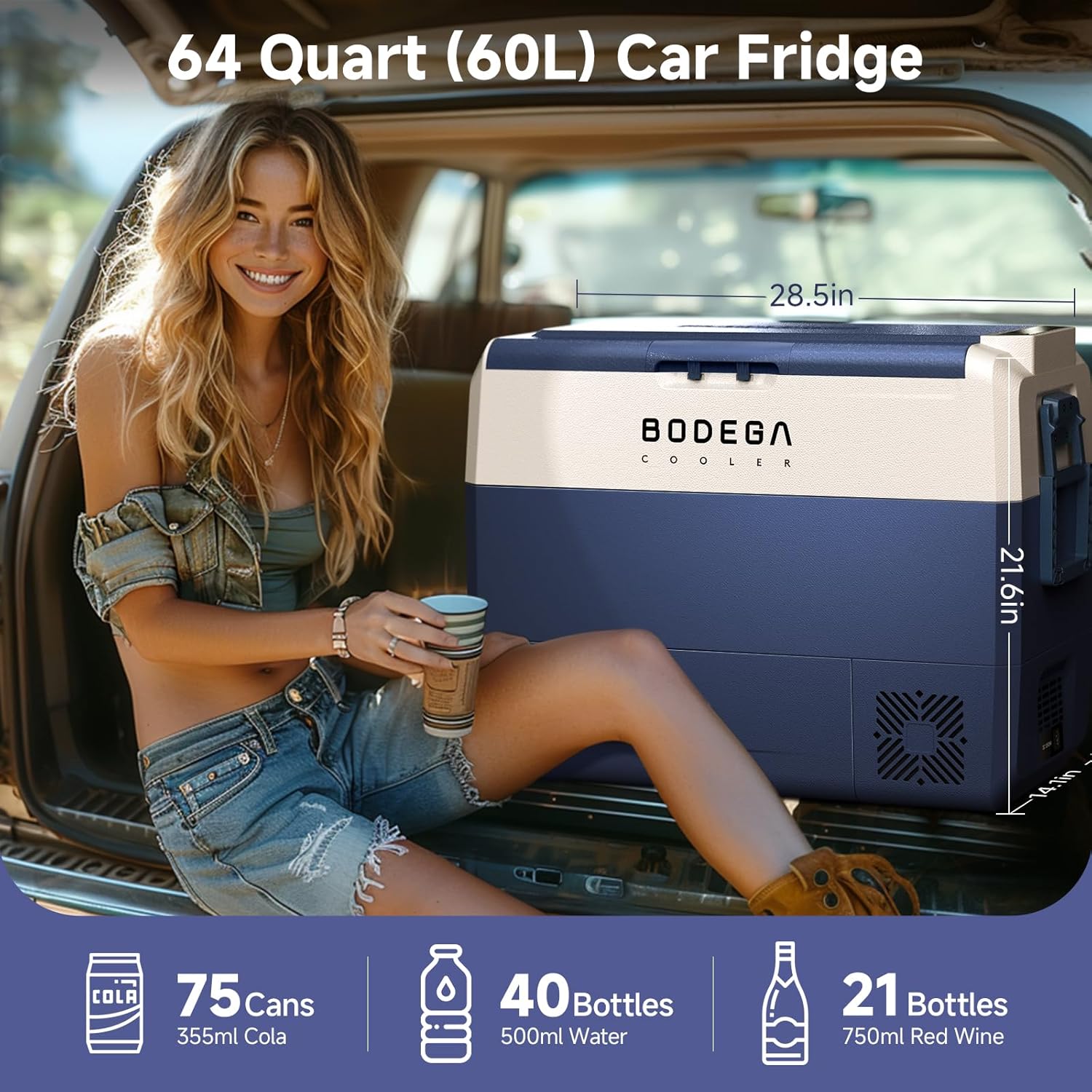
Figure 1.3: The 64-quart capacity can hold up to 75 cans of cola, 40 bottles of water, or 21 bottles of red wine.

Figure 1.4: Equipped with wheels and a retractable handle for easy portability.

Figure 1.5: Supports 100-240V AC, 12V/24V DC, and power station connections.

Figure 1.6: The anti-shaking design ensures stable operation even at a 30-degree inclination.

Figure 1.7: Control the refrigerator settings conveniently via Bluetooth using the dedicated app on your iOS or Android device.
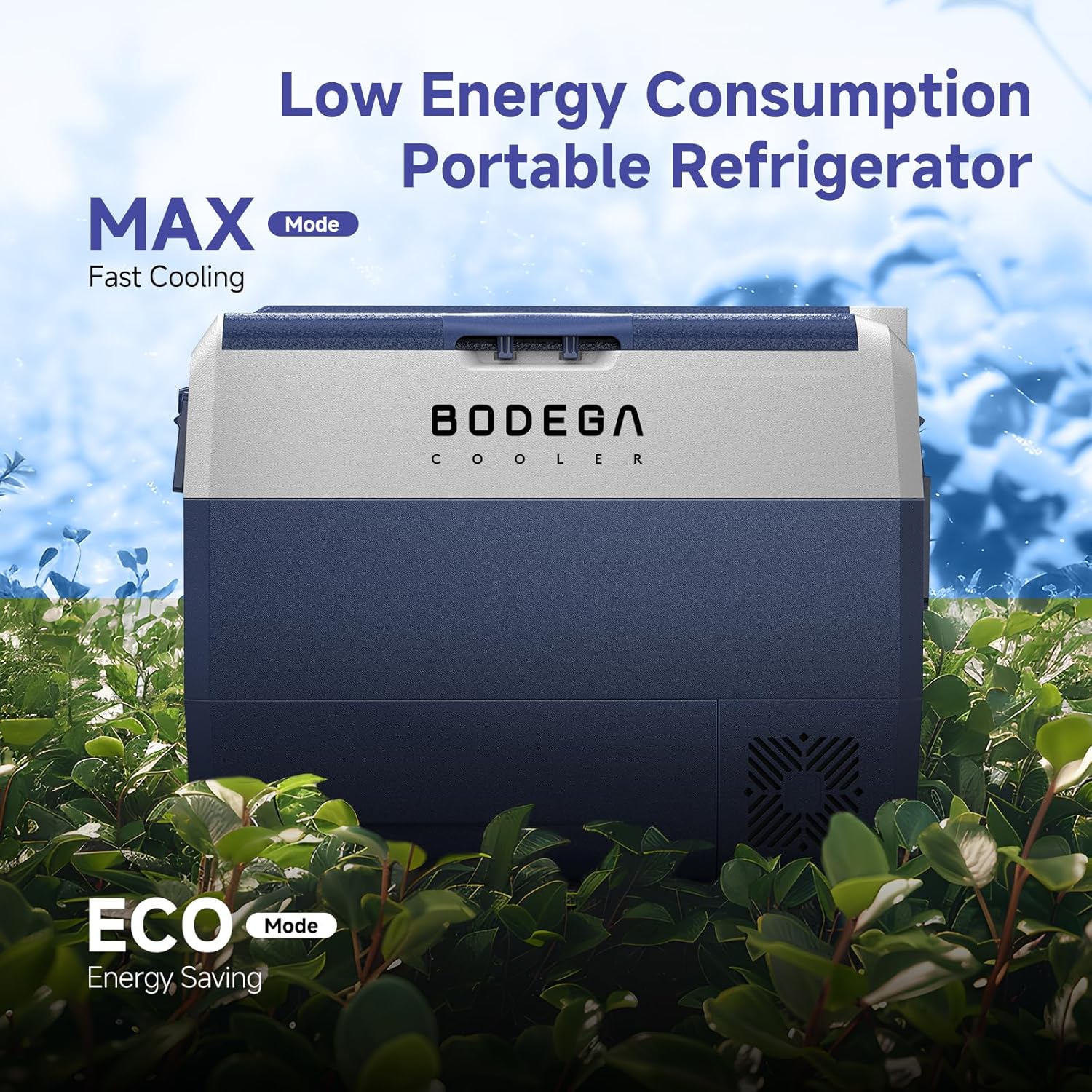
Figure 1.8: Choose between MAX mode for fast cooling and ECO mode for energy saving.

Figure 1.9: Operates at a low noise level of ≤45dB for a quiet environment.
Video 1.1: This video demonstrates the BODEGA 12V car refrigerator in use, highlighting its suitability for travel and outdoor activities, including storing food for grilling.
2. Setup
2.1 Unpacking and Initial Placement
Carefully remove the refrigerator from its packaging. Place the unit on a stable, level surface, ensuring adequate ventilation around the compressor area. Allow at least 8 inches of clearance at the back and 4 inches on the sides for optimal airflow.
2.2 Power Connection
The BODEGACOOLER supports both DC and AC power inputs:
- DC Power (12V/24V): Use the provided cigarette lighter connector for vehicle use. Plug it into your car's 12V or 24V DC outlet.
- AC Power (100-240V): Use the provided wall plug and adapter for home or standard outlet use.
Ensure the power source matches the unit's requirements. For optimal performance, especially when storing frozen items, it is recommended to pre-cool the refrigerator before loading it with contents.
2.3 App Control Setup
To utilize the Bluetooth control feature:
- Download the 'QZsmart' app from your device's app store (iOS or Android).
- Ensure Bluetooth is enabled on your smartphone.
- Open the app and follow the on-screen instructions to pair with your BODEGACOOLER. You may need to be on a 2.4GHz Wi-Fi network for initial setup, as noted in some user experiences.
3. Operating Instructions
3.1 Power On/Off
Press and hold the power button on the control panel to turn the unit on or off. The display will illuminate when powered on.
3.2 Temperature Setting
Use the '+' and '-' buttons on the control panel or within the app to adjust the desired temperature. The temperature range is from -4°F (-20°C) to 68°F (20°C). The unit is a single zone, meaning the entire compartment operates at the set temperature, functioning as either a freezer or a refrigerator.
3.3 Cooling Modes (MAX/ECO)
The BODEGACOOLER offers two operating modes:
- MAX Mode: Provides rapid cooling, ideal for quickly reaching the desired temperature or when ambient temperatures are high.
- ECO Mode: Optimizes energy consumption, suitable for maintaining temperature over longer periods, especially when power efficiency is critical.
Switch between modes using the appropriate button on the control panel or through the app.
3.4 Battery Protection System (H/M/L)
The unit features a battery protection system with three levels (High, Medium, Low) to prevent excessive discharge of your vehicle's battery. This system adjusts the cut-off voltage at which the refrigerator will stop operating to protect the battery.
- H (High): Highest protection, suitable for vehicle batteries to prevent starting issues.
- M (Medium): Moderate protection.
- L (Low): Lowest protection, allows for longer operation but with higher risk of battery drain.
Select the appropriate level based on your power source and usage needs. For car users, setting the voltage sensitivity to H (High) is generally recommended.
3.5 USB Charging Port
A USB charging port is integrated into the unit, allowing you to charge your phone or tablet while the refrigerator is powered on.

Figure 3.1: Convenient USB port for charging mobile devices.
4. Maintenance
4.1 Cleaning the Interior
To clean the interior of the refrigerator:
- Disconnect the unit from all power sources.
- Remove all contents and the removable basket.
- Use a soft cloth dampened with mild detergent and water to wipe down the interior surfaces.
- Utilize the bottom drain hole to easily remove any liquids or melted ice.
- Wipe dry with a clean cloth before reconnecting power or storing.

Figure 4.1: The integrated drain hole simplifies the cleaning process.
4.2 Exterior Care
Wipe the exterior surfaces with a soft, damp cloth. Avoid using abrasive cleaners or solvents that could damage the finish.
4.3 Storage
When storing the unit for extended periods, ensure it is clean and dry. Leave the lid slightly ajar to prevent odors and mildew buildup.
5. Troubleshooting
If you encounter issues with your BODEGACOOLER, refer to the following common problems and solutions:
- Unit not powering on: Check both AC and DC power connections. Ensure the power outlet is functional. Verify the power cord is securely plugged into the unit.
- Not cooling effectively: Ensure the lid is properly closed and sealed. Check for obstructions around the ventilation grilles. Verify the temperature setting is appropriate for your needs. Allow sufficient time for the unit to reach the set temperature, especially if pre-cooling was not performed.
- App connectivity issues: Ensure Bluetooth is active on your device and the refrigerator. Try restarting both the app and the refrigerator. Confirm you are using the correct 'QZsmart' app. If issues persist, try unpairing and re-pairing the device.
- Error codes on display: Consult the full user manual (if provided separately) for specific error code meanings and troubleshooting steps.
- Excessive noise: Ensure the unit is on a stable, level surface. Check for any loose components or obstructions around the fan.
For persistent issues not resolved by these steps, please contact customer support.
6. Specifications
| Specification | Detail |
|---|---|
| Brand Name | BODEGA |
| Model Info | t60t-RB |
| Item Weight | 28.6 pounds (13 Kilograms) |
| Product Dimensions | 14.1 x 28.5 x 21.6 inches (14.1"D x 28.5"W x 21.6"H) |
| Capacity | 64 Quarts (60 Liters) |
| Voltage | 12 Volts (Supports 12/24V DC and 100-240V AC) |
| Installation Type | Freestanding |
| Form Factor | Chest |
| Special Features | Bluetooth Control, Low Noise, Multi-functional non-slip base, Inside LED Light, Energy Saving & Powerful |
| Color | Blue |
| Defrost System | Automatic |
| Material Type | Polyurethane Foam |
| Included Components | Portable car fridge, 1 cigarette lighter connector, 1 wall plug, 1 wall plug adapter, 1 user manual, 1 basket |
7. Warranty and Support
BODEGACOOLER provides a 5-year lifespan warranty on the compressor and a 1-year warranty on all other parts for this portable car freezer. This warranty covers defects in materials and workmanship under normal use.
For technical support, warranty claims, or any inquiries regarding your product, please contact the professional technical support team responsible for BODEGACOOLER products. Refer to the contact information provided in your product packaging or on the official BODEGA website.
Please retain your proof of purchase for warranty validation.

