
Ulefone Armor 24
Ulefone Armor 24 Rugged Phone User Manual
Model: Armor 24 | Brand: Ulefone
Introduction

Image: The Ulefone Armor 24 Rugged Phone, showcasing its robust design, large 22000mAh battery, 24GB RAM, 256GB ROM, and powerful 1000LM LED camp light.
This manual provides detailed instructions for the safe and efficient use of your Ulefone Armor 24 Rugged Phone. Please read this manual thoroughly before using the device to ensure optimal performance and longevity. The Ulefone Armor 24 is designed for durability and high performance, featuring a massive 22000mAh battery, advanced camera systems, and a powerful integrated LED light, all within a rugged, waterproof, and dustproof design.
Setup Guide
1. Initial Charging
Before first use, fully charge your Ulefone Armor 24. Use the provided 66W AC power charger and data cable. The device features a 22000mAh battery, and a full charge typically takes approximately 2.5 hours.
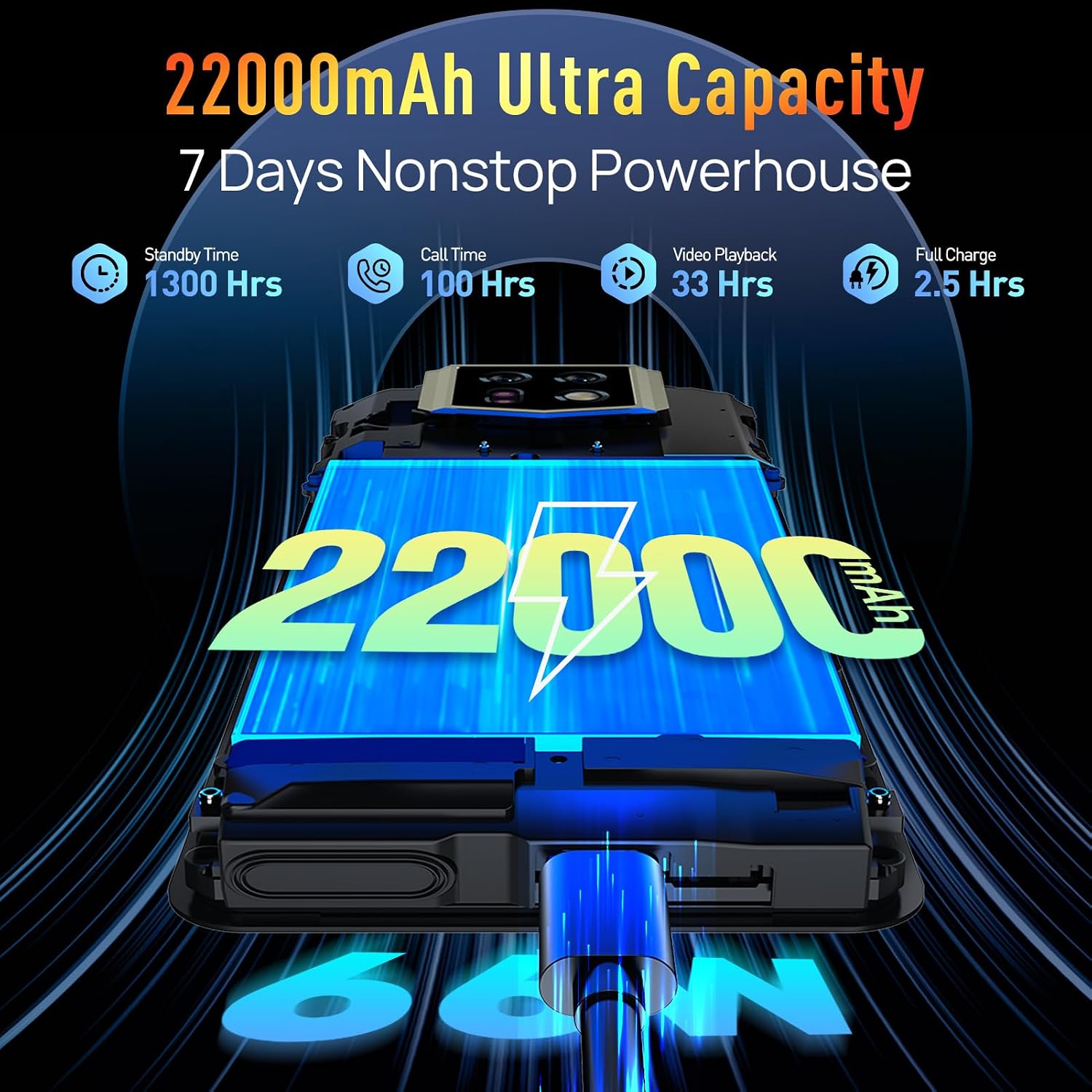
Image: The Ulefone Armor 24 connected to a charger, illustrating its 22000mAh ultra-capacity battery and 66W fast charging capability. The image highlights standby time, call time, video playback, and full charge duration.
2. SIM and TF Card Installation
Locate the SIM card tray on the side of the device. Use the provided SIM tray ejector tool to open the tray. Insert your Nano SIM cards (up to two) and/or a TF (microSD) card for expanded storage (up to 512GB) into the designated slots. Ensure the cards are correctly oriented before reinserting the tray firmly.
3. First Boot and Setup Wizard
Press and hold the power button until the Ulefone logo appears. Follow the on-screen instructions to complete the initial setup, including language selection, Wi-Fi connection, Google account sign-in, and security settings (fingerprint unlock, Face ID).
Operating Instructions
1. Basic Navigation
The Ulefone Armor 24 operates on Android 14. Navigate the interface using touchscreen gestures (tap, swipe, pinch-to-zoom). Physical buttons include the power button, volume rocker, and a customizable key. The 6.78-inch FHD+ display with a 120Hz refresh rate and 240Hz touch sampling rate provides a smooth user experience.

Image: The Ulefone Armor 24's 6.78-inch FHD+ display, featuring Corning Gorilla Glass 5, a 120Hz refresh rate, and 240Hz touch sampling rate, depicted with a vibrant image of a gorilla.
2. Camera Usage
The device features a versatile camera system:
- 64MP Wide-Angle Camera: For high-resolution photos in various conditions.
- 64MP Night Vision Camera: Equipped with an IR sensor and NightElf Ultra 2.0 algorithm for clear images in low-light or complete darkness.
- 16MP Front Camera: For selfies and video calls.
Access camera modes (e.g., Night Vision, Pro Mode, Panorama) through the camera application. The underwater camera mode allows for photography in aquatic environments.

Image: A detailed view of the Ulefone Armor 24's camera setup, highlighting its 64MP wide-angle, 64MP night vision, and 16MP front cameras, accompanied by example photographs taken with the device.
3. LED Light Operation
The Ulefone Armor 24 features a powerful 1000 lumens LED light with 510 lighting beads and 6 watts of power. It has 3 lighting modes and 3 brightness levels. Activate the light using the dedicated physical button on the left side of the phone. This feature is ideal for camping, emergencies, or general illumination.

Image: The Ulefone Armor 24 showcasing its built-in 1000 lumen LED light, illuminating a campsite scene at night. Icons indicate features like lighting, sharp light, SOS, high-middle-low brightness, and duration.
4. Battery Management
The 22000mAh battery provides extended usage. Utilize the 66W fast charging for quick power-ups. The device also supports 10W reverse charging, allowing it to act as a power bank for other devices. Monitor battery levels through the status bar or battery settings.
5. uSmart Expansion Connector
The uSmart Expansion Connector allows for connection of professional accessories such as endoscopes or magnifiers (sold separately). Connect these accessories to expand the phone's functionality for specialized tasks.
6. IR Remote Control
The integrated infrared (IR) blaster enables the Ulefone Armor 24 to function as a universal remote control for various electronic devices, including televisions and air conditioners. Use compatible applications to configure and control your devices.
7. Other Features
- Fingerprint Unlock & Face ID: Securely unlock your device.
- NFC + Google Pay: For contactless payments and data transfer.
- Headset-Free FM Radio: Listen to FM radio without needing headphones as an antenna.
- Custom Key: Program the side button for quick access to specific functions or apps.
- Gloves Mode: Enhance touchscreen sensitivity for use with gloves.
- Practical Toolkit: Access various utility tools like a compass, flashlight, and magnifier.
- GPS + Glonass + Galileo + BeiDou: Advanced navigation and positioning capabilities.
Maintenance and Care
1. Waterproof and Dustproof Care
The Ulefone Armor 24 is IP68/IP69K rated and MIL-STD 810G certified for water, dust, and drop resistance. To maintain its integrity, ensure all port covers (USB-C, 3.5mm audio jack) are securely closed before exposing the device to water or dust. After exposure to water, especially saltwater, rinse the device with clean fresh water and allow it to dry completely before charging or opening any ports.

Image: The Ulefone Armor 24 submerged in water, demonstrating its IP68/IP69K and MIL-STD-810H certifications for water, drop, and dust resistance. Icons illustrate 1.5m water deep, drop resistance, and dust resistance.
2. Screen Protection
The display is protected by Corning Gorilla Glass 5. While highly durable, avoid direct impacts or placing heavy objects on the screen. A screen protector is included in the box for additional protection.
3. Cleaning
Clean the device with a soft, lint-free cloth. For stubborn dirt, a slightly damp cloth can be used. Avoid using harsh chemicals or abrasive materials.
Troubleshooting
| Problem | Possible Cause | Solution |
|---|---|---|
| Device not powering on | Low battery; software crash | Charge the device for at least 30 minutes. Press and hold the power button for 10-15 seconds to force restart. |
| Slow performance | Too many apps running in background; low storage | Close unnecessary apps. Clear cache. Free up storage space. Restart the device. |
| Cannot connect to network | SIM card issue; network settings; incompatible carrier | Ensure SIM card is correctly inserted. Check network settings (APN). Verify carrier compatibility (Not compatible with AT&T, Cricket, Sprint, Boost Mobile). |
| LED light not working | Software glitch; low battery | Ensure battery is sufficiently charged. Restart the device. Check light settings in the toolkit app. |
For issues not listed here, please refer to the official Ulefone support website or contact customer service.
Technical Specifications
| Feature | Detail |
|---|---|
| Model Name | Armor 24 |
| Operating System | Android 14 |
| Processor | MediaTek Helio G96, 2.05 GHz |
| RAM | Up to 24GB (12GB physical + 12GB virtual) |
| Internal Storage | 256GB (expandable up to 512GB via TF card) |
| Display | 6.78-inch FHD+ (2460 x 1080), 120Hz Refresh Rate, 240Hz Touch Sampling Rate, Corning Gorilla Glass 5 |
| Rear Camera | 64MP Wide-Angle (Sony IMX686) + 64MP Night Vision (IR sensor) |
| Front Camera | 16MP |
| Battery Capacity | 22000mAh |
| Charging | 66W Fast Charging, 10W Reverse Charging |
| LED Light | 1000 Lumens, 510 LEDs, 6W power |
| Durability | IP68/IP69K, MIL-STD-810H |
| Dimensions | 7.13 x 3.42 x 1.08 inches (181.2 x 87 x 27.5 mm) |
| Weight | 1.43 pounds (647g) |
| Connectivity | Dual 4G, NFC, GPS (Glonass, Galileo, BeiDou), Bluetooth |
| Other Features | IR Blaster, uSmart Expansion Connector, 3-Card Slot, Headset-Free FM Radio, Custom Key, Gloves Mode, Underwater Camera, Practical Toolkit |
Warranty and Support
Warranty Information
Ulefone products typically come with a standard manufacturer's warranty. Please refer to the warranty card included in your product packaging or visit the official Ulefone website for specific warranty terms and conditions applicable to your region. Keep your proof of purchase for warranty claims.
Customer Support
For technical assistance, troubleshooting, or service inquiries, please contact Ulefone customer support. You can find contact information, FAQs, and additional resources on the official Ulefone website: www.ulefone.com.
Ask a question about this manual
Ask about setup, troubleshooting, compatibility, parts, safety, or missing instructions. Manuals+ will review the question and use this page’s manual context to help answer it.