
1. Product Overview
The SKYMEE Petalk AI II is an advanced pet camera and automatic treat dispenser designed to help you monitor and interact with your pets remotely. It features a 1080p Full HD camera with 180° pan and night vision, two-way audio, and motion detection alerts. The device supports both 2.4G and 5G Wi-Fi connectivity and is compatible with Alexa.

Image 1.1: Front view of the SKYMEE Petalk AI II with key features and dimensions (Height: 7.87 inches/20cm, Width: 5.5 inches/14cm). Features include remote feeding, 1080p HD video, night vision, two-way audio, motion monitoring, 5 GHz and 2.4 GHz Wi-Fi, two treat tray sizes (11-14mm and 14-17mm), and 180° rotatable view with 4x zoom.
2. Setup Guide
- Download the App: Download the "Skymee" app from your mobile device's app store (compatible with Android & iOS). Create an account or log in.
- Power On and Reset:
- Plug the device into a power outlet using the provided USB cable.
- Press and hold the reset button for 5 seconds. The device will beep, and the indicator light will blink, confirming a successful reset.
- Connect to Wi-Fi:
- Open the Skymee app. The app will automatically detect the device via Bluetooth.
- Click to connect the device.
- Enter your Wi-Fi password (supports 2.4G and 5G Wi-Fi) to establish a connection. The indicator light will change color upon successful connection.
Video 2.1: This video demonstrates the quick Wi-Fi network configuration process via Bluetooth using the Skymee app, showing how to download the app, log in, plug in the device, reset it, and connect to Wi-Fi.

Image 2.2: Detailed diagram of the Petalk AI II components, including the grain bin cover, eating/reset key, camera, photoreceptor, microphone, infrared lamp, status indicator light, pet food export, hanging hole for feed tray, holder (rotates 180°), speaker, and power interface.
3. Operating Instructions
3.1 Camera and Monitoring Features
- Live View: Access the 1080p Full HD live stream from your mobile phone anytime, anywhere.
- Night Vision: The infrared LED night vision camera allows you to monitor your pet in low-light conditions.
- 180° Pan and 4X Digital Zoom: Use the app to remotely pan the camera 180 degrees for a full-room view and zoom in for details.
- Two-Way Audio: Speak to your pets through the app to calm them or interact. The device also features smart speaker control.
- Motion Detection: Receive notifications on your phone when motion is detected in your home.
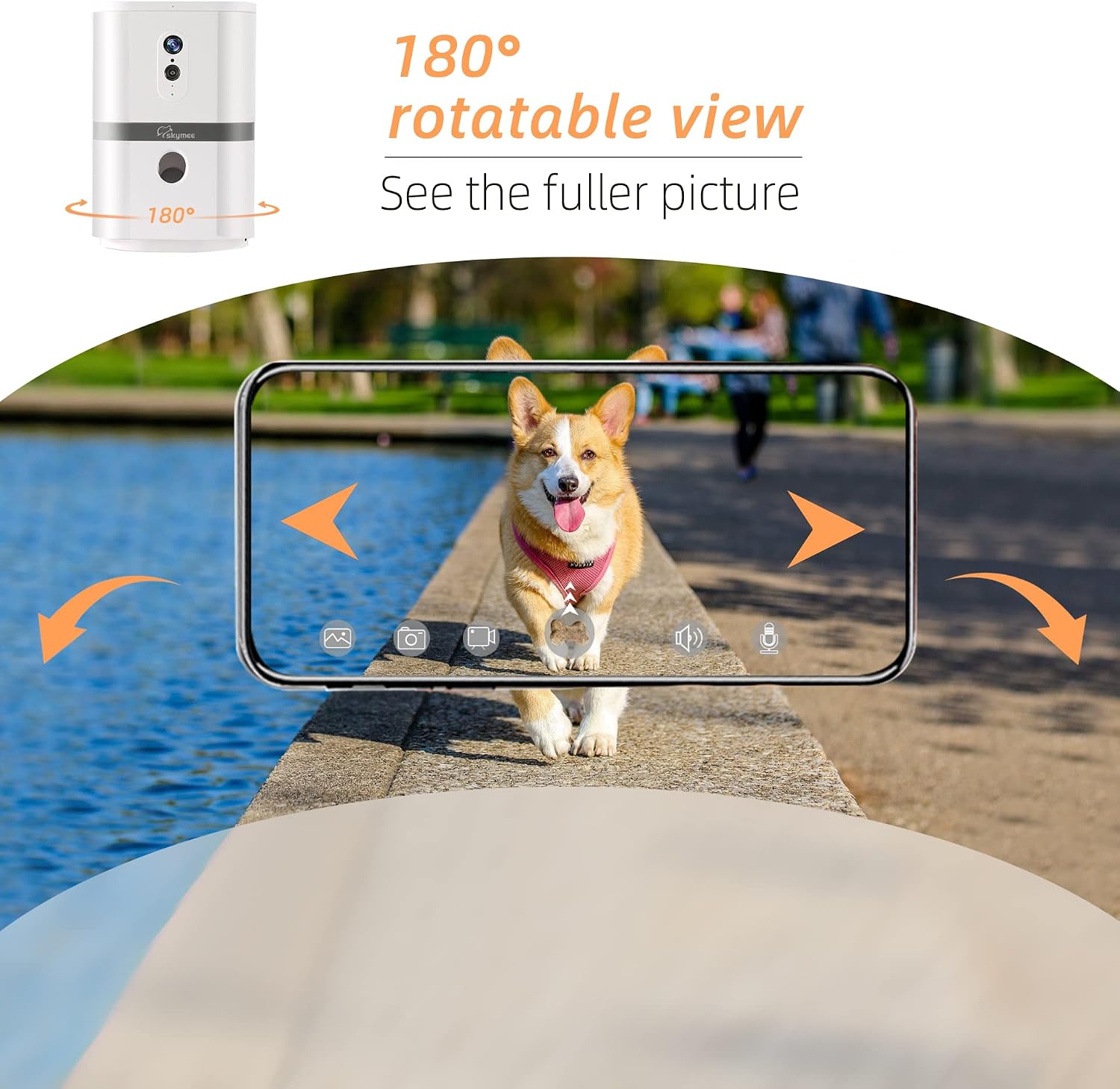
Image 3.1: The 180-degree rotatable view feature allows for comprehensive monitoring of your pet's environment, providing a fuller picture of the room.

Image 3.2: Illustration of pet monitoring capabilities, including live shooting, live video, and motion monitoring, enabling you to watch your pet anytime, anywhere.
3.2 Treat Dispenser Functionality
- Remote Dispensing: Remotely dispense your pet's favorite treats through the app.
- Adjustable Trays: The device includes two trays compatible with treat sizes from 11mm-14mm and 14mm-17mm.
- Interactive Play: Use the treat dispensing feature to play games with your pet and prevent boredom.

Image 3.3: The easy-to-use app interface for the SKYMEE Petalk AI II, compatible with Android and iOS. It shows controls for photo, video, audio, microphone, and treat tossing, along with rotation controls.
3.3 Multi-Account Login
One app account can support up to 8 people (friends, family, coworkers) to watch online simultaneously. Photos and videos can also be shared to social media platforms directly from the app.
4. Maintenance
- Cleaning: Regularly wipe the exterior of the device with a soft, dry cloth. Ensure no moisture enters the electronic components.
- Treat Tray Cleaning: Periodically remove and clean the treat trays to prevent residue buildup. Ensure they are completely dry before reinserting.
- Camera Lens: Gently clean the camera lens with a microfiber cloth to maintain clear image quality.
- Storage: When not in use for extended periods, unplug the device and store it in a cool, dry place.
5. Troubleshooting
| Problem | Possible Cause | Solution |
|---|---|---|
| Device not connecting to Wi-Fi | Incorrect Wi-Fi password, device too far from router, 2.4G/5G band issue. |
|
| Treats not dispensing | Treats are too large/small, dispenser mechanism jammed, low treat level. |
|
| Poor camera image quality | Dirty lens, insufficient lighting, weak Wi-Fi signal. |
|
| Two-way audio not working | Microphone/speaker muted in app, volume too low, app permissions. |
|
6. Specifications
- Model: Petalk AI II
- Camera Resolution: 1080p Full HD
- Field of View: 120 degrees wide angle, 180 degrees pan
- Zoom: 4X Digital Zoom
- Night Vision: Infrared LED
- Audio: Two-Way Audio
- Connectivity: 2.4G & 5G Wi-Fi, Bluetooth
- Treat Compatibility: 11mm-14mm and 14mm-17mm snacks
- Power Source: Corded Electric
- Compatible Devices: Alexa
- Mounting Type: Wall Mount (optional, though product images suggest tabletop)
- Dimensions: Approximately 10.75 x 6.06 x 5.94 inches (Package Dimensions)
- Item Weight: 2.81 pounds
- Indoor/Outdoor Usage: Indoor
7. Warranty and Support
For warranty information, please refer to the documentation included with your purchase or contact SKYMEE customer service. Technical support is available through the "Skymee" app. You can contact support anytime via the app for assistance with setup, operation, or any other issues.
For additional support and resources, visit the official SKYMEE store: SKYMEE Store on Amazon.
