
powkey G100
Powkey Portable Power Station G100 and 30W Solar Panel YT30 User Manual
Model: G100 Power Station, YT30 Solar Panel
1. Introduction
This manual provides essential instructions for the safe and efficient operation of your Powkey Portable Power Station G100 and its accompanying 30W Solar Panel YT30. This kit is designed to provide reliable power for various electronic devices during outdoor activities, travel, or as a home backup solution. Please read this manual thoroughly before use and retain it for future reference.

Image 1.1: The Powkey Portable Power Station G100 and 30W Solar Panel YT30 kit.
2. Product Overview
2.1. Package Contents
Verify that all items are present in your package:
- 1x Powkey 100W Portable Power Station (Model G100)
- 1x Powkey 30W Foldable Solar Panel (Model YT30)
- 1x Car Charger
- 1x Cigar Lighter Adapter
- 1x AC Charger
- 2x User Manuals
2.2. Key Features
The Powkey Portable Power Station G100 and 30W Solar Panel YT30 kit offers the following features:
- Power Station Capacity: 97.68Wh / 26400mAh for extended power supply.
- Versatile Output Ports: Includes 1x AC outlet (100W/110V), 1x DC outlet (12V 8A), 2x USB-A outlets, and 1x USB-C outlet.
- Fast Charging: USB-C port supports PD65W fast charging, capable of charging compatible phones quickly. USB-A ports provide up to 18W (QC 3.0) and 10.5W outputs.
- Multiple Recharging Options: Recharge via home AC outlet, car charger, USB-C port, or the included 30W solar panel.
- Solar Panel Efficiency: The 30W foldable solar panel features 24% high conversion efficiency, designed for effective energy absorption in various light conditions.
- Durable and Portable Design: The solar panel is foldable and constructed with durable nylon, featuring IPX4 water resistance (excluding the connector box). The power station is compact and lightweight for easy transport.
- Safety Features: Equipped with an upgraded Battery Management System (BMS) for protection against over-voltage, over-current, short-circuit, and over-temperature.

Image 2.1: Dimensions and port configuration of the Powkey G100 Power Station.

Image 2.2: Internal structure of the Powkey 30W Solar Panel, highlighting its durable and efficient design.
3. Setup
3.1. Initial Charge
Before first use, fully charge the power station. This ensures optimal battery performance and calibration.
- Connect the provided AC charger to the power station's input port.
- Plug the AC charger into a standard wall outlet.
- The indicator lights on the power station will illuminate, showing the charging progress. Charge until all indicator lights are solid, indicating a full charge.
3.2. Solar Panel Deployment
To use the solar panel for charging:
- Unfold the 30W solar panel completely.
- Position the solar panel directly facing the sun for maximum exposure.
- Connect the solar panel to the power station's DC input port using the appropriate cable.
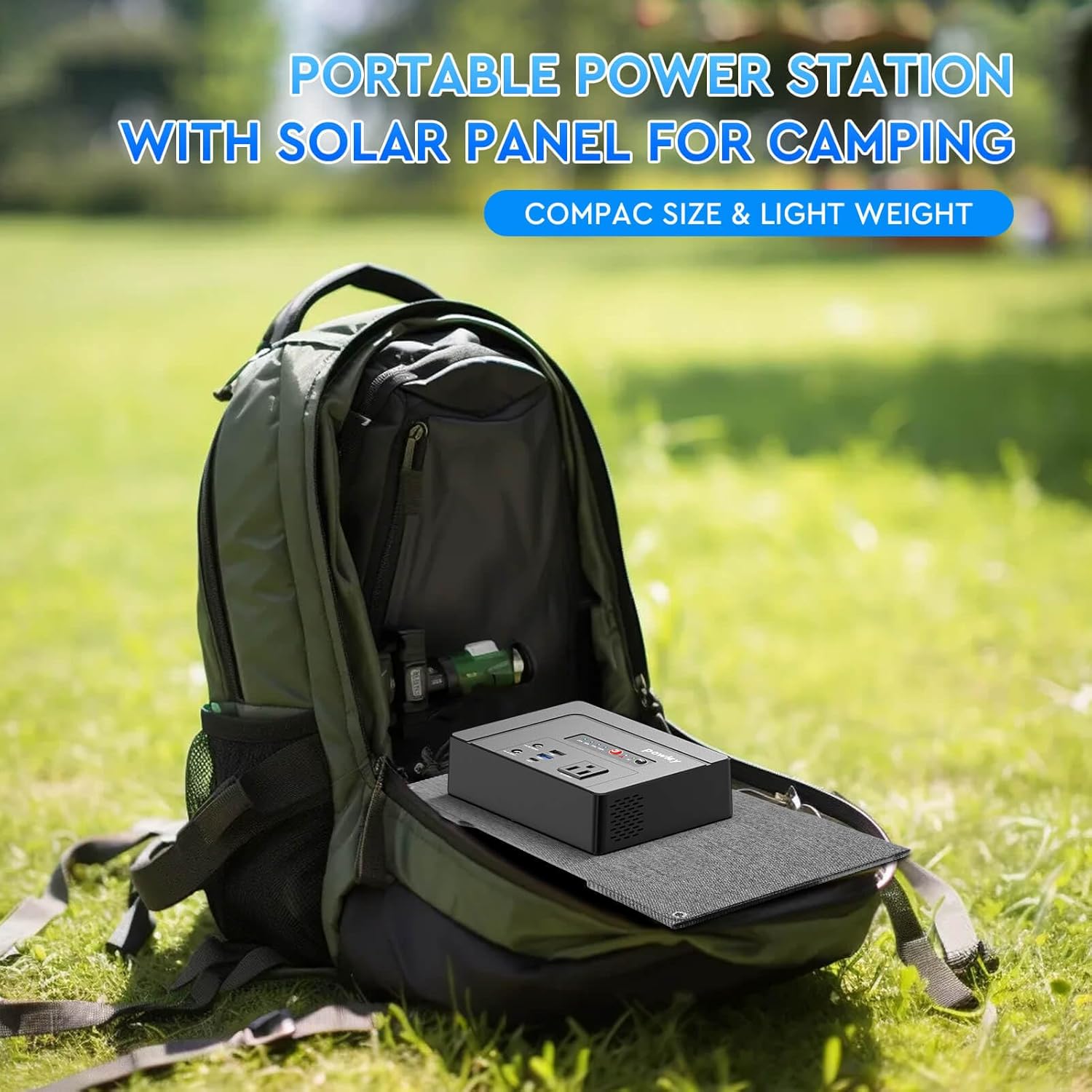
Image 3.1: The compact size of the Powkey G100 and YT30, suitable for transport in a backpack.
4. Operating Instructions
4.1. Powering On/Off
To power on the unit, press and hold the power button until the indicator lights activate. To power off, press and hold the power button again until the lights turn off.
4.2. Charging the Power Station
The Powkey G100 offers four methods for recharging:
- AC Wall Outlet: Use the included AC charger.
- Car Charger: Use the included car charger and cigar lighter adapter.
- USB-C Port: Connect a compatible USB-C PD charger to the USB-C input port.
- Solar Panel: Connect the 30W solar panel to the DC input port. Ensure the panel is positioned for maximum sunlight.
Charging time typically ranges from 2 to 4 hours, depending on the charging method and remaining battery level. The four built-in indicator lights (25%, 50%, 75%, 100%) display the current power usage or recharging percentage.

Image 4.1: The four recharging methods for the Powkey G100 Power Station.

Image 4.2: Example of connecting various devices and charging cables to the power station.
4.3. Using Output Ports
Connect your devices to the appropriate output ports:
- AC Outlet (100W/110V): For devices requiring standard wall power. Ensure the device's wattage does not exceed 100W.
- DC Outlet (12V 8A): For 12V DC powered devices.
- USB-A Outlets: For charging smartphones, tablets, and other USB-powered devices. One port supports Quick Charge 3.0 (up to 18W).
- USB-C Outlet (PD65W): For fast charging compatible laptops, smartphones, and other USB-C devices.
To activate AC output, press the AC button. To deactivate, press it again. The AC indicator light will show its status.

Image 4.3: The Powkey G100 Power Station providing power to a laptop and smartphone.

Image 4.4: Overview of the 5 versatile output ports on the Powkey G100.
5. Maintenance
Proper maintenance ensures the longevity and performance of your Powkey power station and solar panel.
- Storage: Store the power station in a cool, dry place away from direct sunlight and extreme temperatures. For long-term storage, charge the unit to 50-80% every 3-6 months to preserve battery health.
- Cleaning: Use a soft, dry cloth to clean the exterior of the power station and solar panel. Do not use abrasive cleaners or immerse the unit in water. For the solar panel, ensure the surface is clean for optimal sunlight absorption.
- Avoid Overloading: Do not connect devices that exceed the power station's rated output (100W AC). The built-in protection system will shut down the unit if overloaded, but consistent overloading can reduce lifespan.
- Solar Panel Care: While the solar panel surface is IPX4 water-resistant, the connector box is not. Avoid exposing the connector box to moisture.
6. Troubleshooting
If you encounter issues with your Powkey Portable Power Station, refer to the following common problems and solutions:
- Unit Not Turning On:
- Ensure the battery is charged. Connect to an AC outlet for at least 30 minutes.
- Press and hold the power button for a few seconds to ensure it registers.
- Devices Not Charging from Output Ports:
- Verify the power station is turned on and the specific output (AC, DC, USB) is activated (if applicable).
- Check if the device's power requirement exceeds the port's output capacity or the power station's total output.
- Ensure cables are securely connected.
- If using AC, check if the AC indicator light is on.
- Power Station Not Recharging:
- AC/Car Charging: Ensure the charger and cables are correctly connected and the power source is active.
- Solar Charging: Ensure the solar panel is unfolded, positioned directly towards strong sunlight, and connected correctly. Check for any obstructions on the panel surface.
- Check if the charging indicator lights are active.
- Unit Shuts Down Unexpectedly:
- This may indicate an overload. Disconnect high-power devices and restart the unit.
- The unit may have overheated. Allow it to cool down in a well-ventilated area.
- The battery may be depleted. Recharge the power station.
If problems persist, contact Powkey customer support for assistance.
7. Specifications
Detailed technical specifications for the Powkey Portable Power Station G100 and 30W Solar Panel YT30:
| Feature | Specification |
|---|---|
| Brand | powkey |
| Power Station Model | G100 |
| Solar Panel Model | YT30 |
| Battery Capacity | 97.68Wh / 26400mAh |
| AC Output | 100W (Rated), 110V, 60Hz |
| DC Output | 12V 8A |
| USB-A Output 1 | 5V 2.1A |
| USB-A Output 2 (QC 3.0) | 5V 2.4A / 9V 2A / 12V 1.5A (18W Max) |
| USB-C Output/Input (PD) | 5V 3A / 9V 3A / 12V 3A / 15V 3A / 20V 3.25A (65W Max) |
| DC Input (Charging) | 15V 2A |
| Solar Panel Wattage | 30W |
| Solar Panel Conversion Efficiency | 24% |
| Power Station Dimensions (L x W x H) | 1.77" x 5.71" x 7.09" |
| Power Station Weight | 2.2 Pounds (1 kg) |
| Solar Panel Folded Size | 21.9" x 13.8" (approx.) |
| Solar Panel Material | Durable Nylon, ETFE, EVA, Interlayer Fabric, PCB Backplane |
| Solar Panel Water Resistance | IPX4 (surface only, connector box not waterproof) |
| Battery Type | Lithium Ion |
| UPC | 764046731525 |
8. Warranty and Support
For warranty information, please refer to the warranty card included in your product packaging or visit the official Powkey website. If you require technical support, have questions about product operation, or need to report a defect, please contact Powkey customer service through their official channels. Keep your purchase receipt as proof of purchase for warranty claims.
Related documentsG100

Ask a question about this manual
Ask about setup, troubleshooting, compatibility, parts, safety, or missing instructions. Manuals+ will review the question and use this page’s manual context to help answer it.