
1. Important Safety Information
Please read all instructions carefully before using the appliance. Keep this manual for future reference.
- Electrical Safety: Ensure the appliance is connected to a properly grounded outlet. Do not immerse the appliance in water or other liquids.
- Heat Safety: The cooktop surface will be hot after use. Allow it to cool before cleaning. Do not touch the hot surface.
- Cookware: Use only compatible magnetic cookware. Non-magnetic cookware will not heat.
- Ventilation: Ensure adequate ventilation around the appliance during use. Do not block air vents.
- Child Safety Lock: Utilize the child safety lock feature to prevent accidental operation by children.
- Placement: Place the cooktop on a stable, flat, heat-resistant surface. Keep away from flammable materials.
2. Product Overview
The COOKTRON Double Induction Cooktop is a portable, 1800W appliance designed for efficient and precise cooking. It features two independent burners with touch controls, multiple power and temperature settings, and integrated safety features.

Figure 2.1: COOKTRON Double Induction Cooktop Burner
Key Features:
- Dual Burners: Cook two dishes simultaneously with independent control.
- High Power: Up to 1800W total power for rapid heating.
- Precision Control: 9 power levels and 10 temperature settings for versatile cooking.
- Integrated Timer: Adjustable timer from 1 minute to 4 hours for convenient cooking.
- Child Safety Lock: Locks controls to prevent accidental changes or activation.
- Easy to Clean: Polished black ceramic glass surface is scratch-proof and waterproof.
- Portable Design: Ideal for kitchens, RVs, camping, and other limited spaces.

Figure 2.2: Versatile applications of the cooktop in different environments.
3. Setup
Before first use, ensure the cooktop is placed on a stable, level, and heat-resistant surface. Ensure there is sufficient clearance around the appliance for proper ventilation.
- Unpack the cooktop and remove all packaging materials.
- Place the cooktop on a dry, flat, and stable surface. Ensure the rubber feet are securely in place to prevent scratching.
- Plug the power cord into a standard 120V electrical outlet.
- Ensure the cooktop surface is clean and dry before placing any cookware.
4. Operating Instructions
The cooktop features intuitive touch controls for easy operation.

Figure 4.1: Slanted control panel for safe and easy access.
4.1 Power On/Off
- To turn on, press the ON/OFF button. The display will show '00'.
- To turn off, press the ON/OFF button again.
4.2 Adjusting Power and Temperature
The cooktop offers two main cooking modes: Power and Temperature.

Figure 4.2: Cooktop displaying various cooking modes and settings.
- After turning on, select the desired burner.
- Press the Function button to switch between Power (W) and Temperature (°F/°C) modes.
- Use the + and - buttons to adjust the settings.
- Power Mode: 9 levels, from 200W to 1800W in 200W increments.
- Temperature Mode: 10 levels, providing precise heat control.
4.3 Power Sharing Feature
When both burners are active, the total power does not exceed 1800W. The system intelligently distributes power, with a maximum of 1200W per burner when both are in use.

Figure 4.3: Illustration of the cooktop's power sharing capability.
4.4 Timer Function
- Press the Timer button to activate the timer.
- Use the + and - buttons to set the desired cooking time, ranging from 1 minute to 4 hours.
- The cooktop will automatically shut off once the timer expires.
4.5 Child Safety Lock
- To activate the child safety lock, press and hold the Lock button for a few seconds until 'LOC' appears on the display.
- To deactivate, press and hold the Lock button again until 'LOC' disappears.
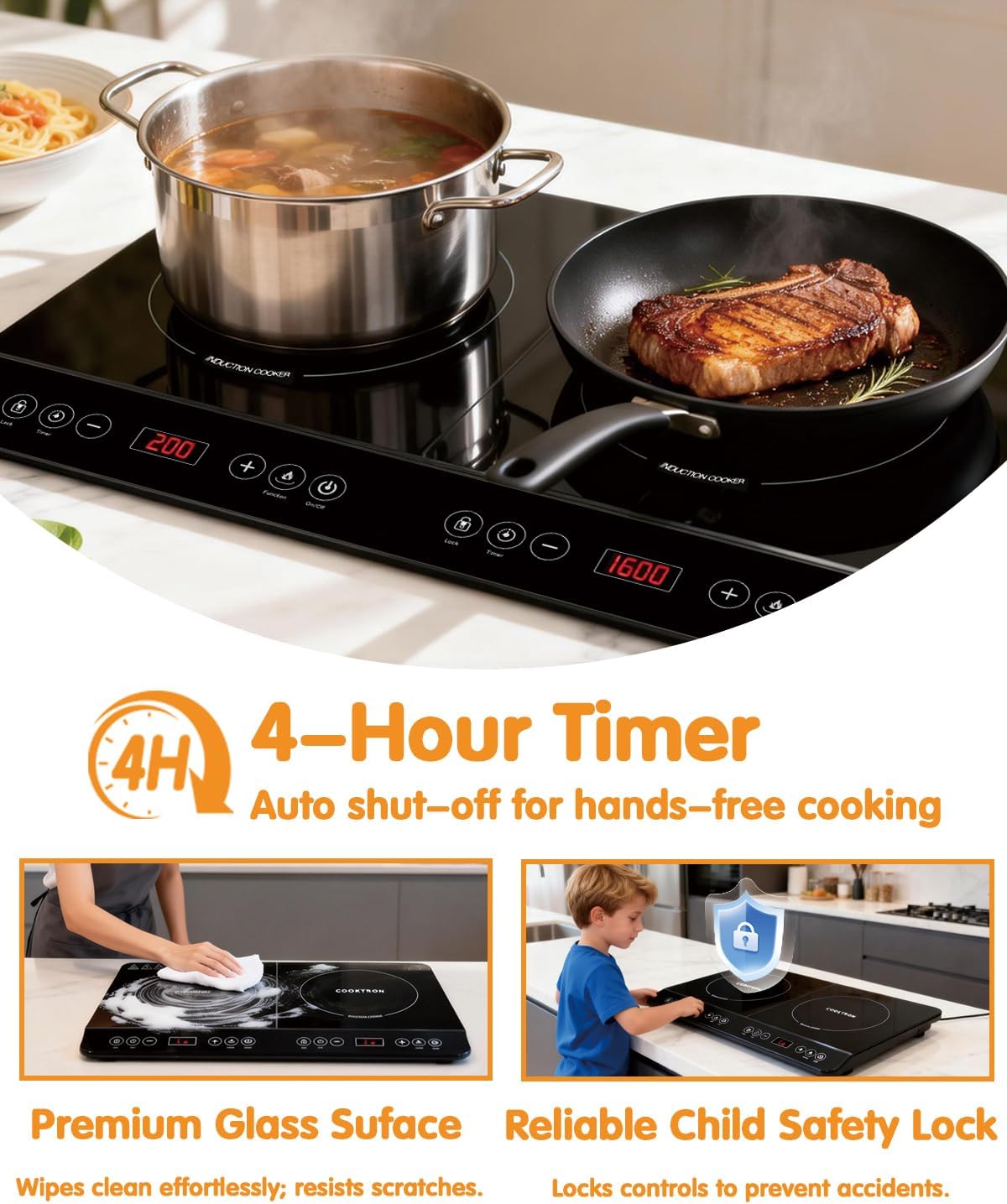
Figure 4.4: Timer and Child Safety Lock features.
5. Compatible Cookware
Induction cooktops require specific types of cookware to function correctly. The cooktop will only heat pots and pans with a magnetic base.
5.1 The Magnet Test
To check if your cookware is compatible, simply place a magnet on the bottom of the pot or pan. If the magnet sticks, the cookware is suitable for induction cooking.
5.2 Suitable Cookware Materials
- Stainless steel (with magnetic base)
- Cast iron
- Enameled cast iron
5.3 Unsuitable Cookware Materials
- Aluminum
- Ceramic
- Copper
- Glass
- Cookware with a concave base
5.4 Cookware Dimensions
The induction cooker is compatible with cookware ranging from 5 inches to 8 inches in diameter. For optimal heating efficiency, use cookware with a smooth, flat bottom.

Figure 5.1: Visual guide for compatible and incompatible cookware.
6. Maintenance and Cleaning
Proper maintenance ensures the longevity and optimal performance of your cooktop.
- Daily Cleaning: After each use, allow the cooktop to cool completely. Wipe the ceramic glass surface with a damp cloth and mild detergent. Dry thoroughly with a soft cloth.
- Stubborn Stains: For tougher stains, use a non-abrasive ceramic cooktop cleaner. Follow the cleaner's instructions.
- Avoid Abrasives: Do not use abrasive sponges, scouring pads, or harsh chemical cleaners, as these can scratch or damage the surface.
- Spills: Clean up spills immediately to prevent them from baking onto the surface.
- Storage: If storing the cooktop, ensure it is clean and dry. Store in a cool, dry place.
7. Troubleshooting
If you encounter issues with your cooktop, refer to the following common problems and solutions.
7.1 Common Issues and Solutions
- Cooktop not turning on: Ensure the power cord is securely plugged into a working outlet. Check if the ON/OFF button was pressed.
- Cooktop not heating: Verify that compatible magnetic cookware is placed on the burner. The cookware must be centered on the heating zone.
- Error Code 'E0': This code typically indicates that no cookware is detected, the cookware is incompatible, or the cookware is not properly centered on the heating zone. Adjust or replace cookware as needed.
- Controls unresponsive: Check if the Child Safety Lock is activated. Deactivate it if necessary.
- Unusual noises: A slight humming sound during operation is normal for induction cooktops. If the noise is loud or unusual, ensure the cooktop is on a stable surface and the cookware is flat.
If the problem persists after trying these solutions, please contact customer support.
8. Specifications
| Brand | COOKTRON |
| Model Number | FS-IRC104 |
| Colour | Black |
| Material | Ceramic Glass |
| Heating Elements | 2 (Induction) |
| Wattage | 1800 watts |
| Voltage | 120 Volts |
| Controls Type | Touch |
| Item Dimensions (D x W x H) | 35D x 58W x 6.5H Centimetres |
| Item Weight | 5.54 kg |
9. Warranty and Support
For warranty information or technical support, please refer to the product packaging or contact COOKTRON customer service. Keep your purchase receipt as proof of purchase.
Contact Information: Please visit the official COOKTRON website or refer to the contact details provided in your product packaging for support.
