
AICase Google Pixel 8 Case Waterproof
AICase Waterproof Case for Google Pixel 8 User Manual
Model: Google Pixel 8 Case Waterproof
Product Overview
The AICase Waterproof Case for Google Pixel 8 is designed to provide comprehensive protection for your device. This case features a built-in screen protector and offers 360-degree full body protection against water, snow, dust, and shocks. It is IP68 certified for underwater use and meets military-grade drop test standards.
Key Features:
- IP68 Certified Waterproof: Designed and tested to be submersible up to 6.6-10 feet (2-3 meters) for 30 minutes, allowing for underwater photography.
- 360 Full Body Protection: Certified to exceed Military Grade Drop Test standards, surviving drops up to 6 feet (3.6 meters). Features 2.5mm raised screen edge and 0.5mm raised camera edge for enhanced protection.
- Built-in Screen Protector: Maintains high touch sensitivity (99.99% response sensitivity) for quick app launch and video playback.
- Clear Sound Quality: Special materials are used to maintain clear sound quality during calls.
- Precise Button Cutouts: Accurate cutouts for charging ports, mute, power, and volume buttons ensure improved user experience.
- Wireless Charging Compatible: Supports wireless charging without needing to remove the case.
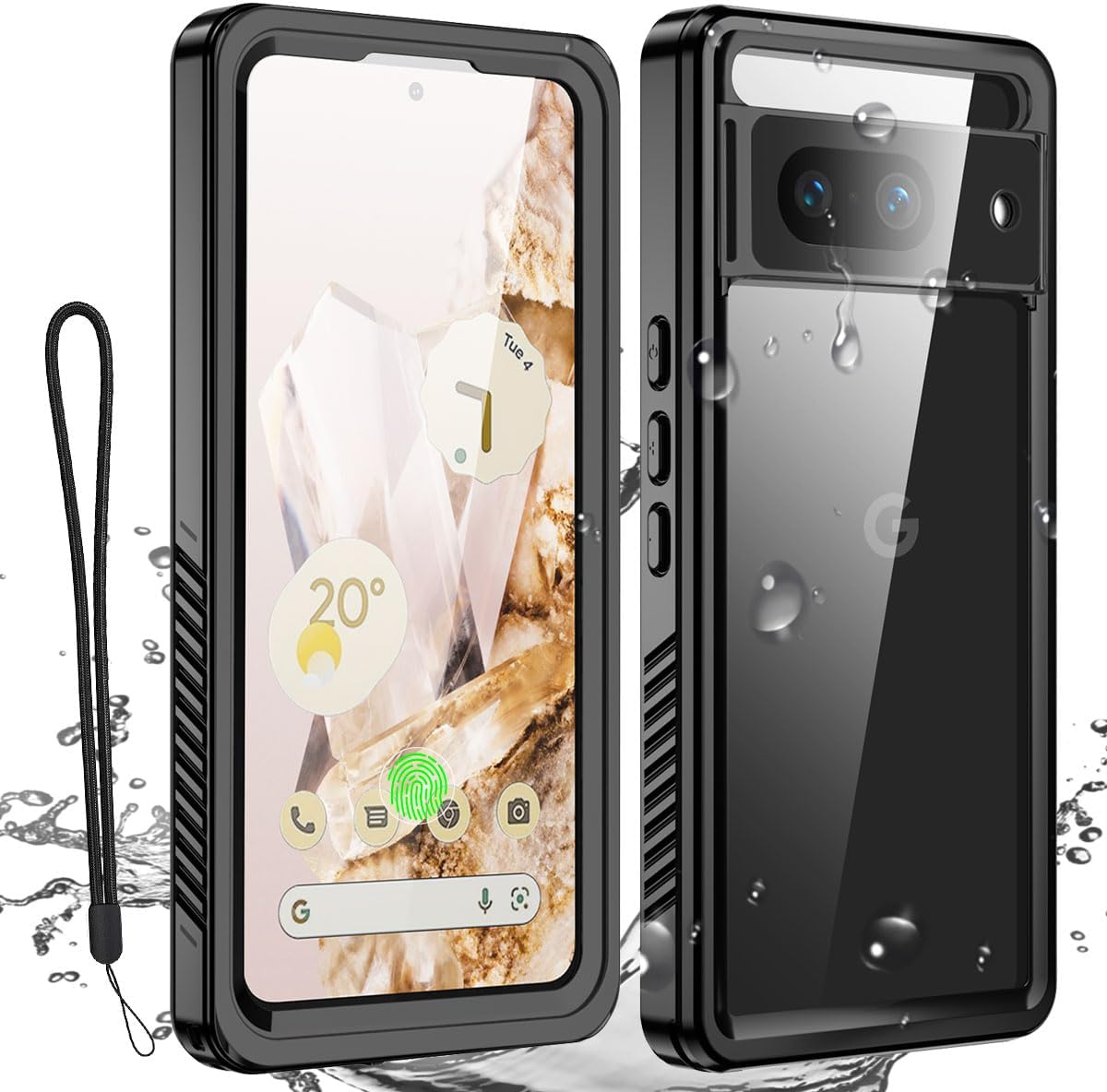

What's in the Box
Upon opening your AICase product package, you should find the following items:
- 1 x Google Pixel 8 Waterproof Case
- 1 x User Manual (this document)
- 1 x Lanyard
- 1 x Cleaning Cloth
Setup and Installation
Proper installation is crucial for the waterproof and protective features of your AICase. Please follow these steps carefully:
- Prepare Your Phone: Before installing the case, remove any existing screen protectors (tempered film or soft film) and camera protectors from your Google Pixel 8. Failure to do so may affect the case's tightness and functionality, especially the fingerprint sensor.
- Clean the Phone Screen: Use the provided cleaning cloth to thoroughly wipe the screen of your Google Pixel 8 to remove any dust, smudges, or fingerprints.
- Prepare the Case: The case comes with a built-in screen protector that includes a pre-installed fingerprint film. Carefully remove the transparent protective film from the inside of the case, specifically the one covering the fingerprint area (it usually has a yellow tab). Ensure you only peel off the protective layer and not the fingerprint film itself.
- Insert Phone into Front Cover: Place your Google Pixel 8 into the front cover of the case, ensuring it sits snugly and aligns correctly with all cutouts.
- Attach Back Plate: Cover the back of your phone with the back plate of the case. Press firmly around all edges to ensure a complete and secure seal. You should hear a "snap" as the two parts lock together.
- Remove Excess Air: Open the charging port cover and gently tap the case to release any trapped air. Then, firmly close the charging port cover to ensure a waterproof seal.
- Optimize Fingerprint Recognition: After installation, it is important to ensure the screen film in the fingerprint area is closely adhered to the phone screen. Use a small, flat tool (like the edge of a credit card or the provided scraper) to gently press and flatten the fingerprint identification area on the case's screen protector. This helps improve fingerprint recognition accuracy.

Installation Video Guide:
Video 1: This video demonstrates the installation process of the AICase, including cleaning the screen, removing internal films, assembling the case, and optimizing the fingerprint area for successful unlocking.
Fingerprint Recognition Optimization:
For optimal fingerprint recognition, ensure the screen film in the fingerprint area is firmly pressed against your phone's screen after installation. If you experience issues, you may need to re-register your fingerprints with the case installed. The case includes additional fingerprint films if needed.
Video 2: This video provides detailed instructions on how to make fingerprint recognition work effectively with the case installed, including tips for pressing the film and re-registering fingerprints.

Operating Instructions
Waterproof Use:
The AICase is IP68 certified, allowing you to use your Google Pixel 8 underwater for photography and video recording. Ensure all ports are securely sealed before submersion. The case is designed to be submersible up to 6.6-10 feet (2-3 meters) for 30 minutes.

Shock Protection:
The AICase is built to withstand drops up to 6 feet (3.6 meters), protecting your phone from accidental impacts. The robust design and raised edges provide comprehensive shock absorption.

Wireless Charging:
The AICase supports wireless charging. Simply place your Google Pixel 8 (with the case installed) on a compatible wireless charging pad. Ensure proper alignment for efficient charging.

Button and Port Access:
The case features precise cutouts for all buttons (power, volume) and ports (charging). Buttons are designed to be responsive, and the charging port cover provides a secure seal when not in use.

Maintenance
To ensure the longevity and continued performance of your AICase, follow these maintenance guidelines:
- Regular Cleaning: Wipe the case regularly with a soft, damp cloth to remove dirt and grime. For the screen protector, use the provided cleaning cloth or a microfiber cloth to avoid scratches.
- Check Seals: Periodically inspect all seals, especially around the charging port and case edges, to ensure they are free from debris and properly closed. This is critical for maintaining waterproof integrity.
- Avoid Harsh Chemicals: Do not use abrasive cleaners, solvents, or harsh chemicals on the case, as these can damage the material and compromise its protective properties.
- Storage: When not in use, store the case in a clean, dry environment away from extreme temperatures and direct sunlight.
Troubleshooting
Fingerprint Recognition Issues:
If you experience difficulty with fingerprint recognition after installing the case:
- Ensure Proper Adhesion: Re-check that the fingerprint film area on the case's screen protector is firmly pressed against your phone's screen. Use a soft, flat tool to gently smooth out any air bubbles or gaps.
- Re-register Fingerprints: It is highly recommended to delete your existing fingerprints and re-register them with the case installed. This allows your phone to learn your fingerprint through the case's screen protector.
- Clean Fingerprint Area: Ensure both your finger and the fingerprint area on the case are clean and dry.
- Use Additional Films: The product includes additional fingerprint films. If the pre-installed one is damaged or not working effectively, you can replace it following the instructions in Video 2.
Sound Quality Issues During Calls:
While the AICase is designed to maintain clear sound quality, some users may experience muffled audio due to the sealed nature of the waterproof case. If this occurs:
- Check Port Seals: Ensure all port covers, especially the charging port, are fully and securely closed. An improperly sealed port can affect sound transmission.
- Speaker/Microphone Alignment: Verify that the phone's speakers and microphones are perfectly aligned with the case's corresponding openings.
- Test Without Case: Temporarily remove the case and test call quality to determine if the issue is related to the case or another factor.
Specifications
| Feature | Detail |
|---|---|
| Model Number | Google Pixel 8 Case Waterproof |
| Compatible Phone Models | Google Pixel 8 |
| Material | Thermoplastic Polyurethane (TPU) |
| Color | Clear |
| Waterproof Rating | IP68 Certified (submersible to 6.6-10ft/2-3m for 30 minutes) |
| Drop Protection | Exceeds Military Grade Drop Test standards (survives drops up to 6 feet/3.6m) |
| Screen Protection | Built-in screen protector with 99.99% touch sensitivity |
| Special Features | Heavy Duty Protection, Shock-Absorbent, Built-in Screen and Camera Lens Protectors, Wireless Charging Compatible |
| Item Weight | 3.87 ounces |
| Package Dimensions | 8.11 x 4.17 x 0.91 inches |
Warranty and Support
AICase products are manufactured with high-quality materials and undergo rigorous quality control. For any warranty claims, technical support, or inquiries regarding your AICase Waterproof Case for Google Pixel 8, please contact the manufacturer directly through their official support channels.
Please refer to the packaging or the official AICase website for the most up-to-date contact information and warranty policy details.
Ask a question about this manual
Ask about setup, troubleshooting, compatibility, parts, safety, or missing instructions. Manuals+ will review the question and use this page’s manual context to help answer it.