
1. Introduction
Thank you for purchasing the Mooov 477361 Bluetooth Turntable. This manual provides essential information for the safe and correct operation of your device. Please read it thoroughly before use and retain it for future reference.
The Mooov 477361 is a versatile turntable designed to play vinyl records at three speeds (33 1/3, 45, and 78 RPM). It features integrated stereo speakers, Bluetooth connectivity for streaming music or connecting to external Bluetooth speakers, a USB port for converting vinyl to digital format (MP3) and playing MP3 files, and RCA output for connection to external amplifiers.
2. Safety Instructions
- Read all instructions before operating the turntable.
- Keep the unit away from water or moisture.
- Do not place the unit near heat sources such as radiators, heat registers, stoves, or other apparatus (including amplifiers) that produce heat.
- Use only attachments/accessories specified by the manufacturer.
- Unplug the unit during lightning storms or when unused for long periods.
- Refer all servicing to qualified service personnel.
- Ensure proper ventilation; do not block any ventilation openings.
3. What's in the Box
- Mooov 477361 Bluetooth Turntable
- Power Adapter
- 45 RPM Adapter (Centrador de 45 vueltas)
- User Manual
- Remote Control (if included with your specific model)

Image: The product packaging, showing the turntable and its features.
4. Product Overview
4.1 Front and Side View
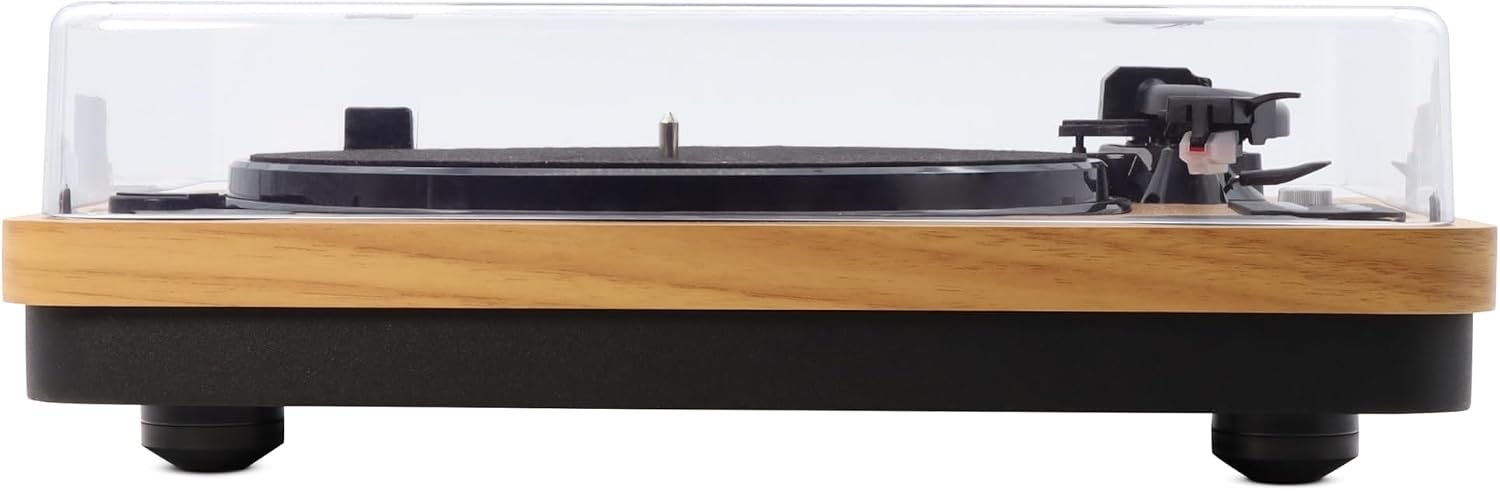
Image: Front view of the turntable, showing the platter, tonearm, and dust cover.

Image: Side view of the turntable, highlighting its wooden finish and compact design.
4.2 Rear Panel Connections
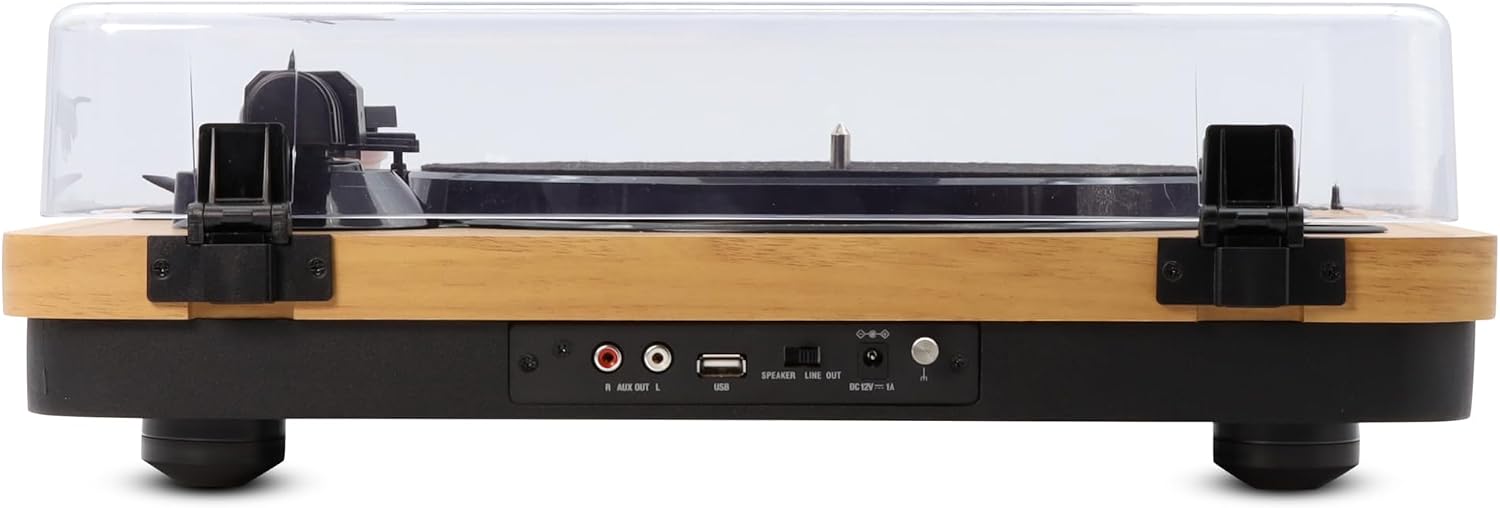
Image: Rear view of the turntable, displaying the RCA output, USB port, speaker line out switch, and DC power input.

Image: A detailed view of the rear panel connections, including R/L AUX OUT, USB, SPEAKER/LINE OUT switch, and DC 12V power input.
4.3 Control Panel

Image: Close-up of the control panel, featuring speed selection buttons (78, 45, 33 RPM), USB indicator, REC/STOP button, Volume controls, and Mode button.
4.4 45 RPM Adapter

Image: The 45 RPM adapter (centrador 45 tours) placed on the turntable deck, used for playing 7-inch records with large center holes.
5. Setup
5.1 Unpacking and Placement
- Carefully remove the turntable from its packaging.
- Place the unit on a stable, level surface, away from direct sunlight, heat sources, and excessive dust or vibrations.
- Remove any protective materials from the tonearm and platter.
5.2 Power Connection
- Connect the power adapter to the DC 12V input port on the rear of the turntable.
- Plug the power adapter into a suitable wall outlet (230V).
6. Operating Instructions
6.1 Playing Vinyl Records
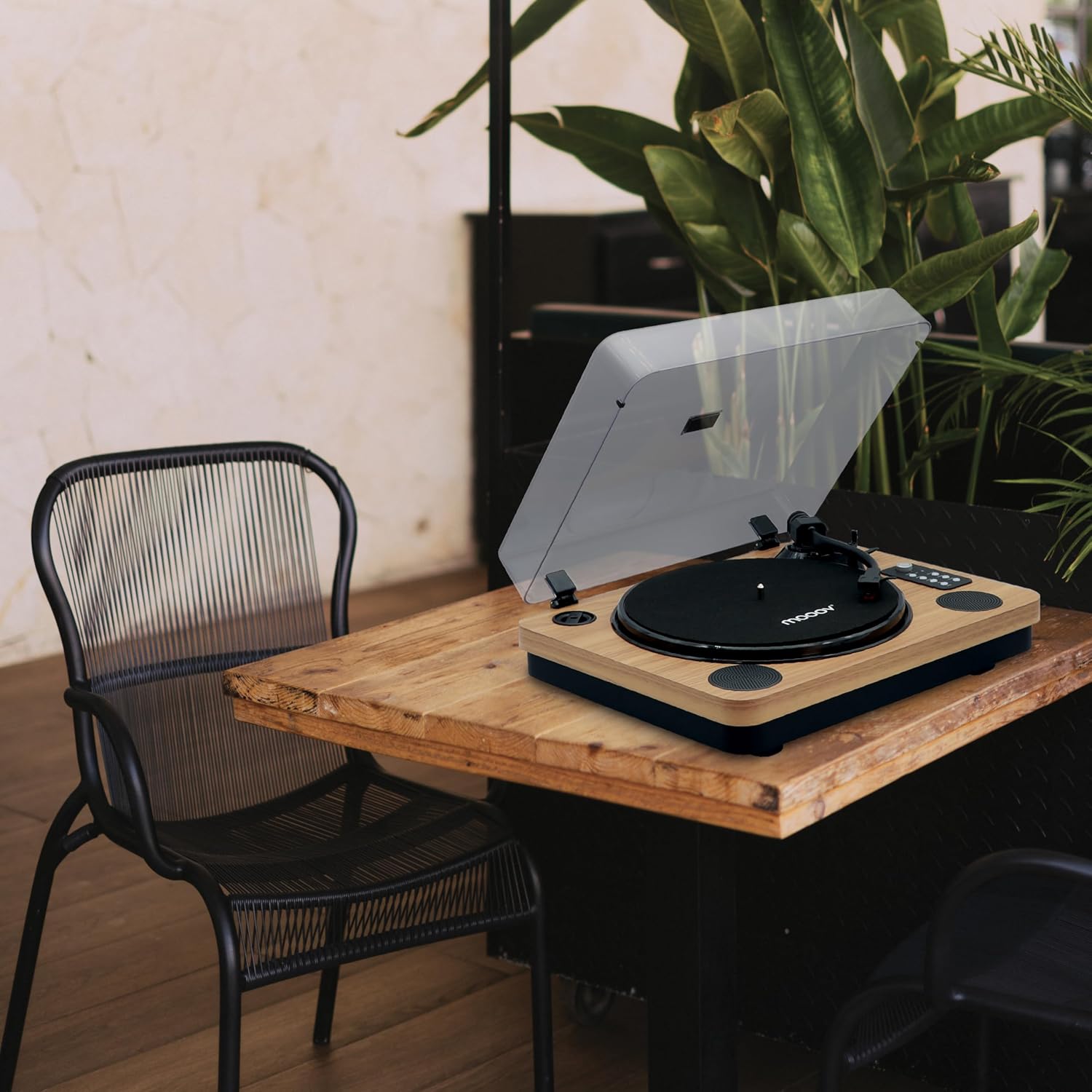
Image: The turntable with its dust cover open, a vinyl record on the platter, and the tonearm positioned for playback.
- Open the dust cover.
- Place a vinyl record on the turntable platter.
- Select the appropriate speed (33 1/3, 45, or 78 RPM) using the speed buttons on the control panel. For 45 RPM records with a large center hole, place the 45 RPM adapter on the spindle before placing the record.
- Release the tonearm lock.
- Gently lift the tonearm using the cueing lever.
- Move the tonearm to the desired position over the record.
- Lower the tonearm slowly onto the record using the cueing lever. The record will begin to play.
- Adjust the volume using the VOLUME +/- buttons.
- The Auto-Stop function will automatically stop the platter rotation when the needle reaches the end of the record. To disable/enable this function, use the Auto-Stop switch (if available on your model, often located near the tonearm base).

Image: The turntable with an 'AUTO-STOP' icon, indicating the automatic stop function at the end of a record.
6.2 Bluetooth Connectivity
6.2.1 Streaming Music to the Turntable

Image: A smartphone displaying a music player interface, wirelessly connected to the turntable via Bluetooth.
- Press the MODE button to select Bluetooth input mode. The Bluetooth indicator will flash.
- Enable Bluetooth on your smartphone, tablet, or other Bluetooth-enabled device.
- Search for "MOOOV" in the list of available devices and pair with it.
- Once connected, the Bluetooth indicator will stop flashing. You can now stream music from your device to the turntable's integrated speakers.
6.2.2 Connecting to an External Bluetooth Speaker
- Ensure your external Bluetooth speaker is in pairing mode.
- While playing a vinyl record, press and hold the MODE button on the turntable. The Bluetooth indicator will flash.
- The turntable will search for nearby Bluetooth speakers. Once connected, the Bluetooth indicator will stop flashing, and audio will be routed to the external speaker.
6.3 USB Recording and Playback
- Recording Vinyl to USB: Insert a USB flash drive into the USB port on the rear panel. Start playing a vinyl record. Press the REC button on the control panel to begin recording. Press REC/STOP again to stop recording. The recorded audio will be saved as an MP3 file on the USB drive.
- Playing MP3 from USB: Insert a USB flash drive containing MP3 files into the USB port. Press the MODE button to select USB mode. Use the track navigation buttons (78/►►|, 45/►►|, 33/►►|) to select and play tracks.
6.4 RCA Output
To connect the turntable to an external amplifier or powered speakers, use an RCA cable (not included). Connect one end of the RCA cable to the R/L AUX OUT ports on the rear of the turntable and the other end to the corresponding input on your amplifier/speakers. Ensure the SPEAKER/LINE OUT switch on the rear is set to LINE OUT when using external amplification.
7. Maintenance
7.1 Cleaning the Unit
- Wipe the turntable cabinet with a soft, slightly damp cloth. Do not use abrasive cleaners or solvents.
- Keep the dust cover closed when not in use to prevent dust accumulation on the platter and stylus.
7.2 Stylus Care
- Handle the stylus with extreme care. Only touch the tonearm body, not the needle.
- Clean the stylus periodically with a soft brush, brushing gently from back to front.
- Replace the stylus when you notice a degradation in sound quality or visible wear.
8. Troubleshooting
| Problem | Possible Cause | Solution |
|---|---|---|
| No power | Power adapter not connected or faulty outlet. | Ensure power adapter is securely connected and the outlet is functional. |
| No sound from speakers | Volume too low; SPEAKER/LINE OUT switch incorrect; Bluetooth connected to external device. | Increase volume. Ensure SPEAKER/LINE OUT switch is set to SPEAKER. Disconnect external Bluetooth devices if streaming to them. |
| Skipping records | Record dirty or scratched; Turntable not level; Stylus worn or dirty. | Clean record. Place turntable on a level surface. Clean or replace stylus. |
| Bluetooth pairing issues | Device too far; Not in pairing mode; Interference. | Ensure devices are close. Put both devices in pairing mode. Restart devices. |
| USB recording not working | USB drive full or incompatible format; REC button not pressed. | Use a formatted USB drive with sufficient space. Ensure REC button is pressed to start/stop recording. |
9. Specifications
- Model: Mooov 477361
- Dimensions (L x W x H): 45 x 35 x 14 cm
- Weight: 5 kg
- Speeds: 33 1/3, 45, 78 RPM
- Connectivity: Bluetooth, USB, Auxiliary (RCA Out)
- Speakers: Integrated Stereo Speakers (2)
- Power Output: 15W (estimated total)
- Power Source: AC 230V (via included power adapter)
- Material: Wood, Plastic
- Features: Auto-stop function, USB recording (Vinyl to MP3), MP3 playback from USB.
10. Warranty and Support
This Mooov 477361 Bluetooth Turntable typically comes with a 2-year manufacturer's warranty from the date of purchase. Please retain your proof of purchase for warranty claims.
For technical support, troubleshooting beyond this manual, or warranty inquiries, please contact your retailer or the Mooov customer service department. Refer to the product packaging or the retailer's website for contact information.
