
1. Introduction
Thank you for choosing the Lamshaw Magnetic USB Smartwatch Charger. This manual provides essential information for the safe and effective use of your new charging cable. Please read these instructions carefully before use and retain them for future reference.
This charger is specifically designed for the ZW39 2.01'' Smart Watch, including models such as LZUEFK ZW39 and VKEKIEO ZW39.
2. Package Contents
- Lamshaw Magnetic USB Smartwatch Charger (Quantity as per purchase: 1 or 2 pack)
- User Manual (this document)
3. Setup
Before first use, ensure all components are present and undamaged.
- Unpack the Charger: Carefully remove the charging cable from its packaging.
- Inspect the Cable: Check the cable and connectors for any visible damage. Do not use if damaged.
- Connect to Power Source: Insert the USB-A end of the charging cable into a compatible power source.
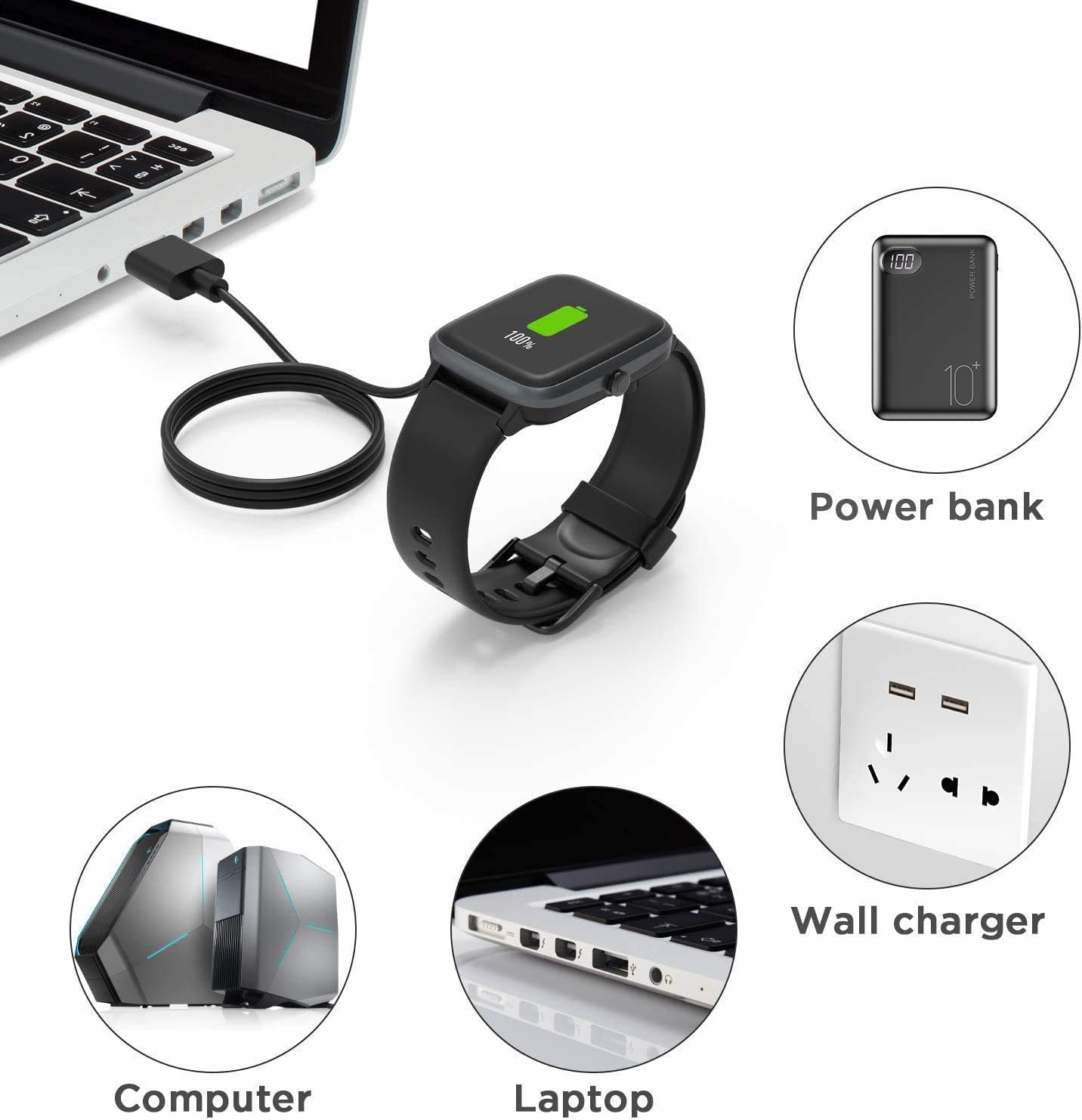
The charger can be connected to various USB power sources such as a computer, laptop, power bank, or a wall charger with a USB port.
4. Operating Instructions (Charging Your Smartwatch)
This magnetic charger provides a convenient and secure way to power your ZW39 smartwatch.
- Connect the USB End: Plug the USB-A connector of the charging cable into a suitable power source (e.g., a computer USB port, a USB wall adapter, or a power bank).
- Align the Magnetic Connector: Bring the magnetic charging end of the cable close to the charging contacts on the back of your ZW39 smartwatch. The magnets will automatically align and snap into place.
- Verify Connection: Ensure the magnetic connection is firm and the smartwatch displays a charging indicator. If the magnets repel, the connection is incorrect, and the device will not charge. Adjust the charger's orientation until the magnets attract.
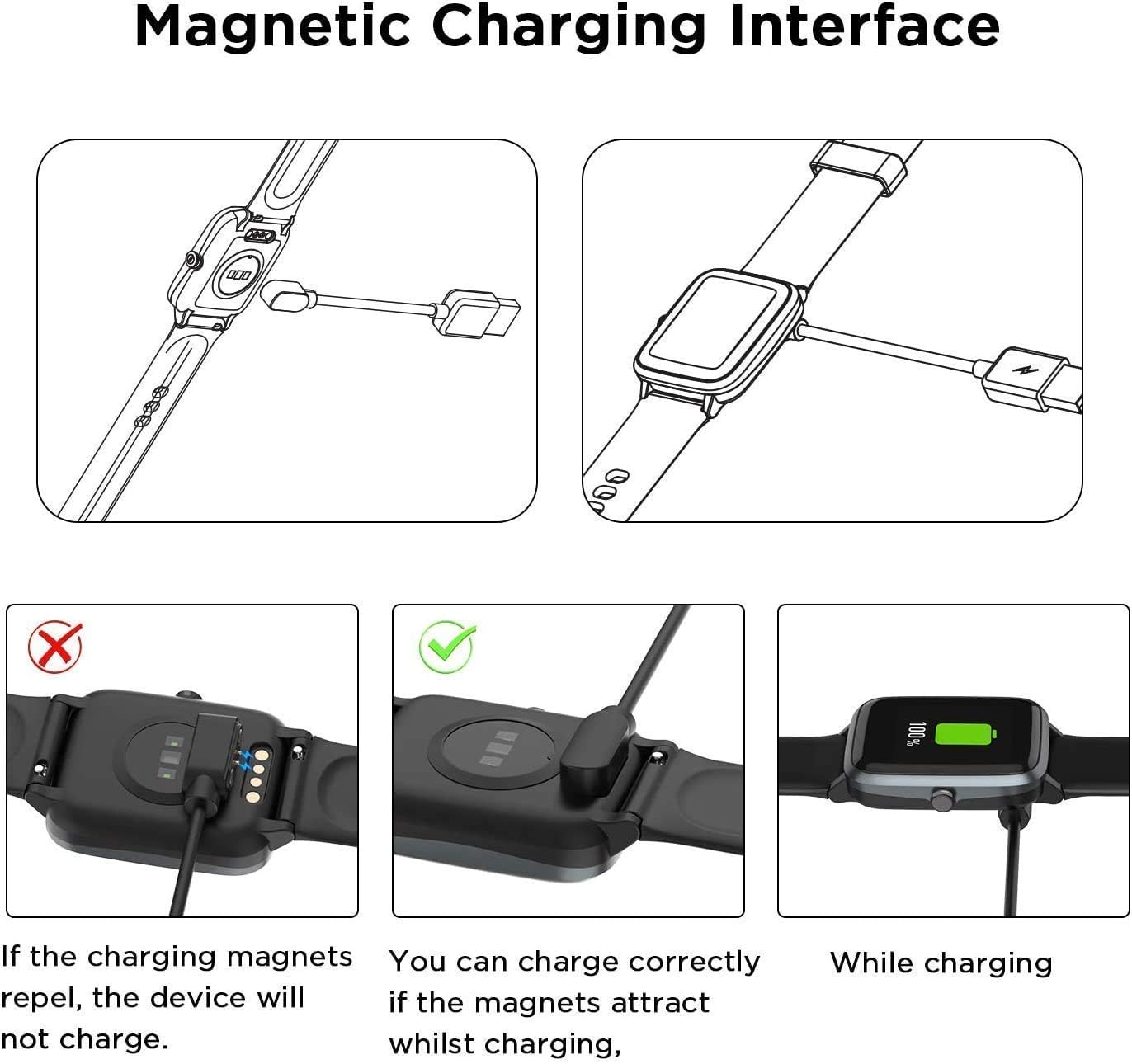
Proper magnetic alignment is crucial for charging. If the magnets repel, reverse the charger's orientation.

The magnetic charger securely connects to your ZW39 smartwatch for efficient power transfer.

Achieve a full charge in approximately 2.5 hours when using a 1A output current.
This video demonstrates the correct method for using the magnetic smartwatch charger, showing how to connect it to the smartwatch and a power source.
Safety Features: The charger includes a built-in Short-circuit protection IC to prevent overvoltage and overcurrent. In case of a short-circuit, the protection IC will automatically cut off the circuit. This feature also ensures safety if the charger remains plugged in after charging is complete.
5. Maintenance
Proper care will extend the life of your charger.
- Cleaning: Use a soft, dry cloth to wipe the charging cable and magnetic contacts. Do not use liquid cleaners or abrasive materials.
- Storage: Store the charger in a cool, dry place away from direct sunlight and extreme temperatures. The flexible PVC cable is designed for easy storage.
- Cable Care: Avoid bending the cable sharply or placing heavy objects on it. Do not pull the cable by the cord; always grasp the plug when disconnecting.

The charger features a flexible PVC cable for convenient storage and durable ABS+PC construction with pure copper probes for stable conduction.
6. Troubleshooting
If you encounter issues with your charger, refer to the following common problems and solutions:
- Smartwatch Not Charging:
- Ensure the USB end is securely plugged into a working power source.
- Check the magnetic connection to the smartwatch. Ensure it is correctly aligned and firmly attached (refer to Section 4).
- Try a different USB power source (e.g., another wall adapter, a different USB port on your computer).
- Inspect the charging contacts on both the charger and the smartwatch for dirt or debris. Clean gently if necessary.
- Slow Charging:
- Ensure your power source provides adequate current (e.g., a 1A USB adapter is recommended for optimal speed).
- Avoid charging through unpowered USB hubs or very long extension cables, which can reduce power delivery.
- Magnetic Connection Issues:
- If the magnets repel, reverse the orientation of the charging head.
- Ensure no metallic objects are interfering with the magnetic connection.
7. Specifications
| Product Name | Lamshaw Magnetic USB Smartwatch Charger |
| Model Compatibility | ZW39 2.01'' Smart Watch (LZUEFK ZW39, VKEKIEO ZW39) |
| Connector Type | USB-A to Magnetic Charging Pins |
| Cable Length | Approximately 3.3 feet (1 meter) |
| Material | ABS+PC (housing), Flexible PVC (cable), Pure Copper (probes) |
| Wattage | 10 watts (Max) |
| Safety Features | Built-in Short-circuit protection IC (overvoltage, overcurrent) |
8. Warranty and Support
Lamshaw products are designed for reliability and performance. For specific warranty details and customer support, please refer to the purchase platform or contact Lamshaw customer service directly. Keep your purchase receipt as proof of purchase.