
Introduction
This manual provides detailed instructions for the installation, operation, and maintenance of your Greluma Infrared Motion Sensor Switch. This device utilizes proven technology for indoor monitoring, offering automatic lighting control and enhanced security.
Key features include:
- 360° detection angle, ideal for ceiling installation.
- Detection range up to 8 meters.
- Adjustable lighting duration (5 seconds to 8 minutes).
- Adjustable ambient light sensitivity (10-2000 Lux).
- Suitable for controlling LED lighting systems.

Figure 1: Main unit of the Greluma Infrared Motion Sensor Switch.
Safety Information
WARNING: Installation should only be performed by a qualified electrician to prevent electric shock or fire hazards.
- Ensure power is disconnected at the circuit breaker before installation or maintenance.
- The control unit has an IP20 protection rating and must be installed in a dry mounting area.
- Do not exceed the specified load ratings for incandescent (800W) or LED/energy-saving lamps (200W).
- Operating temperature range: 5°C to 20°C.
- Humidity: <93% RH (non-condensing).
Package Contents
The package includes:
- 2 x Greluma Infrared Motion Sensor Switches (Type A-2)

Figure 2: The motion sensor switch consists of a control unit and a separate sensor head.
Setup and Installation
The Greluma Infrared Motion Sensor Switch is designed for indoor use and ceiling mounting. The control unit and sensor head are separate components for flexible installation.
1. Mounting Location
- The sensor is primarily installed in the ceiling for optimal 360° detection.
- Recommended installation height: 2m to 4m.
- Ensure the control unit is installed in a dry area, as it has an IP20 rating.
- Avoid installing near heat sources, direct sunlight, or areas with significant air currents (e.g., near air conditioning vents) to prevent false triggers.
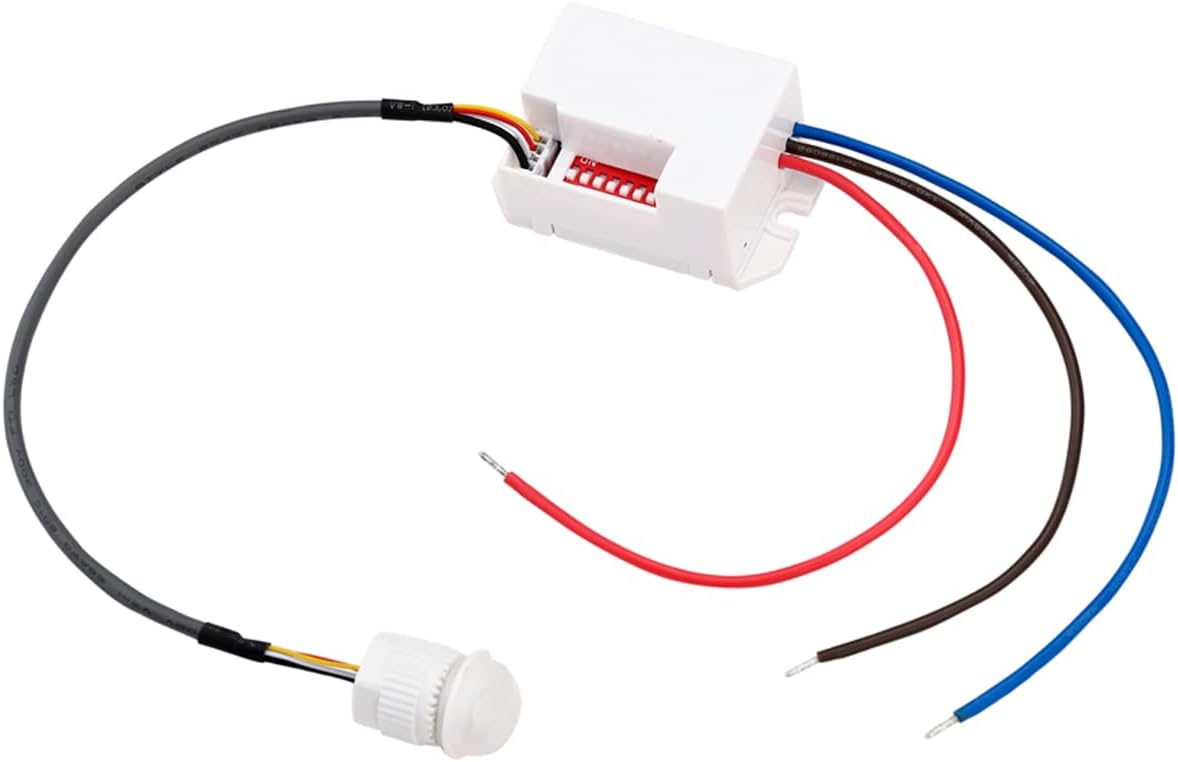
Figure 3: Dimensions of the sensor head and control unit (Unit: mm).
2. Wiring Instructions
Before wiring, ensure the main power supply is turned OFF at the circuit breaker.
The control unit features connection terminals for power input and load output. The sensor head connects to the control unit via a dedicated cable.
- Connect the live (L) and neutral (N) wires from your power supply (220-240V) to the corresponding input terminals on the control unit.
- Connect the live (L') wire to your lighting fixture from the output terminal on the control unit. Connect the neutral wire of the lighting fixture to the main neutral supply.
- Plug the sensor head's connector into the designated port on the control unit.
- The control unit has two mounting eyelets for secure screw-in installation.
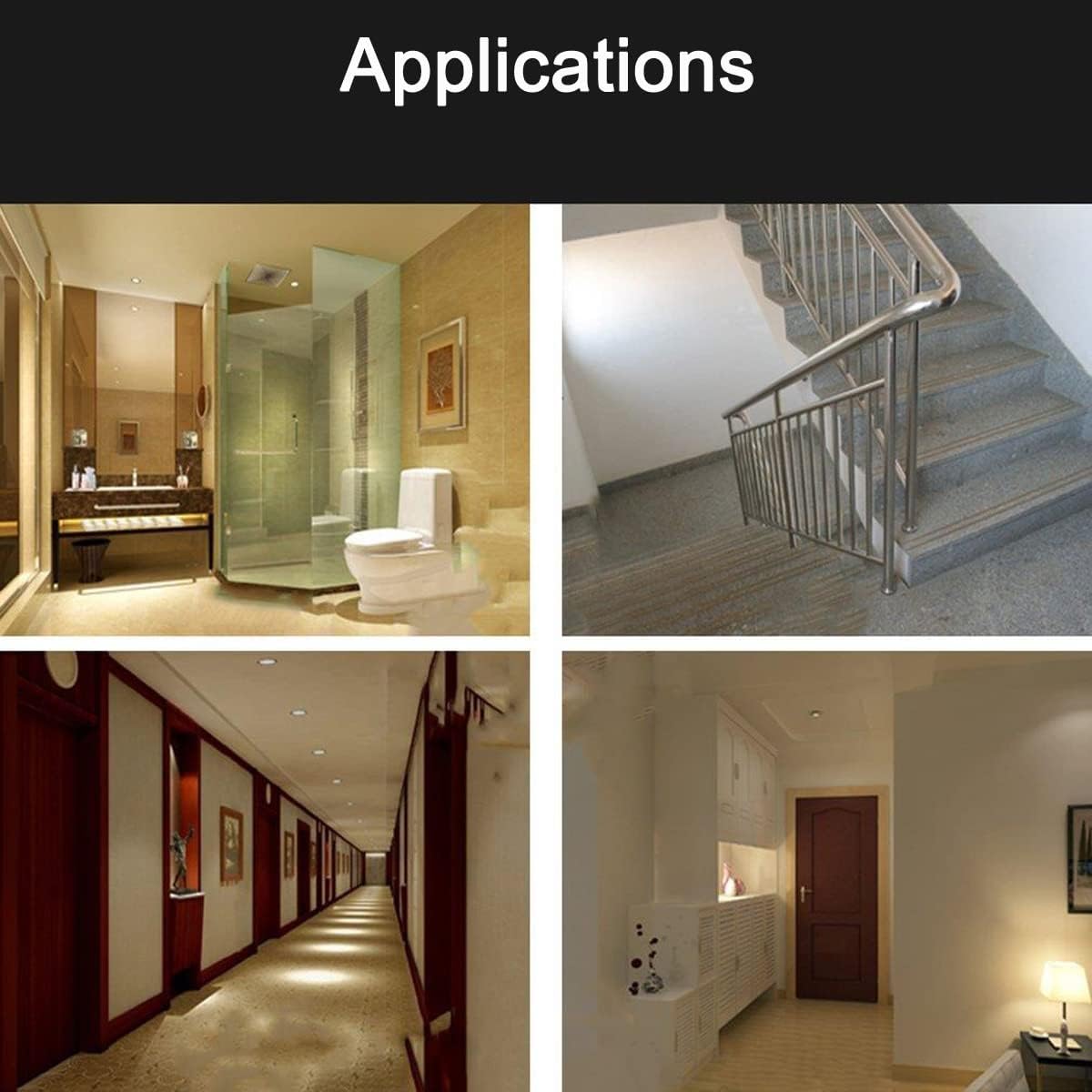
Figure 4: The control unit showing input/output wiring connections and dip switches for settings.
Operation and Settings
The Greluma motion sensor switch offers adjustable settings for detection sensitivity, delay time, and ambient light threshold. These settings are configured using the DIP switches located on the control unit.
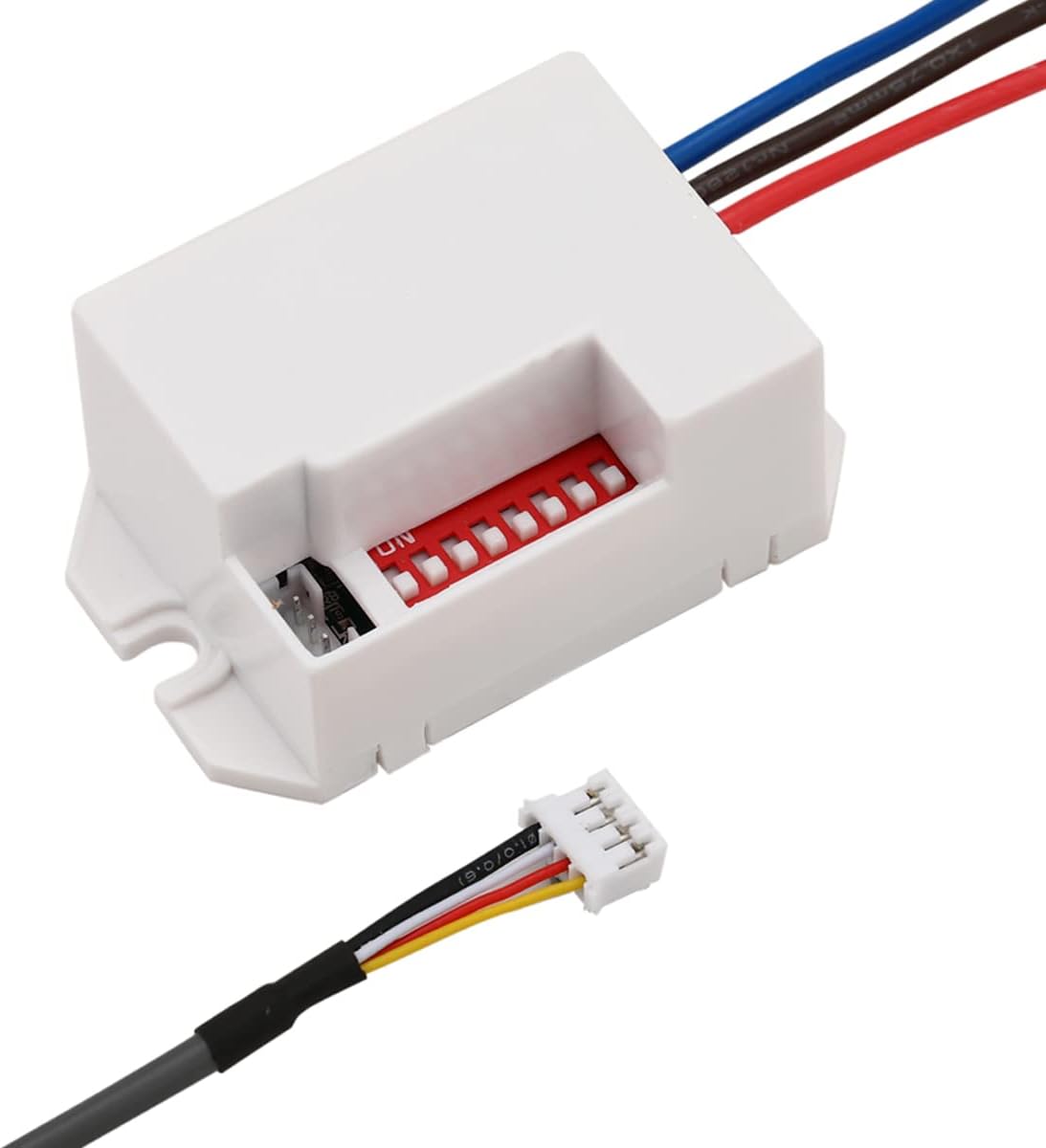
Figure 5: Dip switches for adjusting operational settings.
1. Delay Time Adjustment (5s - 8min)
This setting determines how long the connected light remains ON after motion is no longer detected. Use the DIP switches labeled for delay time to select your desired duration:
- 5 seconds
- 30 seconds
- 1 minute
- 3 minutes
- 5 minutes
- 8 minutes
2. Sensing Distance Adjustment (up to 8m)
Adjust the detection range of the sensor. This can be useful in smaller rooms or to prevent detection in unwanted areas.
- The maximum range is 8 meters.
- Specific DIP switch combinations allow for adjustment of the sensing distance. Refer to the markings on the control unit for precise settings.
3. Ambient Light Sensitivity (10-2000 Lux)
This setting controls the ambient light level at which the sensor will activate. For example, if set to a low Lux value, the light will only turn on in very dark conditions. If set to a high Lux value, it will activate even in brighter conditions.
- "full-time/night work" switch: This likely controls whether the sensor operates 24/7 or only in low-light conditions.
- Adjust the corresponding DIP switches to set the desired Lux threshold (10-2000 Lux).
4. Motion Detection Logic

Figure 6: Illustration of the motion sensor's operational logic.
- Daytime / Bright Light: If the ambient light is sufficient (above the set Lux threshold), the lights will not turn on even if motion is detected.
- Night / Low Light (No Motion): If the ambient light is low (below the set Lux threshold) and no motion is detected, the lights remain off.
- Night / Low Light (Motion Detected): If the ambient light is low and motion is detected within the sensing range (1-8 meters), the lights will turn on automatically.
- After Motion Ceases: When people leave the detection area, the lights will go out automatically after the set delay time.
Maintenance
The Greluma Infrared Motion Sensor Switch requires minimal maintenance.
- Cleaning: Periodically wipe the sensor lens with a soft, dry cloth to remove dust or debris that may obstruct detection. Do not use abrasive cleaners or solvents.
- Inspection: Regularly check the wiring connections for any signs of wear or damage. Ensure the control unit remains in a dry environment.
- Power Cycle: If the sensor behaves unexpectedly, try turning off the power at the circuit breaker for a few minutes and then restoring it. This can reset the device.
Troubleshooting
| Problem | Possible Cause | Solution |
|---|---|---|
| Light does not turn on when motion is detected. |
|
|
| Light stays on continuously. |
|
|
| Light turns on too frequently or for no apparent reason. |
|
|
Specifications
| Model Number | ZL737LUM |
| Voltage | 220-240 V |
| Rated Load (Incandescent) | 800 W |
| Rated Load (LED & Energy-Saving Lamps) | 200 W |
| Ambient Light Sensitivity | Adjustable 10-2000 Lux |
| Delay Time | Adjustable 5s / 30s / 1min / 3min / 5min / 8min |
| Detection Angle | 360° |
| Detection Range | Up to 8 meters |
| Installation Height | 2m to 4m |
| Usage | Indoor |
| Humidity | <93% RH (non-condensing) |
| Protection Class | IP20 (Control Unit) |
| Dimensions (L x W x H) | 17 x 14 x 2.5 cm (Control Unit); 80 grams |
| Operating Temperature | 5°C to 20°C |
| Power Source | Wired Electric |
| Compatible Devices | Lights |
| Country of Origin | China |
Typical Applications
The Greluma Infrared Motion Sensor Switch is suitable for various indoor applications to enhance convenience and security:

Figure 7: Examples of suitable indoor environments for installation, such as bathrooms, stairwells, hallways, and living areas.
- Living Areas: Provide automatic lighting in rooms, ensuring lights turn on when you enter and off when you leave.
- Hallways & Corridors: Ideal for areas where lights are often left on unnecessarily.
- Stairwells: Enhance safety by automatically illuminating stairs.
- Basements & Utility Rooms: Convenient lighting in infrequently used spaces.
- Workshops: Hands-free lighting control while working.
Warranty Information
This Greluma product comes with a 30-day manufacturer's warranty against manufacturing defects. Please retain your proof of purchase for warranty claims.
For returns or issues within the return policy period, please refer to the retailer's return policy (e.g., Amazon's 30-day return policy).
Customer Support
If you encounter any issues or have questions regarding your Greluma Infrared Motion Sensor Switch, please contact the seller or retailer from whom you purchased the product.
For purchases made on Amazon, you can typically find seller contact information through your order history.
Seller: Lumatech-EU
For general inquiries or further assistance, please visit the Greluma brand page or contact their customer service if available.