
1. Introduction
Thank you for choosing the VILTROX K60 RGB LED Video Light. This versatile handheld stick light is designed to provide high-quality, adjustable lighting for various photography and videography needs. Featuring a 20W output, 1950lm brightness, and a high CRI of 97+, it ensures accurate color reproduction. The K60 offers RGB, CCT, and Scene modes, along with PD fast charging and app control for enhanced flexibility.
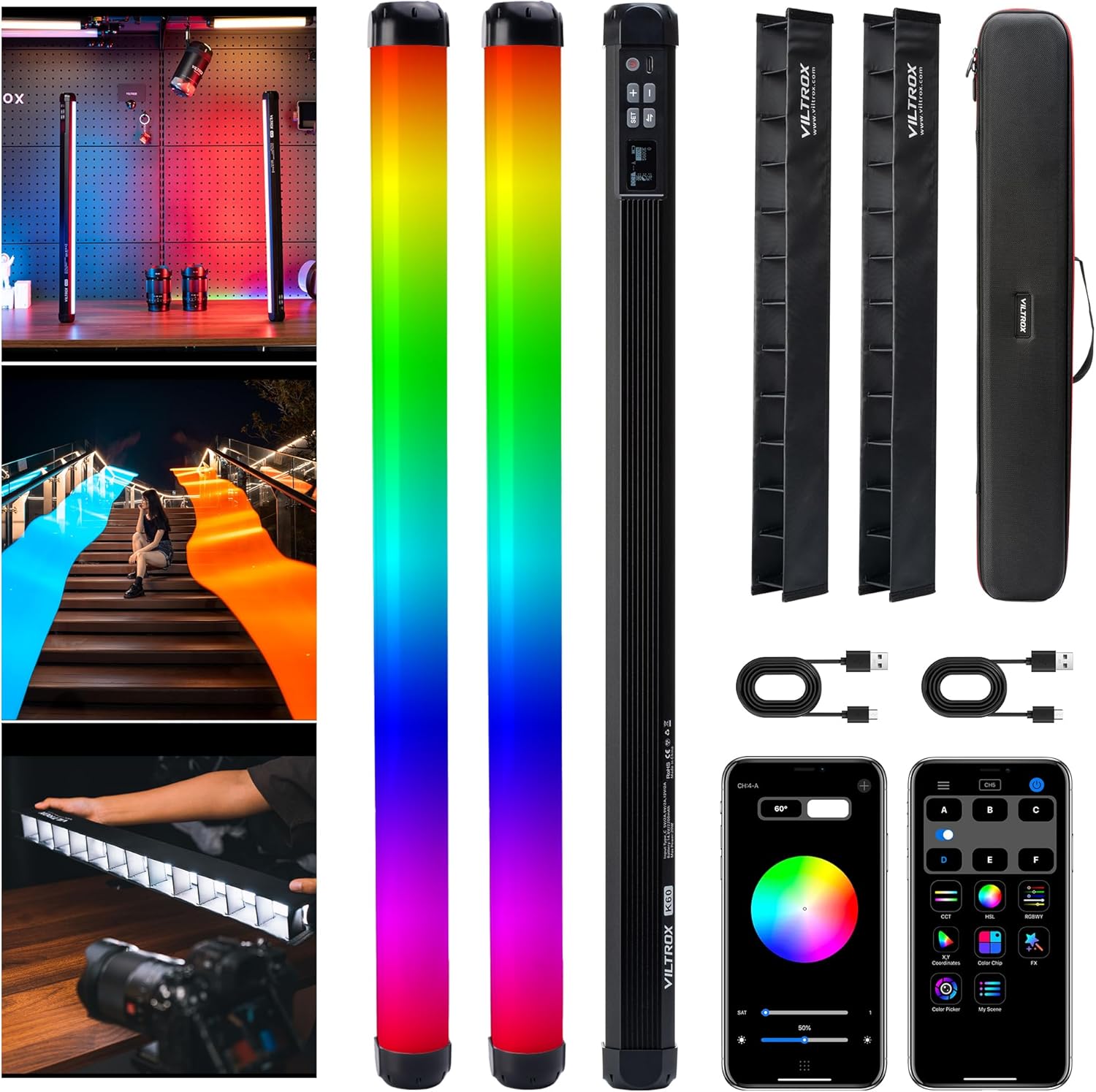
Image 1.1: VILTROX K60 RGB LED Video Light with included accessories.
2. What's in the Box
- VILTROX K60 RGB Stick Light x2
- Type-C Charging Cable x2
- Light Control Grille x2
- Portable Hard Carry Bag x1
- 2 Pack RGB Stick Light Connector x1
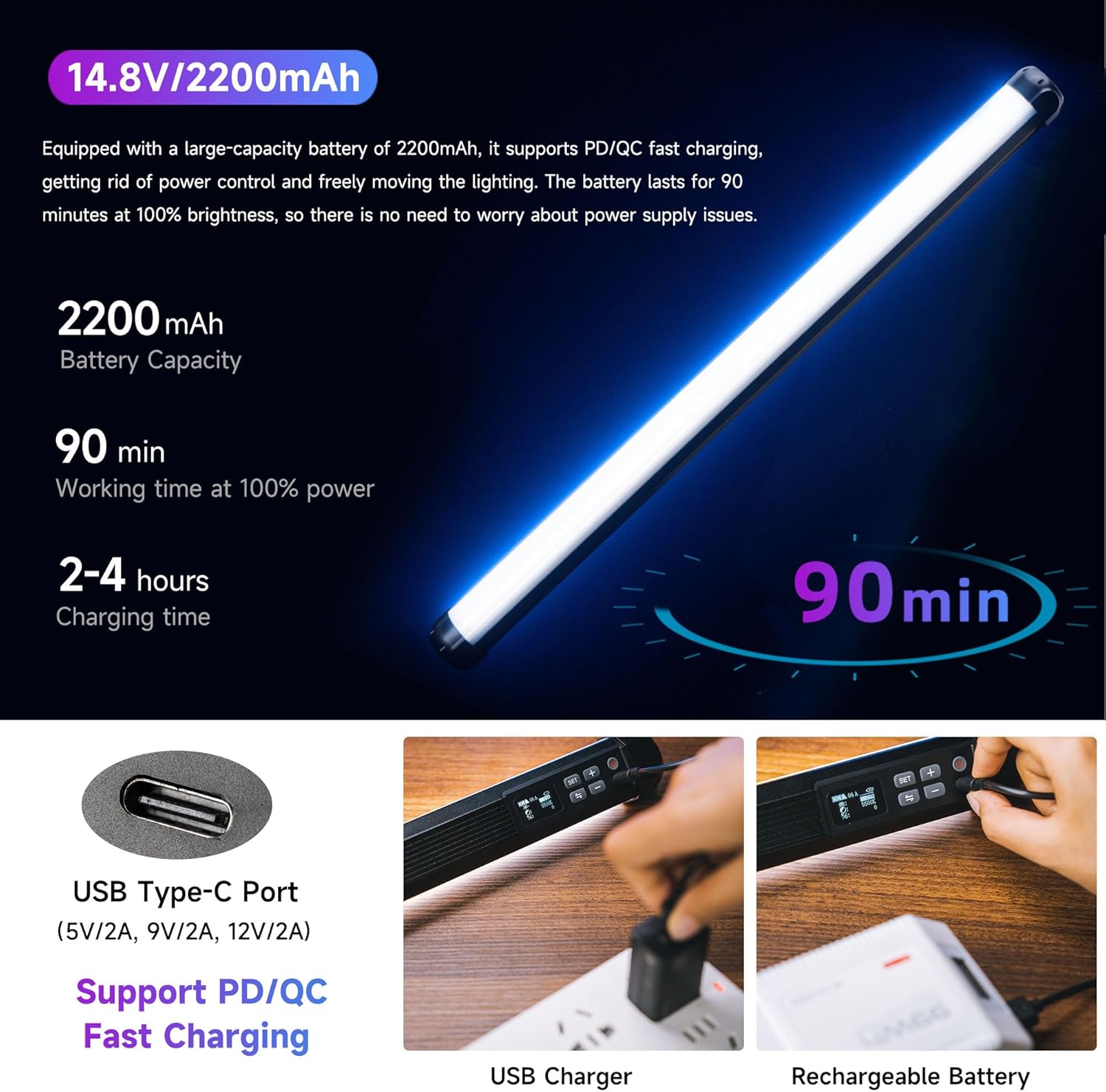
Image 2.1: Contents of the VILTROX K60 package.
3. Setup
3.1 Initial Charging
Before first use, fully charge the VILTROX K60 light. Connect the provided Type-C charging cable to the USB Type-C port on the light and to a compatible PD/QC fast charger (5V/2A, 9V/2A, 12V/2A). The battery lasts for approximately 90 minutes at 100% brightness and supports use while charging.

Image 3.1: USB Type-C port for charging the VILTROX K60.
3.2 Attaching Light Control Grilles
To control light spill and direct the light more precisely, attach the included light control grilles. These grilles slide onto the light stick and help to constrain the light range.

Image 3.2: VILTROX K60 with an attached light control grille.
3.3 Mounting Options
The K60 features standard 1/4" nut holes at both the top and bottom, allowing for versatile mounting. It can be used handheld or attached to accessories such as tripods, magic arms, or the included 1/4 screw connector to combine two lights for more powerful lighting.
4. Operating Instructions
4.1 Power On/Off
Press and hold the power button located on the control panel to turn the light on or off.
4.2 LCD Display and On-Body Controls
The integrated LCD display provides real-time information on current settings, including mode, color temperature, hue, saturation, and brightness. Use the physical buttons (SET, +, -, and mode switch) on the light's body to navigate menus and adjust parameters directly.

Image 4.1: LCD display and control buttons on the VILTROX K60.
4.3 Lighting Modes
The VILTROX K60 offers three primary lighting modes:
- RGB Mode: Adjust hue from 0° to 360° and saturation to create a wide spectrum of colors.
- CCT Mode: Adjust color temperature from 2500K (warm) to 8500K (cool) with ±10 red and green color adjustment, and brightness from 0% to 100%.
- Scene Mode: Choose from 26 built-in lighting effects to simulate various scenarios and enhance creative possibilities.

Image 4.2: Overview of CCT, RGB, and Scene modes.
4.4 App Control
For convenient wireless control, download the "weeylitePro" app. The built-in 2.4G wireless system allows you to remotely adjust settings and switch between various scene modes. The app also enables synchronization with other VILTROX lights for complex lighting setups.

Image 4.3: Controlling the VILTROX K60 via the "weeylitePro" app.
4.5 Official Product Videos
Video 4.1: An overview of the VILTROX K60 Large RGB Stick Light, demonstrating its features and versatility in various lighting scenarios.
Video 4.2: A demonstration of the VILTROX 20W K60 Large RGB Stick Light, highlighting its brightness and color capabilities.
5. Maintenance
To ensure the longevity and optimal performance of your VILTROX K60 light, follow these maintenance guidelines:
- Cleaning: Use a soft, dry cloth to clean the light's surface. Avoid using harsh chemicals or abrasive materials that could damage the finish or LED panel.
- Storage: When not in use, store the light in its portable hard carry bag in a cool, dry place away from direct sunlight and extreme temperatures.
- Battery Care: For long-term storage, ensure the battery is charged to approximately 50-70% to maintain battery health. Recharge periodically if stored for extended periods.
6. Troubleshooting
If you encounter any issues with your VILTROX K60 light, please refer to the following common troubleshooting steps:
- Light Not Turning On: Ensure the battery is sufficiently charged. Connect the light to a power source using the Type-C cable and try again.
- Inconsistent Brightness/Color: Check the settings on the LCD display or via the "weeylitePro" app. Ensure no physical obstructions are affecting the light output.
- App Connectivity Issues: Verify that Bluetooth is enabled on your mobile device and that the light is within range. Restart both the app and the light if connection problems persist.
- Overheating: While designed to dissipate heat efficiently, prolonged use at 100% brightness in confined spaces may cause warmth. Ensure adequate ventilation. The light is designed not to overheat to dangerous levels.
If the problem persists after attempting these steps, please contact VILTROX customer support.
7. Specifications
| Feature | Specification |
|---|---|
| Product Dimensions | 22.8 x 1.57 x 1.54 inches |
| Item Weight | 1.25 pounds |
| Batteries | 2 Lithium Ion batteries required. (included) |
| Battery Life | 90 minutes (at 100% brightness) |
| Connectivity Technology | Bluetooth (for app control) |
| Hardware Interface | USB Type C (PD/QC Fast Charging) |
| Power Output | 20W / 1950lm |
| CRI & TLCI | ≥97 |
| Color Temperature Range | 2500K-8500K |
8. Warranty & Support
VILTROX products are designed for reliability and performance. For specific warranty information and terms, please refer to the warranty card included with your product or visit the official VILTROX website. For technical support, product inquiries, or service requests, please contact VILTROX customer service through their official channels.
You can find more information and support at the VILTROX Official Store on Amazon.


