
Introduction
Thank you for choosing the VIMMK Oral Irrigator Model Y208. This device is designed to provide effective oral hygiene by using a pulsating water jet to clean between teeth and below the gumline. Please read this manual thoroughly before use to ensure proper operation and maintenance.
Product Overview
Components
The VIMMK Oral Irrigator Model Y208 typically includes the main unit, a detachable water tank, various nozzles, and a USB charging cable.

Key Features
- 5 Cleaning Modes: Offers Strong, Normal, Soft, Pulse, and Child modes for varied oral care needs.
- 8 Nozzles: Includes 5 types of nozzles for comprehensive cleaning of teeth, periodontal pockets, dentures, implants, bridges, orthodontic appliances, and the tongue.
- 300ml Water Tank: Provides sufficient capacity for a complete 60-second cleaning session.
- High Pulse Frequency: Delivers 1400 to 1800 pulses per minute for effective cleaning.
- IPX7 Waterproof: Ensures safety and allows for use in the shower.
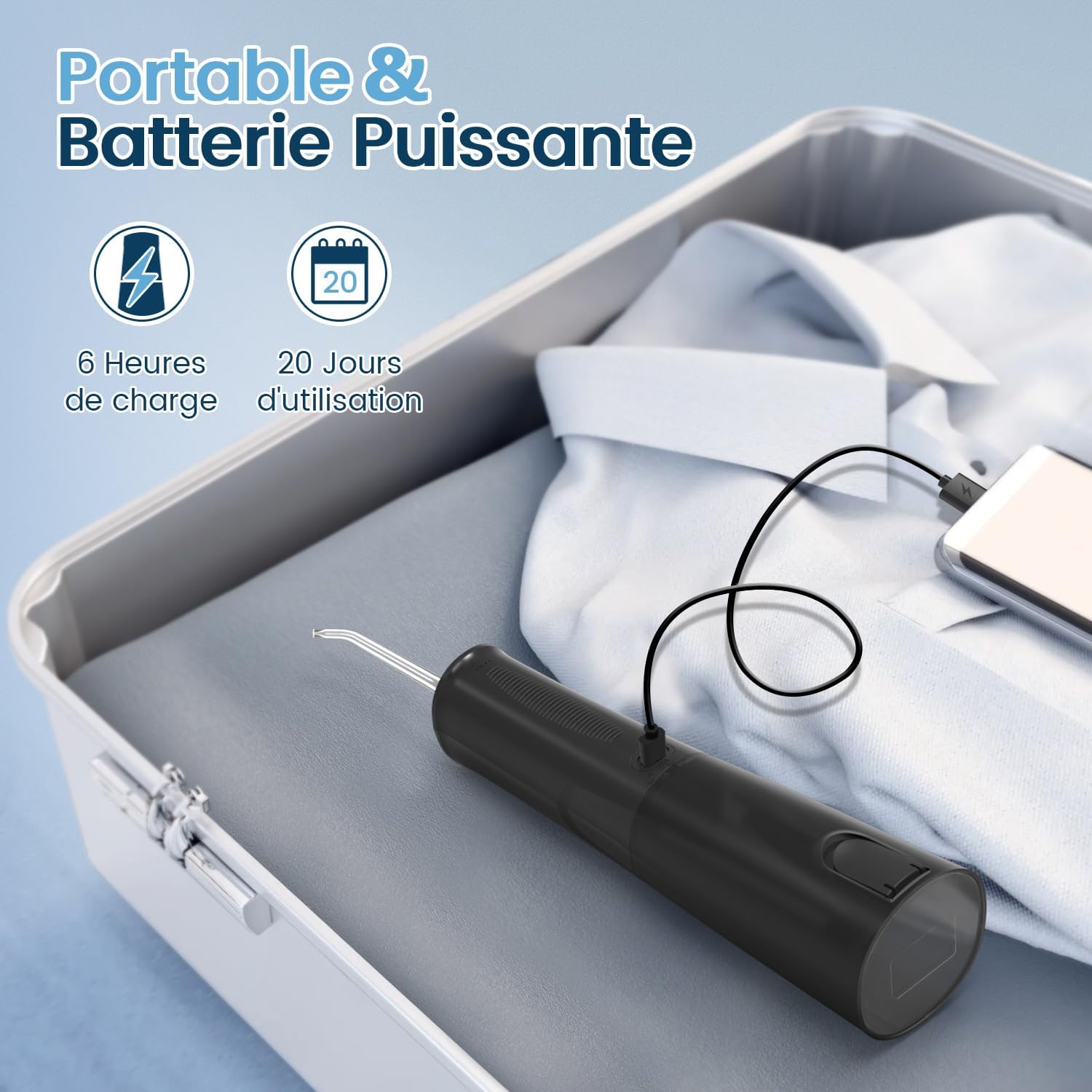
- Rechargeable Battery: A full charge provides up to 20 days of use, making it portable and convenient.
- 360° Rotating Tip: Allows for easy access to all areas of the mouth.


Setup
Charging the Device
- Connect the USB charging cable to the charging port on the device.
- Plug the other end of the USB cable into a compatible power adapter (not included) or a USB port.
- The battery indicator lights will show the charging status. A full charge takes approximately 6 hours and provides up to 20 days of use.
Attaching a Nozzle
- Select the desired nozzle for your cleaning needs.
- Insert the nozzle stem into the opening at the top of the main unit until it clicks securely into place.
- To remove a nozzle, press the nozzle release button (usually located near the nozzle base) and pull the nozzle straight out.
Filling the Water Tank
- Open the water tank cover located at the bottom of the device.
- Fill the 300ml tank with lukewarm water. For best results, use filtered or distilled water to prevent mineral buildup.
- Close the water tank cover securely to prevent leaks.

Operating Instructions
Power On/Off
- To turn the device on, press the power button once.
- To turn the device off, press the power button again.
Selecting a Cleaning Mode
- With the device powered on, press the 'M' (Mode) button to cycle through the 5 available cleaning modes.
- The indicator lights on the device will show the currently selected mode:
- Strong: For deep cleaning between teeth or around braces.
- Normal: For effective daily cleaning and maintaining fresh breath.
- Soft: Recommended for first-time users, individuals with sensitive teeth, or delicate gums.
- Pulse: Provides a pulsating water flow to massage gums and aid in plaque removal.
- Child: A gentle mode specifically designed for children over 8 years old.
- Recommendation: For first-time users or those with sensitive gums, always start with the "Soft" mode and gradually increase the intensity as your gums adapt to prevent discomfort or bleeding.
Usage Technique
- Lean over a sink to allow water to drain.
- Place the nozzle tip into your mouth, aiming the water jet at the gumline at a 90-degree angle.
- Close your lips slightly around the nozzle to prevent splashing, but allow water to flow into the sink.
- Guide the water jet along the gumline, pausing briefly between each tooth. Ensure you clean both the front and back surfaces of your teeth.
- The 360° rotating tip allows for easy access to all areas of the mouth.
- Use the irrigator for approximately 60 seconds, 1 to 2 times daily, as a complement to your regular brushing routine.
Maintenance
Cleaning the Device
- After each use, empty any remaining water from the tank.
- Wipe the exterior of the device with a soft, damp cloth.
- Do not immerse the main unit in water for extended periods, despite its IPX7 rating, to ensure longevity.
Cleaning Nozzles
- Remove the nozzle from the device.
- Rinse the nozzle thoroughly under running water.
- For a more thorough cleaning, you can soak the nozzles in a cup of white vinegar for 5-10 minutes, then rinse them well with water.
Storage
- Ensure the device and nozzles are clean and dry before storing.
- Store the device and its accessories in a clean, dry place away from direct sunlight and extreme temperatures.
Troubleshooting
Common Issues and Solutions
| Issue | Possible Cause | Solution |
|---|---|---|
| Device does not turn on | Low battery | Charge the device fully. |
| Weak water pressure | Low battery, Clogged nozzle, Low water level in tank | Charge the device, Clean the nozzle, Refill the water tank. |
| Water leakage | Water tank not properly closed, Nozzle not securely attached | Ensure the water tank cover is sealed tightly, Re-attach the nozzle until it clicks into place. |
| Gum bleeding during first use | High pressure mode selected, Sensitive gums | Start with the "Soft" mode and gradually increase pressure as your gums adapt. Consult a dentist if bleeding persists. |
Specifications
Technical Specifications
| Feature | Detail |
|---|---|
| Model Number | Y208 |
| Brand | Vimmk |
| Dimensions (L x W x H) | 6.6 x 7.1 x 23.7 cm |
| Weight | 250 grams |
| Water Tank Volume | 300 ml |
| Water Pulse Frequency | 1400-1800 pulses/min |
| Pressure Modes | 5 (Strong, Normal, Soft, Pulse, Child) |
| Nozzles Included | 8 (5 types) |
| Waterproof Rating | IPX7 |
| Power Source | Battery Powered (1 A - included) |
| Charging Time | Approx. 6 hours |
| Usage Time (Full Charge) | Up to 20 days |
| Special Features | 360° Rotating Nozzle, Battery Indicator, Rechargeable |
| Material | Plastic |
| GTIN | 767776761107 |
Important Safety Information
- Do not use this dental water jet if you have open wounds or severe oral problems without consulting a dentist.
- Keep the device and all accessories, especially small nozzles, out of reach of children to avoid choking hazards.
- Ensure the charging port is completely dry before connecting the charging cable to prevent electrical hazards.
- Do not disassemble or attempt to repair the device yourself. Contact qualified personnel for service.
- Use only as directed in this instruction manual.
- Do not fill the water tank with anything other than water or dentist-recommended mouthwash.
Warranty Information
Specific warranty details for the VIMMK Oral Irrigator Model Y208 are not provided in the product information. Please refer to the retailer's return policy or contact Vimmk customer support for detailed warranty inquiries.
Customer Support
For further assistance, questions, or concerns regarding your VIMMK Oral Irrigator Model Y208, please contact Vimmk customer support through their official website or the retailer from whom the product was purchased. Please have your model number (Y208) and purchase details ready when contacting support.