
1. Introduction
This manual provides detailed instructions for the safe and effective operation of the ANENG Digital Multimeter Tester, Model SZ19. This device is a professional-grade, auto-ranging digital multimeter designed for measuring various electrical parameters including AC/DC current, voltage, resistance, frequency, duty cycle, capacitance, continuity, diode, and temperature. It features a 6000 counts True-RMS display, smart mode, and a robust design suitable for both industrial and household use.

Figure 1.1: ANENG Digital Multimeter SZ19 and its complete accessory kit, including test leads, batteries, and a storage bag.
2. Safety Information
WARNING: To avoid possible electric shock, fire, or personal injury, please read all safety information before you use the product. Improper use of this meter can cause damage, shock, injury, or death. Always follow all safety procedures and local electrical codes when making measurements.
- Do not exceed the maximum input value specified for any function.
- Do not use the meter if it is damaged or if the test leads are damaged. Inspect the meter and test leads before use.
- Exercise extreme caution when working with voltages above 30V AC RMS, 42V peak, or 60V DC. Such voltages pose a shock hazard.
- Always disconnect the test leads from the circuit before changing the function or range.
- Ensure the correct function and range are selected for the measurement.
- Do not operate the meter in explosive gas, vapor, or dust environments.
- Use the meter only as specified in this manual; otherwise, the protection provided by the meter may be impaired.
- Keep fingers behind the finger guards on the test leads during measurements.
- Replace batteries as soon as the low battery indicator appears to ensure accurate readings.
3. Package Contents
Upon opening the package, verify that all items listed below are present and in good condition:
- 1 x ANENG Digital Multimeter SZ19
- 1 x Combination Test Lead Set (includes 4 connection sockets, 2 PVC cables, 2 copper needles, 2 U-shaped inserts, 2 meter pens, 4 alligator clips, 2 puncture needles)
- 3 x AA Batteries (pre-installed or included separately)
- 1 x Instruction Manual
- 1 x Storage Bag

Figure 3.1: Visual representation of the items included in the product package.
4. Product Overview and Features
The ANENG SZ19 Multimeter is designed with user convenience and safety in mind, incorporating several key features:
- 6000 Counts True-RMS Display: Provides accurate readings for both sinusoidal and non-sinusoidal AC waveforms. The large LCD color screen enhances readability in various lighting conditions.
- Smart Mode: Automatically identifies the measurement type (voltage, resistance, continuity) and selects the appropriate range, simplifying operation for beginners.
- Intelligent LED Jack Indicator: Guides the user to the correct input jack for the selected measurement, reducing the risk of misconnection.
- Non-Contact Voltage (NCV) Detection: Allows for safe detection of AC voltage without direct contact, indicated by sound and light alarms.
- HD Backlit Display: Ensures clear visibility of readings even in low-light environments.
- Flashlight Function: Integrated flashlight for illuminating dark work areas.
- Durable Construction: Features a heat-resistant, non-slip design with a drop-proof rubber protective cover and built-in anti-burned ceramic fuse tube for enhanced safety and longevity.
- Ergonomic Design: Includes a rear retractable bracket for hands-free operation and a built-in test lead storage slot.

Figure 4.1: Intelligent LED Jack Indicator for correct lead placement.

Figure 4.2: Non-Contact Voltage (NCV) detection feature.
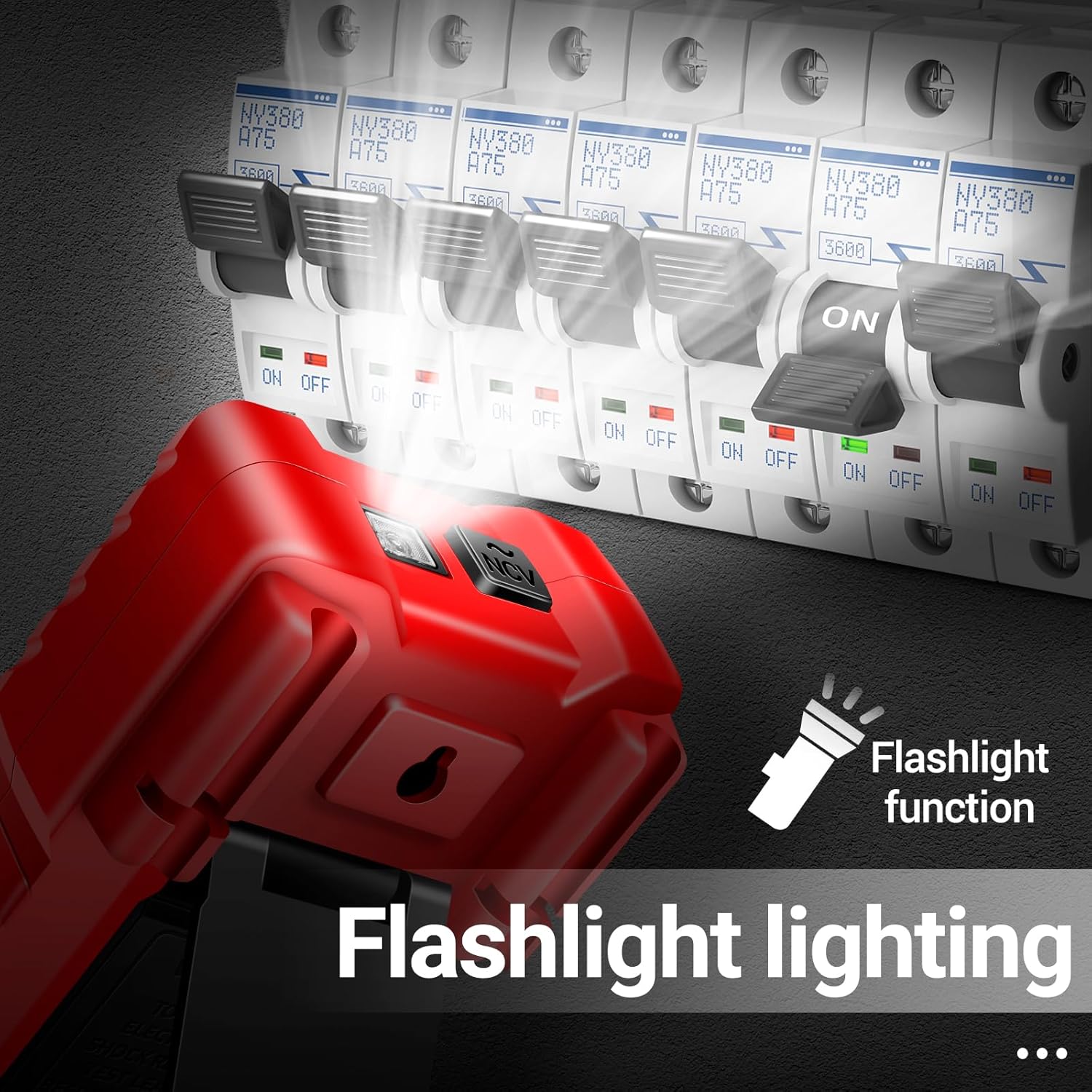
Figure 4.3: High-definition backlit display for clear readings.
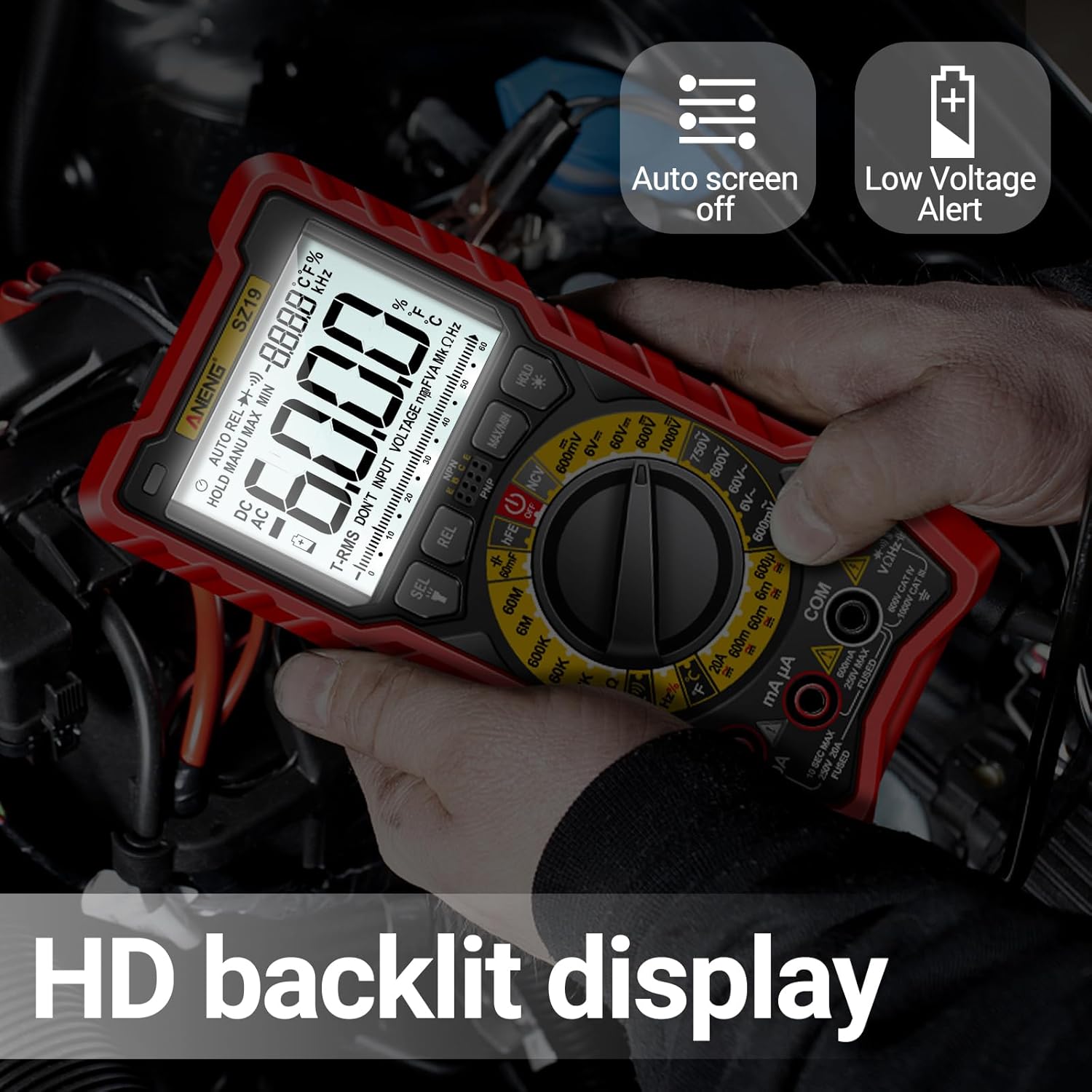
Figure 4.4: Integrated flashlight for convenience.

Figure 4.5: Ergonomic features including silicone sheath and kickstand.

Figure 4.6: Internal component breakdown of the multimeter.
5. Setup
5.1 Battery Installation
The ANENG SZ19 Multimeter requires three (3) AA batteries for operation. These are typically included with the product.
- Locate the battery compartment cover on the back of the multimeter.
- Use a screwdriver to loosen the screw securing the battery cover.
- Remove the cover.
- Insert the three AA batteries, ensuring correct polarity (+ and -) as indicated inside the compartment.
- Replace the battery cover and tighten the screw.
5.2 Connecting Test Leads
Always ensure test leads are securely connected to the correct input jacks for the desired measurement.
- The black test lead should always be connected to the COM (Common) jack.
- For most voltage, resistance, continuity, capacitance, diode, frequency, duty cycle, and temperature measurements, connect the red test lead to the VΩHz jack.
- For current measurements (mA/µA), connect the red test lead to the mAµA jack.
- For high current measurements (up to 20A), connect the red test lead to the 20A jack.
6. Operating Instructions
The ANENG SZ19 features an intuitive rotary dial and function buttons. Turn the rotary dial to select the desired measurement function. The smart mode (AUTO) simplifies common measurements.

Figure 6.1: Overview of the multimeter's diverse measurement functions.
6.1 Basic Measurements (Smart Mode)
In AUTO mode, the meter automatically identifies and measures AC/DC voltage, resistance, and continuity.
- Turn the rotary dial to the AUTO position.
- Connect the black test lead to COM and the red test lead to VΩHz.
- Apply the test leads to the circuit or component to be measured. The meter will automatically display the voltage, resistance, or continuity.
6.2 Specific Measurement Functions
For specific measurements, rotate the dial to the corresponding function.
- AC/DC Voltage Measurement (V~ / V=):
Connect leads to COM and VΩHz. Select AC V or DC V on the dial. Apply leads in parallel to the circuit. - AC/DC Current Measurement (A~ / A=, mA~ / mA=, µA~ / µA=):
Connect black lead to COM. Connect red lead to mAµA for low current or 20A for high current. Select AC A or DC A on the dial. Connect leads in series with the circuit. - Resistance Measurement (Ω):
Connect leads to COM and VΩHz. Select Ω on the dial. Apply leads across the component. Ensure the circuit is de-energized. - Capacitance Measurement (F):
Connect leads to COM and VΩHz. Select F on the dial. Discharge capacitors before testing. Apply leads across the capacitor. - Diode Test (→|):
Connect leads to COM and VΩHz. Select Diode on the dial. Apply leads across the diode. A forward voltage drop will be displayed. - Continuity Test (Ω)))):
Connect leads to COM and VΩHz. Select Continuity on the dial. Touch leads together to confirm a beep. Apply leads across the circuit/wire. A beep indicates continuity. - Frequency (Hz) / Duty Cycle (%):
Connect leads to COM and VΩHz. Select Hz/% on the dial. Apply leads to the signal source. - Temperature Measurement (°C/°F):
Connect the temperature probe (if included and compatible) to the appropriate jacks (usually VΩHz and COM). Select Temperature on the dial. - Non-Contact Voltage (NCV) Detection:
Rotate the dial to the NCV position. Bring the top of the meter near an AC voltage source. The meter will beep and the NCV indicator lights will illuminate if voltage is detected. - hFE (Transistor Test):
Insert the transistor leads into the hFE test sockets on the meter. Select hFE on the dial. The meter will display the hFE value.
6.3 Additional Functions
- Data Hold (HOLD): Press the HOLD button to freeze the current reading on the display. Press again to release.
- MAX/MIN: Press the MAX/MIN button to record the maximum and minimum values during a measurement session.
- Backlight: The display backlight can be activated for better visibility in dark areas.
- Flashlight: Press the flashlight button to turn on the integrated flashlight.
7. Maintenance
7.1 Cleaning
To clean the meter, wipe the case with a damp cloth and mild detergent. Do not use abrasives or solvents. Ensure the meter is completely dry before use.
7.2 Battery Replacement
When the low battery indicator appears on the display, replace the batteries promptly to ensure accurate measurements. Refer to Section 5.1 for battery installation instructions.
7.3 Storage
When not in use for extended periods, remove the batteries to prevent leakage and store the multimeter in its protective storage bag in a cool, dry place away from direct sunlight and extreme temperatures.
8. Troubleshooting
If you encounter issues with your ANENG SZ19 Multimeter, refer to the following common problems and solutions:
| Problem | Possible Cause | Solution |
|---|---|---|
| Meter does not turn on. | Dead or incorrectly installed batteries. | Check battery polarity or replace batteries. |
| No reading or "OL" (Overload) displayed. | Incorrect range selected, open circuit, or measurement exceeds meter's capacity. | Ensure correct function/range. Check circuit for breaks. Use auto-ranging or higher manual range. |
| Inaccurate readings. | Low battery, incorrect connection, or external interference. | Replace batteries. Verify test lead connections. Move away from strong electromagnetic fields. |
| Continuity test does not beep. | Open circuit or high resistance. | Check the circuit for breaks. The resistance might be above the continuity threshold. |
If the problem persists after attempting these solutions, contact ANENG customer support for further assistance.
9. Specifications
| Parameter | Value |
|---|---|
| Model Number | SZ19 |
| Display | 6000 Counts, True-RMS, LCD Color Screen |
| Power Source | 3 x AA Batteries (included) |
| Package Dimensions | 8.54 x 5.87 x 2.52 inches |
| Item Weight | 1.66 Pounds |
| Measurement Functions | AC/DC Current, Voltage, Resistance, Capacitance, Diodes, Continuity, Frequency, Duty-Cycle, Temperature, hFE, NCV |
| Safety Features | Anti-burned ceramic fuse tube, Reverse polarity protection, Overload protection |

Figure 9.1: Dimensions of the ANENG Digital Multimeter SZ19.
10. Warranty and Support
For information regarding warranty coverage, technical support, or service, please refer to the official ANENG website or contact their customer service department. Details can typically be found on the product packaging or the manufacturer's official online resources.
ANENG Official Website: Visit the ANENG Store on Amazon


