
Introduction
The Energizer HDL40 LED Headlamp provides hands-free illumination for various tasks and activities. This compact, lightweight, and durable headlamp is designed for reliability in diverse environments, including outdoor use, job sites, and general household tasks. It features multiple light modes, dimming capabilities, and a pivoting head for directional lighting.

Image: The Energizer HDL40 LED Headlamp in gray, shown with three AAA Energizer MAX batteries. The headlamp features two main light sources and a gray adjustable strap.
Package Contents
Verify that all items are present in the package:
- One (1) Energizer HDL40 LED Headlamp
- Three (3) Energizer AAA Batteries

Image: A visual representation of the Energizer HDL40 LED Headlamp and the three included AAA batteries, alongside its retail packaging.
Setup
1. Battery Installation
- Locate the battery compartment on the back of the headlamp unit.
- Open the battery compartment cover.
- Insert three (3) AAA batteries, ensuring correct polarity (+/-) as indicated inside the compartment.
- Close the battery compartment cover securely.
2. Headband Adjustment
The headlamp features an adjustable elastic strap for a comfortable and secure fit. Adjust the strap by sliding the buckles to achieve the desired tension around your head or helmet.
Operating Instructions
1. Power On/Off and Light Modes
The HDL40 headlamp offers multiple lighting modes for various needs:
- White LED Mode: Press the power button once to activate the white LED light. Subsequent presses cycle through different white light intensity settings.
- Red LED Mode: Press the dedicated red light button to activate the red LED. This mode is useful for preserving night vision.
- Switching Modes: To switch between white and red light, press the respective button. The headlamp will turn off the currently active light and turn on the selected one.
- Power Off: To turn off the headlamp, press and hold the active light button for approximately 2 seconds, or cycle through all modes until the light turns off.

Image: A person wearing the Energizer HDL40 LED Headlamp while working on a car engine at night, demonstrating its hands-free illumination. The image highlights the 500 lumens brightness.
2. Dimming Feature
The headlamp includes an advanced dimming feature for both white and red light modes. Once a light mode is active, press and hold the corresponding button to adjust the light intensity from 100% down to 10%. Release the button at the desired brightness level.
3. Pivoting Head
The headlamp unit can be pivoted up or down to direct the light beam precisely where needed. Gently adjust the headlamp housing to the desired angle.
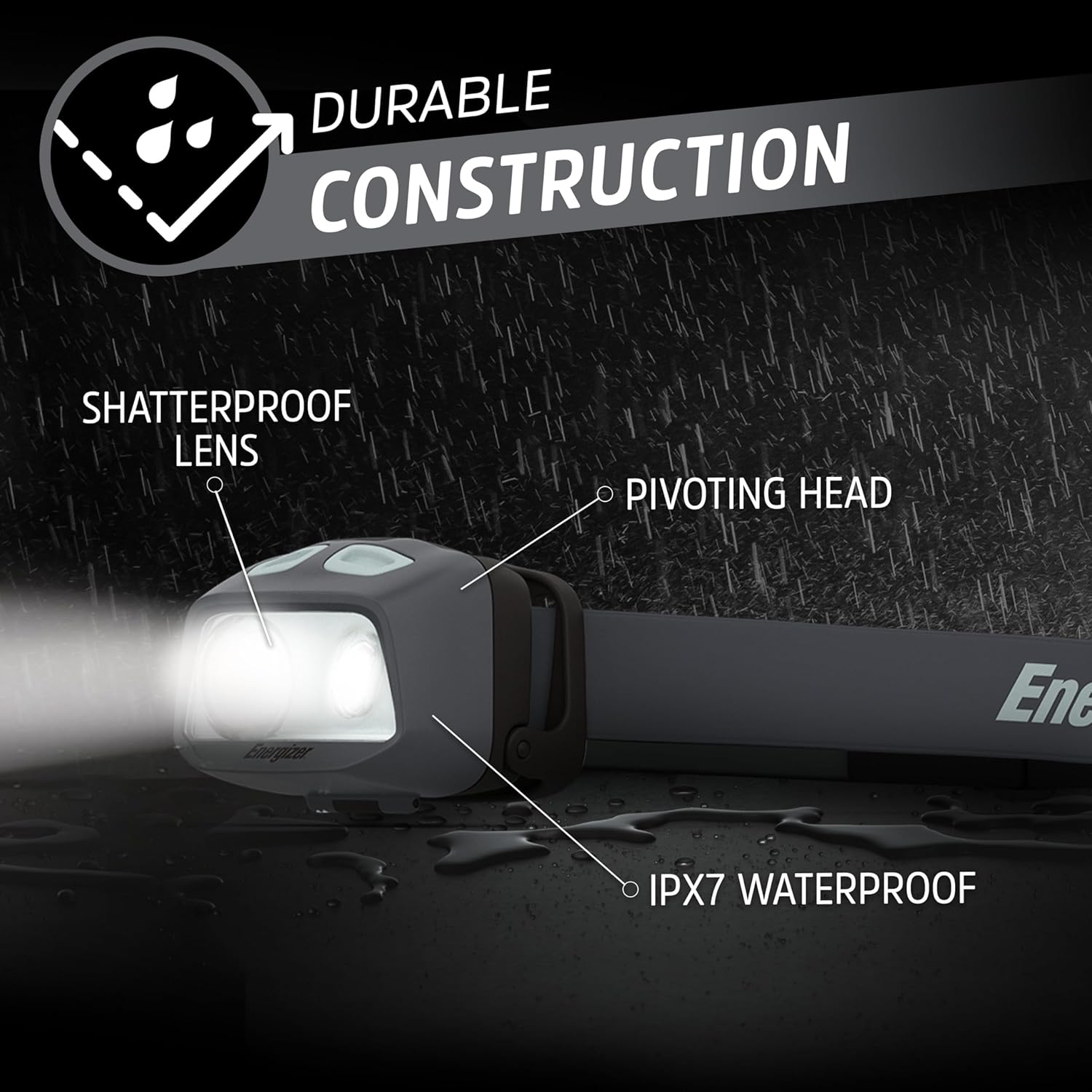
Image: A close-up view of the Energizer HDL40 LED Headlamp highlighting its durable construction, shatterproof lens, IPX7 waterproof rating, and pivoting head feature.
Maintenance
- Cleaning: Wipe the headlamp body and lens with a soft, damp cloth. Avoid abrasive cleaners or solvents.
- Battery Replacement: Replace all three AAA batteries simultaneously when the light dims significantly or stops working. Do not mix old and new batteries, or different battery types.
- Storage: If storing the headlamp for an extended period, remove the batteries to prevent leakage and corrosion. Store in a cool, dry place.
- Water Resistance: While the headlamp is IPX7 waterproof, ensure the battery compartment is securely closed before exposure to water.

Image: A person wearing the Energizer HDL40 LED Headlamp while drilling into a wall, illustrating its utility for tasks requiring hands-free lighting and its long battery life of up to 22 hours on low setting.
Troubleshooting
| Problem | Possible Cause | Solution |
|---|---|---|
| Headlamp does not turn on. | Dead or incorrectly installed batteries. | Replace batteries with new AAA batteries, ensuring correct polarity. |
| Light is dim or flickers. | Low battery power. | Replace batteries with new AAA batteries. |
| Cannot change light modes. | Buttons not pressed correctly or unit malfunction. | Ensure buttons are pressed firmly. If issue persists, replace batteries. If still unresolved, contact customer support. |
Specifications
| Feature | Detail |
|---|---|
| Model Number | ENHDCA32ERA |
| Light Source Type | LED |
| Brightness | 500 Lumens (White Light) |
| Power Source | Battery Powered |
| Battery Type | 3 x AAA Alkaline Batteries (included) |
| Voltage | 3 Volts (DC) |
| Run Time (Low Setting) | Up to 22 hours |
| Beam Distance | Up to 246 feet (75 meters) |
| Water Resistance | IPX7 Waterproof |
| Impact Resistance | Up to 6 feet |
| Special Features | Night Vision (Red LED), Dimming, Pivoting Head |
| Material | Plastic |
| Color | Gray |
| Item Weight | 3.7 Ounces |
| Product Dimensions | 2.56"D x 2.56"W x 4.53"H |
| UPC | 039800143655 |
Warranty and Support
Warranty information for the Energizer HDL40 LED Headlamp is not explicitly detailed in the provided product specifications. For warranty claims or technical support, please refer to the official Energizer website or contact Energizer customer service directly.
You can visit the Energizer Store for more information: Energizer Official Store


