1. Product Overview
The DOMICON L Shaped Gaming Desk is designed to provide a spacious and functional workspace for gaming, office, and content creation. It features a large 63-inch carbon fiber textured surface, an adjustable monitor stand, built-in RGB lighting, and an integrated power strip for convenient connectivity.

Figure 1: Overall view of the DOMICON L Shaped Gaming Desk with a complete gaming setup.
2. Key Features
- Large 63-Inch Surface: Provides ample space for multiple monitors, gaming peripherals, and accessories.
- 4-Level Adjustable Computer Stand: Customize height and angle for optimal posture and reduced fatigue.
- Built-in RGB Light Strip: Offers 20 dynamic modes and 7 main colors to enhance your gaming environment.
- Multi-functional Power Strip: Includes 2 USB ports (5V/2A) and 4 AC outlets (125V/12A) for easy device charging and connectivity.
- Durable Carbon Fiber Texture: High-strength carbon fiber desktop for a sleek and robust finish.
- Integrated Storage: Features a fabric drawer for storage and handy side hooks for headphones or bags.

Figure 2: Detailed dimensions of the L Shaped Gaming Desk.
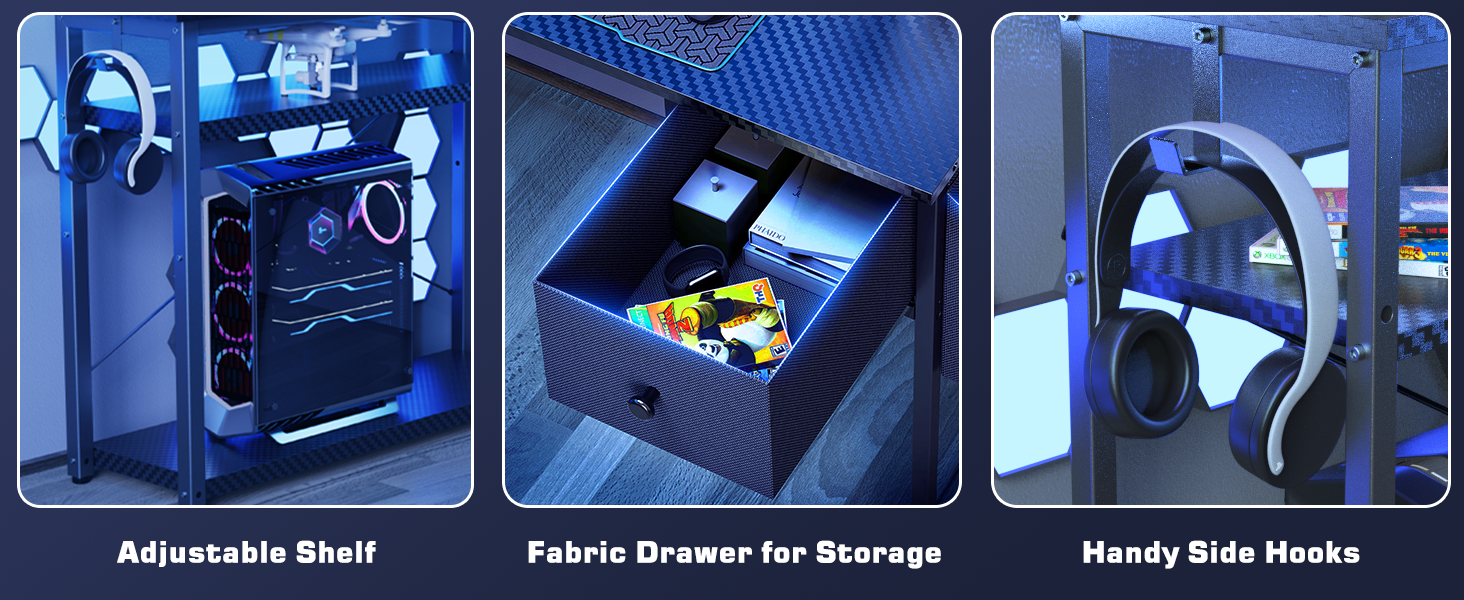
Figure 3: Close-up view of the durable 3D carbon fiber desktop texture.
3. Setup and Assembly
The DOMICON L Shaped Gaming Desk is designed for quick installation, typically within 40 minutes. All necessary tools are included. Please follow the detailed assembly instructions provided in the separate assembly guide for proper setup and stability.
The desk features a reversible design, allowing you to configure the L-shape to either the left or right side to best suit your space. Ensure all components are securely fastened during assembly to prevent wobbling.
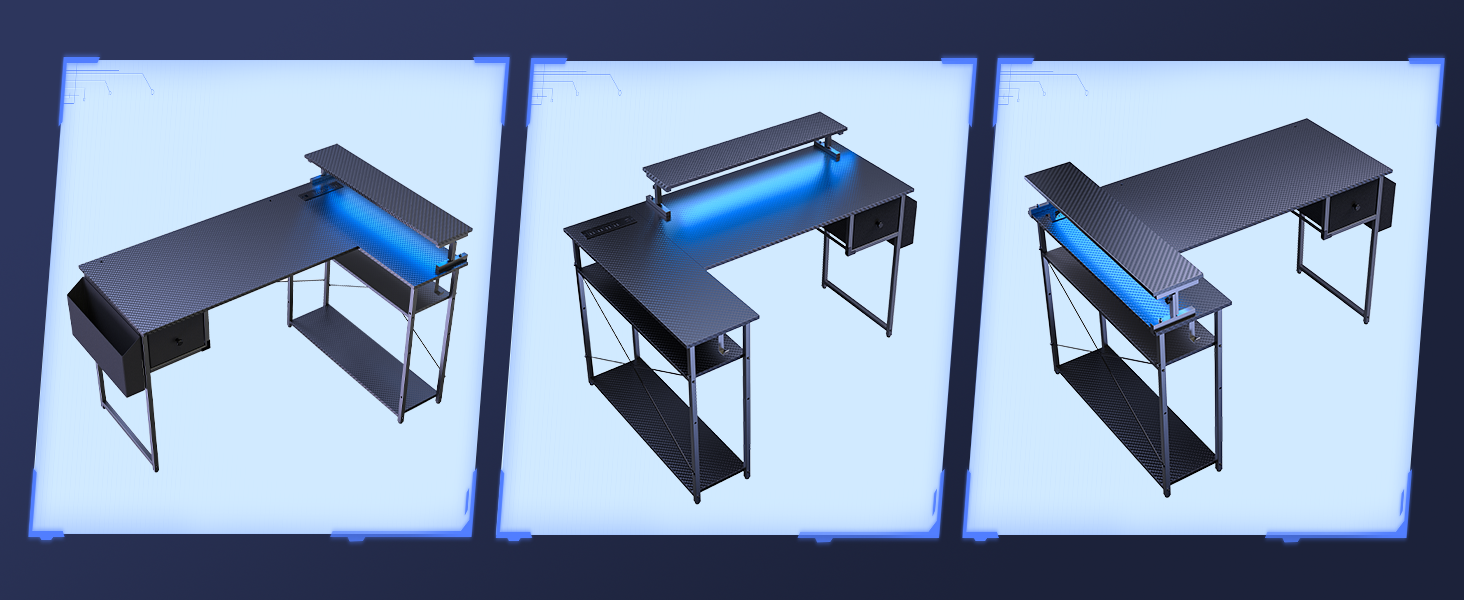
Figure 4: Various possible configurations of the L Shaped Gaming Desk.
4. Operating Instructions
4.1. RGB Light Strip Operation
The built-in RGB light strip can be controlled using the provided remote. It offers 20 dynamic modes, 7 main colors, 5 brightness levels, and 5 flashing rates. You can customize the lighting to match your style and environment.

Figure 5: The RGB LED light strip illuminating the desk area.
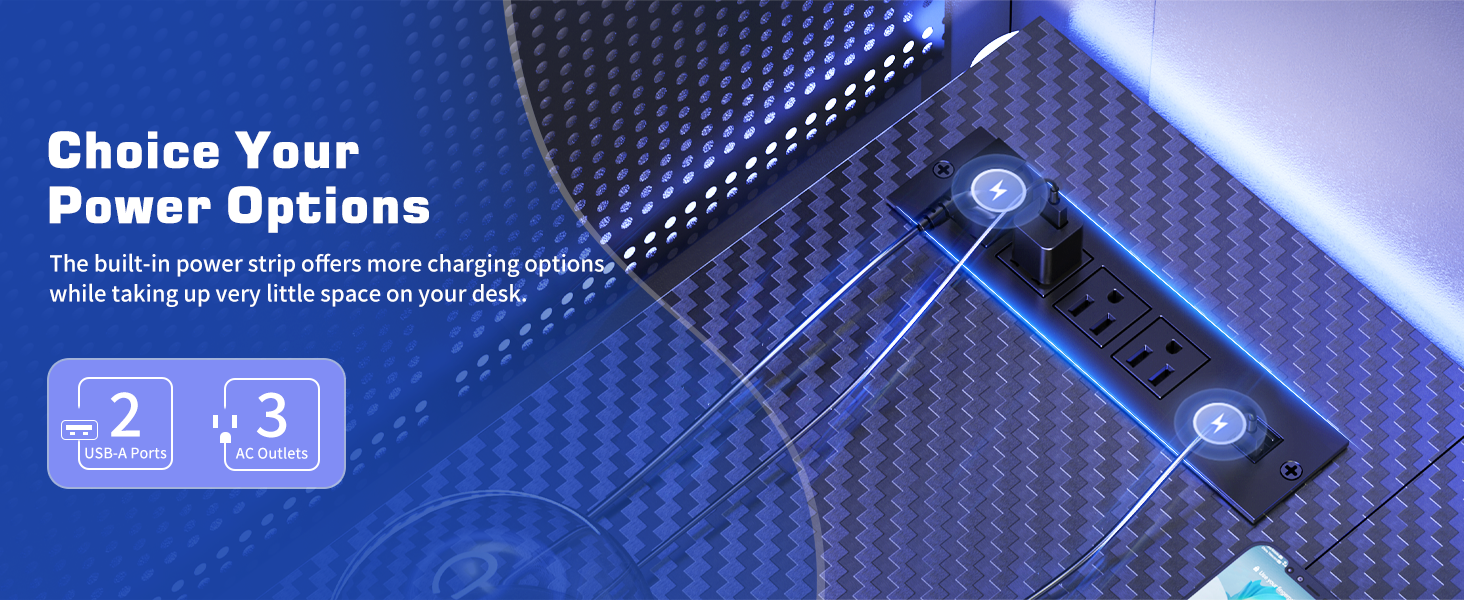
Figure 6: Overview of RGB light strip features and customization options.
4.2. Adjustable Monitor Stand
The monitor stand can be adjusted to 4 different levels (7.48 inches to 5.51 inches) to optimize your viewing height. To adjust, loosen the locking mechanism on the stand supports, raise or lower the shelf to the desired height, and then securely tighten the locking mechanism.

Figure 7: The adjustable monitor stand showing its four height levels.
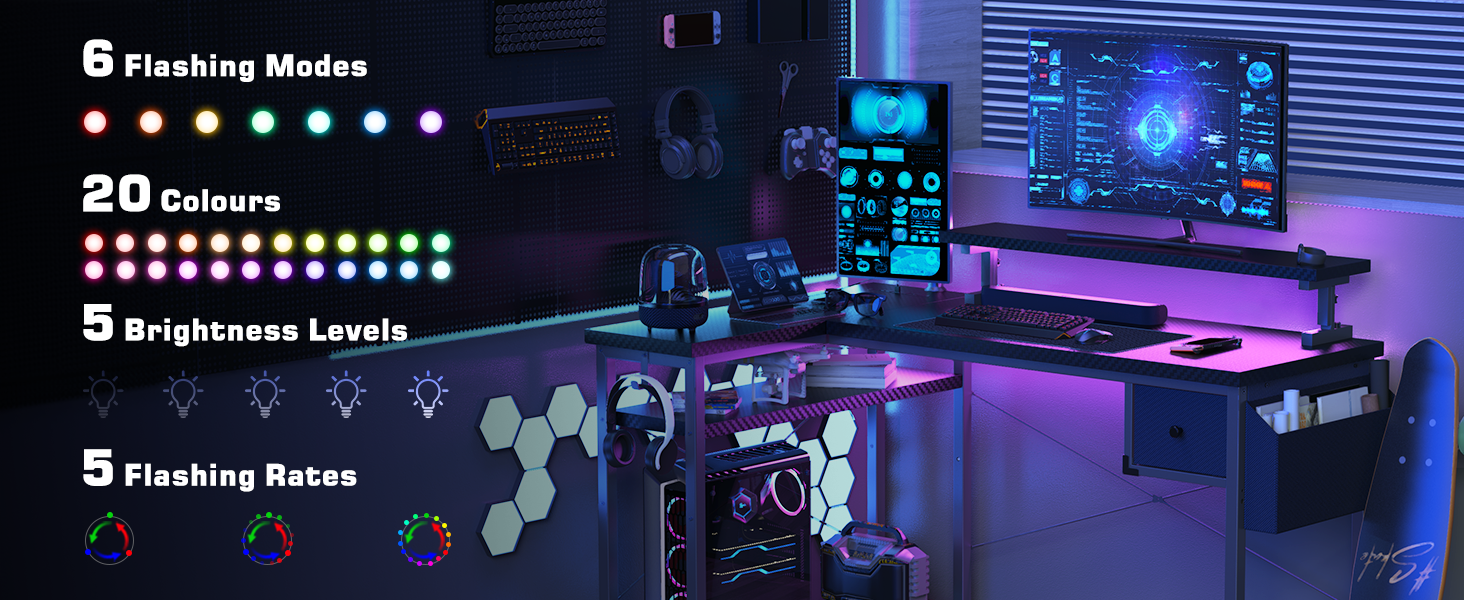
Figure 8: Instructions for adjusting the monitor stand height.
4.3. Power Outlet Usage
The desk includes a built-in power strip with 2 USB ports and 4 AC outlets. Connect your devices directly to the desk for convenient power access. Ensure the desk's main power cord (6.6 feet) is plugged into a suitable wall outlet.

Figure 9: The integrated power outlet for convenient charging.
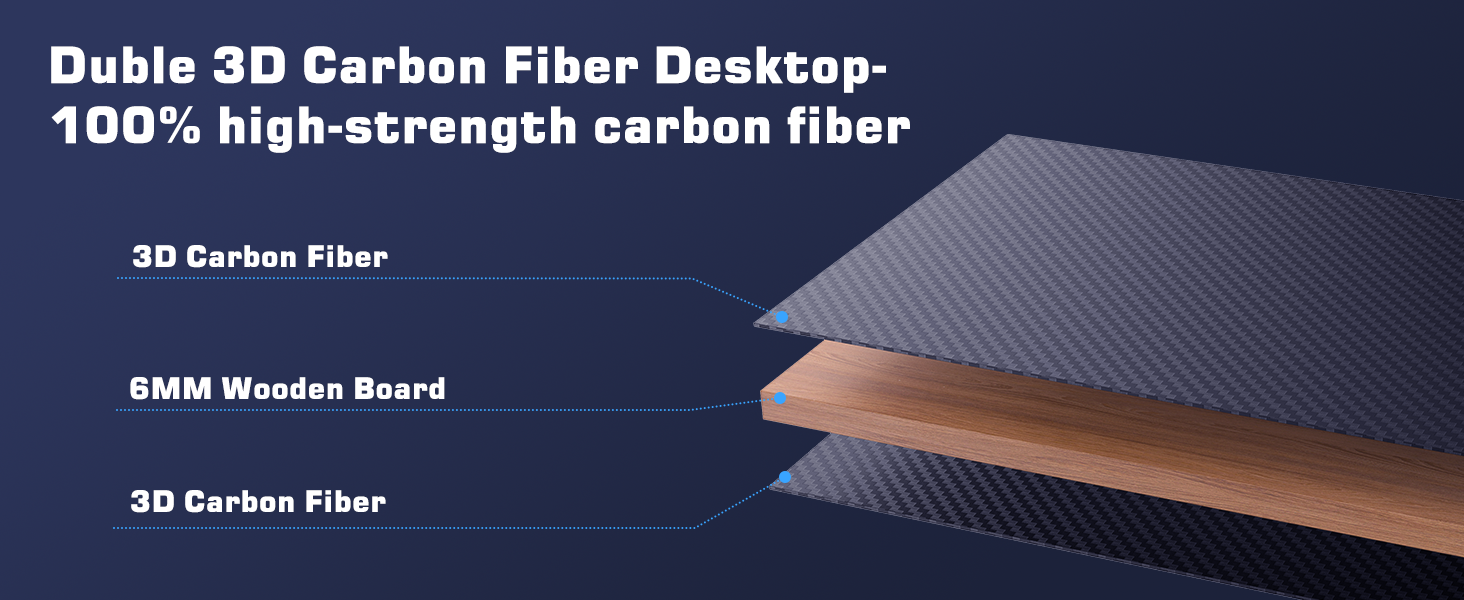
Figure 10: Overview of the power options available on the desk.
5. Maintenance
To maintain the appearance and longevity of your DOMICON Gaming Desk, regularly wipe surfaces with a soft, damp cloth. Avoid abrasive cleaners or harsh chemicals. Ensure all screws and connections remain tight to maintain structural integrity.
Proper cable management is recommended to prevent tripping hazards and maintain a tidy workspace. Utilize the integrated storage drawer and side hooks for organizing peripherals and accessories.

Figure 11: The convenient storage drawer and side bag for keeping your desktop clutter-free.
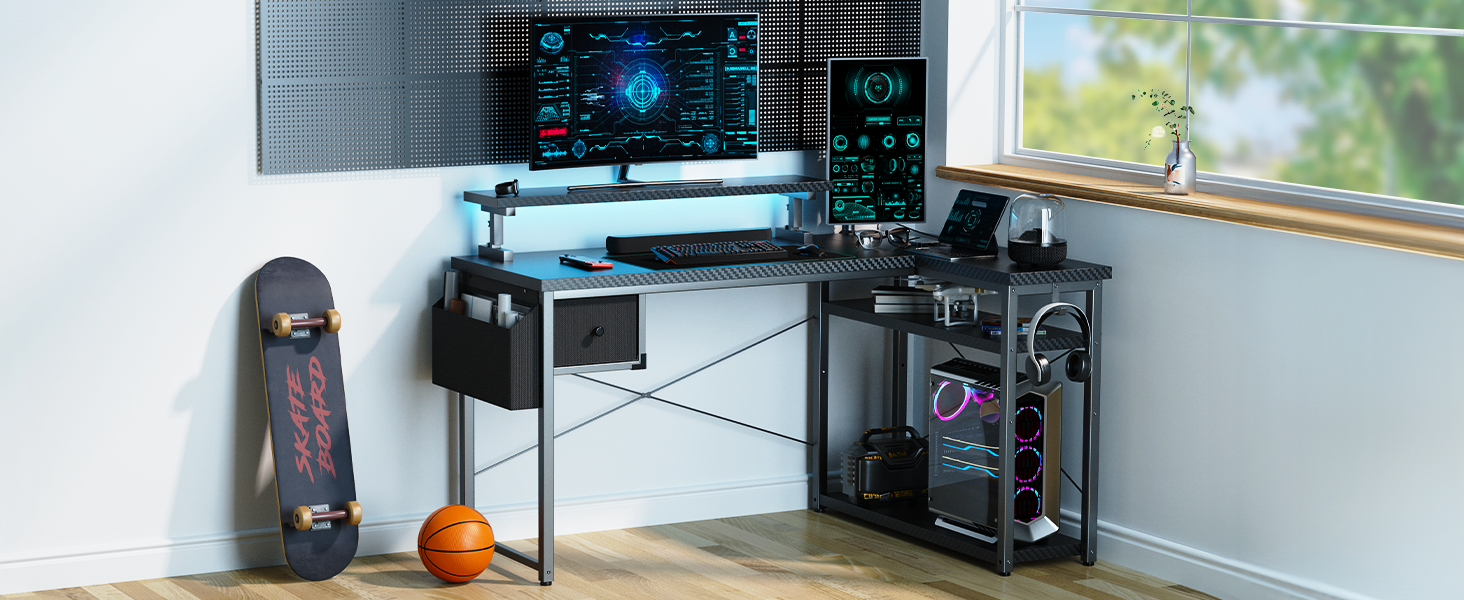
Figure 12: Various storage solutions including an adjustable shelf, fabric drawer, and side hooks.
6. Troubleshooting
- Monitor Stand Stability: While the monitor stand is adjustable, it may not be suitable for very large or heavy monitors (e.g., 32-inch monitors) without additional support. Consider using clamp-on mounts for massive monitors if needed.
- RGB Lights Malfunction: If the LED light strip exhibits erratic behavior (e.g., randomly turning on or flashing), ensure the power connection is secure and the remote control's battery is functional. If issues persist, contact customer support.
- Shelf Reversibility: The monitor shelf is designed to be placed on the main part of the desk. While the L-shape itself is reversible, the monitor shelf may not have pre-drilled holes for alternative placements on the side section. Attempting to drill new holes may compromise stability.
- General Stability: If the desk feels wobbly, re-check all assembly screws and ensure they are tightened. Verify the desk is on a flat, even surface.
7. Specifications
| Attribute | Detail |
|---|---|
| Brand | DOMICON |
| Model Number | MK-1 |
| Product Dimensions (D x W x H) | 47"D x 47"W x 47"H |
| Overall Size | 63 Inch |
| Color | Carbon Fiber Pro |
| Base Material | Alloy Steel |
| Top Material Type | Wood (with Carbon Fiber Texture) |
| Item Weight | 41 Pounds |
| Number of Shelves | 1 |
| Number of Drawers | 1 (Fabric Drawer) |
| Power Outlets | 4 AC Outlets, 2 USB Ports |
| Required Assembly | Yes |
| Recommended Assembly People | 1 |
8. Warranty and Support
DOMICON offers a Two-Year Warranty for this product, covering any quality issues. We are committed to providing lifetime service and quick replies within 24 hours. Parts warehouses are located across the US for efficient after-sales support.
For any concerns, questions, or to claim warranty service, please contact DOMICON customer support through the platform where you purchased the product or refer to the contact information provided in your product packaging.
9. Safety Information
- Be cautious of the weight of components during assembly.
- Always follow the assembly instructions carefully to ensure the desk's stability.
- Manage cables effectively to prevent tripping hazards.
- Ensure secure fastening of all adjustable components, including the RGB lights and monitor stand.


