1. Introduction
This manual provides comprehensive instructions for the installation, operation, and maintenance of your Ledvion Universal LED Dimmer, model LV10002-compleet. This dimmer is designed to adjust the light intensity of compatible LED lamps from 0% to 100%. Please read this manual thoroughly before installation and use to ensure safe and efficient operation.
2. Safety Instructions
WARNING: Electrical installation should only be performed by a qualified electrician. Incorrect installation can lead to electric shock, fire, or damage to the device.
- Always disconnect power at the main circuit breaker before installing or servicing the dimmer.
- Ensure the dimmer's voltage and load specifications match your electrical system and connected lamps.
- Do not exceed the maximum load rating of 5-600W/VA for LED lamps.
- This dimmer is designed for indoor use only.
- Keep the device away from water and moisture.
- Do not attempt to repair or modify the dimmer. Contact qualified personnel for service.
- The dimmer does not work with Hue, WarmGlow, and DimTone systems.
3. Product Overview
The Ledvion Universal LED Dimmer is a high-quality, trailing edge dimmer designed for seamless integration into most standard electrical systems. It offers flicker-free and noise-free dimming for a wide range of LED lamps.
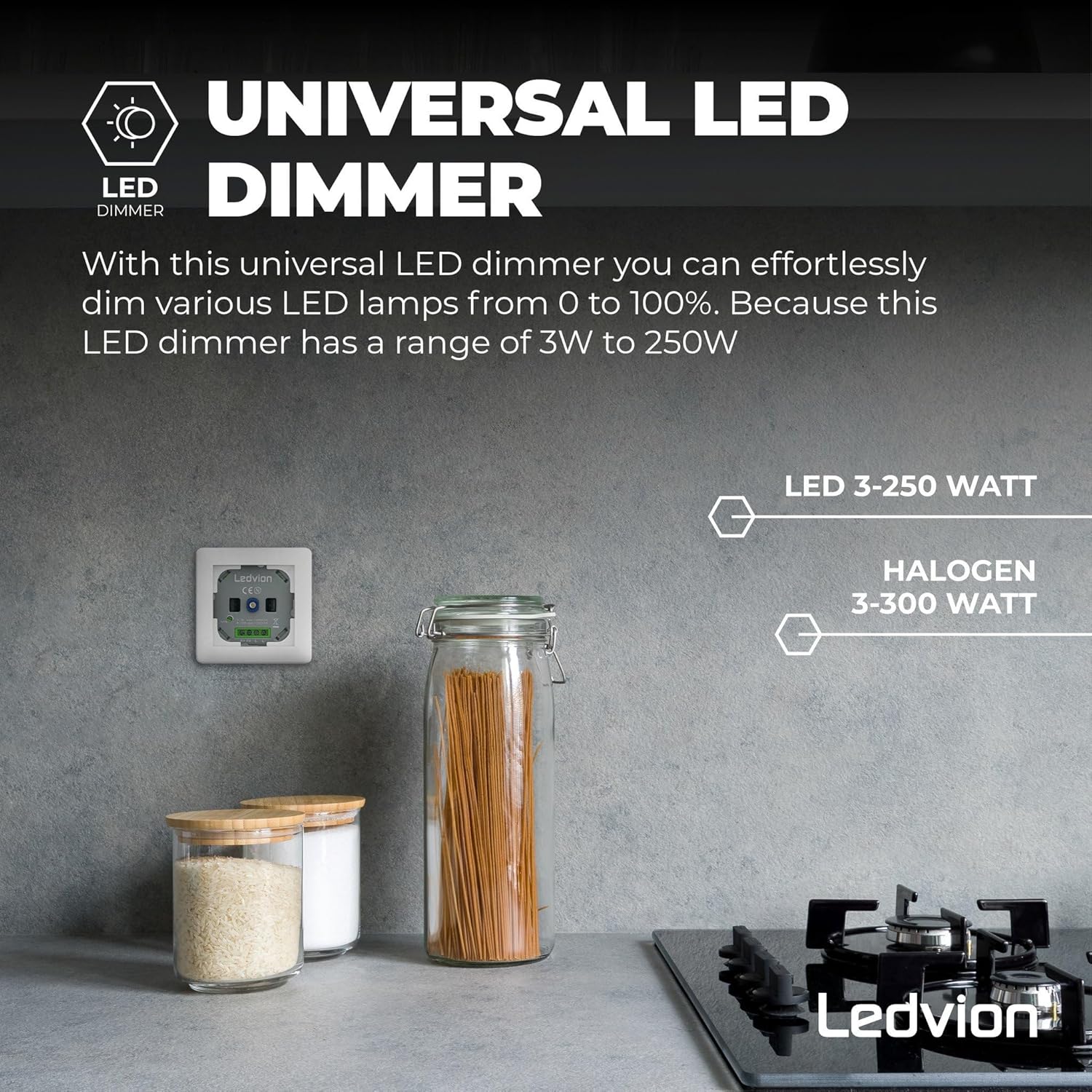
Image: The Ledvion Universal LED Dimmer highlighting its compatibility with LED lamps (3-250W) and Halogen lamps (3-300W), and its universal nature.

Image: Rear view of the Ledvion LED Dimmer, illustrating its "NOISE & FLICKER FREE" design and showing the connection terminals and technical specifications like 50Hz, 220-240V, and Trailing Edge dimmer type.
Key Features:
- Universal compatibility with most dimmable LED lamps (5-600W/VA).
- Trailing edge dimming technology for smooth, flicker-free operation.
- Noise-free performance due to built-in electronics.
- Compatible with various cover frames from brands like GIRA, Berker, Jung, and Busch Jager.
- High-quality construction meeting Intertek, CE, RoHS, and REACH standards.
- Two-way switch function for dimming from multiple locations.
4. Installation (Setup)
Follow these steps carefully for proper installation. Ensure power is disconnected before proceeding.
- Prepare the Installation Site: Turn off the main power supply at the circuit breaker. Remove the existing switch or dimmer from the wall box.
- Connect Wiring: Identify the live (L), neutral (N), and switched live (L1, L2) wires. Connect them to the corresponding terminals on the Ledvion dimmer as shown in the wiring diagrams below. The dimmer uses screw terminals for secure connections.
- Mount the Dimmer: Carefully place the dimmer into the wall box. Secure it using the provided screws.
- Attach Cover Plate: The Ledvion dimmer is compatible with various standard cover frames. Attach your chosen cover plate over the dimmer.
- Restore Power: Once the installation is complete and secure, restore power at the main circuit breaker.
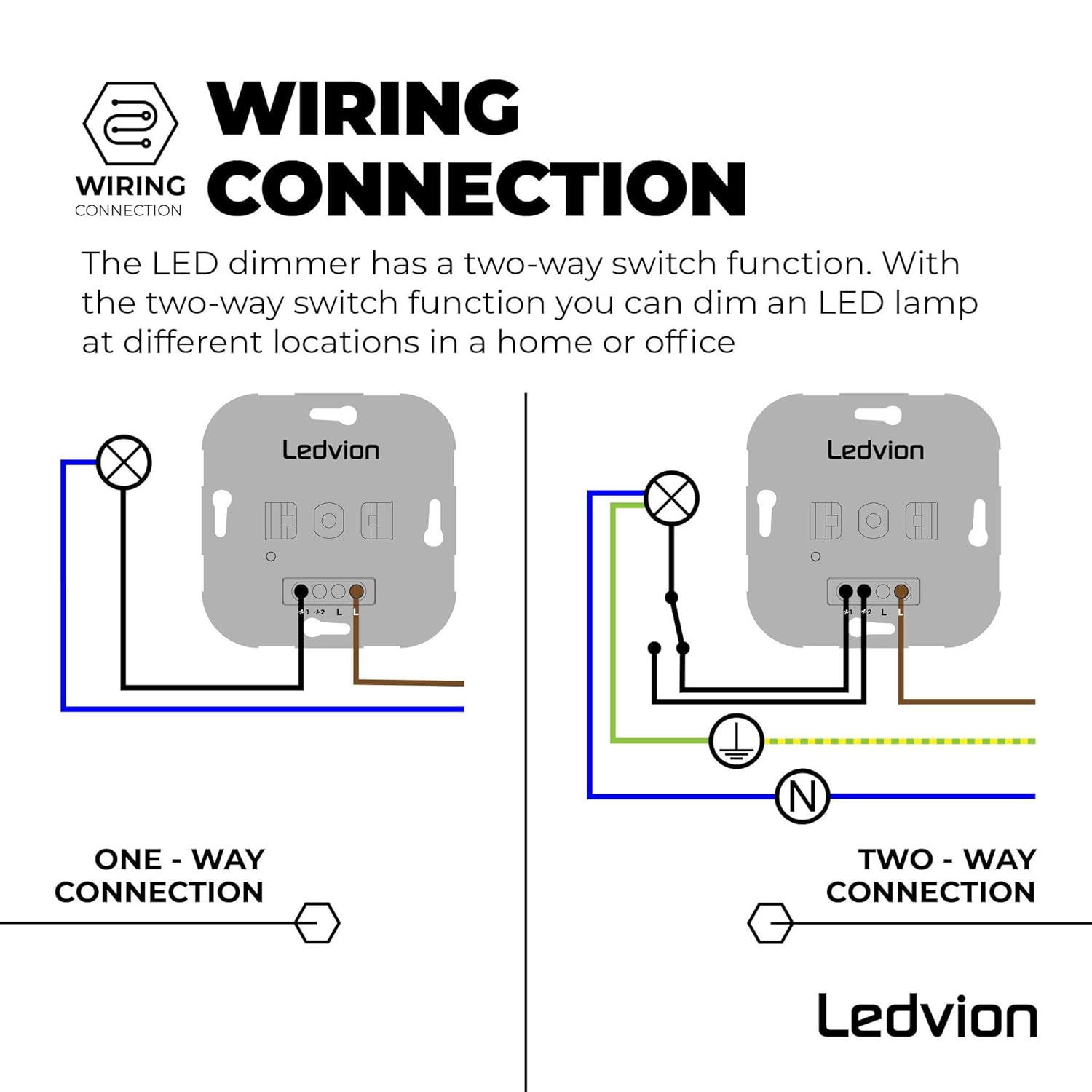
Image: Wiring diagrams illustrating both one-way and two-way connection methods for the Ledvion LED Dimmer, showing connections for live, neutral, and switched wires to a light fixture.

Image: A hand using a screwdriver to install the Ledvion LED Dimmer module into a standard wall electrical box, demonstrating the flush mount installation process.

Image: The Ledvion LED Dimmer module shown alongside a white, compatible cover plate, illustrating how the dimmer integrates with standard switch covers from brands like GIRA, Berker, Jung, Busch Jager, Kopp, Merten, and PEHA.
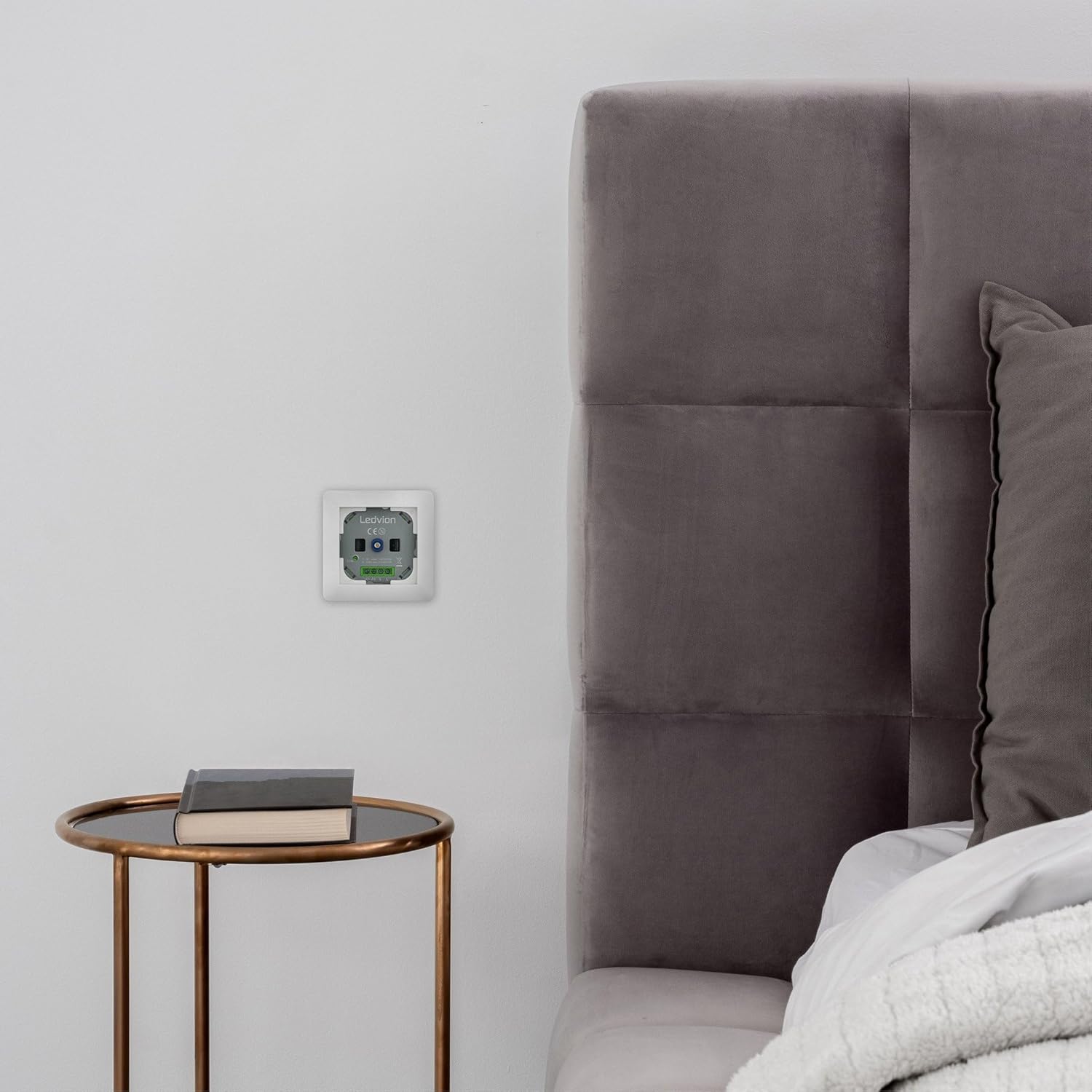
Image: The Ledvion LED Dimmer fully installed in a wall, next to a bedside table and bed, showing its discreet and integrated appearance.
5. Operating Instructions
The Ledvion Universal LED Dimmer features a touch-sensitive control for easy operation.
- Turning On/Off: Press the dimmer knob to turn the connected lights on or off.
- Dimming: Rotate the dimmer knob clockwise to increase light intensity and counter-clockwise to decrease light intensity. The dimmer allows adjustment from 0% to 100%.
- Minimum Brightness Adjustment: The dimmer may have a small adjustment screw (often labeled 'MIN') to set the minimum dimming level for optimal performance with specific LED lamps. Use a small screwdriver to adjust this if flickering occurs at low brightness.
Important Note: This dimmer is not compatible with Philips Hue, WarmGlow, or DimTone lighting systems.
6. Maintenance
The Ledvion Universal LED Dimmer requires minimal maintenance.
- Cleaning: Disconnect power before cleaning. Wipe the surface of the dimmer and cover plate with a soft, dry cloth. Do not use abrasive cleaners or solvents.
- Inspection: Periodically check for any loose connections or signs of damage. If any issues are found, disconnect power and consult a qualified electrician.
7. Troubleshooting
| Problem | Possible Cause | Solution |
|---|---|---|
| Lights do not turn on. | No power, incorrect wiring, faulty bulb, dimmer not compatible. | Check circuit breaker. Verify wiring connections. Test with a known working bulb. Ensure bulbs are dimmable and compatible with a trailing edge dimmer. |
| Lights flicker or hum. | Incompatible LED lamps, minimum brightness set too low, loose connection, load too low/high. | Ensure LED lamps are dimmable and compatible. Adjust the 'MIN' setting on the dimmer. Check wiring. Verify total load is within 5-600W/VA range. |
| Dimmer does not respond. | No power, internal fault. | Check power supply. If power is present and dimmer still unresponsive, contact support. |
| Dimming range is limited. | Minimum brightness setting, lamp compatibility. | Adjust the 'MIN' setting. Ensure lamps are fully dimmable. |
8. Technical Specifications
| Model Number: | LV10002-compleet |
| Manufacturer: | Ledvion |
| Input Voltage: | 220-240 Volts AC |
| Frequency: | 50 Hz |
| Load Type: | Trailing Edge (Phase Cut) |
| LED Load Capacity: | 5-600W/VA |
| Halogen Load Capacity: | 3-300W |
| Dimensions (L x W x H): | 8 x 8 x 3 cm (60 grams) |
| Material: | Copper (contact material) |
| Installation Type: | Flush mount |
| Switch Style: | Touch sensitivity / Push button |
| Certifications: | Intertek, CE, RoHS, REACH |

Image: A technical drawing of the Ledvion LED Dimmer, indicating its physical dimensions of 70mm by 70mm.
9. Warranty
The Ledvion Universal LED Dimmer comes with a 2-year warranty from the date of purchase. This warranty covers defects in materials and workmanship under normal use. It does not cover damage caused by improper installation, misuse, accidents, or unauthorized modifications.

Image: The Ledvion LED Dimmer module displayed with a prominent "2 YEAR WARRANTY" badge, emphasizing the product's quality and manufacturer support.
For warranty claims, please retain your proof of purchase and contact Ledvion customer support.
10. Support
If you have any questions, require technical assistance, or need to report an issue, please contact Ledvion customer support through their official website or the retailer where you purchased the product. Please have your model number (LV10002-compleet) and purchase details ready.


