
Nokia TA-1446
Nokia C2 2E User Manual
Model: TA-1446
Product Overview
The Nokia C2 2nd Edition is an unlocked smartphone designed for reliable everyday use. It features Android 11 (Go Edition) for a streamlined experience and comes with 2GB RAM and 32GB internal storage. The device is built with a tough inner-metal chassis for durability and offers a generous 5.7-inch display.
Key features include:
- All-day battery life: Designed to provide extended talk-time and days of standby on a single charge.
- Big 5.7-inch display: Suitable for streaming, sharing, and scrolling.
- Streamlined Android 11 (Go Edition): Offers a smooth user experience with minimal preloaded applications, maximizing storage space.
- Front and rear flash cameras: Equipped for capturing photos and videos in various lighting conditions.
- Globally Unlocked: Compatible with GSM carriers. Please verify carrier compatibility before use. Not compatible with Verizon or Verizon subsidiaries.
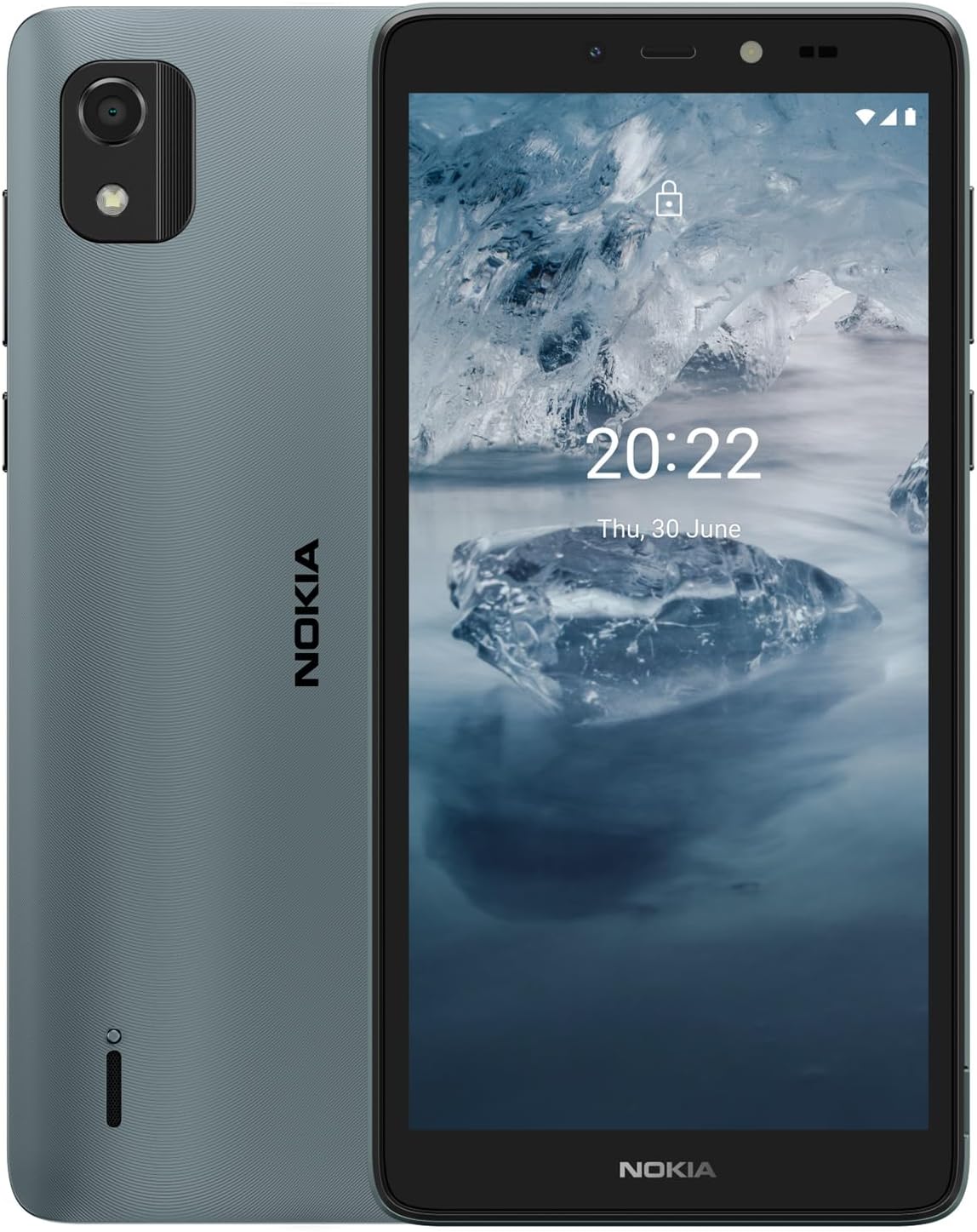
Image: Front and back view of the Nokia C2 2E smartphone, showcasing its blue color and camera module.
Setup Guide
1. Inserting the SIM Card and Battery
- Remove the back cover: Gently pry off the back cover of the phone. The back cover is designed to be removable.
- Insert the SIM card: Locate the SIM card slot. This product uses a single nano SIM card. Insert the SIM card into the designated slot with the gold contacts facing down and the notched corner aligned correctly.
- Insert the battery: Place the included Lithium Ion battery into the battery compartment, ensuring the contacts align with those in the phone.
- Replace the back cover: Align the back cover with the phone's edges and press firmly until it clicks into place.

Image: Rear view of the Nokia C2 2E, showing the camera and speaker grille, indicating where the back cover can be removed.
2. Initial Charging and Power On
- Charge the device: Connect the included USB cable to the phone's micro USB charging port at the bottom. Plug the other end into a compatible power adapter and then into a wall outlet. Allow the phone to charge for at least 3 hours before first use, or until the battery indicator shows a full charge.
- Power on: Press and hold the power button (located on the side) until the Nokia logo appears on the screen.
- Follow on-screen instructions: The phone will guide you through the initial setup process, including language selection, Wi-Fi connection, Google account setup, and data transfer (optional).

Image: Side view of the Nokia C2 2E, highlighting the power and volume buttons, and the charging port location.
Operating Instructions
Basic Navigation
- Touchscreen: Navigate the phone by tapping, swiping, and pinching on the 5.7-inch touchscreen.
- Home Screen: Access your installed apps and widgets from the home screen. Swipe left or right to view additional screens.
- App Drawer: Swipe up from the bottom of the home screen to access the app drawer, which contains all your installed applications.
- Notifications and Quick Settings: Swipe down from the top of the screen to view notifications and access quick settings like Wi-Fi, Bluetooth, and flashlight.

Image: A vertical view of the Nokia C2 2E home screen, displaying various application icons.
Making Calls and Sending Messages
- Calls: Tap the "Phone" icon, enter the number using the dial pad, and tap the call button.
- Contacts: Save frequently called numbers to your contacts for easy access.
- Messages: Tap the "Messages" icon to compose and send text messages.

Image: The Nokia C2 2E displaying an incoming call on its screen, with a contact photo and call controls.
Using the Camera
- Open Camera: Tap the "Camera" icon on your home screen or app drawer.
- Take Photos: Tap the shutter button to capture a photo.
- Record Videos: Switch to video mode and tap the record button to start/stop recording.
- Switch Cameras: Tap the camera switch icon to toggle between the front (2MP) and rear (5MP) cameras. Both cameras feature a flash.
Maintenance
Battery Care
- To maximize battery life, avoid exposing the phone to extreme temperatures.
- Charge the battery regularly, but avoid overcharging or letting it completely drain frequently.
- If the battery performance degrades significantly over time, the removable battery can be replaced.
Cleaning Your Device
- Use a soft, lint-free cloth to clean the screen and body of the phone.
- Avoid using harsh chemicals or abrasive materials, as these can damage the device.
Software Updates
- The Nokia C2 2nd Edition receives 2 years of quarterly security updates.
- Ensure your phone is connected to Wi-Fi and has sufficient battery life before performing any software updates.
- Regular updates help maintain device security and performance.
Troubleshooting
| Problem | Possible Cause | Solution |
|---|---|---|
| Phone does not power on | Low or drained battery | Charge the phone for at least 30 minutes using the original charger. |
| Cannot connect to network | Incorrect SIM insertion, carrier incompatibility, or no network coverage. | Ensure SIM is correctly inserted. Verify carrier compatibility (GSM only). Check for network coverage in your area. |
| Apps are slow or crashing | Too many apps running, low storage, or outdated software. | Close unused apps. Clear app cache. Free up storage space. Check for system updates. Restart the phone. |
| Battery drains quickly | High screen brightness, background apps, or poor signal. | Reduce screen brightness. Close background apps. Turn off Wi-Fi/Bluetooth when not in use. |
Specifications
| Feature | Detail |
|---|---|
| Model Number | TA-1446 |
| Operating System | Android 11.0 (Go Edition) |
| RAM | 2 GB |
| Memory Storage Capacity | 32 GB |
| Screen Size | 5.7 Inches |
| Resolution | 480 x 960 |
| Rear Camera | 5 MP with flash |
| Front Camera | 2 MP with flash |
| Battery Capacity | 2400 mAh (Lithium Ion) |
| Phone Talk Time | 12 Hours |
| Charging Time | 3 Hours |
| Product Dimensions | 6.06 x 2.99 x 0.39 inches |
| Item Weight | 6.4 ounces |
| Connectivity Technologies | Bluetooth, USB, Wi-Fi |
| Audio Jack | 3.5 mm |
| Special Features | Built-In GPS, Expandable Memory |
Warranty and Support
For warranty information and customer support, please refer to the documentation included with your Nokia C2 2E or visit the official Nokia support website. Nokia provides regular security updates for 2 years from the product's release.
Optional protection plans may be available for purchase separately, offering extended coverage beyond the standard manufacturer's warranty. Please check with your retailer for details on available protection plans.
Related documentsTA-1446


Ask a question about this manual
Ask about setup, troubleshooting, compatibility, parts, safety, or missing instructions. Manuals+ will review the question and use this page’s manual context to help answer it.