Introduction
The Getko Tech ZED5 Kosher TAG Approved MP3 Player is designed for music enthusiasts seeking a focused and compliant digital entertainment experience. This device features a responsive touch screen, ample storage, and essential functions while adhering to kosher principles by excluding video, pictures, Wi-Fi, and internet capabilities.
This manual provides comprehensive instructions for setting up, operating, maintaining, and troubleshooting your ZED5 MP3 Player to ensure optimal performance and user satisfaction.
Package Contents
Upon unboxing your ZED5 MP3 Player, please verify that all the following items are included:
- ZED5 MP3 Player
- Silicon Case
- Screen Protector
- Earbuds
- Charging Cord (Type-C)
- Instruction Booklet (this manual)

Image: Front view of the ZED5 MP3 Player retail packaging, highlighting the device and its key features.

Image: Rear view of the ZED5 MP3 Player retail packaging, detailing included accessories and core specifications.
Device Overview
Familiarize yourself with the physical components and interface of your ZED5 MP3 Player.
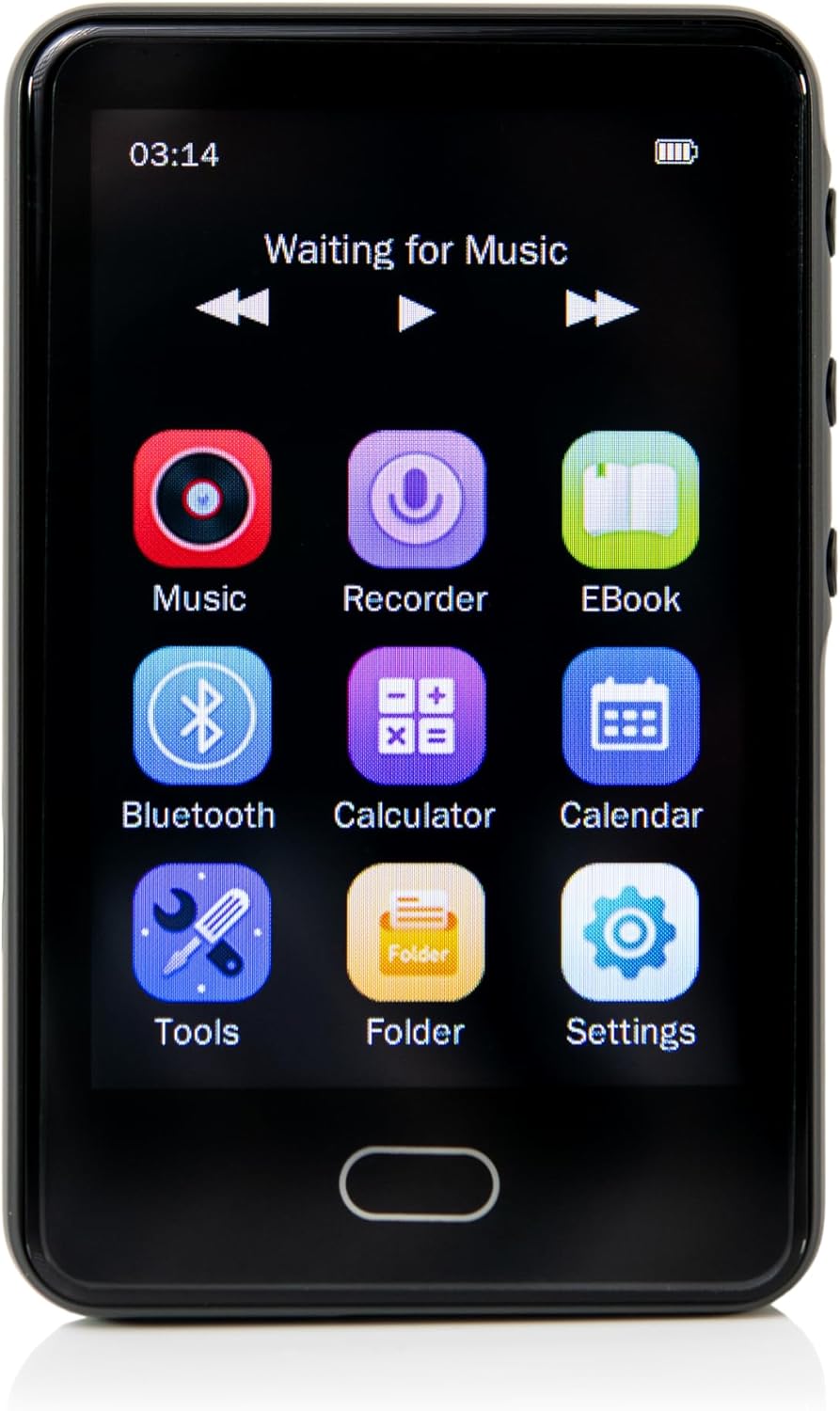
Image: Front view of the ZED5 MP3 Player with its touch screen displaying the main menu icons for Music, Recorder, EBook, Bluetooth, Calculator, Calendar, Tools, Folder, and Settings.
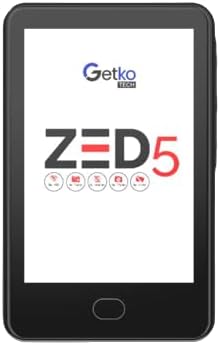
Image: Front view of the ZED5 MP3 Player with the screen off, showing the physical home button at the bottom.

Image: Rear view of the ZED5 MP3 Player, displaying the "Getko Tech" logo, "ZED5" model name, and "Checked By TAG" certification.

Image: The ZED5 MP3 Player held in a hand, illustrating its compact size and ergonomic design.
Setup
1. Charging the Device
Before first use, fully charge your ZED5 MP3 Player. Connect the supplied Type-C charging cord to the device's charging port and the other end to a compatible USB power adapter or computer USB port. The battery indicator on the screen will show charging progress.
2. Powering On/Off
- To Power On: Press and hold the power button (usually on the side) until the screen illuminates.
- To Power Off: Press and hold the power button until a power-off prompt appears on the screen, then confirm your selection.
3. Loading Music and Files
The ZED5 MP3 Player supports music files and other compatible media via its internal 32 GB memory and an expandable SD card slot (up to 128 GB).
- Using an SD Card: Insert a compatible Micro SD card into the designated slot. Ensure the card is inserted correctly to avoid damage.
- Transferring Files (Copy and Paste System):
- Connect the ZED5 MP3 Player to your computer using the provided Type-C charging cord.
- The device will appear as a removable storage drive on your computer.
- Navigate to the desired folder (e.g., "Music") on the device or SD card.
- Copy your audio files (MP3, WMA, APE, FLAC, WAV, AA, OGG, etc.) from your computer and paste them into the device's storage or the SD card.
- Safely eject the device from your computer before disconnecting the cable.
Operating Instructions
1. Navigation
The ZED5 features a full touch screen for intuitive navigation. Tap icons to open applications or menus. Swipe to scroll through lists or pages. Use the physical home button (if present) to return to the main menu.
2. Music Playback
- From the main menu, tap the "Music" icon.
- Browse your music library by artist, album, song, or folder.
- Tap a song to begin playback.
- Use the on-screen controls for play/pause, skip forward/backward, volume adjustment, and repeat/shuffle modes.
- The full touch screen keyboard can be used to search for specific songs or artists.
3. Bluetooth Connectivity
Connect your ZED5 to Bluetooth-enabled headphones or speakers for wireless audio playback.
- From the main menu, tap the "Bluetooth" icon.
- Ensure your Bluetooth audio device is in pairing mode.
- The ZED5 will scan for available devices. Select your device from the list to pair.
- Once paired, audio will be routed through the connected Bluetooth device.
4. Voice Recording
The ZED5 includes a built-in voice recorder.
- Tap the "Recorder" icon from the main menu.
- Follow the on-screen prompts to start, pause, save, and playback recordings.
5. Other Functions
The ZED5 MP3 Player also includes several utility functions:
- Calendar: Access the calendar for date viewing.
- Stopwatch: Use the stopwatch for timing activities.
- Alarm Clock: Set alarms for reminders.
- Calculator: Perform basic arithmetic calculations.
- EBook: View compatible text files.
- Tools/Settings: Access device settings, file manager, and other utilities.
Maintenance
1. Cleaning
To clean the device, gently wipe the screen and body with a soft, lint-free cloth. Do not use abrasive cleaners, alcohol, or solvents, as these can damage the surface. Avoid exposing the device to excessive moisture.
2. Battery Care
To prolong battery life:
- Avoid fully discharging the battery frequently.
- Store the device in a cool, dry place when not in use for extended periods.
- Use only the provided charging cable or a certified equivalent.
3. Data Management
Regularly back up important files from your device to a computer to prevent data loss. Periodically delete unneeded files to free up storage space.
Troubleshooting
| Problem | Possible Cause | Solution |
|---|---|---|
| Device will not power on. | Low battery; device frozen. | Charge the device for at least 30 minutes. If frozen, press and hold the power button for 10-15 seconds to force a restart. |
| Cannot transfer files. | Incorrect USB connection mode; faulty cable; driver issue. | Ensure the device is properly connected to the computer. Try a different USB port or cable. Restart both the device and computer. |
| Music playback issues (skipping, no sound). | Corrupted file; low volume; incompatible file format; faulty earbuds/speaker. | Check volume levels. Ensure music files are in a supported format (MP3, WMA, APE, FLAC, WAV, AA, OGG). Try different earbuds or Bluetooth speaker. Delete and re-transfer the file. |
| Touch screen unresponsive. | Temporary software glitch; screen protector interference. | Restart the device. Ensure the screen protector is applied correctly and not interfering with touch sensitivity. |
| Bluetooth pairing failure. | Device not in pairing mode; out of range; interference. | Ensure both devices are in pairing mode and within close proximity. Turn off and on Bluetooth on both devices. Clear previous pairings if necessary. |
Specifications
- Model Name: ZED5
- Brand: Getko Tech
- Product Dimensions: 1 x 2.5 x 3.5 inches
- Item Weight: 5.6 ounces
- Screen Size: 3.25 Inches (Full Touch Screen)
- Internal Memory: 32 GB
- Expandable Storage: Supports Micro SD Card up to 128 GB
- Connectivity Technology: Bluetooth 5.0, Type-C Transmission
- Supported Audio Formats: MP3, WMA, APE, FLAC, WAV, AA, OGG, and other mainstream audio formats
- Special Features: Voice Recorder, Calendar, Stopwatch, Alarm Clock, Calculator, EBook Reader, Full Touch Screen Keyboard for search.
- Color: Black
- TAG Approved: Yes
- Restrictions: No Video, No Pictures, No Wi-Fi, No Internet Access, No Radio.
Warranty and Support
Warranty Information
Getko Tech products are manufactured to high quality standards. For specific warranty details, including coverage period and terms, please refer to the warranty card included with your product or visit the official Getko Tech website. Keep your purchase receipt as proof of purchase for warranty claims.
Customer Support
If you encounter any issues not covered in this manual or require further assistance, please contact Getko Tech customer support. Contact information can typically be found on the product packaging, the official Getko Tech website, or the warranty card.
For the latest information and support resources, please visit: www.getkotech.com