
FOHERE 1262-L
FOHERE Ice Maker Machine Countertop User Manual
Model: 1262-L
1. Introduction
Thank you for purchasing the FOHERE Ice Maker Machine. This manual provides important information regarding the safe operation, installation, maintenance, and troubleshooting of your new ice maker. Please read this manual thoroughly before using the appliance and retain it for future reference.
The FOHERE Ice Maker is designed to produce bullet-shaped ice cubes quickly and efficiently, suitable for various beverages and cooling needs. It features a compact design, two ice cube sizes, and a self-cleaning function for convenience.
2. Important Safety Instructions
To reduce the risk of fire, electric shock, or injury when using your ice maker, follow these basic precautions:
- Read all instructions before use.
- Do not touch the evaporator or ice cubes when the machine is operating.
- Do not immerse the appliance, power cord, or plug in water or other liquids.
- Close supervision is necessary when the appliance is used by or near children.
- Unplug the ice maker from the outlet when not in use and before cleaning.
- Do not operate any appliance with a damaged cord or plug, or after the appliance malfunctions or has been damaged in any manner.
- Use only potable water for ice production.
- Ensure the voltage specified on the appliance matches your local power supply.
- Do not block ventilation openings.
- Do not use outdoors.
- Do not use abrasive cleaners or sharp objects to clean the interior.
3. Package Contents
Upon unpacking, please ensure all items listed below are present and in good condition:
- FOHERE Ice Maker Machine
- Ice Basket
- Ice Scoop
- User Manual

Image: The FOHERE Ice Maker Machine, showing the main unit, ice basket, and ice scoop.
4. Product Overview
4.1 Components

Image: Detailed diagram illustrating the various components of the FOHERE Ice Maker, including the ice basket, smart panel, ice scoop, high density foam layer, food-grade materials, ice full sensor, and drain plug.
- Ice Basket: Removable basket for collecting produced ice cubes.
- Ice Scoop: For safely removing ice from the basket.
- Control Panel: Intuitive interface for operation.
- Water Reservoir: Internal tank for water supply.
- Drain Plug: Located at the bottom for water drainage.
- Transparent Lid: Allows observation of the ice-making process.
- Handle: Integrated for easy portability.
4.2 Control Panel

Image: Close-up view of the ice maker's control panel, showing the buttons and indicator lights for "Small", "Large", "Add Water", "Ice Full", and the Power button.
- POWER Button: Press to turn the unit ON/OFF. Press and hold for 3 seconds to activate self-cleaning mode.
- SMALL Indicator: Lights up when small ice cube size is selected.
- LARGE Indicator: Lights up when large ice cube size is selected.
- ADD WATER Indicator: Flashes when the water reservoir needs refilling.
- ICE FULL Indicator: Flashes when the ice basket is full.
5. Setup and Installation
- Unpack: Carefully remove the ice maker from its packaging. Remove all packing materials, including tape and foam.
- Clean: Before first use, clean the interior of the ice maker with a soft cloth and warm water.
- Placement: Place the ice maker on a flat, stable surface away from direct sunlight and heat sources (e.g., ovens, radiators). Ensure there is at least 10 cm (4 inches) of space around the unit for proper ventilation.
- Power Connection: Plug the power cord into a grounded electrical outlet.

Image: The FOHERE Ice Maker placed on a kitchen countertop, demonstrating its compact size and suitable placement.
6. Operating Instructions
6.1 First Use
- Open the lid and remove the ice basket.
- Fill the water reservoir with potable water up to the MAX fill line. Do not overfill.
- Replace the ice basket and close the lid.
- Press the POWER button to turn on the ice maker.
- Select your desired ice cube size (Small or Large) by pressing the corresponding button.
- The ice maker will begin the ice-making cycle. The first batch of ice may take 5-8 minutes.
- Discard the first 2-3 batches of ice to ensure cleanliness.

Image: The FOHERE Ice Maker in operation, showing ice cubes being produced and collected in the basket.
6.2 Ice Cube Sizes
The FOHERE Ice Maker offers two sizes of bullet-shaped ice cubes:
- Small: Ideal for chilled drinks, smoothies, and general use.
- Large: Provides a faster cooling effect, suitable for various beverages and keeping items cold.
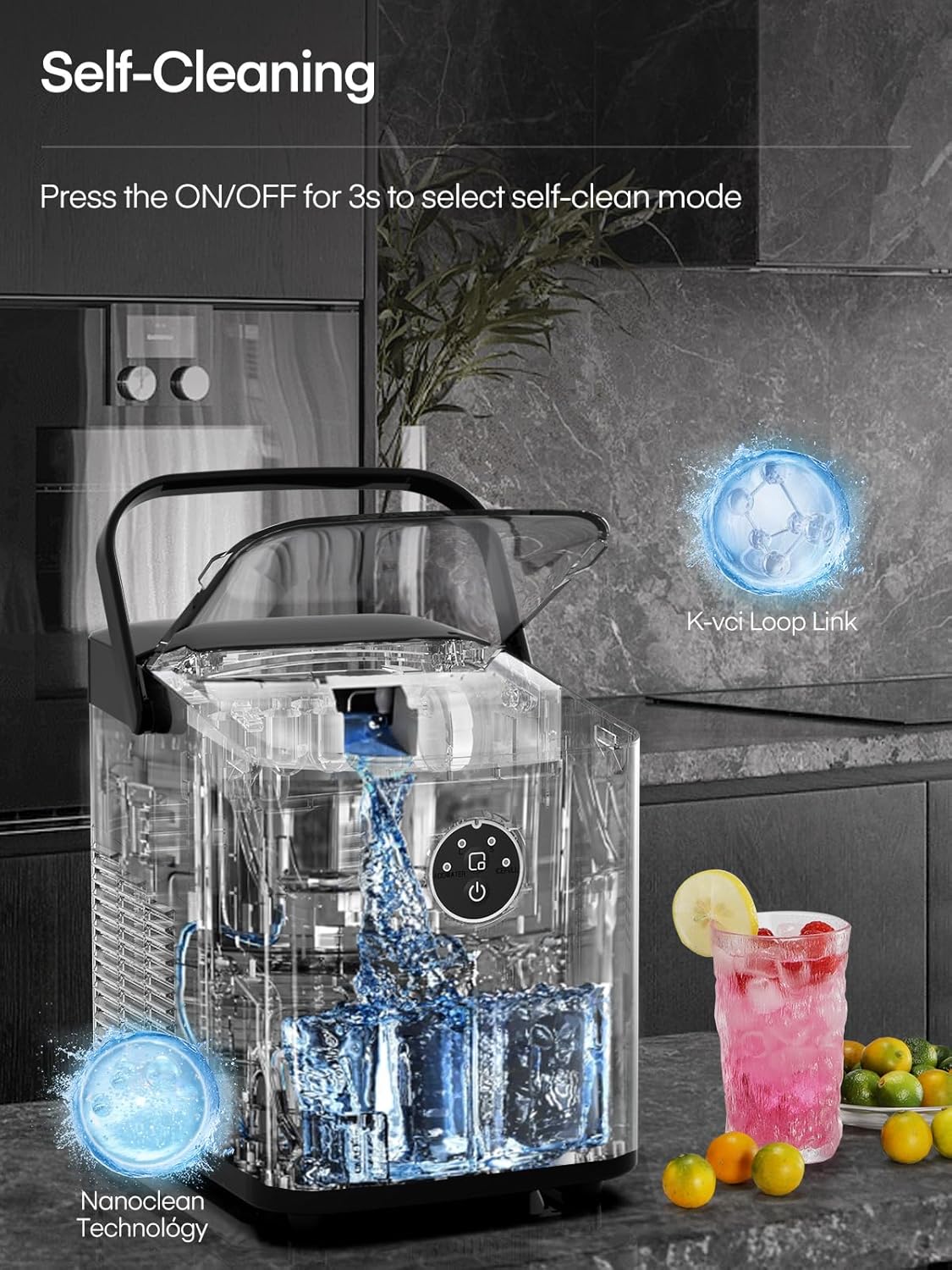
Image: Visual representation comparing the small and large bullet ice cube sizes produced by the machine, with examples of their uses.
6.3 Adding Water and Ice Full Indicators
- When the "ADD WATER" indicator flashes, the water level in the reservoir is low. Add more water to continue ice production.
- When the "ICE FULL" indicator flashes, the ice basket is full. Remove ice from the basket to resume ice production.

Image: The ice maker with the lid open, showing the ice basket filled with ice and the "ICE FULL" indicator light, signifying that the basket is full.
7. Maintenance and Cleaning
7.1 Self-Cleaning Function
The ice maker features a convenient self-cleaning mode:
- Ensure the water reservoir is filled with clean water.
- Press and hold the POWER button for 3 seconds. The self-cleaning cycle will begin.
- The cycle typically takes several minutes. Once complete, drain the water from the unit.

Image: The FOHERE Ice Maker undergoing its self-cleaning process, with water circulating inside the transparent unit.
7.2 Regular Cleaning
For optimal performance and hygiene, regular manual cleaning is recommended:
- Daily: Wipe the exterior with a soft, damp cloth.
- Weekly (or as needed):
- Unplug the ice maker.
- Drain all water from the reservoir by removing the drain plug at the bottom.
- Remove the ice basket.
- Clean the interior with a soft cloth and a mild detergent solution. Rinse thoroughly with clean water.
- Wipe dry all surfaces before reassembling.
- Descaling (Monthly or Bi-monthly): If you live in a hard water area, mineral deposits may build up. Use a descaling solution suitable for kitchen appliances or a mixture of water and vinegar/baking soda to clean the interior. Run a self-cleaning cycle with the solution, then rinse thoroughly with several cycles of clean water.
Important: Always ensure the drain plug is securely in place before adding water for ice production.
8. Troubleshooting
| Problem | Possible Cause | Solution |
|---|---|---|
| Ice maker not working. | No power; Unit not plugged in. | Check power outlet and plug connection. |
| "ADD WATER" indicator flashes. | Water reservoir is empty or low. | Add potable water to the reservoir up to the MAX line. |
| "ICE FULL" indicator flashes. | Ice basket is full. | Remove ice from the basket. |
| Ice cubes are too small or misshapen. | Water temperature too high; Insufficient water. | Use colder water. Ensure water level is sufficient. |
| Ice maker is noisy. | Normal operation sounds (compressor, water pump); Unit not level. | Ensure unit is on a flat, stable surface. Some noise is normal during operation. |
| Ice melts quickly in the basket. | The ice maker is not a freezer. | Transfer ice to a freezer for long-term storage. |
9. Specifications
| Feature | Detail |
|---|---|
| Brand | FOHERE |
| Model | 1262-L (ICM1262A) |
| Product Dimensions | 28 x 22 x 27 cm (D x W x H) |
| Item Weight | 6.3 kg |
| Ice Production Capacity | Up to 14 kg per 24 hours |
| First Ice Batch Time | 5-8 minutes |
| Water Tank Capacity | 1.5 Liters (approx.) |
| Voltage | 220 Volts |
| Wattage | 120 Watts |
| Material Type | Plastic (Food-grade liner) |
| Special Features | Portable Handle, LED Display, 2 Ice Cube Sizes, Self-Cleaning |
10. Warranty and Support
FOHERE products are manufactured to the highest quality standards. For information regarding warranty coverage, technical support, or service inquiries, please refer to the contact details provided on the product packaging or the official FOHERE website. Please retain your proof of purchase for warranty claims.
Manufacturer: FOHERE
Country of Origin: China
Related documents1262-L

Ask a question about this manual
Ask about setup, troubleshooting, compatibility, parts, safety, or missing instructions. Manuals+ will review the question and use this page’s manual context to help answer it.