
1. Introduction
This manual provides essential instructions for the safe and effective use of your Superer power adapter, model TP04-270080U. This charger is designed to be compatible with specific Prettycare cordless vacuum cleaner models.
1.1 Product Overview
The Superer power adapter is a reliable charging solution for your Prettycare vacuum cleaner. It features a standard 2-prong plug, a durable cable with fastener tape for organization, and a round-tip barrel connector.

Figure 1: Superer Power Adapter. This image shows the complete power adapter unit, including the wall plug, cable, and barrel connector.

Figure 2: Adapter Components. This image highlights the key parts of the adapter: the 2-prong wall plug, the cable with fastener tape for neat storage, and the barrel connector.
1.2 Compatibility
This power adapter is specifically designed for the following Prettycare Cordless Vacuum Cleaner models:
- Prettycare W200
- Prettycare W400
- Prettycare W300
- Prettycare W100
- Prettycare P1
- Prettycare P3
- Prettycare P4
Important: Do not use this charger if your device requires more than 0.8A. Verify your vacuum cleaner's charging port type before use.

Figure 3: Charging Port Type. This image illustrates the compatible round-tip connector and distinguishes it from an incompatible USB-C port, emphasizing the need to check your device's port.
2. Setup Instructions
- Unpack the Charger: Carefully remove the Superer power adapter from its packaging.
- Inspect for Damage: Before use, visually inspect the charger and cable for any signs of damage. Do not use if damaged.
- Connect to Vacuum Cleaner: Insert the round-tip barrel connector of the power adapter into the charging port of your Prettycare cordless vacuum cleaner. Ensure a secure fit.
- Connect to Power Outlet: Plug the 2-prong wall plug into a standard 100-240V AC power outlet.
- Verify Connection: Confirm that the vacuum cleaner's charging indicator (if available) illuminates, indicating that charging has begun.
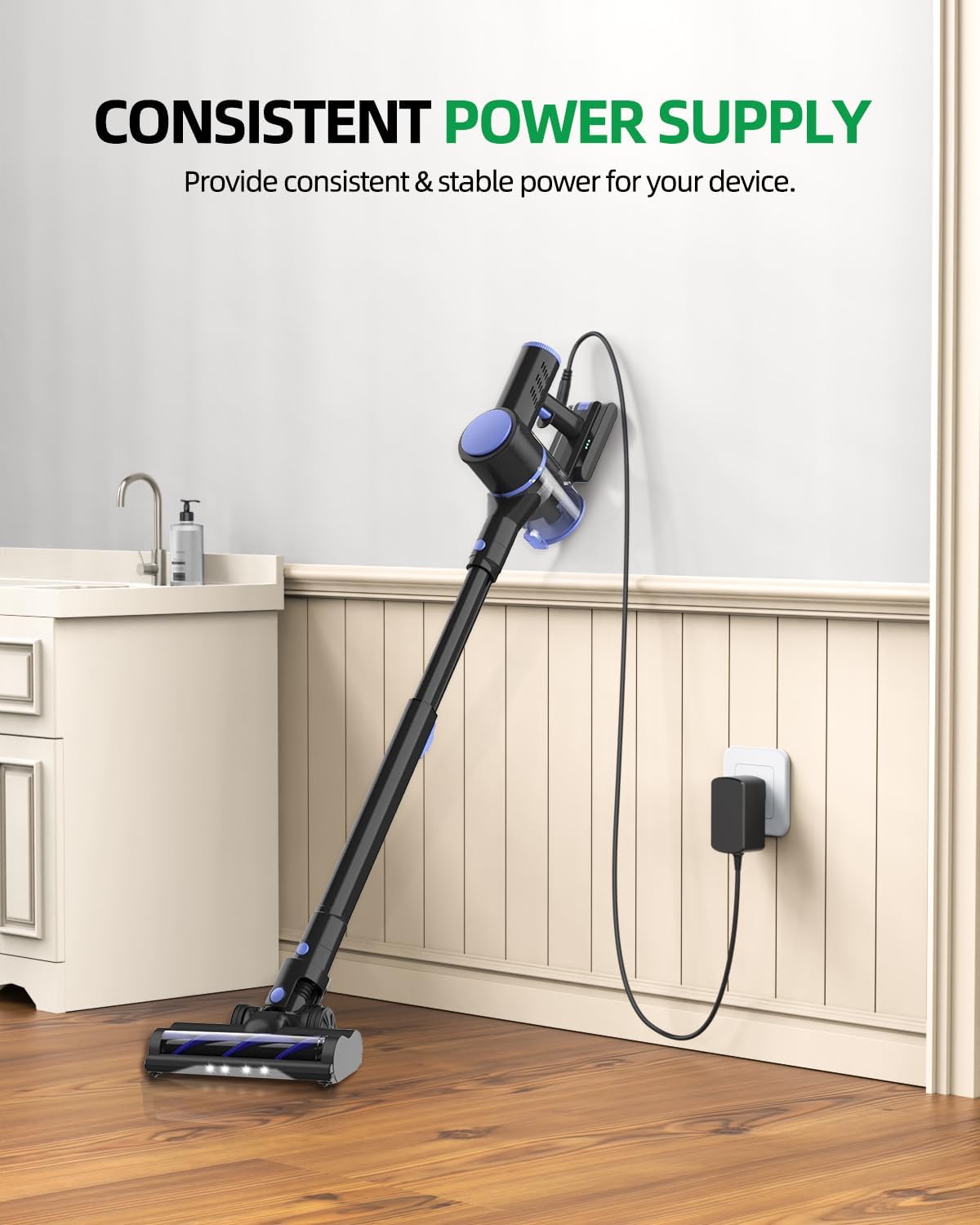
Figure 4: Charging in Progress. This image shows a Prettycare cordless vacuum cleaner connected to the Superer power adapter, which is plugged into a wall outlet, demonstrating a typical charging setup.
3. Operating Instructions
Once properly connected, the Superer power adapter will provide a consistent and stable power supply to charge your Prettycare vacuum cleaner. The charging process is automatic.
- Allow the vacuum cleaner to charge fully for optimal battery life. Refer to your vacuum cleaner's manual for specific charging times.
- Disconnect the charger from the power outlet and the vacuum cleaner once charging is complete or when the vacuum is not in use.
- The adapter is designed for indoor use only.
4. Maintenance
- Cleaning: Disconnect the charger from the power source before cleaning. Use a dry, soft cloth to wipe the adapter. Do not use liquid cleaners or solvents.
- Storage: When not in use, store the power adapter in a cool, dry place. Use the integrated fastener tape to keep the cable neatly coiled and prevent tangling or damage.
- Cable Care: Avoid bending or crimping the cable excessively, especially near the connectors, to prevent internal wire damage.
5. Troubleshooting
| Problem | Possible Cause | Solution |
|---|---|---|
| Vacuum cleaner not charging. |
|
|
| Charger feels warm during use. | Normal operation. | A slight warmth is normal during charging. If the charger becomes excessively hot, disconnect it immediately and contact customer support. |
6. Specifications
| Model Number | TP04-270080U |
| Input Voltage Range | 100-240V AC |
| Output Max | 27V 0.8A |
| Connector Type | Barrel Connector (Round Tip) |
| Item Weight | 4.2 ounces (119 grams) |
| Package Dimensions | 4.61 x 2.64 x 1.81 inches |
| Special Feature | Short Circuit Protection |

Figure 5: Adapter Dimensions. This image shows the power adapter held in a hand, illustrating its compact size and indicating its dimensions as 2.87" x 1.73" x 1.18".
7. Safety Information
The Superer power adapter is designed with multiple safety features to protect your device and ensure safe operation. This item meets nationally recognized standards for electronic safety.
- Overheating Protection: Prevents the adapter from reaching unsafe temperatures.
- Overvoltage Protection: Safeguards against excessive voltage input.
- Electrostatic Protection: Protects against electrostatic discharge.
- Short Circuit Protection: Automatically shuts off power in case of a short circuit.
- Overcurrent Protection: Prevents damage from excessive current flow.
- Overcharge Protection: Protects the connected device from being overcharged.

Figure 6: Integrated Safety Protections. This graphic illustrates the comprehensive safety features built into the Superer power adapter, including protection against overheating, overvoltage, electrostatic discharge, short circuits, overcurrent, and overcharging.
General Safety Precautions:
- Do not expose the charger to water or moisture.
- Do not disassemble or attempt to repair the charger.
- Keep out of reach of children.
- Unplug the charger during lightning storms or when unused for long periods.
8. Warranty and Support
Superer is committed to providing high-quality products and customer satisfaction.
- 30-Day Refund Policy: This product is eligible for replacement or returns within 30 days of purchase.
- 12-Month Guarantee: The manufacturer provides an additional 12-month guarantee for replacement service.
For any inquiries or support needs, please refer to the contact information provided with your purchase or visit the official Superer website.

Figure 7: Customer Support Information. This image outlines the customer support policies, including a 30-day refund period, a 12-month replacement service, and a commitment to quick feedback for any issues.