
Introduction
The AMOTOYS SYMA-X35T Revolt UFO Stunt Drone is a compact and versatile drone designed for easy operation and enjoyable flight experiences. Its durable construction and user-friendly features make it suitable for both indoor and outdoor use in calm conditions. This manual provides essential information for setting up, operating, and maintaining your drone.
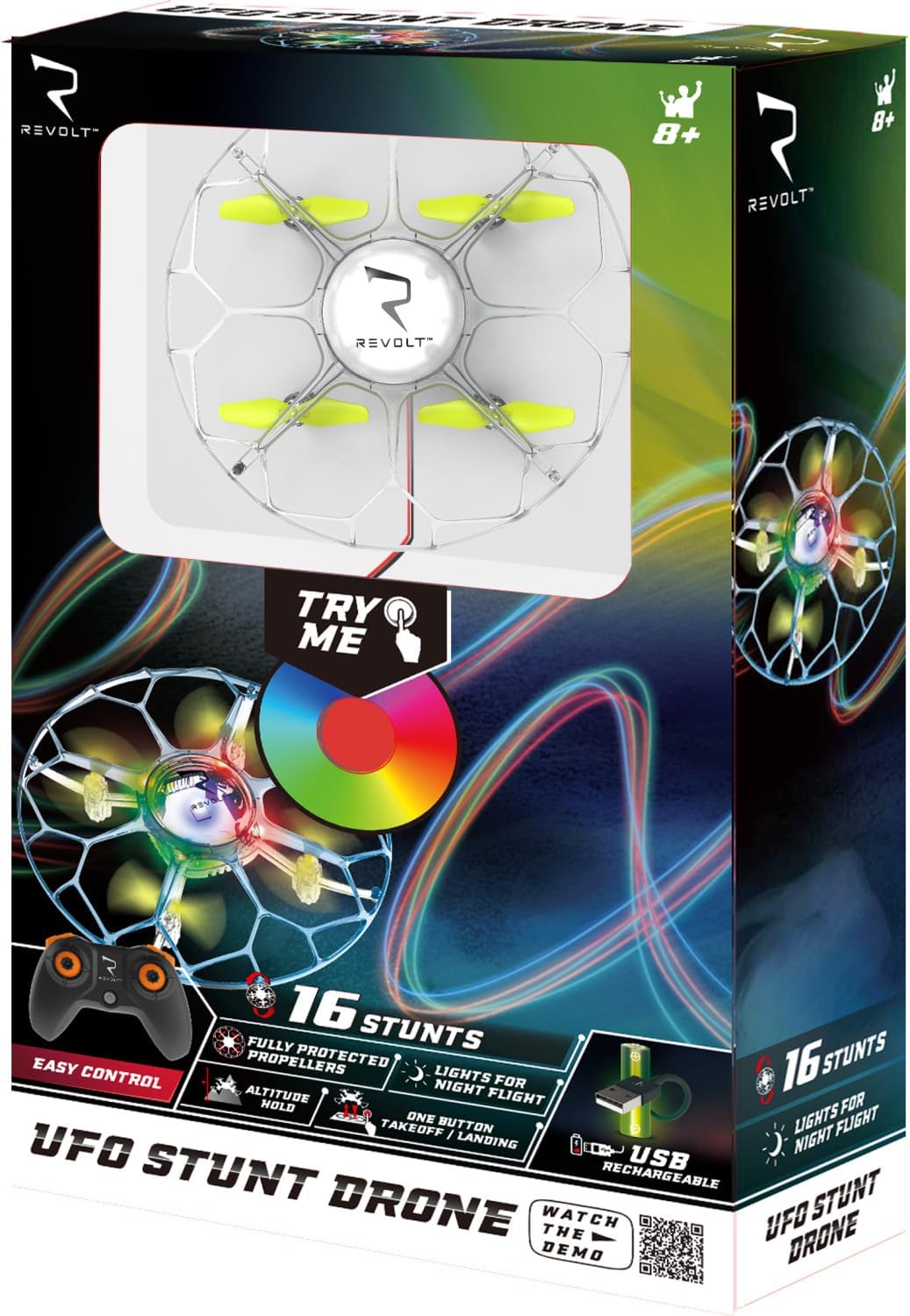
Image: The SYMA-X35T Revolt UFO Stunt Drone, featuring its transparent protective shell and four yellow propellers.
Safety Precautions
To ensure safe operation and prevent damage or injury, please observe the following precautions:
- Always operate the drone in an open area, free from obstacles, people, and animals.
- Do not fly near power lines, buildings, or busy roads.
- Avoid flying in strong winds or adverse weather conditions.
- Keep fingers, hair, and loose clothing away from rotating propellers.
- Ensure the drone battery is fully charged before each flight.
- Supervise children during drone operation.
- Do not modify or disassemble the drone or its components.
- Use only original replacement parts and accessories.
Package Contents
Verify that all items are present in the package:
- AMOTOYS SYMA-X35T Revolt UFO Stunt Drone
- Remote Control
- Rechargeable Li-ion Battery (3.7V 200mAh)
- USB Charging Cable
- Replacement Propellers (set)
- Instruction Manual (this document)
Setup
1. Charging the Drone Battery
- Connect the drone's battery to the provided USB charging cable.
- Plug the USB charging cable into a standard USB power source (e.g., computer USB port, USB wall adapter).
- The charging indicator light on the USB cable will illuminate during charging and turn off or change color when fully charged.
- Charging typically takes approximately 40 minutes. Do not overcharge the battery.
- Once charged, disconnect the battery from the cable and install it securely into the drone's battery compartment.

Image: The SYMA-X35T drone, illustrating the battery compartment location.
2. Installing Remote Control Batteries
- Open the battery compartment on the back of the remote control.
- Insert 4x AAA batteries (not included), ensuring correct polarity (+/-).
- Close the battery compartment securely.
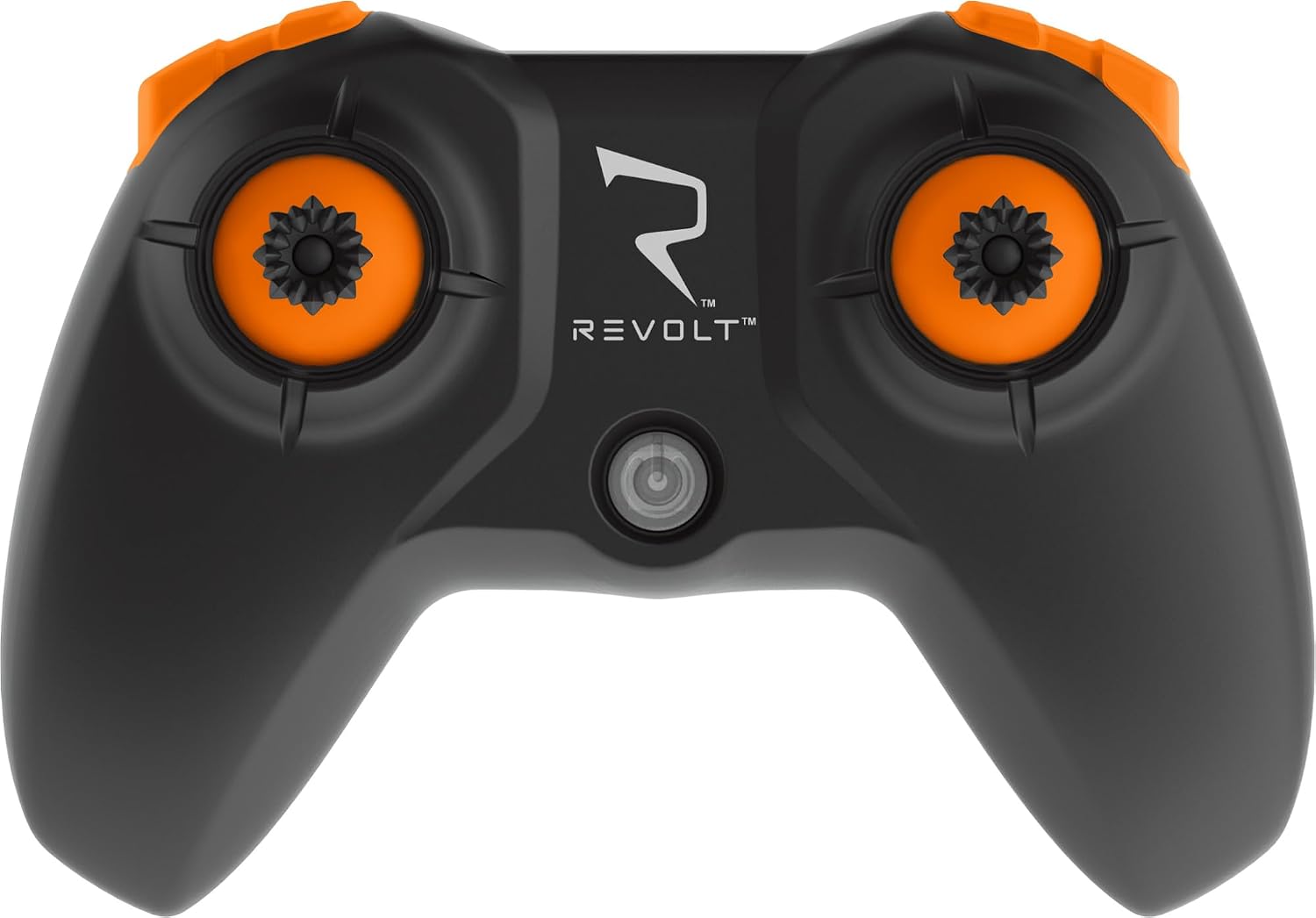
Image: The remote control for the SYMA-X35T drone.
3. Pairing the Drone and Remote
- Place the drone on a flat, level surface.
- Turn on the drone's power switch. The drone's lights will flash.
- Turn on the remote control.
- Push the left joystick (throttle) all the way up, then all the way down.
- The drone's lights will stop flashing and remain solid, indicating successful pairing.
Operating the Drone
Basic Flight Controls
- One-Button Take-Off/Landing: Press the designated button on the remote control to initiate automatic take-off or landing.
- Altitude Hold: The drone features an altitude hold function, allowing it to maintain a stable height automatically.
- Speed Modes: The drone offers two speed settings. Use the slower speed for beginners or indoor flying, and the faster speed for more experienced pilots or outdoor use. Refer to the remote control diagram for the speed switch button.
- Directional Control: Use the right joystick for forward, backward, left, and right movements. The left joystick controls altitude (up/down) and rotation (left/right).
Performing Stunts
The SYMA-X35T drone is pre-programmed with 16 different stunts. Consult the remote control diagram and experiment with the stunt button to activate these maneuvers.
Night Flight Features
The drone features a translucent body with 7 different light patterns, making it suitable for night flights. These lights can be switched to enhance visibility and add to the flying experience.

Image: The SYMA-X35T drone, showcasing its illuminated design.
Flight Environment
This drone is recommended for indoor flying or outdoor use in conditions with little to no breeze. Avoid flying in windy conditions as it may affect stability and control.
Maintenance
- Cleaning: Gently wipe the drone with a soft, dry cloth to remove dust and debris. Do not use water or cleaning solvents.
- Propeller Replacement: If a propeller is damaged, carefully remove it and replace it with a new one from the included spare set. Ensure the correct propeller (A or B) is installed in the corresponding motor.
- Storage: When not in use, store the drone and remote control in a cool, dry place, away from direct sunlight. Remove batteries from the remote control if storing for extended periods.
Troubleshooting
| Problem | Possible Cause | Solution |
|---|---|---|
| Drone does not respond to remote. | Not paired; remote batteries low; drone battery low. | Re-pair drone and remote; replace remote batteries; charge drone battery. |
| Drone flies erratically or drifts. | Not calibrated on a flat surface; damaged propeller; strong wind. | Turn off and restart drone on a flat surface; replace damaged propeller; fly in calm conditions. |
| Short flight time. | Battery not fully charged; old battery. | Ensure battery is fully charged (approx. 40 mins); consider replacing battery if performance degrades significantly. |
| Propellers do not spin. | Obstruction; motor issue; drone not powered on. | Check for obstructions; ensure drone is powered on and paired. |
Specifications
- Model: SYM-X35T
- Brand: AMOTOYS
- Battery: 3.7V 200mAh Li-poly
- Charging Time: Approximately 40 minutes
- Flight Time: Approximately 7 minutes
- Control Range: Approximately 20 meters
- Weight: 280 g
- Features: One-button take-off/landing, altitude hold, 16 pre-programmed stunts, 7 light patterns, 2 speed modes, 360° annular protective shell.
- Remote Control Batteries: 4x AAA (not included)
Warranty and Support
For warranty information, technical support, or replacement parts, please contact your retailer or the manufacturer directly. Keep your proof of purchase for warranty claims.
You may also find additional information and support resources on the official product website: