
Introduction
This manual provides essential information for the safe and efficient operation, installation, and maintenance of your SWIMLINE HYDROTOOLS Pool Sand Filter Pump. This 19-inch cleaner system features a variable dual 2-speed 1 HP horsepower pump capable of 4500 GPH, designed for pools up to 19,000 gallons. It includes a versatile 7-way valve for comprehensive filtration control. Please read this manual thoroughly before setup and operation.
Safety Information
Always prioritize safety when installing and operating pool equipment. Failure to follow these instructions can result in serious injury or property damage.
- Electrical Safety: Ensure the pump is connected to a properly grounded outlet protected by a Ground Fault Circuit Interrupter (GFCI). Do not operate the pump if the power cord is damaged.
- Pressure Warning: The filter operates under high pressure. Do not attempt to open the filter or pump while it is running. Always relieve pressure before servicing.
- Chemical Handling: Exercise caution when handling pool chemicals. Follow manufacturer's instructions for chemical storage and application.
- Children and Pets: Keep children and pets away from the pool equipment area during operation and maintenance.
- Proper Installation: Ensure all connections are secure and leak-free. Improper installation can lead to equipment malfunction or water damage.
Components and Assembly Overview
Your sand filter pump system comes with all necessary components for assembly. Familiarize yourself with the parts before beginning installation.

Figure 1: Overview of the Sand Filter Pump System and included parts.
The complete set includes the filter tank, pump, filter base, 7-way multi-port valve, pressure gauge, sight glass, drain valve, two filter connection hoses, and all necessary hardware for assembly.

Figure 2: Detailed view of included accessories such as hoses, valve handle, pressure gauge, and filter basket.
Setup Instructions
Follow these steps carefully to set up your sand filter pump system:
- Positioning: Place the filter and pump on a firm, level surface, ideally close to the pool and a GFCI-protected electrical outlet. Ensure adequate drainage.
- Tank Assembly: Secure the filter tank onto the filter base.
- Adding Sand: Fill the filter tank with approximately 175 pounds of filter sand (not included). Ensure the standpipe is centered during this process.
- Multi-Port Valve Installation: Carefully place the 7-way multi-port valve onto the top of the filter tank, aligning it with the standpipe. Secure it with the provided clamp or bolts.
- Pump Connection: Connect the pump to the filter tank using the provided hose. Ensure all connections are tight.
- Hose Connections: Connect the filter system to your pool's skimmer and return lines using the provided hoses. For optimal sealing, apply PTFE (Teflon) tape generously to all threaded fittings (15-20 wraps are recommended). Ensure any necessary adapters for your specific pool type (e.g., Bestway) are acquired and used.
- Pressure Gauge and Sight Glass: Install the pressure gauge and sight glass onto the multi-port valve as indicated in the diagrams.
- Priming the Pump: Before starting, ensure the pump is primed by filling the pump's strainer basket housing with water.
- Electrical Connection: Plug the pump into a GFCI-protected electrical outlet.
Operating Instructions
The 7-way multi-port valve allows for various operational modes. Always turn off the pump before changing valve settings.

Figure 3: The 7-Way Multi-Port Valve with various operational settings.
- Filter: Standard operating mode for daily filtration. Water flows through the sand, trapping debris, and returns to the pool.
- Backwash: Used to clean the filter sand. Water flows in reverse, flushing trapped debris out through the waste port. Perform when pressure gauge reads 8-10 PSI above starting clean pressure.
- Rinse: Used after backwashing to settle the sand and flush any remaining dirty water from the valve.
- Waste: Bypasses the filter, sending water directly out the waste port. Useful for vacuuming heavy debris or lowering pool water level.
- Recirculate: Circulates pool water without filtering it. Useful for distributing chemicals.
- Closed: Shuts off all flow to the filter. Use when performing maintenance on the pump or filter.
- Winter: Position for winterizing the filter system.
The pump features a dual-speed function for optimized energy efficiency. Use the switch on the pump to select between high and low speed options. Low speed can extend filter lifespan and reduce electricity consumption.

Figure 4: Dual speed function switch for energy optimization.
Maintenance
Regular maintenance ensures the longevity and efficiency of your sand filter pump.
- Backwashing: Perform backwashing regularly, typically when the pressure gauge reading increases by 8-10 PSI above its clean operating pressure. This indicates the sand is saturated with debris.
- Sand Replacement: Filter sand typically lasts approximately 5 years before needing replacement. Replace sand when filtration efficiency decreases despite regular backwashing.
- Strainer Basket Cleaning: Periodically clean the pump's strainer basket to remove large debris and ensure unrestricted water flow.
- Winterization: In colder climates, properly winterize the filter system to prevent freezing damage. This involves draining all water from the filter and pump, and storing components appropriately or covering the unit if left outdoors.
- Leak Checks: Regularly inspect all hoses and connections for leaks. Tighten clamps or re-tape threaded fittings as needed.

Figure 5: Key components for monitoring and maintenance: 7-Way Valve, Pressure Gauge, Sight Glass, and Drain Valve.
Troubleshooting
This section addresses common issues you might encounter with your sand filter pump.
| Problem | Possible Cause | Solution |
|---|---|---|
| Low Water Flow / Poor Filtration |
|
|
| Water Leaks |
|
|
| Pump Not Priming |
|
|
Specifications
- Model Number: 71915-2
- Product Dimensions: 31 x 19 x 27 inches
- Item Weight: 68.4 pounds
- Tank Size: 19 inches
- Pump Horsepower: 1 HP
- Flow Rate: 4500 GPH (Gallons Per Hour)
- Maximum Pool Size: Up to 19,000 Gallons
- Sand Capacity: Up to 175 pounds (sand not included)
- Valve Type: 7-Way Multi-Port Valve
- Power Requirements: 110V/60Hz

Figure 6: Visual representation of the 19-inch tank capacity and heavy-duty design.
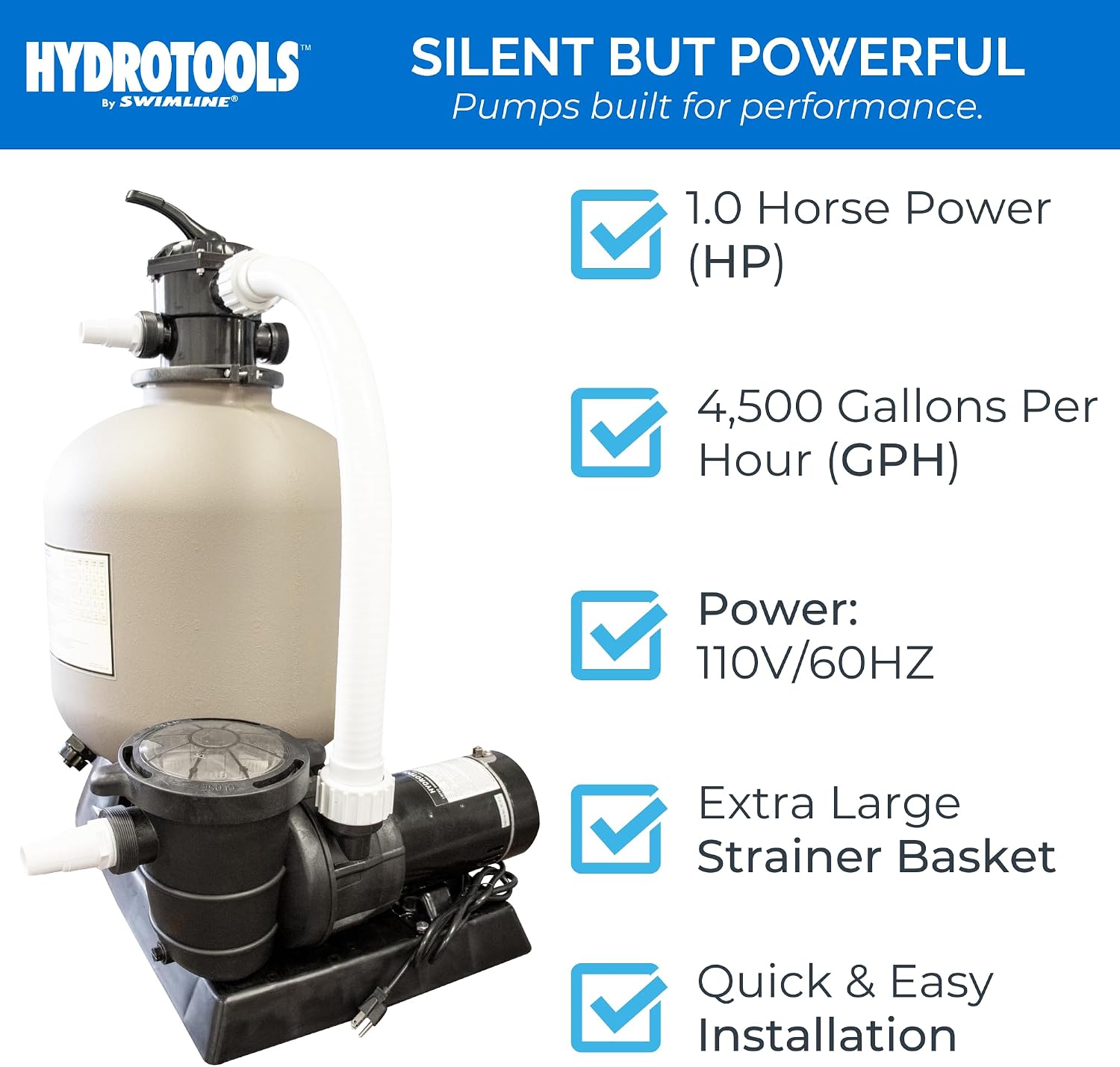
Figure 7: Key performance metrics of the pump, including HP, GPH, and power requirements.
Warranty and Support
SWIMLINE HYDROTOOLS offers a 1-year guarantee against manufacturing defects for this sand filter pump. Our team, based in New York, USA, designs, tests, and distributes these products, and is committed to providing in-demand customer service.
For technical assistance, warranty claims, or any product-related inquiries, please contact Swimline Customer Support. Refer to the product packaging or the Swimline website for the most current contact information.

Figure 8: Customer Support is available for assistance.