
Introduction
Welcome to the user manual for your new PHILIPS 5400 Fully Automatic Espresso Machine with LatteGo. This manual provides essential information for setting up, operating, maintaining, and troubleshooting your machine to ensure you enjoy delicious coffee beverages for years to come. Please read this manual thoroughly before first use and keep it for future reference.
Safety Information
Always observe basic safety precautions when using electrical appliances to reduce the risk of fire, electric shock, and injury.
- Ensure the voltage indicated on the appliance corresponds to your local mains voltage before connecting.
- Do not immerse the appliance, mains plug, or power cord in water or any other liquid.
- Keep the appliance and its cord out of reach of children.
- Do not operate the appliance if the plug, the mains cord, or the appliance itself is damaged.
- Always unplug the appliance before cleaning and when not in use.
- Be cautious of hot surfaces and hot steam during operation.
Product Overview
The PHILIPS 5400 Series Espresso Machine offers a wide range of coffee varieties with ease. Its intuitive display and LatteGo milk system simplify the brewing process, allowing for customized beverages with silky-smooth milk froth.

Front view of the PHILIPS 5400 Espresso Machine, showing the display, coffee spouts, and LatteGo milk system dispensing a latte.
Key features include:
- 12 Coffee Varieties: Easily prepare Espresso, Coffee, Cappuccino, Latte Macchiato, and more at the touch of a button.
- LatteGo System: Delivers silky-smooth milk froth and is designed for quick setup and cleaning in as little as 15 seconds.
- Intuitive Display: Simplifies coffee selection and customization.
- Coffee Customizer: Adjust aroma intensity, coffee volume, and milk length to your preference.
- Extra Shot Function: Boosts drink intensity without bitterness.
- Aroma Extract System: Ensures optimal brewing temperature and aroma extraction for delicious coffee.
- 12-Step Ceramic Grinders: Durable grinders allow for precise adjustment from ultra-fine to coarse grinds.
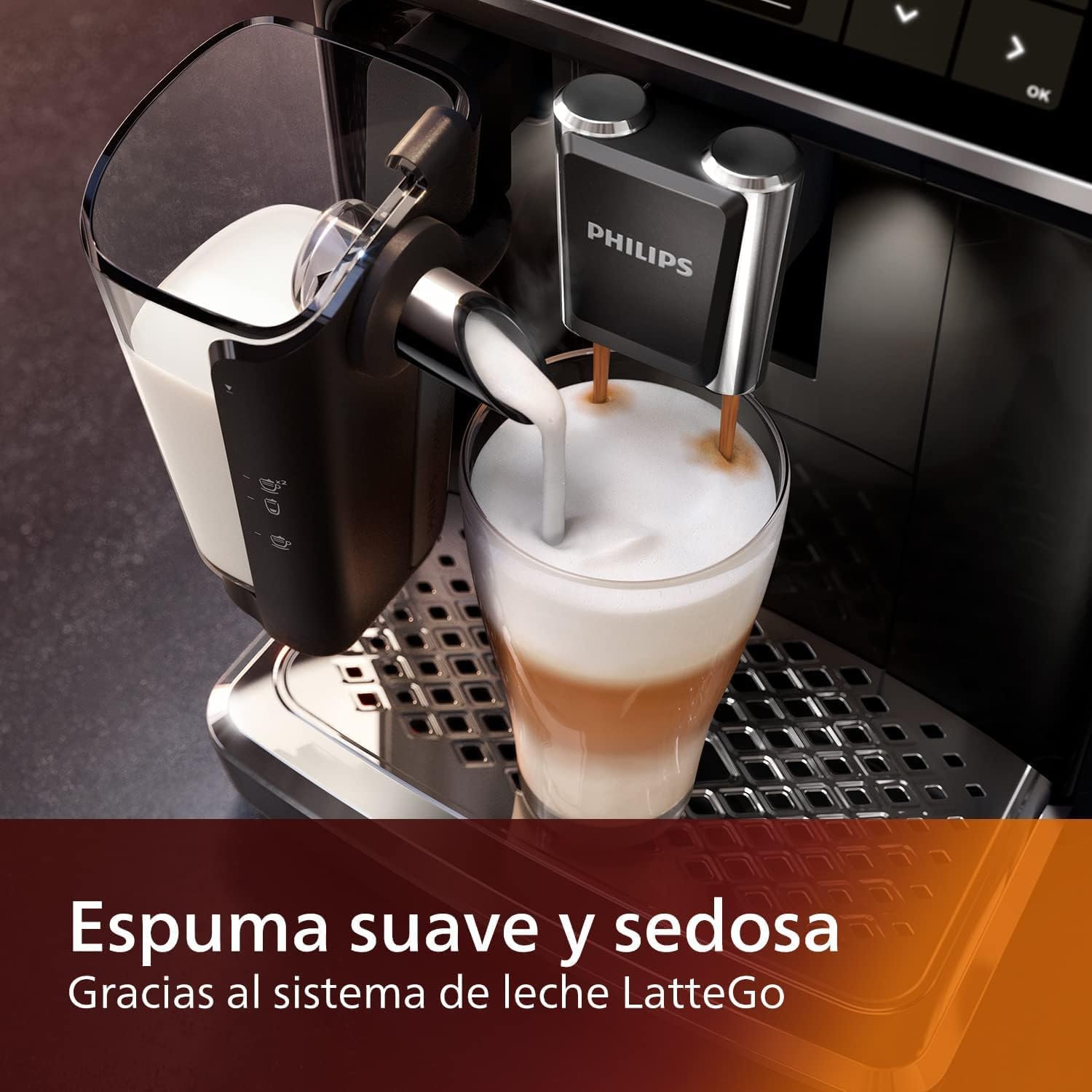
The LatteGo system in action, frothing milk directly into a glass for a layered coffee beverage.

The intuitive display allows for simple, one-touch control and customization of your coffee.

A visual representation of the 12 coffee varieties that can be prepared with the machine, including Ristretto, Espresso, Americano, Cappuccino, and Latte Macchiato.
Setup
- Unpacking: Carefully remove all packaging materials and ensure all components are present: AquaClean filter, measuring scoop, LatteGo storage lid, grease tube, and water hardness test strip.
- Placement: Place the machine on a stable, level surface, away from heat sources and direct sunlight. Ensure adequate ventilation around the machine.
- Fill Water Tank: Remove the water tank and fill it with fresh tap water up to the MAX indication. Insert the AquaClean filter into the water tank as per the filter instructions. Reinsert the water tank into the machine.
- Add Coffee Beans: Open the bean hopper lid and fill it with fresh whole coffee beans. Do not use ground coffee, instant coffee, or caramelized beans in the bean hopper.
- Initial Rinse Cycle: Plug in the machine and press the power button. The machine will perform an automatic rinse cycle. Follow the on-screen instructions. This prepares the system for first use.
Operating
Your PHILIPS 5400 machine is designed for intuitive operation. Use the display to navigate and select your desired beverage.
Making a Coffee Beverage
- Ensure the water tank is filled and the bean hopper contains coffee beans.
- Place a cup under the coffee spout. Adjust the spout height to fit your cup.
- On the display, select your desired coffee beverage (e.g., Espresso, Coffee, Cappuccino).
- For milk-based drinks, ensure the LatteGo system is attached and filled with milk.
- Customize your drink using the on-screen options for aroma intensity, coffee volume, and milk length. You can also use the 'Extra Shot' function for a stronger taste.
- Press the 'Start' button to begin brewing. The machine will grind the beans and dispense your beverage.
Using Pre-Ground Coffee
If you prefer to use pre-ground coffee, follow these steps:
- Select your desired beverage on the display.
- Press the pre-ground coffee icon.
- Open the pre-ground coffee compartment and add one level scoop of pre-ground coffee. Do not overfill.
- Press 'Start' to brew.
Maintenance
Regular cleaning and maintenance are crucial for optimal performance and longevity of your espresso machine.
Daily Cleaning
- LatteGo System: After each milk-based drink, detach the LatteGo system and rinse it under running water. For convenience, the LatteGo can be placed in the dishwasher.
- Drip Tray and Coffee Ground Container: Empty and rinse the drip tray and coffee ground container daily. These parts are also dishwasher-safe.
Weekly Cleaning
- Brew Group: Remove the brew group and rinse it thoroughly under lukewarm running water. Allow it to air dry before reinserting.
- Water Tank: Rinse the water tank and its lid.
Descaling
The AquaClean filter significantly reduces the need for descaling. The machine will indicate when descaling is required. Follow the on-screen instructions and use only PHILIPS descaling solution.
The durable ceramic grinders are designed for 20,000 cups of fine coffee, requiring minimal maintenance beyond regular cleaning of the bean hopper area.
Troubleshooting
This section addresses common issues you might encounter with your espresso machine.
| Problem | Possible Cause | Solution |
|---|---|---|
| No coffee is dispensed. | Water tank empty, brew group clogged, or machine needs descaling. | Fill water tank, clean brew group, or perform descaling cycle. |
| Coffee is too weak/strong. | Grind setting incorrect, coffee intensity setting too low/high. | Adjust grind setting (finer for stronger, coarser for weaker), increase/decrease coffee intensity on display. |
| Milk is not frothing properly. | LatteGo system dirty, milk type unsuitable, or milk too warm. | Clean LatteGo system thoroughly, use cold fresh milk (dairy or plant-based suitable for frothing), ensure milk is cold. |
| Water tank not recognized. | Water tank not inserted correctly or sensor issue. | Remove and reinsert the water tank firmly. Ensure it clicks into place. If issue persists, contact support. |
| Error message on display. | Specific machine issue. | Refer to the specific error code in the full manual (if available) or contact PHILIPS customer support. |
Specifications
| Feature | Detail |
|---|---|
| Brand | PHILIPS |
| Model Name | LatteGo, EP5447/94 |
| Product Dimensions | 15"D x 10"W x 17"H |
| Item Weight | 18.58 pounds |
| Voltage | 110V |
| Operation Mode | Fully Automatic |
| Filter Type | Reusable (AquaClean filter included) |
| Coffee Input Type | Beans |
| Human Interface Input | Buttons |
Warranty and Support
Your PHILIPS 5400 Fully Automatic Espresso Machine is covered by a manufacturer's warranty. Please refer to the warranty card included with your product or visit the official PHILIPS website for detailed warranty terms and conditions.
For technical support, service, or to purchase accessories and spare parts, please contact PHILIPS customer support. Information regarding optional protection plans may also be available from your retailer.


