
1. Introduction
Thank you for purchasing the Lehmann LHOHH-2013A Wall Heater. This manual provides important information regarding the installation, operation, and maintenance of your new appliance. Please read this manual thoroughly before use and keep it for future reference.
2. Important Safety Instructions
When using electrical appliances, basic precautions should always be followed to reduce the risk of fire, electric shock, and injury to persons.
- Read all instructions before using this heater.
- WARNING: This heater is not intended for use in bathrooms or damp areas. Do not install in locations where it may come into contact with water.
- Ensure the voltage indicated on the rating label corresponds to your mains voltage.
- Do not cover the heater. Overheating may occur.
- Keep combustible materials, such as furniture, pillows, bedding, papers, clothes, and curtains at least 1 meter (3 feet) from the front of the heater and away from the sides and rear.
- Do not operate any heater with a damaged cord or plug or after the heater malfunctions, has been dropped or damaged in any manner.
- Do not insert or allow foreign objects to enter any ventilation or exhaust opening as this may cause an electric shock or fire, or damage the heater.
- Always unplug the heater when not in use.
- This appliance is not intended for use by persons (including children) with reduced physical, sensory or mental capabilities, or lack of experience and knowledge, unless they have been given supervision or instruction concerning use of the appliance by a person responsible for their safety.
3. Package Contents
Please check the box for the following items:
- Lehmann LHOHH-2013A Wall Heater
- Remote Control
- User Manual (this document)
- Mounting Hardware (screws, wall anchors)
4. Product Overview & Features
The Lehmann LHOHH-2013A is an advanced wall-mounted electric heater designed for efficient and convenient heating.

Figure 4.1: Lehmann LHOHH-2013A Wall Heater with remote and app interface.
Key Features:
- Intelligent Control: Equipped with an LED display for intuitive operation and includes a remote control for convenient adjustments from a distance.
- Wi-Fi Connectivity: Control your heater remotely via your smartphone or tablet using the dedicated app (e.g., Tuya Smart Life app), allowing temperature adjustments and programming even when you are away from home.

Figure 4.2: Remote control via smartphone app.
- Two-Stage Power Regulation: Choose between 1000W or 2000W heating power to adapt to your current needs, offering flexibility and energy savings.

Figure 4.3: Power regulation options.
- Oscillation Function: The heater features an oscillation function that distributes heat evenly throughout the room, ensuring consistent temperature without needing to reposition the device.
- Open Window Detection: An intelligent sensor detects if a window or door is open. If a draft is detected, the heater automatically reduces its heating power to save energy and maintain the desired room temperature.
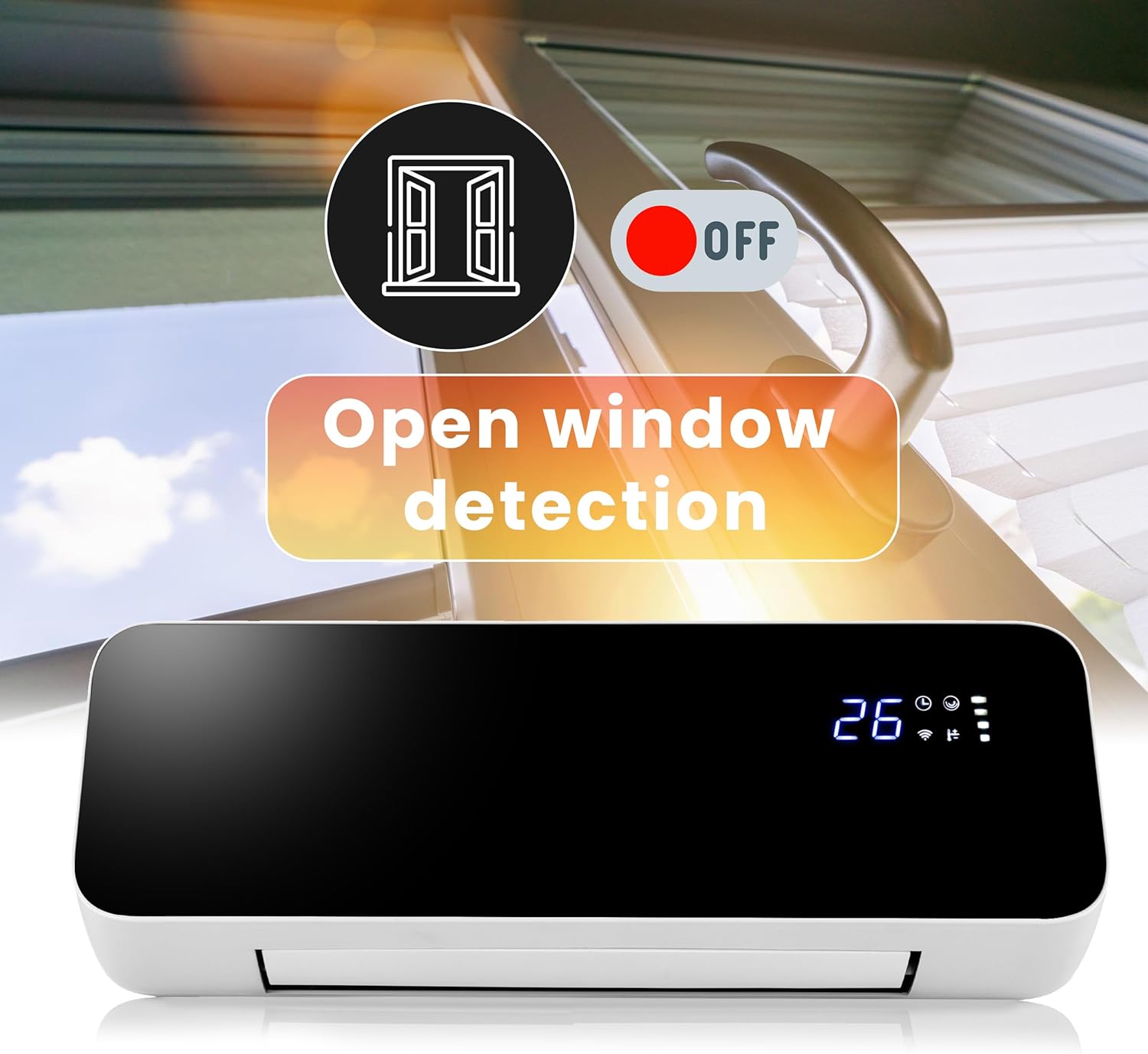
Figure 4.4: Open window detection feature.
- Year-Round Use: Can be used for heating in winter and as a fan for air circulation in summer.

Figure 4.5: Winter heating and summer fan modes.
Product Components:
- LED Display: Shows current temperature, Wi-Fi status, timer, and power settings.

Figure 4.6: LED Display.
- Air Outlet: Located at the bottom, with adjustable louvers for oscillation.
- Power Switch: Main power switch located on the side/back of the unit.

Figure 4.7: Rear view with power switch and mounting points.
- Remote Control Receiver: For receiving signals from the remote control.
5. Installation
Wall Mounting:
The Lehmann LHOHH-2013A is designed for wall mounting. Choose a suitable location, ensuring it is not in a damp area and has sufficient clearance from combustible materials.
- Select a wall location that is sturdy and can support the weight of the heater (approx. 2.88 kg).
- Mark the drilling points on the wall using the heater's mounting holes as a template. Ensure the marks are level.
- Drill holes at the marked positions. Insert wall anchors if necessary (e.g., for drywall).
- Secure the mounting bracket (if separate) or the heater directly to the wall using the provided screws.
- Ensure the heater is securely fastened to the wall before plugging it in.
Power Connection:
Plug the power cord into a standard 230V electrical outlet. Ensure the outlet is easily accessible for disconnecting power if needed.
6. Operating Instructions
Initial Power On:
- After installation, ensure the heater is securely mounted and plugged in.
- Flip the main power switch on the side/back of the unit to the 'ON' position. The LED display will illuminate.
Using the Remote Control:
The remote control allows full functionality from a distance.

Figure 6.1: Remote control in use.
- Power Button (⏻): Turns the heater ON or OFF.
- Mode Button (M): Cycles through heating modes (e.g., 1000W, 2000W, Fan only).
- Temperature Adjustment (+ / -): Increases or decreases the desired temperature setting.
- Oscillation Button (⟳): Activates or deactivates the oscillation function.
- Timer Button (◷): Sets the operating timer.
- Open Window Detection Button: Toggles the open window detection feature.
Wi-Fi Connectivity & App Control:
For advanced control and scheduling, connect your heater to your home Wi-Fi network and use the compatible smart home app (e.g., Tuya Smart Life).
- Download the 'Tuya Smart' or 'Smart Life' app from your smartphone's app store (iOS or Android).
- Register or log in to your account.
- Ensure your heater is powered on and in pairing mode (refer to the app's instructions for specific pairing steps, usually involves holding a button on the heater or remote for a few seconds until a Wi-Fi indicator blinks).
- In the app, tap 'Add Device' or the '+' icon and select 'Heater' or 'Air Conditioner' from the device list.
- Follow the on-screen instructions in the app to connect the heater to your Wi-Fi network.
- Once connected, you can control the heater's power, temperature, mode, oscillation, timer, and set schedules from anywhere via the app.
7. Maintenance
Cleaning:
Always unplug the heater and allow it to cool completely before cleaning.
- Wipe the exterior surfaces with a soft, damp cloth. Do not use abrasive cleaners or solvents.
- Do not immerse the heater in water or any other liquid.
- Clean the air inlet and outlet vents regularly with a vacuum cleaner or a soft brush to prevent dust buildup.
Storage:
If the heater is not used for extended periods, store it in a cool, dry place, preferably in its original packaging, away from direct sunlight and moisture.
8. Troubleshooting
If you experience issues with your heater, please refer to the following common problems and solutions:
| Problem | Possible Cause | Solution |
|---|---|---|
| Heater does not turn on. | No power supply; Main power switch off; Overheat protection activated. | Check power outlet; Ensure main power switch is ON; Unplug, wait 30 mins, then plug in again. |
| Heater produces insufficient heat. | Low power setting; Room too large; Open window detection active. | Increase power setting to 2000W; Ensure room size is appropriate for heater capacity; Close windows/doors or disable open window detection. |
| Heater is noisy. | Normal fan operation; Loose components; Dust buildup. | Some fan noise is normal; Check for loose parts (if safe); Clean air vents. |
| Remote control not working. | Batteries dead; Obstruction between remote and heater. | Replace batteries; Ensure clear line of sight. |
| Wi-Fi connection issues. | Incorrect Wi-Fi password; Router too far; App issues. | Re-enter password; Move heater closer to router; Restart app/router; Consult app's troubleshooting guide. |
If the problem persists after trying these solutions, please contact customer support.
9. Specifications
| Specification | Value |
|---|---|
| Brand | Lehmann |
| Model Number | LHOHH-2013A |
| Power Output | 1000W / 2000W |
| Voltage | 230 Volt |
| Item Weight | 2.88 kg |
| Product Dimensions | 15.8D x 58.5B x 23H centimeters |
| Color | Black |
| Energy Source | Corded Electric |
| Mounting Type | Wall Mount |
| Special Features | Oscillating, Adjustable Temperature, Remote Control, Digital Display, Adjustable Speed, Wi-Fi, Open Window Detection |
| Recommended Uses | Garage, Terrace, Office, Home (Indoor use only) |
10. Warranty and Support
Lehmann products are manufactured to the highest quality standards. This product comes with a standard manufacturer's warranty. Please refer to the warranty card included in your package for specific terms and conditions.
For technical support, troubleshooting assistance, or warranty claims, please contact Lehmann customer service through the retailer where you purchased the product or visit the official Lehmann website for contact information.