
1. Introduction
Thank you for purchasing the Yoidesu 16 Inch Portable LED TV. This device is designed for versatile entertainment, offering a 1080P digital display, an ATSC tuner for over-the-air broadcasts, and a rechargeable battery for portable use. It supports various media formats via USB and includes analog TV capabilities. This manual provides essential information for safe operation, setup, and maintenance of your new portable television.
2. Safety Information
- Read all instructions before operating the device.
- Do not expose the TV to rain or moisture to prevent fire or electric shock.
- Avoid placing the TV in direct sunlight or near heat sources.
- Ensure proper ventilation; do not block ventilation openings.
- Use only the power adapter supplied with the unit.
- Handle the rechargeable battery with care. Do not disassemble, puncture, or expose to extreme temperatures.
- Keep the TV away from strong magnetic fields.
- Unplug the TV during lightning storms or when unused for long periods.
3. Package Contents
Verify that all items listed below are included in your package:
- Yoidesu 16 Inch Portable LED TV
- Remote Control
- AC Power Adapter
- AV Cable
- Antenna
- User Manual

Image: Contents of the Yoidesu 16 Inch Portable LED TV package, showing the TV, remote control, AV cable, AC power adapter, antenna, and user manual.
4. Product Overview
Key Features:
- ATSC Compliant: Supports analog TV, digital TV, and ATV viewing.
- Portable Design: Features a color TFT LED display and an 1800mAh rechargeable lithium-ion battery with a stand for easy portability.
- Multimedia Support: Equipped with a USB port and storage card slot for playing videos in MKV, MOV, AVI, WMV, MP4, FLV, MPEG1-4, RMVB, and MP3 formats.
- High Sensitivity Tuner: Enhanced reception for various broadcast signals.
- Audio Features: Includes stereo round speakers and a headphone jack.
- FM Radio Function: Enjoy FM radio broadcasts.
Front View:
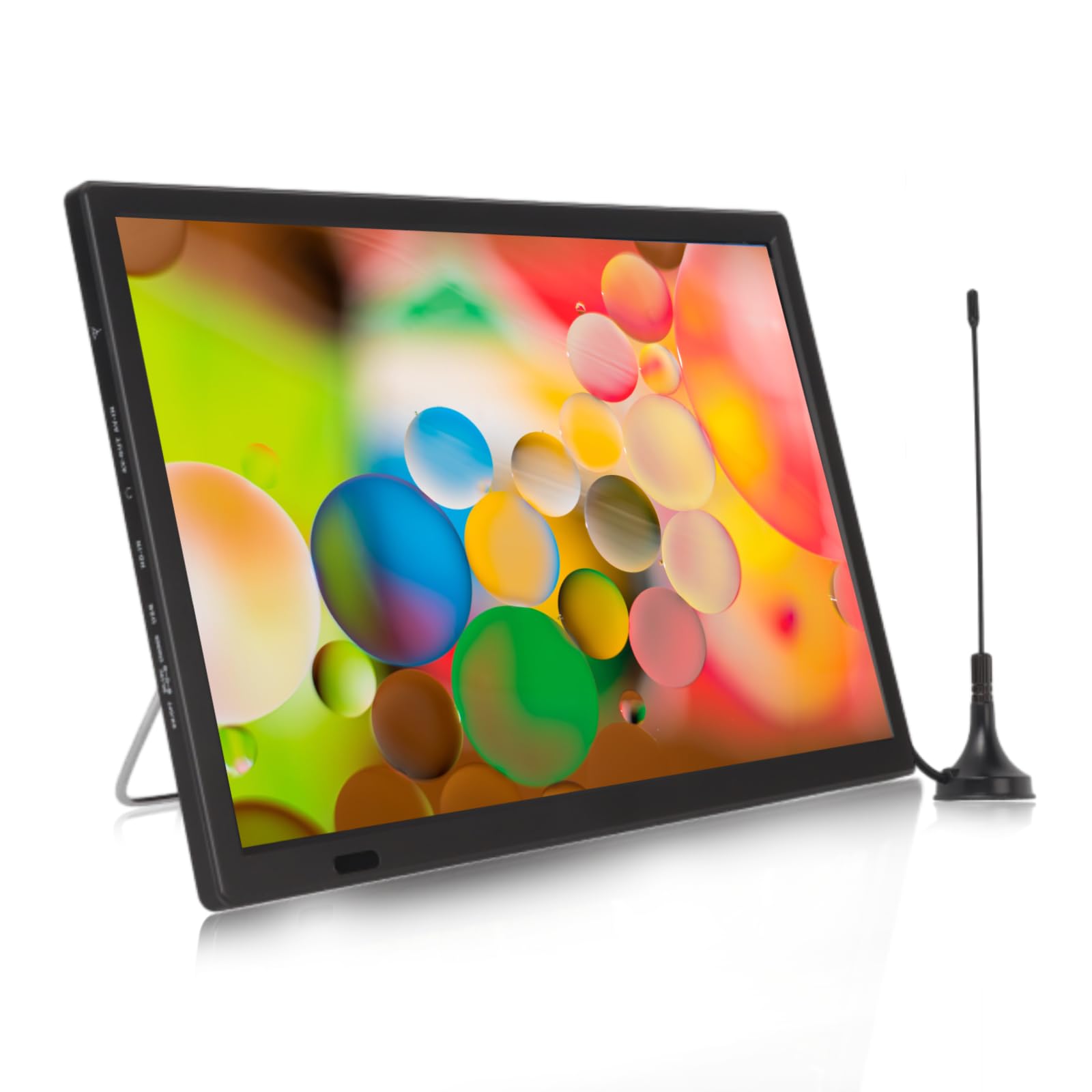
Image: The Yoidesu 16 Inch Portable LED TV from the front, displaying a dynamic image, with the included antenna and remote control visible.
Rear View and Ports:
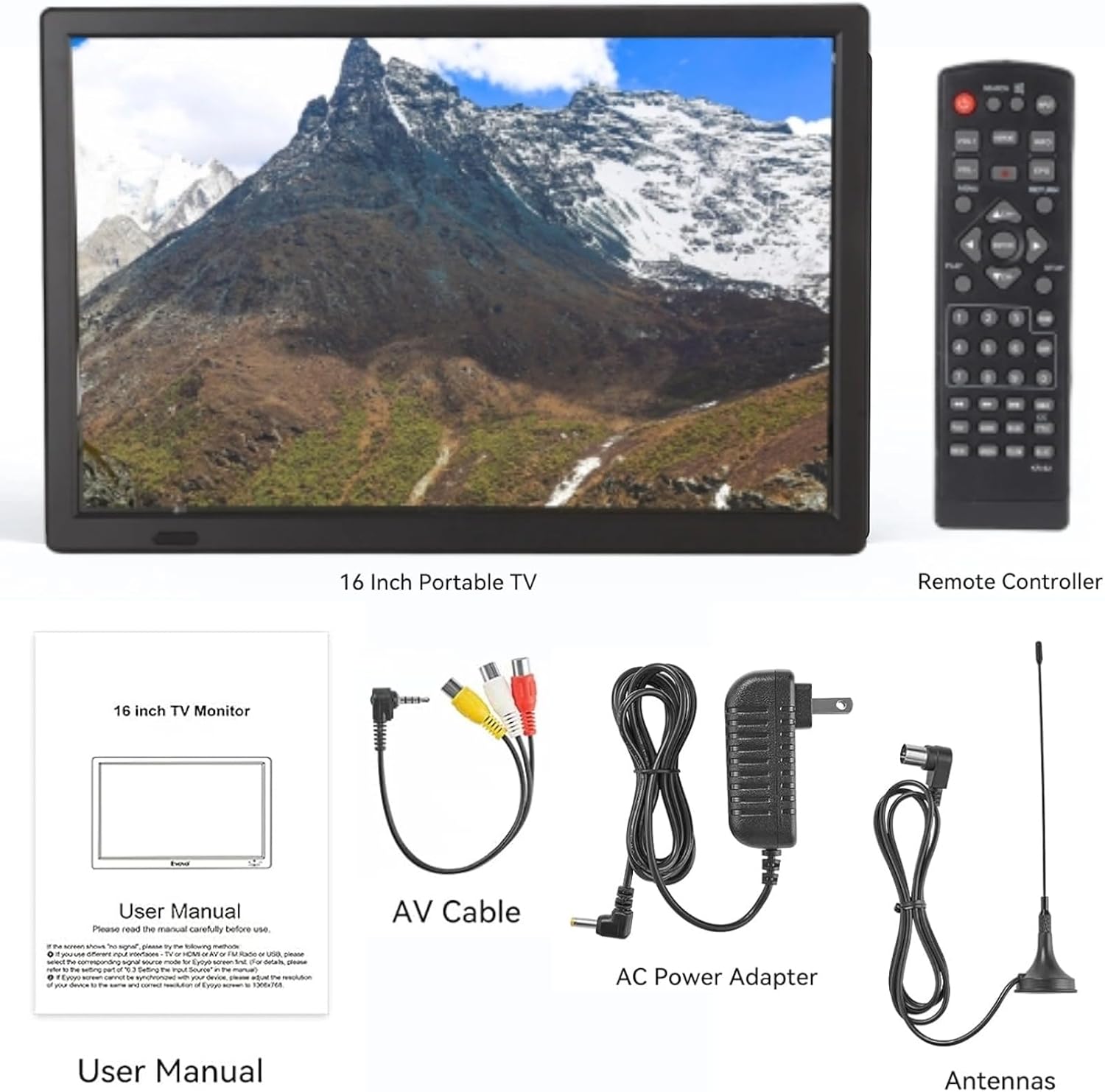
Image: The back of the Yoidesu 16 Inch Portable LED TV, highlighting the various input/output ports and integrated stereo speakers.
Top Controls:

Image: A detailed view of the control buttons located on the top edge of the Yoidesu 16 Inch Portable LED TV, including Menu, Volume, Channel, Source, and Enter.
5. Setup
5.1 Attaching the Stand
- Carefully remove the TV from its packaging.
- Locate the integrated metal stand on the back of the TV.
- Pull the stand outwards until it locks into a stable position, allowing the TV to stand upright.
5.2 Connecting the Antenna
- Connect the included antenna to the ANT IN port on the side or back of the TV.
- For optimal reception, position the antenna in an area with clear line of sight to broadcast towers.
5.3 Connecting Power
- Plug the AC power adapter into the DC IN port on the TV.
- Plug the other end of the adapter into a standard electrical outlet.
- Ensure the TV is fully charged before initial portable use for maximum battery life.
6. Operating Instructions
6.1 Power On/Off
- Press the POWER button on the TV or remote control to turn the unit on or off.
6.2 Menu Navigation
- Press the MENU button on the TV or remote to access the main menu.
- Use the VOL+/- or CH+/- buttons (or arrow keys on the remote) to navigate through menu options.
- Press ENTER (or OK on the remote) to confirm a selection.
- Press MENU again to exit the menu.
6.3 Channel Scan (ATSC TV)
- Ensure the antenna is properly connected.
- Press the SOURCE button to select "DTV" or "ATSC TV" input.
- Access the MENU and navigate to the "Channel" or "Setup" section.
- Select "Auto Scan" or "Auto Tuning" and confirm. The TV will search for available digital channels. This process may take several minutes.
- Once complete, you can use the CH+/- buttons to browse channels.

Image: The Yoidesu 16 Inch Portable LED TV screen showing details about its high sensitivity tuner, including supported ATV and VHF/UHF frequency ranges.
6.4 Input Source Selection
- Press the SOURCE button on the TV or remote to cycle through available input sources (e.g., DTV, ATV, HDMI, AV, USB).
- Select the desired input source for your connected device.
6.5 Media Playback (USB/Storage Card)
- Insert a USB flash drive or storage card into the corresponding port on the TV.
- Press the SOURCE button and select "USB" or "Media".
- Navigate through the folders and files using the arrow keys and ENTER button.
- Supported video formats include MKV, MOV, AVI, WMV, MP4, FLV, MPEG1-4, RMVB. Supported audio format is MP3.
6.6 FM Radio
- Press the SOURCE button and select "FM Radio".
- Use the menu options to scan for FM stations or manually tune to a frequency.
7. Maintenance
7.1 Cleaning
- Always unplug the TV before cleaning.
- Use a soft, dry cloth to wipe the screen and exterior surfaces.
- For stubborn marks, lightly dampen the cloth with water or a mild, non-abrasive screen cleaner.
- Do not use alcohol, benzene, thinners, or other volatile substances.
7.2 Battery Care
- Charge the battery fully before first use.
- Avoid completely draining the battery frequently to prolong its lifespan.
- If storing the TV for an extended period, charge the battery to approximately 50% and recharge every few months.
- Do not expose the battery to extreme heat or cold.

Image: The Yoidesu 16 Inch Portable LED TV highlighting its 1800mAh large battery, with a reminder to charge it in advance for use.
8. Troubleshooting
| Problem | Possible Cause | Solution |
|---|---|---|
| No power | Power adapter not connected; Battery drained; Power button not pressed. | Ensure power adapter is securely connected and plugged in. Charge the battery. Press the power button firmly. |
| No signal/Poor picture quality (TV mode) | Antenna not connected or positioned incorrectly; No channels scanned; Weak broadcast signal. | Check antenna connection. Reposition antenna. Perform an auto channel scan. Try a different location for better reception. |
| No sound | Volume too low or muted; Incorrect audio settings. | Increase volume. Check if mute is active. Adjust audio settings in the menu. |
| USB/Storage card not recognized | Incorrect file system; Unsupported format; Card/drive faulty. | Ensure USB drive/card is formatted to FAT32. Check if media files are in supported formats. Try a different USB drive/card. |
| Image appears stretched or distorted | Incorrect aspect ratio setting. | Access the TV's menu and navigate to picture settings. Adjust the aspect ratio (e.g., to 16:9 or Auto) to match the content. |
9. Specifications
| Feature | Specification |
|---|---|
| Screen Size | 16 Inches |
| Display Technology | LED |
| Resolution | 1280 x 800 |
| Refresh Rate | 60 Hz |
| Aspect Ratio | 16:9 |
| Special Feature | Wide Viewing Angle |
| Connectivity Technology | HDMI, USB |
| Battery Capacity | 1800mAh Lithium-Ion |
| Product Dimensions | 1.57 x 14.17 x 9.45 inches |
| Item Weight | 3.96 pounds |

Image: Three Yoidesu 16 Inch Portable LED TVs demonstrating the wide viewing angle of 150 degrees, along with aspect ratio, brightness, and contrast ratio specifications.
10. Warranty and Support
Your Yoidesu 16 Inch Portable LED TV is covered by a standard manufacturer's warranty. For specific warranty details, please refer to the warranty card included in your package or contact Yoidesu customer support. If you encounter any issues or have questions not addressed in this manual, please reach out to our customer service team for assistance.
Contact information can typically be found on the product packaging or the official Yoidesu website.