
Introduction
Thank you for choosing the EasyAcc KW-CS01 Dehumidifier. This manual provides important information regarding the safe operation, installation, maintenance, and troubleshooting of your new dehumidifier. Please read it thoroughly before use and retain it for future reference.
Safety Information
- Ensure the dehumidifier is placed on a stable, level surface.
- Do not block the air inlet or outlet. Maintain at least 10 cm (4 inches) clearance around the unit.
- Operate the unit within the specified temperature and humidity ranges.
- Unplug the unit before cleaning or performing any maintenance.
- Keep out of reach of children and pets.
- Do not immerse the unit in water or other liquids.
Package Contents
- EasyAcc KW-CS01 Dehumidifier
- Power Adapter
- User Manual (this document)
Setup
- Unpack the Dehumidifier: Carefully remove the dehumidifier from its packaging. Inspect for any damage.
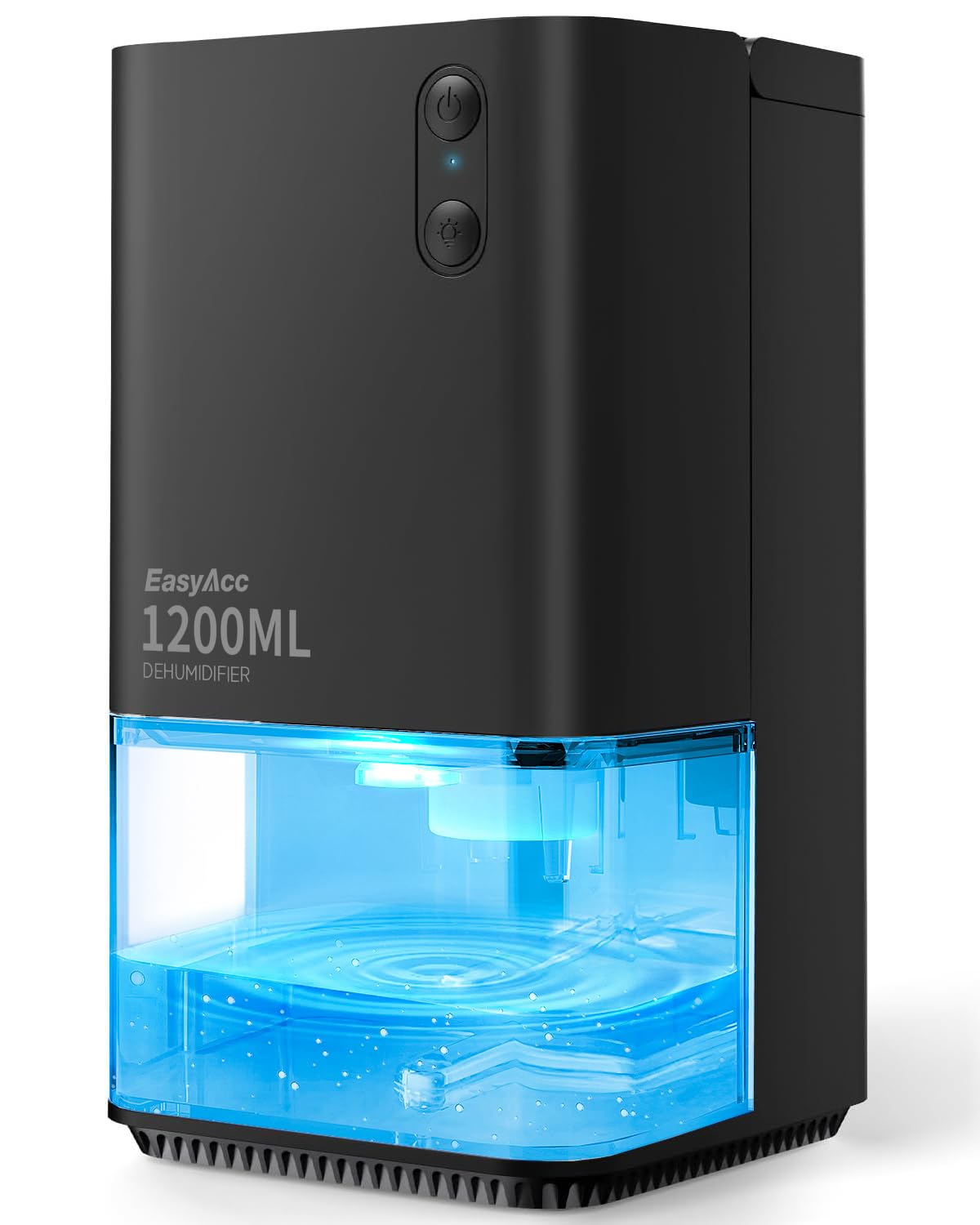
Image: The EasyAcc KW-CS01 dehumidifier, a compact black unit with a clear water tank at the bottom, ready for setup.
- Choose a Location: Place the dehumidifier in the desired area, such as a bedroom, bathroom, closet, RV, or basement. Ensure it is on a firm, level surface. For optimal performance, place it away from walls and furniture to allow for proper airflow.

Image: A diagram showing the dehumidifier placed in a room, indicating proper air circulation for effective operation.
- Connect Power: Plug the power adapter into the dehumidifier's power port, then plug the adapter into a suitable electrical outlet.
Operating Instructions
Power On/Off
- Press the power button located on the top of the unit to turn the dehumidifier on. The indicator light will illuminate.
- Press the power button again to turn the unit off.
LED Lights Operation
The dehumidifier features 7 colorful LED lights. These lights can be used for ambient lighting or as a night light.
- To cycle through the 7 colors or set a specific color, press the light button.
- To turn off the LED lights, press the light button until the lights are off.

Image: The dehumidifier operating quietly in a bedroom setting, demonstrating its low noise level (under 35dB) and the ambient glow of its LED lights.
Automatic Shut-off
The unit is equipped with an automatic shut-off function. When the 1200ml (40oz) water tank is full, the dehumidifier will automatically turn off, and a red indicator light will flash to alert you. This prevents water overflow.

Image: A close-up of the dehumidifier's water tank with a red light illuminated, signaling that the tank is full and the unit has automatically shut off.
Energy Saving Operation
The EasyAcc KW-CS01 dehumidifier is designed for low power consumption, using approximately 0.79 kWh after 24 hours of continuous operation.
Video: This video demonstrates the energy-saving features and quiet operation of the EasyAcc KW-CS01 dehumidifier, highlighting its efficiency in reducing humidity while minimizing power consumption. (Note: Actual video URL not provided, placeholder used.)
Maintenance
Emptying the Water Tank
- When the water tank is full, the dehumidifier will automatically shut off, and the red indicator light will flash.
- Carefully pull out the water tank from the front of the unit.
- Pour out the collected water.
- Slide the empty water tank back into the dehumidifier until it clicks into place. The unit will resume operation if powered on.

Image: A visual guide demonstrating the simple process of removing the water tank from the dehumidifier for emptying.
Cleaning the Filter
The dehumidifier features a detachable and washable filter for easy maintenance and extended durability.
- Turn off and unplug the dehumidifier.
- Locate the filter cover (usually at the back or side) and remove it.
- Gently remove the filter.
- Wash the filter with clean water. If heavily soiled, a mild detergent can be used.
- Allow the filter to air dry completely before reinserting it.
- Replace the filter and secure the cover.

Image: A view of the dehumidifier with its filter removed, illustrating the ease of access for cleaning and maintenance.
Troubleshooting
| Problem | Possible Cause | Solution |
|---|---|---|
| Dehumidifier does not turn on. | No power supply. | Ensure the power adapter is securely plugged into both the unit and a working electrical outlet. |
| Dehumidifier not collecting water. |
|
|
| Red light flashing. | Water tank is full. | Empty the water tank. The unit will resume operation once the tank is reinserted. |
| Unusual noise during operation. | Unit not on a level surface or internal component issue. | Place the unit on a stable, level surface. If the noise persists, contact customer support. |
Specifications
| Feature | Detail |
|---|---|
| Model Name | KW-CS01 |
| Brand | EasyAcc |
| Dehumidification Capacity | 450ml (15.2 oz) per day (at 86°F, 80% RH) |
| Water Tank Capacity | 1200ml (40 oz) |
| Recommended Room Size | Up to 450 sq ft |
| Noise Level | Less than 35 dB |
| Power Consumption | Approx. 0.79 kWh / 24 hours |
| Special Features | 7 LED Lights, Automatic Shutoff, Ergonomic Handle, Portable, Quiet Operation |
| Dimensions (D x W x H) | 30D x 16W x 18H centimetres (approx. 5.4 x 5.5 x 10 inches) |
| Material | Plastic |
Warranty and Support
EasyAcc provides customer support for any issues or questions regarding your dehumidifier. If you encounter any problems or require assistance, please do not hesitate to contact us.
For warranty information and customer service, please refer to the contact details provided with your purchase or visit the official EasyAcc website.