
1. Product Overview and Features
The DEWALT Powerstack DCB1102E2 18 Volt Battery Kit features innovative pouch cell technology, designed to enhance productivity and tool performance. This kit includes two 1.7 Ah Powerstack batteries and one DCB1102 charger.
- Enhanced Power: Powerstack batteries provide significantly higher power output in certain applications due to a more efficient current flow and lower internal resistance compared to conventional round cell batteries.
- Compact Design: These batteries are 25% smaller than traditional 2.0Ah batteries, offering a more compact and lightweight solution for your tools.
- Extended Service Life: Enjoy a 2x longer service life and a higher number of charging cycles thanks to efficient temperature control and better heat dissipation from the large, flat outer shape of the pouch cells.
- Durability: Built with a robust battery housing and shock-proof soldered cells, ensuring reliability for demanding everyday use.
- Capacity Display: Each battery includes an LED indicator for convenient capacity display.
- Rubber Overmold Protection: The batteries feature rubber overmold on the base for added protection against drops and impacts.
2. Package Contents
Your DEWALT Powerstack DCB1102E2 18V Battery Kit includes:
- 2 x DEWALT Powerstack 18V/1.7 Ah Batteries (DCBP034)
- 1 x DEWALT Charger (DCB1102)

Figure 1: DEWALT Powerstack DCB1102E2 18V Battery Kit in its original packaging.
3. Safety Instructions
WARNING: To reduce the risk of injury, users must read the entire instruction manual before operating this product. Always use proper eye and respiratory protection when working with power tools.
- Use only DEWALT batteries and chargers with DEWALT tools.
- Do not charge damaged batteries.
- Do not incinerate batteries.
- Do not expose batteries to water or extreme temperatures.
- Store batteries in a cool, dry place away from direct sunlight and heat sources.
- Keep batteries away from children.
4. Setup
4.1 Charging the Battery
- Plug the DCB1102 charger into a standard electrical outlet.
- Slide the DEWALT Powerstack battery onto the charger until it clicks into place.
- Observe the charger's indicator lights:
- Pack Charging: Blinking red light.
- Pack Charged: Solid red light.
- Hot/Cold Delay: Blinking red light with a temperature icon. The charger will wait until the battery reaches an appropriate temperature before charging.
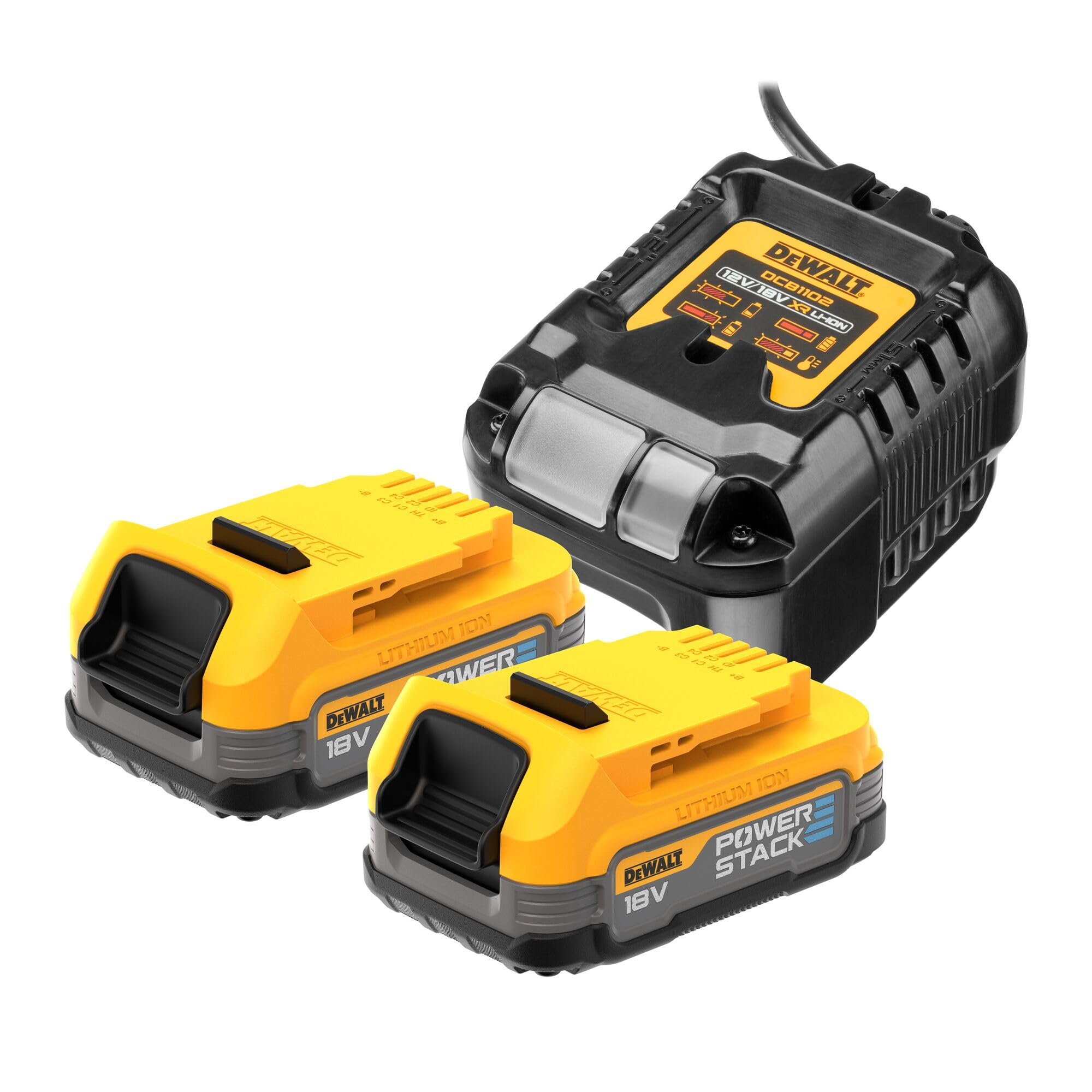
Figure 2: The DEWALT DCB1102 charger with its status indicator lights.
4.2 Inserting the Battery into a Tool
- Align the battery with the battery port on your compatible DEWALT 18V XR tool.
- Slide the battery firmly into the tool until it clicks securely into place. Ensure it is fully seated to prevent accidental dislodgement during operation.

Figure 3: A DEWALT Powerstack 18V battery, ready for insertion into a tool.
5. Operating the Battery and Tools
5.1 Checking Battery Charge Level
Press the button on the front of the Powerstack battery to activate the LED charge indicator. The number of illuminated LEDs indicates the approximate charge level:
- 3 LEDs: Fully charged.
- 2 LEDs: Approximately 60-65% charged.
- 1 LED: Approximately 30-35% charged.
- No LEDs: Fully discharged, requires charging.
5.2 Using with Compatible Tools
The DEWALT Powerstack 18V batteries are compatible with all DEWALT 18V XR battery machines. Insert the charged battery into your tool as described in Section 4.2. The advanced pouch cell technology provides increased power and efficiency for demanding tasks.

Figure 4: The DEWALT Powerstack battery is compatible with a wide range of DEWALT 18V XR tools.
6. Maintenance
6.1 Storage
- Store batteries in a cool, dry place, away from direct sunlight and moisture.
- Avoid storing batteries in temperatures above 40°C (105°F) or below 0°C (32°F).
- For long-term storage, it is recommended to store batteries with a partial charge (e.g., 2-3 LEDs illuminated).
6.2 Cleaning
- Wipe the battery and charger with a clean, damp cloth. Do not use solvents or harsh chemicals.
- Keep battery terminals clean and free of debris.
7. Troubleshooting
7.1 Battery Not Charging
- Ensure the charger is properly plugged into a working electrical outlet.
- Check if the battery is fully seated on the charger.
- If the charger indicates a


