
1. Introduction
Thank you for choosing the RYGHT QUBE R484406 Wireless Indoor Speaker. This compact and elegant speaker combines rich sound with captivating RGB LED light effects, designed to integrate seamlessly into a modern lifestyle. This manual provides essential information for the safe and efficient use of your device.
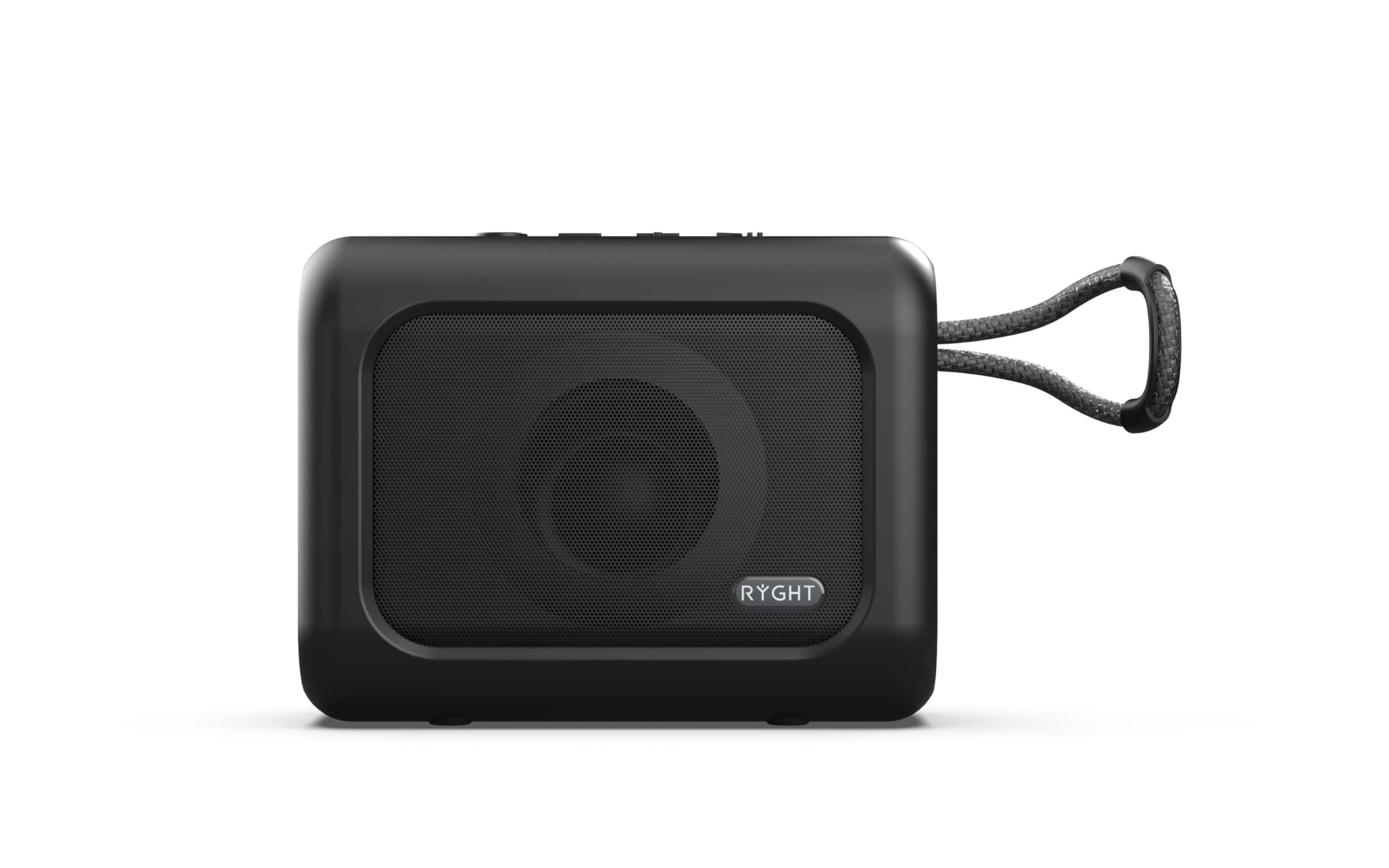
Image: The RYGHT QUBE R484406 speaker, showcasing its front grille with a circular RGB LED light pattern and a braided carry strap.
2. Package Contents
Please check the package for the following items:
- RYGHT QUBE R484406 Speaker
- USB-C Cable
- Instruction Manual
3. Product Overview
The RYGHT QUBE speaker features a compact design with intuitive controls and versatile connectivity options.

Image: Rear view of the RYGHT QUBE speaker, displaying the USB port, Micro SD card slot, and the ON/OFF switch.
Key Features:
- Wireless Connectivity: Bluetooth for seamless audio streaming.
- RGB LED Lights: Five distinct light modes to enhance your listening experience.
- Integrated Microphone: For hands-free calls.
- Fast Charging: Achieve 50% charge in just 30 minutes.
- Long Battery Life: Up to 5 hours of playback on a full charge.
- Multiple Playback Options: Supports USB and Micro SD card playback.
- Dual Pairing: Connect two QUBE speakers for powerful stereo sound.
4. Setup
4.1. Charging the Speaker
Before first use, fully charge the speaker. Connect the supplied USB-C cable to the charging port on the speaker and the other end to a USB power adapter (not included) or a computer's USB port. The LED indicator will show charging status. A full charge provides approximately 5 hours of autonomy, and a 30-minute charge can provide 50% battery life.
4.2. Powering On/Off
To power on the speaker, slide the ON/OFF switch located on the back of the device to the "ON" position. To power off, slide the switch to the "OFF" position.
4.3. Bluetooth Pairing
- Ensure the speaker is powered on and in Bluetooth pairing mode (usually indicated by a flashing LED).
- On your smartphone or other Bluetooth-enabled device, go to the Bluetooth settings.
- Search for available devices and select "RYGHT QUBE" from the list.
- Once paired, the speaker will emit a confirmation sound, and the LED indicator will change.
5. Operating Instructions
5.1. Basic Controls
The speaker features four intuitive buttons for controlling music, volume, LED lights, and calls.

Image: Top view of the RYGHT QUBE speaker, highlighting the control buttons for playback, volume, and mode selection.
- Play/Pause Button: Press once to play or pause music.
- Volume Up (+): Press to increase volume. Hold to skip to the next track.
- Volume Down (-): Press to decrease volume. Hold to go to the previous track.
- Mode/LED Button: Press to cycle through LED light modes. Hold to switch between Bluetooth, USB, and Micro SD modes.
5.2. LED Light Modes
The QUBE speaker offers five distinct RGB LED light modes. Press the Mode/LED button to cycle through these visual effects, which synchronize with your music.

Image: The RYGHT QUBE speaker with its front grille illuminated by a blue LED light, demonstrating one of its light modes.
5.3. Using the Integrated Microphone
When connected to a smartphone via Bluetooth, the integrated microphone allows you to answer calls hands-free. Press the Play/Pause button to answer or end a call.
5.4. USB and Micro SD Playback
Insert a USB drive or a Micro SD card (with pre-recorded audio files) into the respective ports on the back of the speaker. The speaker will automatically switch to the corresponding playback mode. Use the control buttons to manage playback.
5.5. Dual Pairing (TWS Function)
To achieve powerful stereo sound, you can pair two RYGHT QUBE speakers together:
- Ensure both QUBE speakers are powered on and not connected to any other Bluetooth device.
- On one speaker (this will be the primary speaker), press and hold the Mode/LED button until you hear a pairing tone.
- The two speakers will automatically connect to each other.
- Once connected, pair your smartphone to the primary speaker via Bluetooth as described in section 4.3.
6. Maintenance
To ensure the longevity of your RYGHT QUBE speaker, follow these maintenance guidelines:
- Keep the speaker dry. Do not expose it to water or excessive moisture.
- Clean the speaker with a soft, dry cloth. Do not use abrasive cleaners or solvents.
- Avoid extreme temperatures. Store the speaker in a cool, dry place.
- Do not attempt to disassemble or repair the speaker yourself. This will void the warranty.
7. Troubleshooting
| Problem | Possible Cause | Solution |
|---|---|---|
| Speaker does not power on. | Low battery or power switch is off. | Charge the speaker. Ensure the ON/OFF switch is in the "ON" position. |
| Cannot pair via Bluetooth. | Speaker is not in pairing mode, or device Bluetooth is off. | Ensure speaker is in pairing mode. Turn Bluetooth on your device. Move speaker closer to device. |
| No sound. | Volume too low, or incorrect source selected. | Increase volume on speaker and connected device. Check if the correct input mode (Bluetooth, USB, SD) is selected. |
| LED lights not working. | LED mode is off or not selected. | Press the Mode/LED button to cycle through the light modes. |
8. Specifications

Image: Technical drawing showing the dimensions of the RYGHT QUBE speaker: 108mm in length, 84.5mm in height, and 47mm in depth.
| Feature | Detail |
|---|---|
| Model Number | R484406 |
| Brand | RYGHT |
| Dimensions (L x W x H) | 10 x 8 x 5 cm (approx. 108mm x 84.5mm x 47mm) |
| Connectivity Technology | Bluetooth, USB |
| Special Features | RGB LED Light, USB Port, Micro SD Card Reader, Integrated Microphone, Dual Pairing (TWS) |
| Recommended Use | Indoor, Portable Audio |
| Compatible Devices | Smartphone |
| Average Battery Life | 5 hours |
| Power Source | Cable Electric (USB-C) |
| Color | Black |
9. Safety Information
- Do not expose the speaker to extreme temperatures, direct sunlight, or open flames.
- Avoid dropping or subjecting the speaker to strong impacts.
- Keep out of reach of children.
- Use only the provided USB-C cable for charging.
- Do not operate the speaker near water or in wet conditions.
- To prevent hearing damage, do not listen at high volume levels for extended periods.
10. Warranty and Support
For warranty information or technical support, please refer to the warranty card included with your product or contact RYGHT customer service through their official website. Please retain your proof of purchase for warranty claims.
Note: Software updates are not explicitly guaranteed for this product based on available information.


