
FORGING MOUNT HY9467
FORGING MOUNT Long Arm TV Wall Mount Instruction Manual
Brand: FORGING MOUNT | Model: HY9467
1. Product Overview
This manual provides comprehensive instructions for the installation, operation, and maintenance of your FORGING MOUNT Long Arm TV Wall Mount. Designed for most 26-65 inch flat or curved LCD LED OLED TVs, this full-motion mount offers exceptional versatility and stability.
Key features include:
- Versatile Compatibility: Supports TVs weighing up to 77lbs with VESA patterns from 75x75mm to 400x400mm. Compatible with 8" or 16" wood studs, concrete, and brick walls.
- Optimal Viewing Angle: Features 180° swivel (left/right), ±3° leveling adjustment, and tilt angles of 10° down/5° up to reduce glare and provide comfortable viewing.
- 25.6-inch Long Arm Extension: Allows the TV to extend up to 25.6 inches from the wall for flexible viewing and retracts to a mere 2.8 inches to save space. Ideal for corner placement.
- Durable Construction: Built with heavy gauge steel, high-quality wall plate, and thicker mounting arms for a robust 77lb load capacity.

Figure 1.1: The FORGING MOUNT Long Arm TV Wall Mount, showcasing its articulating design.
2. Setup and Installation
Proper installation is crucial for the safety and functionality of your TV mount. Please follow these steps carefully. A detailed PDF installation manual is also available for download here.
2.1. Pre-Installation Checklist
- Verify your TV's weight and VESA pattern are within the mount's specifications (Max 77lbs, VESA 75x75mm to 400x400mm).
- Identify your wall type: wood studs, concrete, or brick. DO NOT install on drywall alone.
- Gather necessary tools: stud finder (for wood studs), pencil, tape measure, electric drill, hammer (for concrete/brick), screwdriver, 1/2 inch (13mm) socket wrench.

Figure 2.1: Overview of compatible wall types (wood studs, concrete, brick) and TV specifications (size 26"-60", weight 77lbs, VESA range).

Figure 2.2: Detailed dimensions of the mount, maximum loading capacity (77lbs), TV size compatibility (26"-60"), VESA compatibility (Min 75x75mm, Max 400x400mm), and recommended stud spacing (16").
2.2. Attaching TV Brackets
Secure the TV brackets to the back of your television using the appropriate screws and spacers from the included hardware kit. Ensure the brackets are centered and securely fastened.

Figure 2.3: Guide for selecting the correct M4, M6, or M8 screws, washers, and spacers for your TV's VESA mounting holes.
2.3. Wall Plate Installation
Mark the drilling locations on your wall based on your stud or concrete/brick wall type. Drill pilot holes to the specified depth and diameter, then insert anchors (for concrete/brick) and securely fasten the wall plate using lag bolts.
Video 2.1: A detailed animation demonstrating the installation process of the FORGING MOUNT TV wall mount, including wall plate attachment and TV mounting.

Figure 2.4: Visual representation of the simplified 3-step installation: 1) Attach TV Brackets, 2) Install Wall Plate, and 3) Hang TV. Also shows easy leveling by hand.
2.4. Hanging the TV
Carefully lift your TV and hook the attached brackets onto the wall plate. Ensure the TV is securely seated. Use the safety lock mechanism to prevent accidental dislodgement.
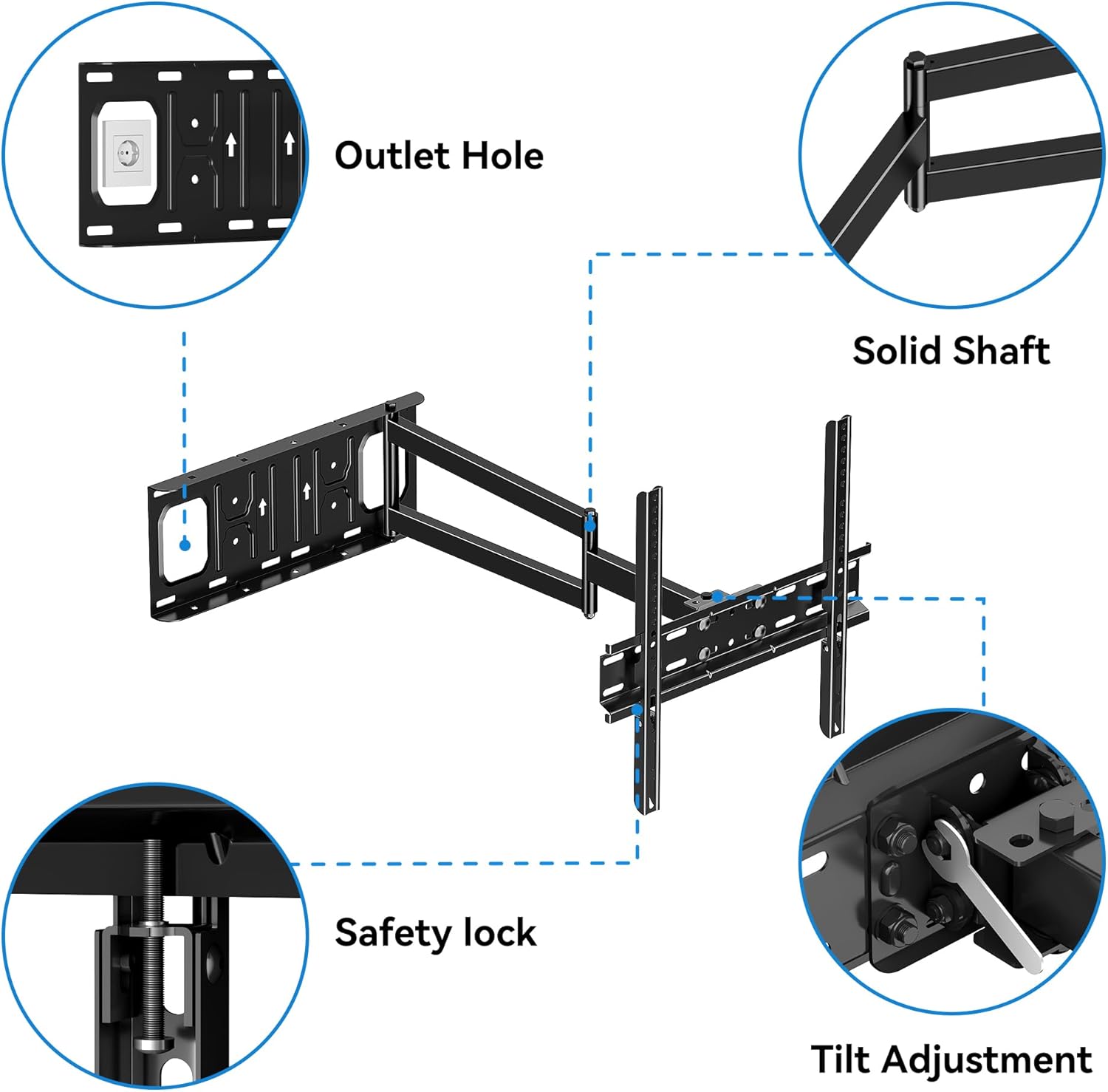
Figure 2.5: Close-up view of key mount features including the outlet hole for cable management, solid shaft for durability, safety lock mechanism, and tilt adjustment points.
3. Operating Instructions
Your FORGING MOUNT TV wall mount offers full motion capabilities for an optimized viewing experience.
3.1. Adjusting Tilt and Level
The mount allows for a tilt range of 10° down to 5° up, and a level adjustment of ±3°. These adjustments help reduce glare and ensure your TV is perfectly aligned.

Figure 3.1: Demonstrates the tilt functionality (+5° to -10°) to optimize viewing angles and prevent neck and eye strain.
Video 3.1: Illustrates the tilt and level adjustment features of the mount, allowing for precise positioning of your TV.
3.2. Swivel and Extension
The articulating arms allow for a 180° swivel (left or right) and an extension of up to 25.6 inches from the wall. This flexibility is ideal for viewing from multiple locations or for corner installations.
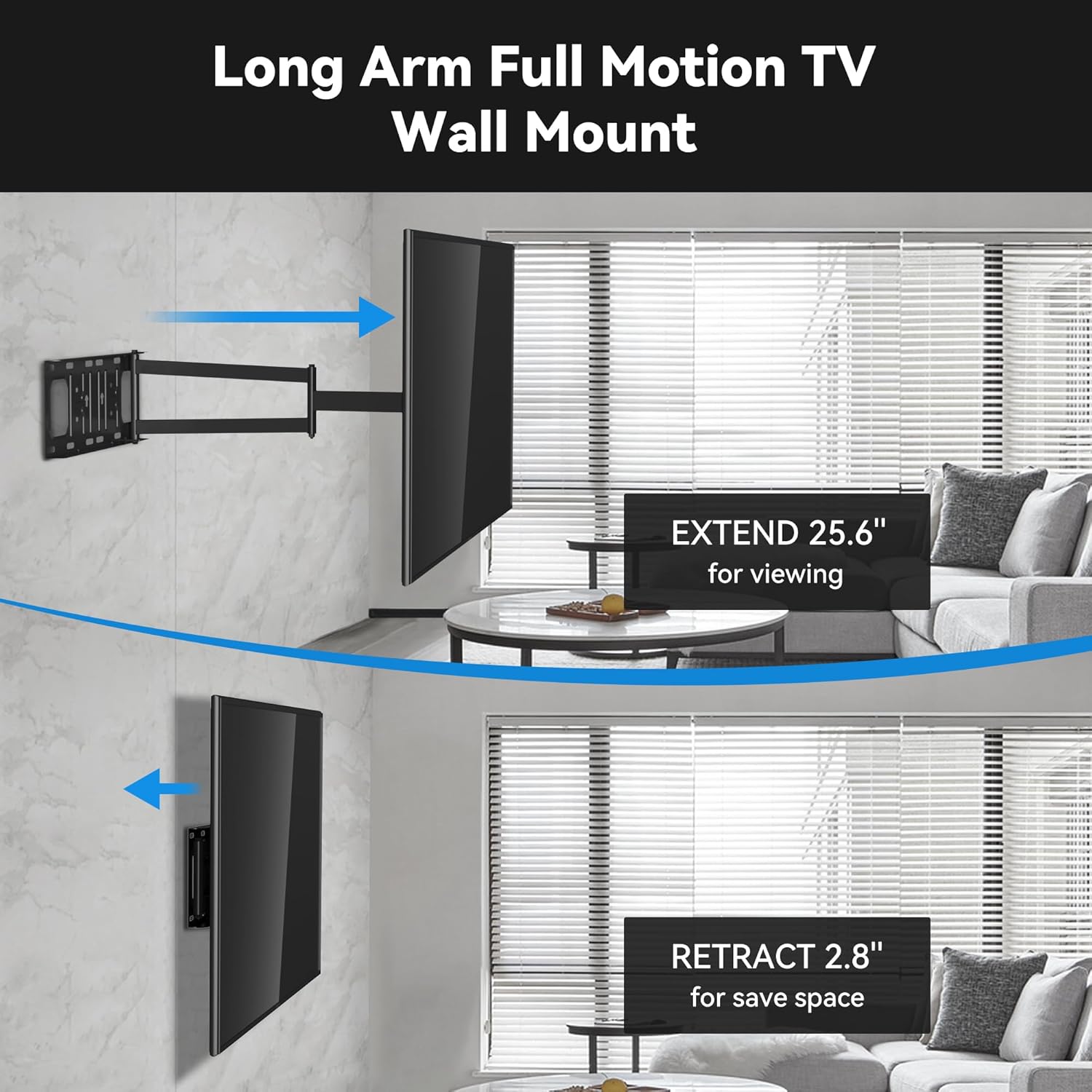
Figure 3.2: Shows the mount's ability to extend the TV up to 25.6 inches for optimal viewing and retract it to 2.8 inches to save space.

Figure 3.3: Illustrates how the super long arm allows TVs up to 55" to swivel 90°, making it suitable for corner installations.
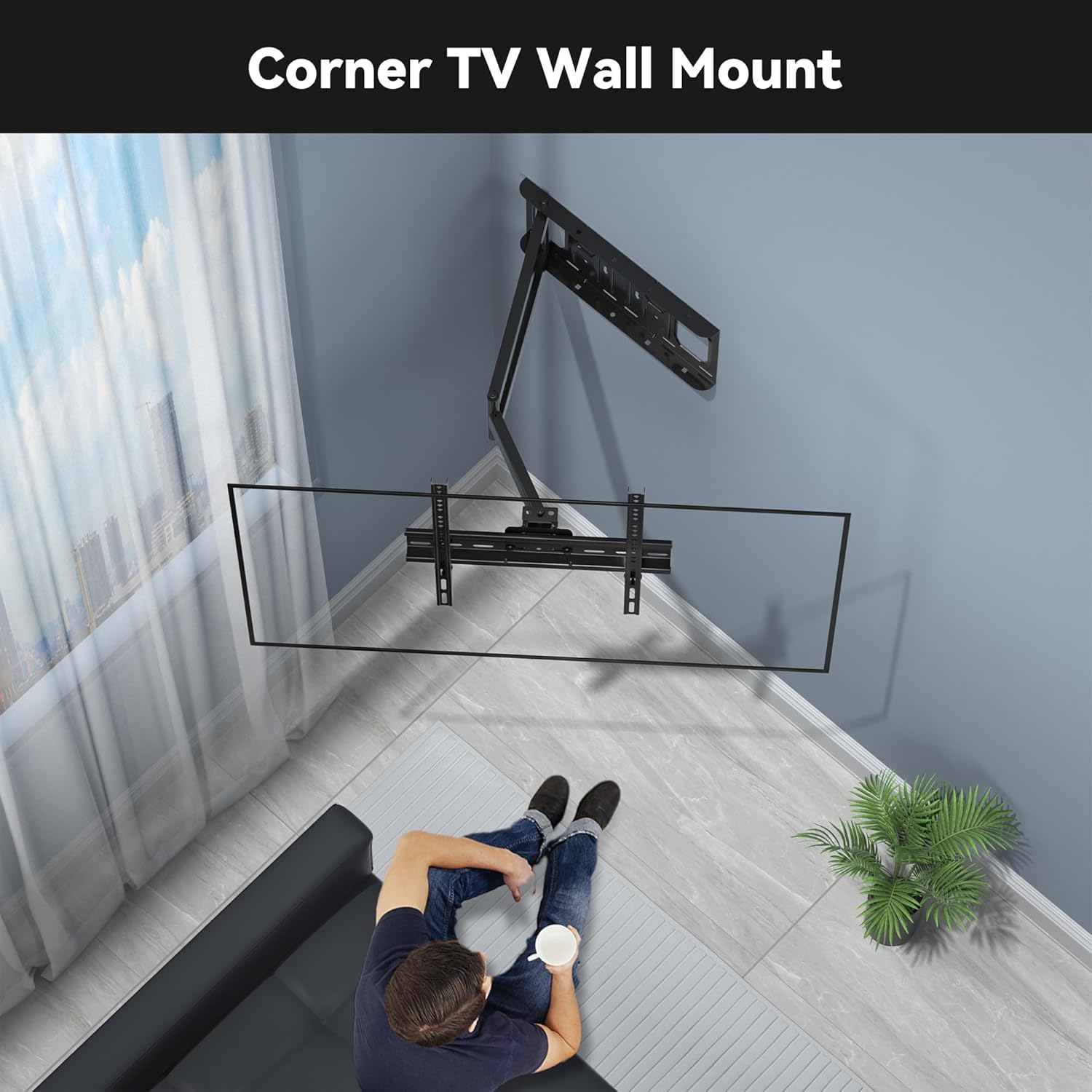
Figure 3.4: An example of the mount used in a corner setting, providing flexible viewing options.
Video 3.2: Demonstrates the mount's suitability for corner placement, highlighting its long arm extension and swivel capabilities.
4. Maintenance
To ensure the longevity and safe operation of your FORGING MOUNT TV wall mount, regular maintenance is recommended:
- Periodic Checks: Annually inspect all screws and bolts to ensure they are tight and secure. Over time, vibrations or movement can cause fasteners to loosen.
- Cleaning: Use a soft, dry cloth to wipe down the mount. Avoid abrasive cleaners or solvents that could damage the finish.
- Lubrication: If the articulating arms become stiff, apply a small amount of silicone-based lubricant to the moving joints. Avoid oil-based lubricants that can attract dust.
- Cable Management: Periodically check that cables are not pinched or stressed by the mount's movement. Re-route if necessary to prevent damage.
5. Troubleshooting
If you encounter any issues with your TV wall mount, refer to the following common troubleshooting tips:
| Problem | Possible Cause | Solution |
|---|---|---|
| TV is not level. | Mount not perfectly level during installation or minor settling. | Use the ±3° level adjustment feature on the mount to fine-tune the TV's horizontal alignment. |
| Difficulty moving the articulating arms. | Joints may be stiff or require lubrication. | Apply a small amount of silicone-based lubricant to the moving joints. Ensure no cables are obstructing movement. |
| Mount feels unstable. | Lag bolts not fully tightened or incorrect wall type used. | Re-check all lag bolts and ensure they are securely fastened into studs or appropriate anchors. Confirm installation on a suitable wall type (wood stud, concrete, or brick). |
| Cables are visible or tangled. | Improper cable routing. | Utilize the integrated cable management features and included Velcro ties to neatly route and secure cables along the mount arms. |
For further assistance, please refer to the detailed installation manual or contact FORGING MOUNT customer support.
6. Specifications
| Feature | Detail |
|---|---|
| Brand | FORGING MOUNT |
| Model | HY9467 |
| Compatible TV Size | 26-60 inches |
| Max Load Capacity | 77 lbs |
| VESA Compatibility | 75x75mm to 400x400mm |
| Movement Type | Full motion/ Extension/ Articulating/ Swivel/ Tilt/ Rotation/ Retract/ Level |
| Extension from Wall | 2.8 inches (retracted) to 25.6 inches (extended) |
| Tilt Angle | 10° down / 5° up |
| Swivel Angle | 180° (left/right) |
| Level Adjustment | ±3° |
| Material | Alloy Steel |
| Color | Black |
| Item Weight | 10.17 pounds |
7. Warranty and Support
FORGING MOUNT is committed to providing high-quality products and customer satisfaction. For any warranty claims, technical support, or inquiries regarding missing/damaged parts, please contact the seller directly through your purchase platform.
Always refer to the official product documentation and website for the most up-to-date information and support resources.
Related documentsHY9467


Ask a question about this manual
Ask about setup, troubleshooting, compatibility, parts, safety, or missing instructions. Manuals+ will review the question and use this page’s manual context to help answer it.