
Introduction
Thank you for choosing the MAS CARNEY USB C Headphones TH6. These headphones are designed to provide a high-quality audio experience with universal compatibility for various USB-C devices. This manual provides essential information on product specifications, setup, operation, maintenance, and troubleshooting to ensure optimal performance and longevity of your headphones.
Product Overview
The MAS CARNEY TH6 headphones feature a USB-C connector, built-in digital chipsets for enhanced audio, a 14.2mm speaker for clear sound, and a 120cm cable. They also include an integrated microphone and remote control for convenient call management and music playback.
Key Components
- USB-C Connector: For connecting to compatible devices.
- Built-in Digital Chipset: Ensures high-fidelity audio processing.
- 14.2mm Speaker: Delivers rich and detailed sound.
- 120cm Cable: Provides ample length for comfortable use.
- In-line Microphone: For hands-free calls.
- Remote Control: For managing audio playback and calls.

Image: MAS CARNEY USB C Headphones TH6, showing the earbuds, in-line remote, and USB-C connector.
Digital Chipset
The integrated digital chipset ensures optimal audio performance and broad compatibility with various USB-C enabled devices.

Image: Close-up of the USB-C connector with an illustration of the built-in digital chipset, indicating compatibility with various devices like laptops, tablets, and smartphones.
14.2mm Speaker
Equipped with a 14.2mm speaker, these headphones are designed to deliver a richer and more detailed audio experience.

Image: Diagram showing the internal components of the 14.2mm speaker within the earbud, highlighting its size and structure.
Ergonomic Design
The headphones feature a human ergonomic design, ensuring comfortable wear that does not cause discomfort to the ears, even during extended use. They are lightweight, stress-free, and made with skin-friendly materials for a secure fit.

Image: Illustration of an ear with the earbud comfortably inserted, emphasizing the lightweight, skin-friendly, and secure fit features.
Function Button
The in-line remote control provides easy access to various functions for more accurate, efficient, and convenient control.
- Single Click: Play/Pause music, Answer/End a call.
- Push Up: Volume up.
- Push Down: Volume down.

Image: Close-up of the in-line remote control, illustrating the functions of the buttons for single click, volume up, and volume down, along with the 120cm cable length.
Specifications
| Feature | Detail |
|---|---|
| Brand | MAS CARNEY |
| Model | TH6 |
| Connectivity Technology | Wired (USB-C) |
| Speaker Size | 14.2mm |
| Cable Length | 120cm |
| Special Features | Microphone Included, Remote Control, Built-in Digital Chipset |
| Form Factor | In Ear |
| Material | Plastic |
| Color | Black |
| Package Dimensions | 11.2 x 7.6 x 1.8 cm |
| Item Weight | 20 g |
| Batteries Required | No |
Setup
The MAS CARNEY USB C Headphones TH6 are designed for plug-and-play functionality with most standard USB-C audio devices.
Universal Compatibility
These headphones are compatible with a wide range of devices including smartphones, tablets, and laptops that feature a USB-C port.
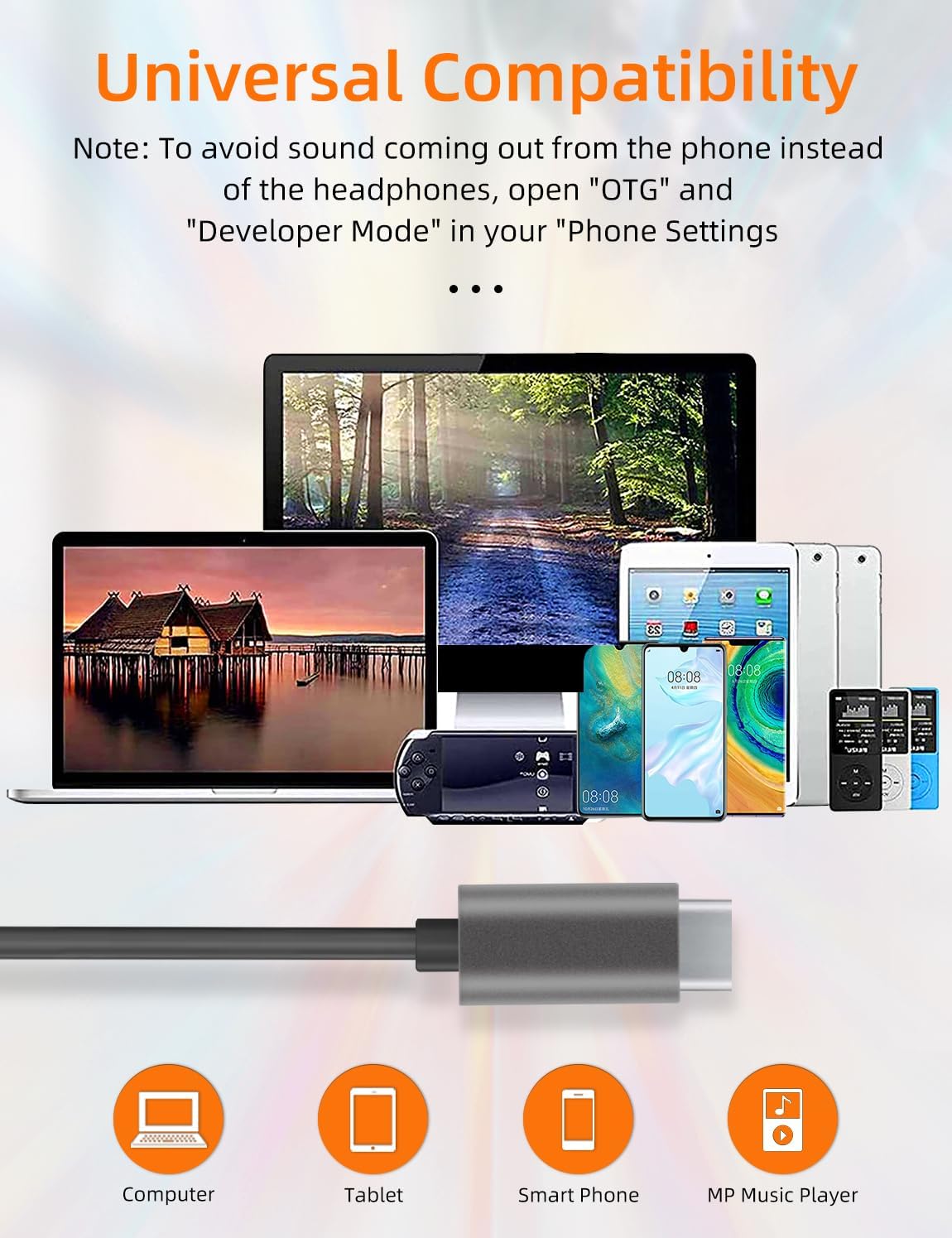
Image: Various USB-C compatible devices such as laptops, tablets, smartphones, and MP3 players, demonstrating the universal compatibility of the headphones.
Important Note for Specific Devices (e.g., iPad Pro)
For certain devices, such as the iPad Pro, these headphones may only support listening to music and not making calls.
Troubleshooting Audio Output (Android Devices)
If sound is coming from your phone's speakers instead of the headphones, you may need to adjust settings on your Android device:
- Go to your phone's "Settings".
- Locate and enable "OTG" (On-The-Go) function.
- Access "Developer Mode" and ensure it is enabled. (To enable Developer Mode, typically go to "About Phone" and tap "Build Number" seven times).
These steps help ensure your device properly recognizes and routes audio through the USB-C headphones.
Operating Instructions
Once connected, the headphones are ready for use. Control your audio and calls using the in-line remote.
- Playing Music: Connect the headphones to your USB-C device. Open your music application and begin playback.
- Pausing/Resuming Music: Press the central button on the remote control once.
- Answering/Ending Calls: When a call comes in, press the central button once to answer. Press it again to end the call.
- Adjusting Volume: Use the volume up (+) and volume down (-) buttons on the remote control to adjust the audio level.
Maintenance
Proper care will extend the life of your MAS CARNEY USB C Headphones TH6.
- Cleaning: Gently wipe the earbuds and cable with a soft, dry cloth. Avoid using harsh chemicals or abrasive materials.
- Storage: When not in use, store the headphones in a clean, dry place, preferably in a small pouch or case to prevent tangling and damage to the cable.
- Avoid Moisture: Do not expose the headphones to water or excessive moisture. If they get wet, dry them thoroughly before use.
- Handle with Care: Avoid pulling the cable forcefully or bending the connector at sharp angles, as this can damage internal wiring.
Troubleshooting
If you encounter issues with your headphones, refer to the following common solutions:
- No Sound or Sound from Phone Speaker:
- Ensure the USB-C connector is fully inserted into your device's port.
- For Android devices, check if "OTG" and "Developer Mode" are enabled in your phone's settings (refer to the Setup section).
- Restart your device and try reconnecting the headphones.
- Microphone Not Working:
- Ensure the headphones are fully plugged in.
- Check your device's audio input settings to confirm the external microphone is selected.
- Some devices (e.g., iPad Pro) may not support call functions with these headphones.
- Remote Control Not Responding:
- Ensure the connection is secure.
- Test on another compatible device to rule out a device-specific issue.
- Distorted Sound:
- Check the audio source for quality issues.
- Ensure the volume is not set too high, which can cause distortion.
- Clean the earbud grilles gently to remove any debris that might be affecting sound quality.
Warranty and Support
MAS CARNEY provides standard Amazon after-sales service for your product.
- Product Replacement/Resend: In the event of any damage, original defect, or transportation defect, MAS CARNEY offers free product replacement or resend support.
- Customer Service: If you have any questions regarding your product or purchase, please do not hesitate to contact MAS CARNEY customer service through the Amazon platform.