
1. Safety Information
Please read all instructions carefully before using the appliance. Keep this manual for future reference.
- Ensure the oven is correctly installed by a qualified technician before use.
- Do not touch hot surfaces. Always use oven mitts or pot holders.
- Keep children away from the appliance during operation.
- Never use water to extinguish grease fires; instead, turn off the appliance and cover the pan with a lid or baking soda.
- Do not store flammable materials in or near the oven.
- Disconnect the appliance from the power supply before cleaning or maintenance.
2. Product Overview
The Starway SWCP5FM is a 73-liter built-in electric oven designed for versatile cooking. It features multiple heating functions, a cooling fan, and a mechanical timer.
Key Features:
- 7 cooking options including grill and fan-assisted convection.
- Top and bottom heating elements.
- Integrated cooling fan for efficient operation.
- Mechanical timer and interior light.
- Durable stainless steel construction.
- Double-glazed door for enhanced safety and thermal efficiency.
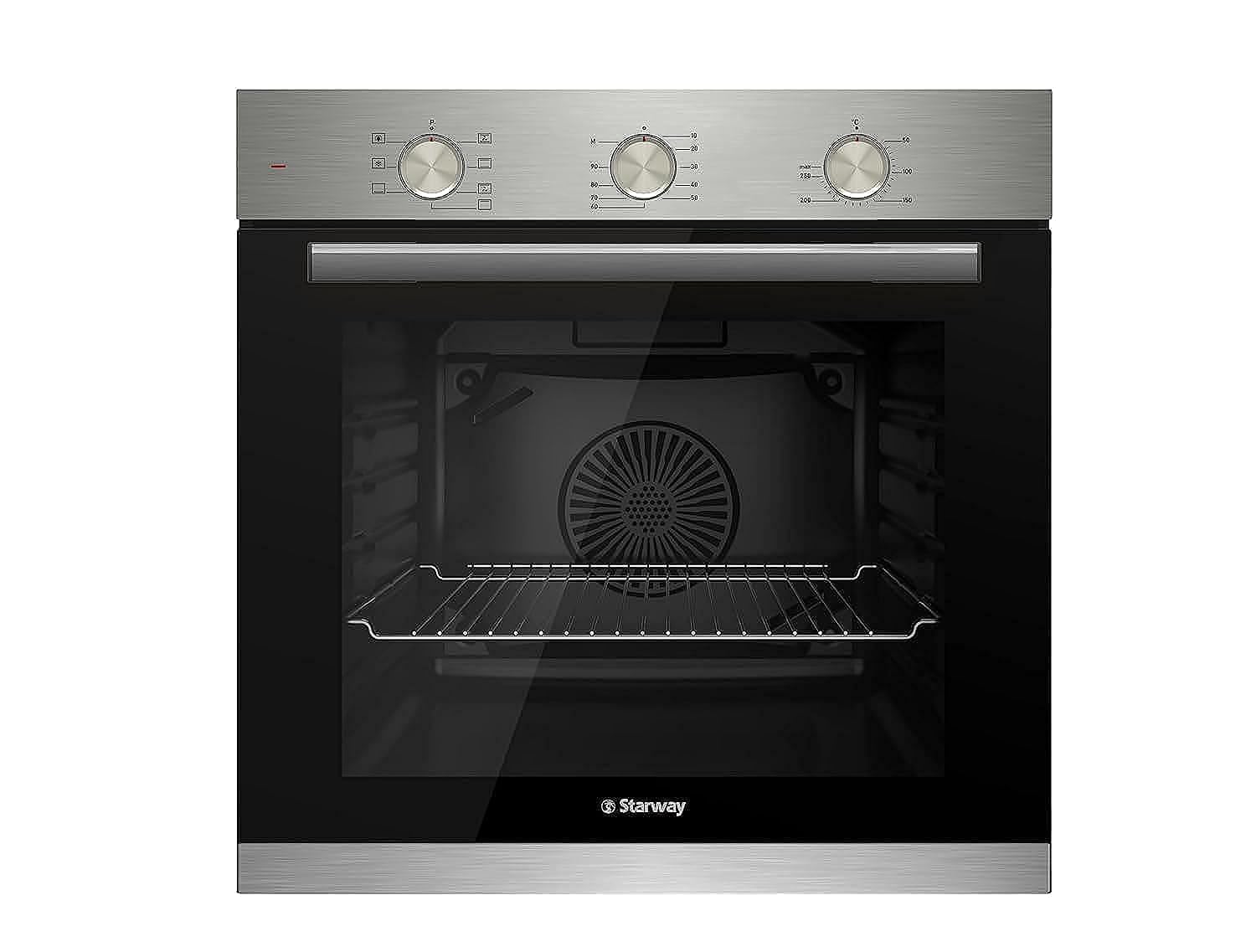
The oven's design prioritizes ease of use with mechanical knobs for control and a soft-opening door. The interior is equipped with multiple rack positions to accommodate various dishes.
3. Setup and Installation
This appliance is designed for built-in installation. Professional installation is recommended to ensure proper function and safety.
Installation Requirements:
- Ensure the cabinet opening dimensions match the oven's specifications (60cm width x 60cm height x 55cm depth).
- The electrical supply must be 220 Volts and capable of handling 2450 Watts.
- Provide adequate ventilation around the oven as per local building codes.
- Secure the oven firmly within the cabinet to prevent movement.
4. Operating Instructions
The oven features mechanical controls for selecting cooking functions, temperature, and setting the timer.
Control Panel:

The control panel consists of three main mechanical knobs: one for selecting the cooking function, one for setting the temperature, and one for the timer.
Cooking Functions:
- Top and Bottom Heating: Ideal for baking cakes and pastries.
- Fan-Assisted Convection: Ensures even heat distribution for roasting and multi-level cooking without flavor transfer.
- Grill: Provides intense heat for searing and grilling.
- Defrost: Gently thaws frozen foods.
- Reheat: For warming up pre-cooked meals.
Setting the Timer:
The mechanical timer allows you to set the desired cooking duration. The oven will automatically switch off once the set time has elapsed.
Oven Interior:

The oven interior features multiple rack positions, allowing flexibility for different dish sizes and cooking requirements. The interior light illuminates the cavity for easy monitoring of your food.
Product Video:
This video demonstrates the key features and operation of the Starway SWCP5FM oven, including its controls, interior, and removable door for cleaning.
5. Cleaning and Maintenance
Regular cleaning and maintenance will ensure the longevity and optimal performance of your oven.
General Cleaning:
- Always allow the oven to cool completely before cleaning.
- Use a soft cloth and mild detergent for cleaning the exterior stainless steel surfaces. Avoid abrasive cleaners.
- For the interior, wipe spills immediately. For stubborn stains, use an oven cleaner suitable for stainless steel interiors, following the product instructions.
- The oven racks and trays can be removed and washed with warm soapy water.
Removable Door Glass:

The inner glass panel of the oven door is removable for easy and thorough cleaning. Refer to the video in Section 4 for a demonstration of how to remove and reinsert the glass.
6. Troubleshooting
If you encounter issues with your oven, refer to the following common troubleshooting steps:
| Problem | Possible Cause | Solution |
|---|---|---|
| Oven does not heat | No power supply; incorrect function/temperature setting. | Check power connection and circuit breaker. Verify function and temperature knobs are correctly set. |
| Uneven cooking | Improper rack position; overloaded oven; fan malfunction. | Use recommended rack positions. Avoid overcrowding. If fan is not working, contact support. |
| Oven light not working | Bulb needs replacement. | Ensure oven is cool and disconnected from power. Replace bulb with a suitable oven-safe bulb. |
If the problem persists after attempting these solutions, please contact Starway customer support.
7. Specifications
| Feature | Detail |
|---|---|
| Brand | Starway |
| Model Number | SWCP5FM |
| Product Dimensions (D x W x H) | 55 cm x 60 cm x 60 cm |
| Color | Silver |
| Capacity | 72 Liters |
| Special Feature | Grill option with top and bottom heating |
| Recommended Uses | Reheating leftovers, defrosting frozen foods, thawing ingredients, cooking quick snacks, preparing meals |
| Installation Type | Built-in |
| Wattage | 2450 W |
| Material | Stainless Steel |
| Included Components | Tray + Grid |
| Control Type | Mechanical knob |
| Voltage | 220 Volts |
| Timer Function | Available |
| Heating Method | Convection |
| Defrost System Type | Manual defrost |
| Cooking Programs | Reheat, Auto Cook, Defrost, Grill, Power Levels |
| Item Weight | 20 Kilograms |
| Interior Material | Stainless Steel |
| Country of Origin | Turkey |
8. Warranty and Support
Warranty Information:
This Starway oven is covered by the Starway Manufacturer Warranty. Please refer to the warranty card included with your product for specific terms, conditions, and duration.
Customer Support:
For technical assistance, spare parts, or warranty claims, please contact Starway customer service. Have your model number (SWCP5FM) and purchase date ready when contacting support.