
Introduction
This manual provides detailed instructions for the installation, operation, and maintenance of your WNJACO Y20 Motorcycle Helmet Bluetooth Headset. Please read this manual thoroughly before using the product to ensure proper function and safety.

Figure 1: WNJACO Y20 Headset and Components
Features
- Hi-Fi Stereo & Strong Noise Reduction: Features a 40mm graphene diaphragm for excellent sound quality and 3 EQ sound effects (powerful bass, pop music, clear vocals). Incorporates Windproof-MicNoise Filtering, DSP Noise Reduction, and 8.0th CVC Noise Cancelling.
- Auto Answer and Ultra-thin Speaker: Intelligent voice assistant system for hands-free operation. Speakers are 10mm thick for comfortable wear in all helmets.
- Multifunctional & Warning Ambient Light: Bluetooth V5.3 for simultaneous connection to two mobile phones, streaming music, and GPS voice guidance. Includes RGB Dazzling Lights for visibility and warning.
- 1000mAh Large Battery & Type-C Charging: Provides 32-hour continuous working time and 360-hour standby on a single charge. Supports Type-C fast charging with battery display on your phone.
- IPX6 Waterproof and Playback Control: Designed to withstand dust, rain, storm, snow, and low temperatures (-20°F). Offers voice assistant, automatic answering, and last number redial functions.

Figure 2: Triple Noise Reduction Technology
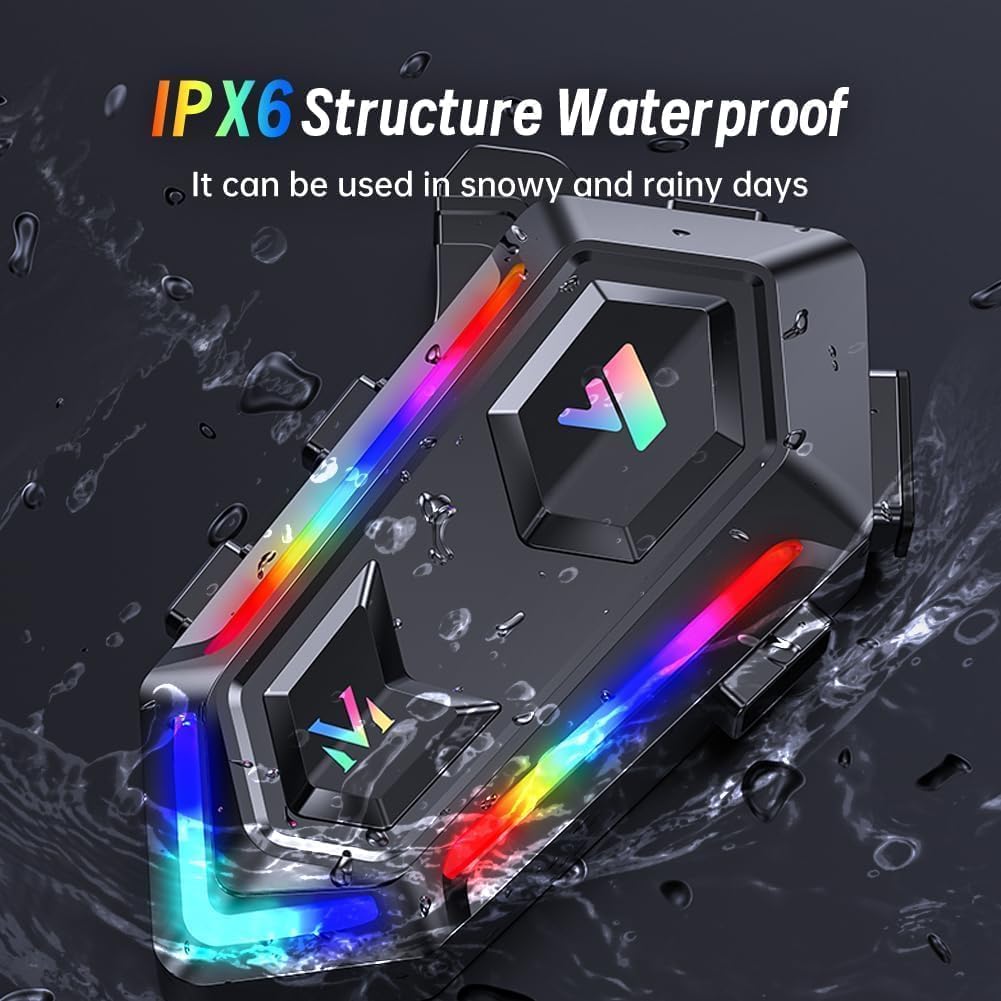
Figure 3: IPX6 Waterproof Design
Package Contents
Verify that all items are present in your package:
- WNJACO Y20 Headset Unit
- Speakers (2)
- Microphone (boom mic and soft mic options)
- Type-C Charging Cable
- Clamp Base
- Paste Base (3M adhesive)
- Velcro Pads (for speakers and microphone)
- Instruction Manual

Figure 4: Package Contents Overview
Installation
The WNJACO Y20 headset offers two primary installation methods for your helmet:
Method 1: 3M Back Clip Installation
- Attach the WNJACO Y20 Bluetooth headset to the 3M back clip.
- Peel off the protective film from the 3M Velcro adhesive.
- Clean the surface of your helmet where the headset will be placed.
- Firmly press the Velcro with the headset onto the cleaned helmet surface.
Method 2: Clamp Base Installation
- Take out the clamp base and use the provided screwdriver to loosen its screws.
- Install the WNJACO Bluetooth headset onto the clamp base.
- Position the clamp base at the desired location on your helmet and tighten the screws securely.
Ensure all wires for the speakers and microphone are neatly tucked between the helmet's padding for comfort and to prevent interference. Use the provided Velcro pads to secure the speakers and microphone inside the helmet.
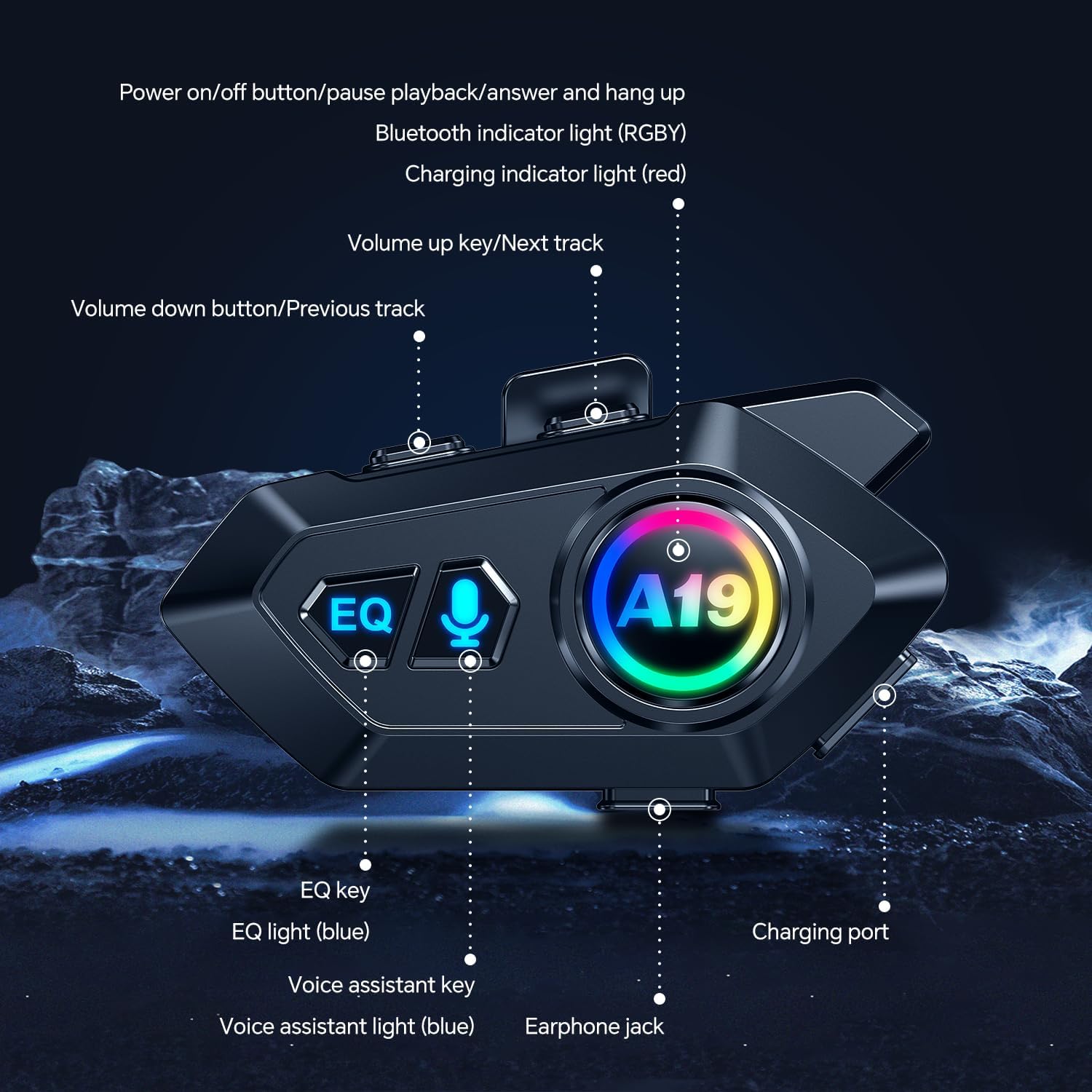
Figure 5: Helmet Installation Diagram
Video 1: WNJACO Motorcycle Helmet Bluetooth Headset Y20 Overview and Installation
Setup
Power On/Off
- Power On: Press and hold the Power button until the indicator lights illuminate.
- Power Off: Press and hold the Power button until the indicator lights turn off.
Bluetooth Pairing
- Ensure the headset is powered off.
- Press and hold the Power button for approximately 5-7 seconds until the indicator lights flash rapidly, indicating pairing mode.
- On your mobile phone, enable Bluetooth and search for available devices.
- Select "WNJACO Y20" from the list of devices to connect.
- Once connected, the indicator lights will typically show a steady blue or a slow flash.
Video 2: Pairing the WNJACO Y20 with a Phone
RGB Light Control
The headset features customizable RGB dazzling lights. Refer to the 'Smart LED Screen' diagram for the specific RGB Key button location.
- Press the RGB Key button to cycle through different light modes and colors.
- Hold the RGB Key button to turn the lights off or on.

Figure 6: Smart LED Screen and Controls
Operating Instructions
Music Playback
- Play/Pause: Short press the Power button.
- Next Track: Short press the Volume Up button.
- Previous Track: Short press the Volume Down button.
- Volume Up: Long press the Volume Up button.
- Volume Down: Long press the Volume Down button.
Call Handling
- Answer Call: Short press the Power button.
- End Call: Short press the Power button during a call.
- Reject Call: Long press the Power button when a call comes in.
- Redial Last Number: Double-press the Power button.
Voice Assistant
Activate your phone's voice assistant (Siri, Google Assistant) by pressing the dedicated Voice Assistant button on the headset. Refer to Figure 6 for button location.
EQ Sound Effects
The headset offers three EQ sound effects. Press the EQ button to cycle through them:
- Powerful Bass
- Pop Music
- Clear Vocals
Maintenance
- Cleaning: Use a soft, dry cloth to clean the headset. Avoid using harsh chemicals or abrasive materials.
- Water Resistance: The headset is IPX6 waterproof, meaning it can withstand splashes and rain. However, it is not designed for submersion. Ensure the Type-C charging port cover is securely closed when not charging.
- Charging: Charge the headset using the provided Type-C cable. Avoid using damaged cables or chargers. The battery indicator on your phone will show the charge level.
- Storage: Store the headset in a cool, dry place away from direct sunlight and extreme temperatures.

Figure 7: Battery and Charging Information
Troubleshooting
| Problem | Possible Cause | Solution |
|---|---|---|
| Headset does not power on | Low battery | Charge the headset fully using the provided Type-C cable. |
| Cannot pair with phone | Headset not in pairing mode; Bluetooth off on phone; previously paired device interfering | Ensure headset is in pairing mode (rapid flashing lights). Turn off and on phone's Bluetooth. Forget previous connections on phone. |
| No sound or low volume | Volume too low; speakers incorrectly positioned; poor connection | Increase volume on both headset and phone. Adjust speaker position inside helmet. Re-pair the headset. |
| Microphone not working | Microphone not connected; microphone positioned incorrectly | Ensure microphone is securely plugged in. Adjust microphone position closer to your mouth. |
| RGB lights not working | Lights turned off; low battery | Press the RGB Key to turn lights on or cycle modes. Charge the headset. |
| Intermittent connection | Distance from phone; interference | Keep phone close to the headset. Avoid environments with strong electromagnetic interference. |
Specifications
| Feature | Specification |
|---|---|
| Model Name | Y20 |
| Brand | WNJACO |
| Connectivity Technology | Bluetooth V5.3 |
| Noise Control | Active Noise Cancellation (Windproof-MicNoise Filtering, DSP, 8.0th CVC) |
| Battery Life | 32 Hours (continuous working) |
| Standby Time | 360 Hours |
| Charging Type | Type-C |
| Water Resistance Level | IPX6 Water Resistant |
| Audio Driver Size | 40mm |
| Impedance | 28 Ohms |
| Control Method | Voice Control, App, Touch |
| Compatible Devices | Mobile Phones |
| Item Weight | 6.7 ounces (0.19 Kilograms) |
| Material | Plastic |
Warranty and Support
Specific warranty information for the WNJACO Y20 Motorcycle Helmet Bluetooth Headset is not provided in this manual. Please refer to the product packaging, the manufacturer's official website, or contact the seller directly for detailed warranty terms and customer support.