1. Important Safety Information
Read all instructions carefully before using the appliance. Keep this manual for future reference.
- Ensure the appliance is placed on a stable, level surface.
- Do not block air inlets or outlets.
- Do not immerse the appliance, power cord, or plug in water or other liquids.
- Unplug the appliance before cleaning or performing any maintenance.
- Keep out of reach of children and pets.
- Use only with the specified voltage and frequency.
2. Product Overview
The BLACK+DECKER BXEH60016GB is a 12L Smart Dehumidifier and Ionizer designed to reduce humidity levels in your home, prevent mould, and improve air quality. It features smart control via the BLACK+DECKER Home App, multiple operating modes, and a quiet operation.

Figure 2.1: Front view of the BLACK+DECKER BXEH60016GB Dehumidifier, showing the air intake grille, control panel area, and water tank with visible water level indicator.
Key Features:
- 12L Dehumidification Capacity: Extracts up to 12 litres of moisture per day.
- 2.1L Water Tank: Large capacity water tank for extended operation.
- Smart Control: Compatible with BLACK+DECKER Home App, Amazon Alexa, and Google Home.
- 4 Dehumidifier Modes: Auto-dehumidification, Continuous, Dry Clothes, and Ventilation.
- Adjustable Humidity: Set desired humidity levels between 30-80%.
- Ionizer Function: Helps improve air quality.
- Quiet Operation: Designed for minimal noise disruption.
- 2 Speed Settings: High and Low fan speeds.
- 24-Hour Timer: Schedule operation for convenience.
- Automatic Defrost: Prevents ice build-up on coils.
- Portable Design: Equipped with wheels for easy movement.
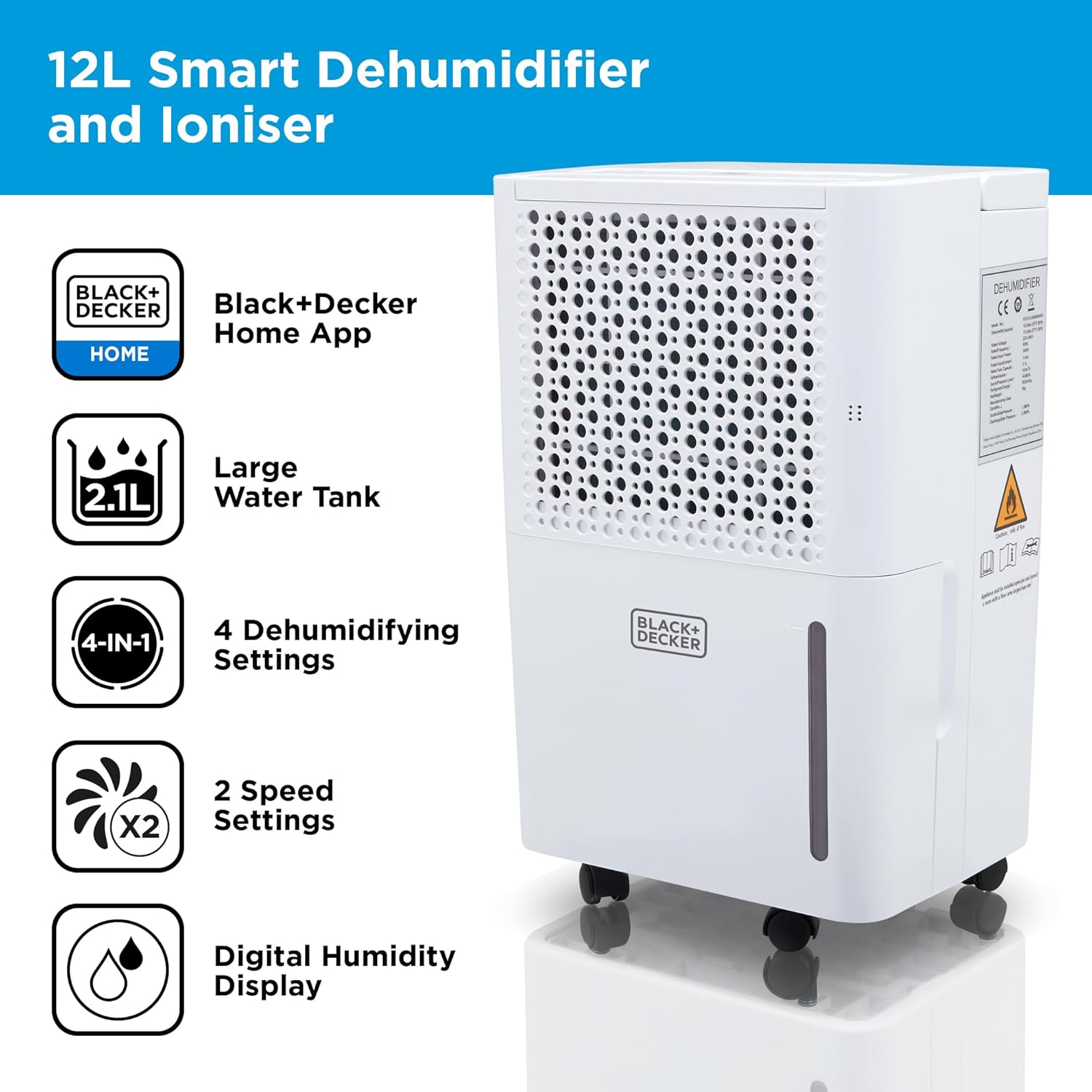
Figure 2.2: Overview of key features including app control, water tank capacity, multiple modes, speed settings, and digital display.
3. Setup and Installation
3.1 Unpacking
Carefully remove the dehumidifier from its packaging. Ensure all components are present and undamaged. Retain the packaging for future storage or transport.

Figure 3.1: Contents of the product packaging, including the dehumidifier unit, instruction manual, and drainage hose.
3.2 Placement
Place the dehumidifier on a firm, level surface in the area where dehumidification is desired. Ensure there is at least 20 cm (8 inches) of clear space around all sides of the unit for proper airflow.
3.3 Power Connection
Plug the power cord into a grounded electrical outlet. Ensure the voltage and frequency match the specifications on the product label.
3.4 Continuous Drainage (Optional)
For continuous operation without emptying the water tank, attach the included drainage hose to the continuous drainage port on the back of the unit. Ensure the hose is sloped downwards to allow gravity drainage into a suitable drain or container.
4. Operating Instructions
4.1 Control Panel Overview
The control panel is located on the top of the unit and features an LED display and various buttons for operation.
4.2 Basic Operation
- Power On/Off: Press the Power button to turn the unit on or off.
- Setting Humidity: Use the '+' and '-' buttons to set the desired humidity level (30-80%). The unit will operate until the set humidity is reached.
- Fan Speed: Press the Fan Speed button to cycle between High and Low fan speeds.
- Mode Selection: Press the Mode button to select from the 4 available modes:
- Auto-Dehumidification: Automatically adjusts operation based on ambient humidity.
- Continuous: Runs continuously regardless of humidity level.
- Dry Clothes: Optimized for drying laundry.
- Ventilation: Operates as a fan without dehumidifying.
- Timer Function: Press the Timer button to set a 24-hour timer for automatic power on or off.
- Ionizer: Activate the ionizer function to release negative ions into the air.

Figure 4.1: Visual representation of the four dehumidification modes: Auto, Continuous, Dry Clothes, and Ventilation.
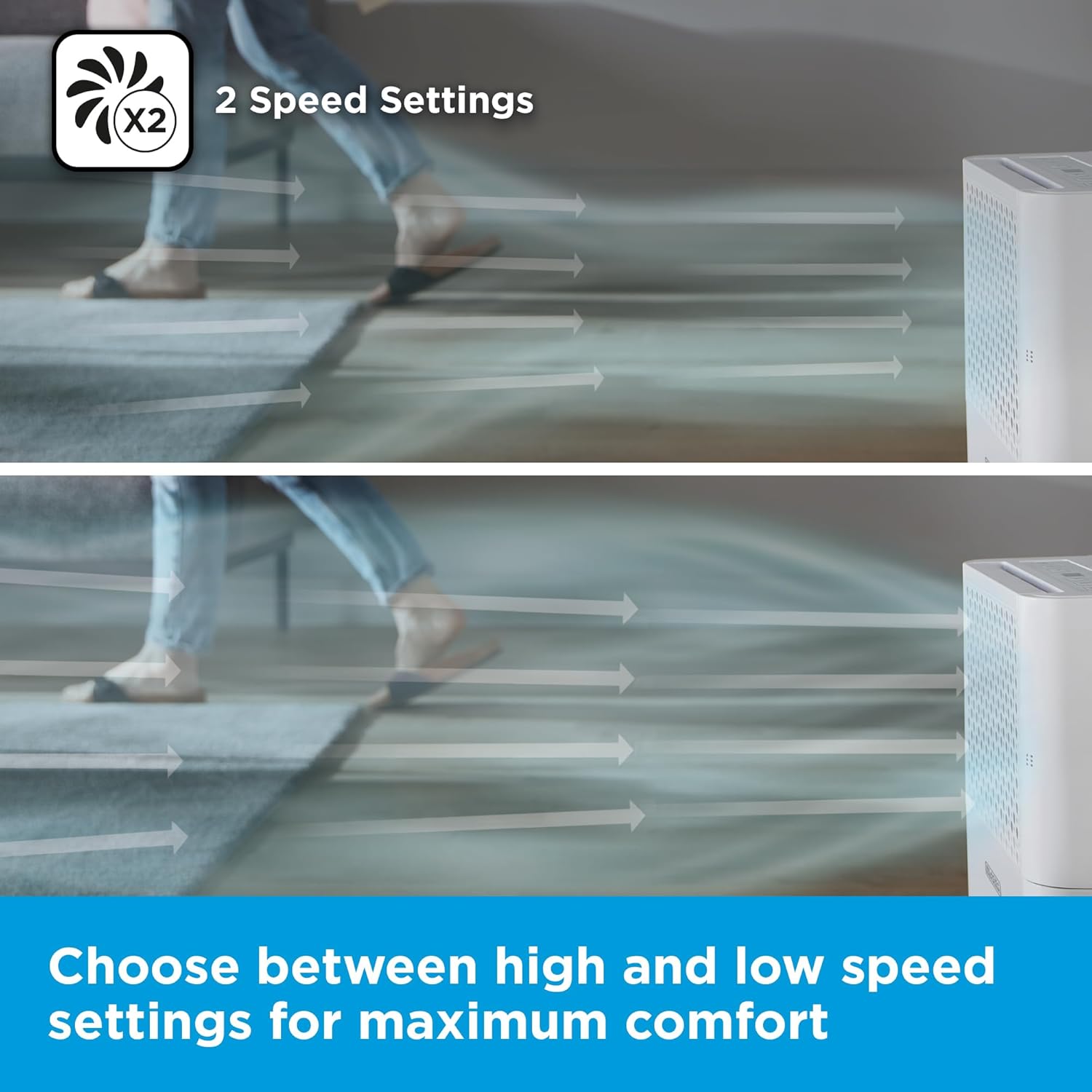
Figure 4.2: Depiction of the two fan speed settings, allowing users to choose between high and low airflow for optimal comfort.
4.3 Smart Control with BLACK+DECKER Home App
The dehumidifier can be controlled remotely using the BLACK+DECKER Home App, available for smartphones. It also supports voice control via Amazon Alexa and Google Home smart devices.
- Download the App: Search for "BLACK+DECKER Home" in your device's app store.
- Pairing: Follow the in-app instructions to pair your dehumidifier with the app. This typically involves putting the device into pairing mode and connecting to your home Wi-Fi network.
- App Features:
- Remote Power On/Off
- Humidity Setting Adjustment
- Mode Selection
- Fan Speed Control
- Scheduling and Timers (including weekly timer)
- Customizable Automations based on temperature, humidity, weather, or schedule.
- Tap-to-Run Favourites for quick access to preferred settings.
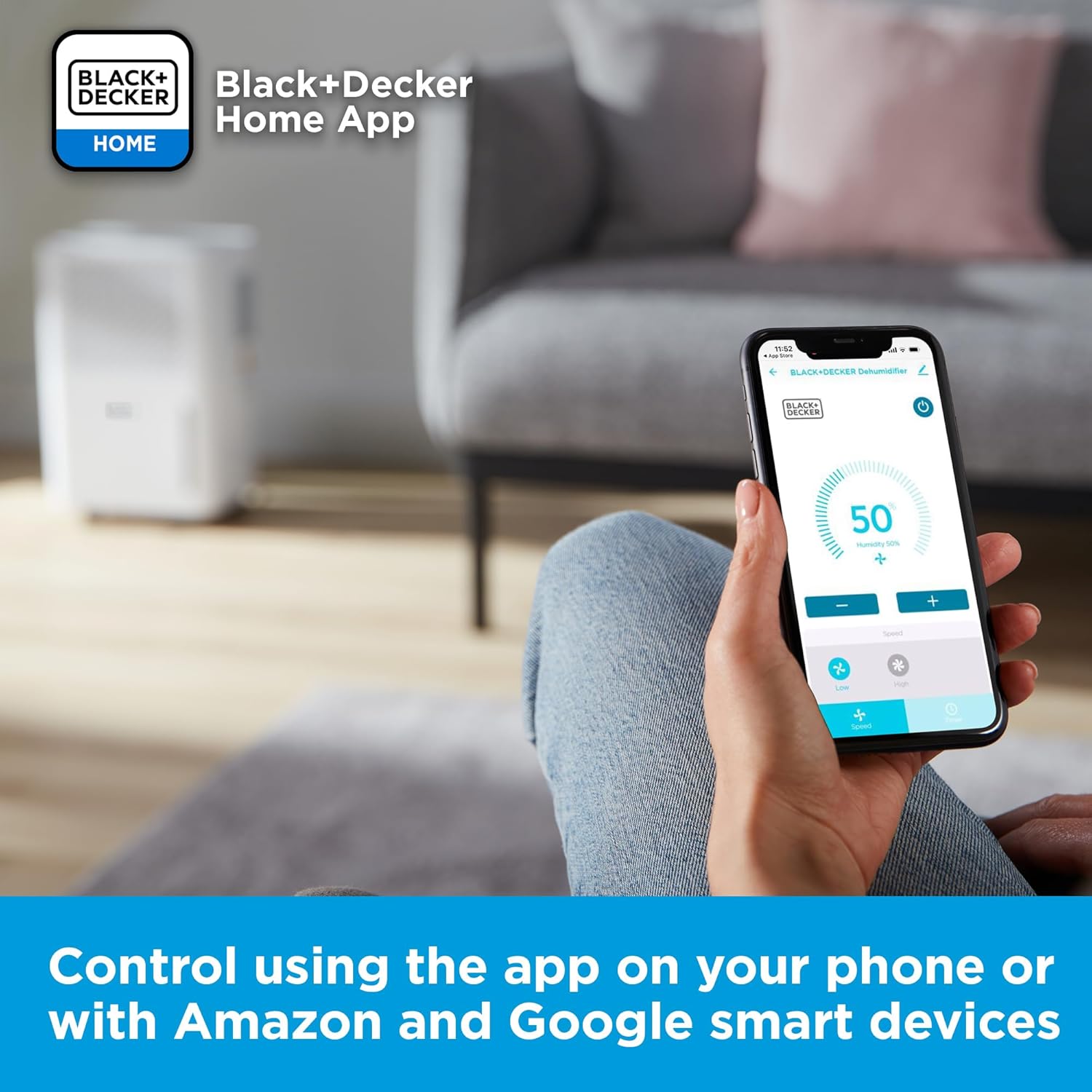
Figure 4.3: Controlling the dehumidifier via the BLACK+DECKER Home App on a smartphone, demonstrating remote access to settings.

Figure 4.4: The BLACK+DECKER Home App allows control via smartphone, Amazon Alexa, and Google Home smart devices.

Figure 4.5: Customizable automations can be set up within the app to respond to various environmental conditions or schedules.

Figure 4.6: The 'Tap-to-Run Favourites' feature allows users to save and quickly activate preferred settings with a single touch.

Figure 4.7: The weekly timer function, accessible via the app, allows precise scheduling of the dehumidifier's operation.
5. Maintenance
5.1 Emptying the Water Tank
When the water tank is full, the unit will automatically shut off and an indicator light will illuminate. Carefully remove the water tank from the unit and empty the collected water. Reinsert the tank firmly until it clicks into place.

Figure 5.1: The 2.1L water tank, easily removable for emptying.
5.2 Cleaning the Air Filter
The air filter should be cleaned regularly (every 2 weeks or more often depending on usage) to ensure optimal performance. A dirty filter can reduce efficiency and cause the unit to work harder.
- Turn off and unplug the dehumidifier.
- Locate and remove the air filter (usually on the back or side).
- Clean the filter with a vacuum cleaner or wash it with warm, soapy water. Rinse thoroughly.
- Allow the filter to air dry completely before reinserting it into the unit.
5.3 Cleaning the Unit Exterior
Wipe the exterior of the dehumidifier with a soft, damp cloth. Do not use abrasive cleaners or solvents.
5.4 Storage
If storing the unit for an extended period, ensure the water tank is empty and clean. Clean the air filter. Coil the power cord neatly. Store the unit in a cool, dry place, preferably in its original packaging.
6. Troubleshooting
Before contacting customer support, please refer to the following troubleshooting guide:
| Problem | Possible Cause | Solution |
|---|---|---|
| Unit does not turn on. | No power; Power cord not plugged in; Power outlet faulty. | Check power connection; Try a different outlet; Check circuit breaker. |
| Unit is running but not collecting water. | Humidity level too low; Room temperature too low; Air filter clogged; Unit in Ventilation mode. | Adjust desired humidity higher; Ensure room temperature is above 5°C; Clean air filter; Select a dehumidification mode. |
| Water tank is full indicator is on, but tank is not full. | Water tank not properly seated; Float switch malfunction. | Reinsert water tank firmly; Contact customer support if issue persists. |
| Unit is noisy. | Unit not on a level surface; Air filter clogged; Internal component issue. | Place on a level surface; Clean air filter; Contact customer support. |
| App control not working. | No Wi-Fi connection; Incorrect pairing; App issues. | Check Wi-Fi signal; Re-pair device with app; Restart app/phone. |
7. Specifications
| Feature | Specification |
|---|---|
| Model Number | BXEH60016GB |
| Dehumidification Capacity | 12 Litres/day |
| Water Tank Capacity | 2.1 Litres |
| Product Dimensions (D x W x H) | 20.5 x 27 x 40.55 cm |
| Item Weight | 10 kg |
| Colour | White |
| Special Features | Automatic Defrost, Quiet Operation, Sleep Mode, Ionizer |
| Number of Speeds | 2 (High/Low) |
| Humidity Setting Range | 30-80% |
| Timer | 24-Hour |
| Connectivity | Wi-Fi (BLACK+DECKER Home App, Amazon Alexa, Google Home) |
8. Warranty and Support
This BLACK+DECKER BXEH60016GB Dehumidifier comes with a 2-year guarantee, assuring quality and reliability.
For technical support, warranty claims, or service inquiries, please refer to the contact information provided in the original product packaging or visit the official BLACK+DECKER website.
Software updates for the smart features are guaranteed from April 1st, 2024, to December 31st, 2025.

Figure 8.1: The product is backed by a 2-year guarantee.