
1. Introduction
Thank you for choosing the Northpoint LED Multi-functional Sensor Lamp. This innovative device combines four essential lighting functions into one compact unit: a wall lamp, a night light, a portable flashlight, and an emergency lamp with motion detection. Designed for convenience and safety, it features induction charging and automatic activation during power outages. Please read this manual carefully before use to ensure proper operation and to maximize the lifespan of your product.
2. Safety Instructions
- Ensure the product is used with a compatible power outlet (220-240V, 50/60Hz).
- Do not expose the device to water or excessive moisture. This product is for indoor use only.
- Do not attempt to disassemble or repair the unit yourself. Contact qualified service personnel for any repairs.
- Keep out of reach of children.
- Avoid direct eye exposure to the LED light, as it may cause discomfort.
- Ensure proper ventilation around the charging base.
3. Package Contents
Verify that all items are present in the package:
- Northpoint LED Multi-functional Sensor Lamp (main unit)
- Induction Charging Base
- User Manual
4. Product Overview
The Northpoint LED Multi-functional Sensor Lamp is designed for versatility. It consists of a main lamp unit and an induction charging base. The lamp unit can be detached from the base for portable use as a flashlight or emergency light. When docked in the charging base, it functions as a wall-mounted night light with motion and light sensing capabilities.
Key Components:
- Main Lamp Unit: Contains LED lights for both night light and flashlight functions, a motion sensor, a light sensor, and an internal rechargeable battery.
- Induction Charging Base: Plugs into a standard wall outlet and provides wireless charging for the main lamp unit.
- Motion Sensor: Detects movement to activate the light in certain modes.
- Light Sensor: Detects ambient light levels to activate the night light function in dark conditions.
- Power Switch/Mode Selector: Located on the charging base, typically with 'AUTO', 'ON', and 'OFF' settings.

Image: The Northpoint LED Multi-functional Sensor Lamp demonstrating its various lighting modes, including the main panel light and the front flashlight beam.
5. Setup
- Unpack: Carefully remove all components from the packaging.
- Attach Lamp to Base: Align the main lamp unit with the induction charging base. The unit should securely click into place.
- Plug In: Insert the induction charging base into a standard wall outlet. Ensure it is firmly seated.
- Initial Charge: For optimal performance, allow the lamp to charge for at least 8-10 hours before first use. The lamp will charge automatically when docked in the base and plugged into an outlet.

Image: The Northpoint LED Multi-functional Sensor Lamp securely plugged into a wall socket, functioning as a night light.
6. Operating Instructions
The lamp offers multiple modes of operation, controlled by a switch on the charging base and by detaching the main unit.
6.1. Wall Lamp / Night Light Mode (Unit Docked)
When the main lamp unit is docked in the charging base and the base is plugged into an outlet, use the switch on the base to select the desired mode:
- AUTO Mode: The lamp will automatically turn on when motion is detected in dark conditions. It will turn off after a period of no motion. This is ideal for hallways, staircases, or children's rooms.
- ON Mode: The lamp will remain continuously on, regardless of ambient light or motion.
- OFF Mode: The lamp will remain off.
Video: Demonstration of the night light with motion detector and twilight sensor functionality. This video shows how the light activates automatically in dark conditions when motion is detected, providing convenient illumination.
6.2. Portable Flashlight Mode (Unit Undocked)
To use the lamp as a portable flashlight:
- Gently pull the main lamp unit upwards to detach it from the induction charging base.
- The lamp will automatically turn on, functioning as a handheld flashlight.
- To turn off, re-dock the unit into the charging base or wait for the battery to deplete.
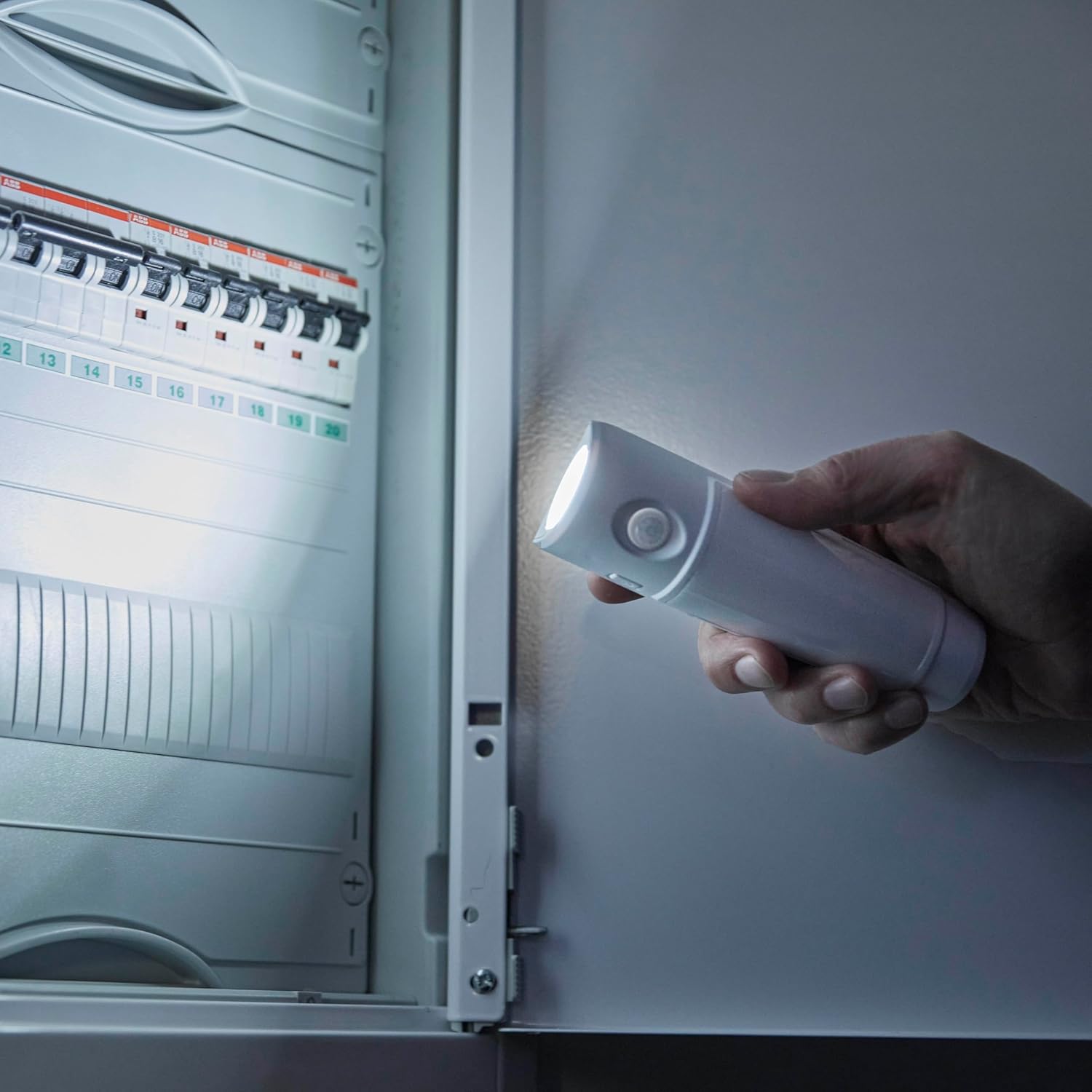
Image: A hand holding the Northpoint LED Multi-functional Sensor Lamp, using its front-facing LED as a portable flashlight to illuminate a dark area, such as an electrical panel.
6.3. Emergency Lamp Mode (Power Outage)
In the event of a power failure, the lamp will automatically activate at full brightness if it is docked in the charging base and the base is plugged into an outlet. This provides immediate illumination during emergencies.
6.4. Charging
The lamp features an integrated rechargeable battery that charges wirelessly when the main unit is docked in the induction charging base and the base is plugged into a live power outlet. No specific action is required for charging once docked.
Video: A closer look at the product, demonstrating its design and how the main unit detaches from the charging base. This video highlights the ease of transitioning from a wall-mounted light to a portable flashlight.
7. Maintenance
- Cleaning: Wipe the lamp and charging base with a soft, dry cloth. Do not use abrasive cleaners or solvents.
- Battery Care: To maintain battery health, avoid prolonged periods of complete discharge. If storing the lamp for an extended time, ensure it is fully charged before storage and recharge every few months.
- Storage: Store the lamp in a cool, dry place away from direct sunlight and extreme temperatures.
8. Troubleshooting
- Lamp not turning on:
- Ensure the charging base is securely plugged into a working outlet.
- Check the switch on the base; it should be in 'AUTO' or 'ON' position.
- If in 'AUTO' mode, ensure the ambient light is dark enough and motion is detected.
- The internal battery might be depleted. Allow the lamp to charge for several hours.
- Motion sensor not working:
- Ensure the switch on the base is set to 'AUTO'.
- Verify that the ambient light is sufficiently dark for the sensor to activate.
- Check for obstructions blocking the sensor's field of view.
- Emergency light not activating during power outage:
- The lamp unit must be docked in the charging base and the base plugged into the outlet for this feature to work.
- Ensure the internal battery is charged.
9. Specifications
| Brand | Northpoint |
| Model Number | NP-MFL-Parent |
| Product Dimensions | 5.2 x 3.6 x 16.3 cm; 160 g |
| Style | Modern |
| Color | White |
| Shape | Oval |
| Finish | Polished |
| Number of Lights | 1 |
| Special Features | Motion Sensor |
| Shade Color | White |
| Shade Material | Plastic |
| Light Direction | LED |
| Power Source | Battery (rechargeable via induction base) |
| Switch Style | Touch |
| Mounting Type | Wall Mount (via charging base) |
| Bulb Type | LED |
| Energy Efficiency Class | A |
| Wattage | 4 watts |
10. Warranty and Support
Northpoint products are designed for quality and reliability. For information regarding warranty coverage, please refer to the warranty card included with your purchase or visit the official Northpoint website. If you encounter any issues or have questions not covered in this manual, please contact Northpoint customer support. Our team is available to assist you with product inquiries and troubleshooting.
Contact Information: Please refer to your purchase documentation or the Northpoint official website for the most up-to-date contact details.

