
1. Introduction
Thank you for choosing the Harman Kardon Go + Play 3. This portable Bluetooth speaker is designed to deliver powerful, clear sound with impressive bass, offering an exceptional audio experience wherever you go. This manual provides essential information for setting up, operating, maintaining, and troubleshooting your device.
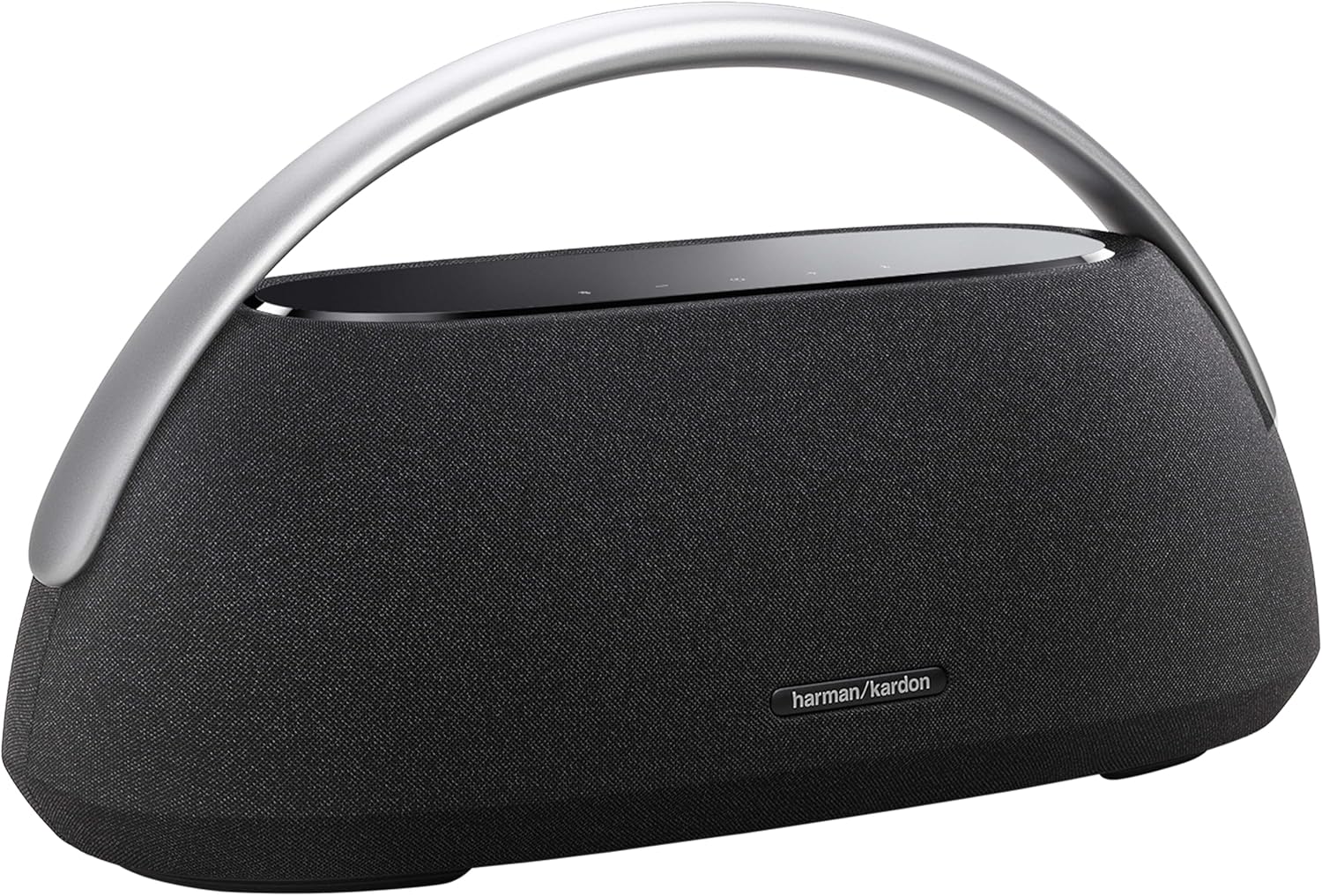
Figure 1: Harman Kardon Go + Play 3 Portable Bluetooth Speaker
2. What's in the Box
Please check that all components are present and in good condition:
- 1 x Harman Kardon Go + Play 3 Speaker
- 1 x Power Cable
- 1 x Quick Start Guide
- 1 x Safety Sheet
3. Setup
3.1 Charging the Battery
Before first use, fully charge the speaker's battery. The speaker is equipped with a Lithium-polymer battery providing up to 8 hours of playtime on a full charge.
- Connect the supplied power cable to the power input port on the back of the speaker.
- Plug the other end of the power cable into a wall outlet.
- The battery indicator lights on the top panel will illuminate to show charging status. A full charge takes approximately 3 hours.

Figure 2: Rear panel with power and AUX ports
3.2 Powering On/Off
To power on the speaker, press the Power button located on the top control panel. Press and hold the Power button to turn off the speaker.
3.3 Bluetooth Pairing
The Harman Kardon Go + Play 3 can connect to up to two Bluetooth devices simultaneously.
- Turn on the speaker. The Bluetooth indicator light will start blinking, indicating it's in pairing mode.
- On your smartphone or tablet, enable Bluetooth and search for available devices.
- Select "Harman Kardon Go + Play 3" from the list of devices.
- Once connected, the Bluetooth indicator light will become solid.
- To pair a second device, press the Bluetooth button on the speaker to re-enter pairing mode.

Figure 3: Top control panel with touch buttons
4. Operating Your Speaker
4.1 Controls
The speaker features intuitive touch controls on its top panel:
- Power Button: Turns the speaker on or off.
- Bluetooth Button: Initiates Bluetooth pairing mode.
- Volume Buttons (+/-): Adjusts the playback volume.
- Play/Pause Button: Controls audio playback.
- Call Button: Manages phone calls when connected to a smartphone.
4.2 Audio Playback
Once connected via Bluetooth, simply start playing audio from your paired device. The speaker will automatically calibrate its sound based on the room's dimensions, ensuring an optimal soundstage in any environment.
4.3 USB Charging Out
The integrated USB port allows you to charge your smartphone or other USB-powered devices directly from the speaker's battery.
4.4 Auxiliary Input
For devices without Bluetooth, connect them using a 3.5mm audio cable to the AUX input port on the rear panel.
5. Maintenance
5.1 Cleaning
To maintain the appearance and performance of your speaker:
- Wipe the surfaces with a soft, dry, lint-free cloth.
- Do not use abrasive cleaners, alcohol, benzene, or other chemical solvents, as these may damage the finish.
5.2 Battery Care
To prolong battery life:
- Avoid exposing the speaker to extreme temperatures (hot or cold).
- If storing for an extended period, charge the battery to at least 50% every few months.
5.3 Storage
Store the speaker in a cool, dry place away from direct sunlight and excessive moisture.
6. Troubleshooting
| Problem | Possible Cause | Solution |
|---|---|---|
| Speaker does not power on. | Battery is depleted or power cable is not connected. | Connect the power cable and charge the battery. Ensure the power outlet is functional. |
| No sound from the speaker. | Volume is too low, device is not paired, or incorrect input selected. | Increase volume on both speaker and source device. Re-pair Bluetooth. Ensure correct input (Bluetooth/AUX) is active. |
| Bluetooth connection is unstable or fails. | Speaker is too far from the device, or interference. | Move the speaker closer to the Bluetooth device. Avoid obstacles. Try re-pairing the device. |
| Sound is distorted. | Volume is too high, or audio source quality is poor. | Lower the volume on both speaker and source device. Try a different audio source. |
7. Specifications
| Feature | Detail |
|---|---|
| Model Number | HKGOPLAY3BLKEP |
| Dimensions (D x W x H) | 47.5 cm x 22 cm x 27.3 cm |
| Weight | 3 Kilograms |
| Battery Life | Up to 8 hours |
| Charging Time | Approximately 3 hours |
| Power Output | 100 Watts |
| Connectivity | Bluetooth |
| Subwoofer Diameter | 5 Inches |
| Color | Black |
| Material | Metal |
| Waterproof | No |
8. Warranty and Support
8.1 Manufacturer's Warranty
The Harman Kardon Go + Play 3 comes with a 2-year manufacturer's warranty. Please retain your proof of purchase for warranty claims. The warranty covers defects in materials and workmanship under normal use.
8.2 Customer Support
For technical assistance, warranty inquiries, or additional information, please visit the official Harman Kardon website or contact their customer support. Refer to the Quick Start Guide or Safety Sheet for specific contact details in your region.


