
Introduction
The Fastrack Limitless FS2 Smartwatch is designed to enhance your daily life with its advanced features and intuitive interface. This manual provides essential information for the proper setup, operation, maintenance, and troubleshooting of your device. Please read these instructions carefully to ensure optimal performance and longevity of your smartwatch.
What's in the Box
- Fastrack Limitless FS2 Smartwatch
- Magnetic Charging Cable
- Quick Start Guide
- Warranty Card
Setup
1. Charging the Smartwatch
Before initial use, fully charge your Fastrack Limitless FS2 Smartwatch. Connect the magnetic charging cable to the charging pins on the back of the watch and plug the USB end into a standard USB power adapter (not included). The watch display will indicate charging status. A full charge typically provides up to 5 days of battery life under standard conditions, or up to 3 days with continuous Bluetooth calling.
2. Pairing with the Fastrack Reflex World App
- Download the Fastrack Reflex World App from your smartphone's app store (available for Android and iOS).
- Ensure Bluetooth is enabled on your smartphone.
- Open the Fastrack Reflex World App and follow the on-screen instructions to create an account or log in.
- Select 'Add Device' or 'Pair New Device' within the app.
- The app will search for nearby devices. Select 'Fastrack Limitless FS2' from the list.
- Confirm the pairing request on both your smartphone and smartwatch.
Once paired, the app will synchronize data and allow you to customize watch settings, watch faces, and track your health and fitness data.
Operating Instructions
1. Display and Navigation
The Fastrack Limitless FS2 features a large 1.91" Super UltraVU Display with a 320 x 385 pixel resolution for clear visuals. Navigate the interface using the touchscreen and the functional crown on the side of the watch.

Image: The 1.91" Super UltraVU HD Display of the Fastrack Limitless FS2 Smartwatch, highlighting its 320 x 385 pixel resolution.

Image: The Fastrack Limitless FS2 Smartwatch showcasing its functional crown and premium design.
2. Bluetooth Calling (SingleSync BT Calling)
With the advanced ATS Chipset, the SingleSync BT Calling feature allows you to make and receive calls directly from your smartwatch. You can also store your favorite contacts for quick access.
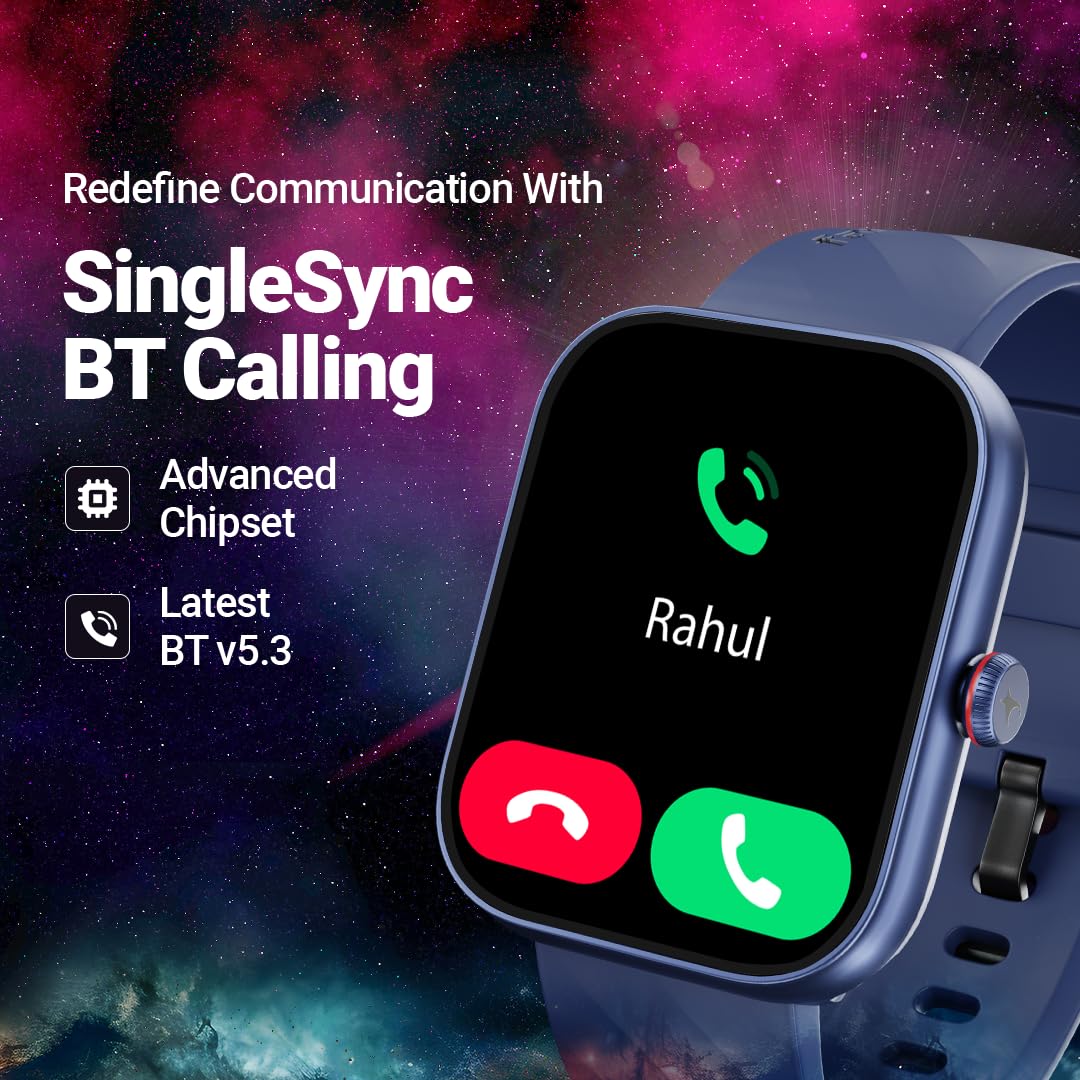
Image: The Fastrack Limitless FS2 Smartwatch demonstrating its SingleSync BT Calling feature with an incoming call notification.
3. Sports Modes and Activity Tracking
The smartwatch supports over 100 advanced sports modes, complete with an AI Coach and Auto Multisport Recognition. This allows for comprehensive tracking of various physical activities, including walking, running, cycling, badminton, and basketball.

Image: The Fastrack Limitless FS2 Smartwatch tracking a tennis activity, illustrating its 100+ sports modes and AI Coach capabilities.
4. Health Monitoring
The Fastrack Limitless FS2 offers extensive health monitoring features:
- Auto Stress Monitor: Continuously tracks your stress levels.
- 24x7 Heart Rate Monitor: Provides real-time heart rate data.
- SpO2 Monitor: Measures blood oxygen saturation.
- Sleep Monitor with REM: Analyzes sleep patterns, including REM sleep.
- Breathe Exercise: Guided breathing sessions for relaxation.
- Women's Health: Dedicated tracking features for women's health.

Image: The Fastrack Limitless FS2 Smartwatch showcasing its comprehensive 24x7 health suite, including stress monitoring, heart rate, SpO2, and sleep tracking.
5. Other Features
The smartwatch includes additional functionalities such as:
- 100+ Watchfaces for personalization.
- In-Built Games for entertainment.
- Calculator for quick computations.
- AI Voice Assistant for hands-free control.
- Calendar for schedule management.
- Multiple Menu Styles for interface customization.
- Smart Notifications for calls, messages, and app alerts.
- Music and Camera Control from the watch.

Image: An overview of the Fastrack Limitless FS2 Smartwatch's diverse features, including BT Calling, sports modes, health suite, and smart controls.
Maintenance
1. Cleaning
Regularly clean your smartwatch and strap to prevent skin irritation and maintain device functionality. Use a soft, lint-free cloth. If necessary, dampen the cloth with plain water. Avoid using harsh chemicals, abrasive materials, or compressed air.
2. Water Resistance (IP68)
The Fastrack Limitless FS2 is IP68 rated, meaning it is resistant to dust and can withstand immersion in water up to 1.5 meters for up to 30 minutes. It is suitable for everyday use and activities like hand washing or light rain. However, it is not recommended for swimming, diving, or high-pressure water activities. Always dry the watch thoroughly after exposure to water.
3. Battery Care
To maximize battery life and performance:
- Avoid extreme temperatures.
- Charge the device regularly, but avoid leaving it fully charged or fully depleted for extended periods.
- Use only the provided magnetic charging cable.
Troubleshooting
1. Smartwatch Not Turning On or Responding
- Ensure the watch is fully charged. Connect it to the magnetic charging cable and a power source for at least 30 minutes.
- Attempt a force restart by pressing and holding the functional crown for approximately 10-15 seconds.
2. Connectivity Issues (Bluetooth Pairing)
- Ensure Bluetooth is enabled on your smartphone and the smartwatch is within range.
- Restart both your smartphone and the smartwatch.
- Unpair the device from your smartphone's Bluetooth settings and attempt to pair again through the Fastrack Reflex World App.
- Ensure the Fastrack Reflex World App is updated to the latest version.
3. Inaccurate Sensor Readings (Steps, Heart Rate, SpO2)
- Ensure the smartwatch is worn snugly on your wrist, about one finger's width above your wrist bone. It should not be too tight or too loose.
- Clean the sensor area on the back of the watch.
- Restart the smartwatch.
- Note that environmental factors and individual physiology can affect sensor accuracy.
4. Notifications Not Appearing
- Check notification settings within the Fastrack Reflex World App to ensure desired apps are enabled.
- Verify that your smartphone's notification settings allow the Fastrack Reflex World App to send notifications.
- Ensure the smartwatch is connected via Bluetooth.
Specifications
| Brand | Fastrack |
| Model Name | Fastrack Limitless FS2 |
| Model Number | 38104PP05 / 38104PP05K |
| Display Size | 1.91 Inches |
| Display Resolution | 320 x 385 Pixels |
| Display Type | LCD |
| Operating System | Android (Compatible) |
| Connectivity | Bluetooth |
| Special Features | Activity Tracker, Camera Control, Heart Rate Monitor, Multisport Tracker, Phone Call |
| Battery Type | Lithium Polymer |
| Battery Capacity | 300 mAh |
| Battery Average Life | Up to 5 Days (Standard), Up to 3 Days (with BT Calling) |
| Water Resistance | IP68 |
| Material | Polycarbonate |
| Item Weight | 38 g |
Warranty and Support
Warranty Information
Your Fastrack Limitless FS2 Smartwatch comes with a 1 Year Manufacturer Warranty from the date of purchase. Please retain your purchase receipt and the warranty card for any warranty claims.
Customer Support
For any queries, technical assistance, or warranty support, please contact Fastrack customer care:
- Phone: 1800-266-0123
- Email: customercare@titan.co.in

Image: The Fastrack Reflex World App interface on a smartphone, demonstrating the seamless experience and customer support integration.
