
Baseus C30459600121-00
Baseus AP02 Cordless Handheld Vacuum Cleaner User Manual
Model: C30459600121-00
Introduction
Thank you for choosing the Baseus AP02 Cordless Handheld Vacuum Cleaner. This powerful and versatile vacuum is designed to provide efficient cleaning for your home and car, especially effective for pet hair and various debris. Please read this manual carefully before use to ensure proper operation and maintenance.

Image: The Baseus AP02 Cordless Handheld Vacuum Cleaner shown with its various attachments and the washable filter.
Product Overview
Package Contents
- Baseus AP02 Handheld Vacuum Cleaner
- Electric roller brush with silicone roller
- Crevice tool
- Dusting brush
- Type-C charging cable
- Cleaning brush
- User Manual
Key Features
- Tangle-Free Pet Hair Pickup: Equipped with an electric silicone roller brush designed to pick up pet hair from upholstery and carpets without tangling.
- Versatile Cleaning: Includes multiple attachments for various scenarios, such as a brush head for keyboards and hard floors, and a crevice tool for hard-to-reach areas.
- Integrated LED Light: A super bright LED light illuminates dark spaces, making it easy to spot debris under furniture or in car trunks.
- Large Dustbin Capacity: Features a 500ml dustbin, suitable for cleaning entire homes and cars, yet remains portable.
- Long Battery Life: A 10,000 mAh battery provides up to 25 minutes of continuous operation on a full charge.
- Powerful Suction: Delivers up to 6,000Pa suction power for effective debris removal.
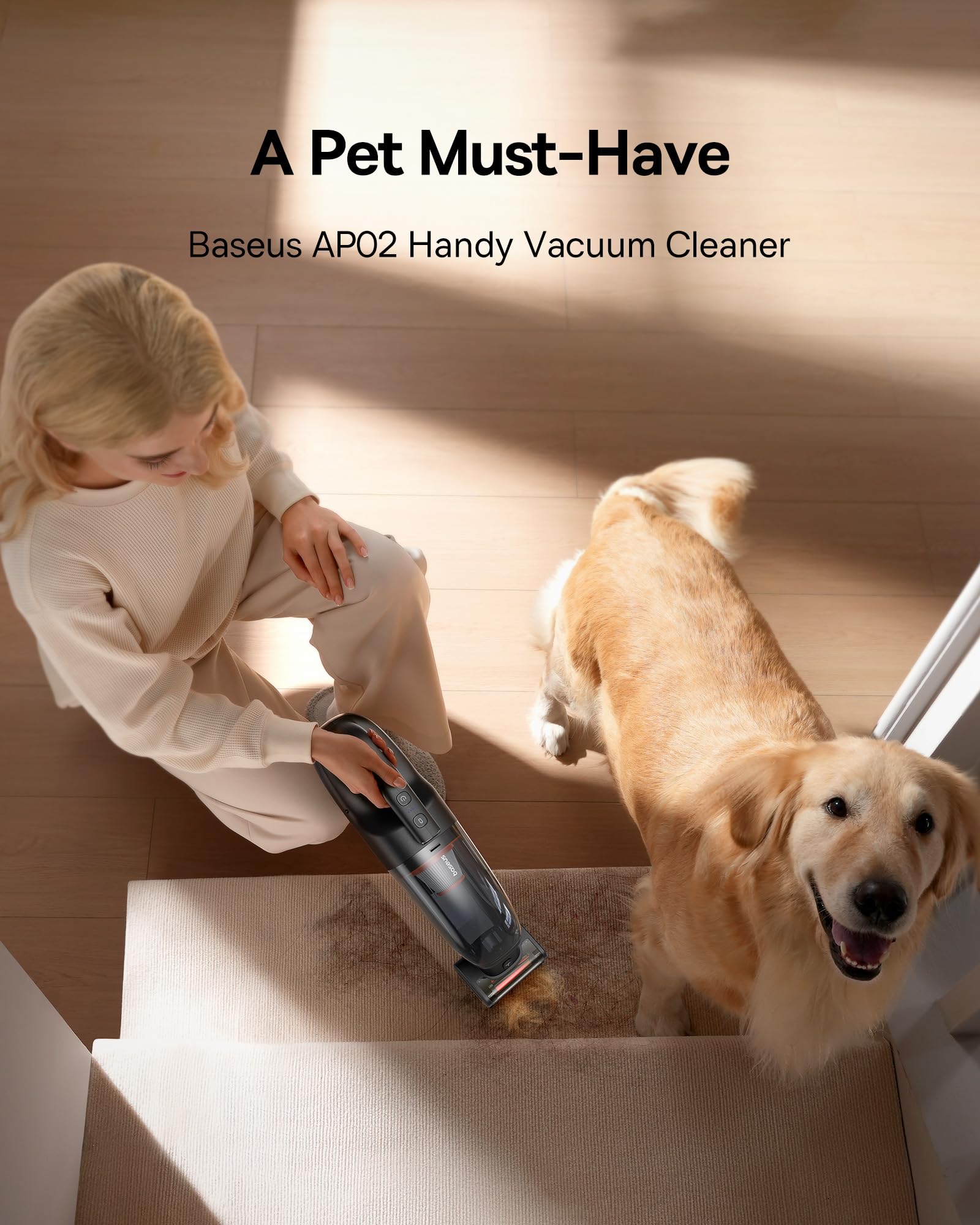
Image: The Baseus AP02 vacuum cleaner effectively cleaning stairs with a pet nearby, highlighting its suitability for pet owners.
Setup
- Unpack: Carefully remove all components from the packaging.
- Charge Battery: Before first use, fully charge the vacuum cleaner. Connect the Type-C charging cable to the vacuum's charging port and plug the other end into a compatible USB power adapter (not included). The charging indicator will show the charging status. A full charge takes approximately 5.5 hours.
- Attach Accessories: Select the appropriate cleaning attachment for your task. Align the attachment with the vacuum's nozzle and push firmly until it clicks into place.
Operating Instructions
- Power On/Off: Press the power button to turn the vacuum cleaner on. Press it again to turn it off.
- Using Attachments:
- Electric Roller Brush: Ideal for carpets, rugs, and upholstery, especially effective for pet hair.
- Crevice Tool: Use for narrow gaps, corners, and hard-to-reach areas like car seats and sofa crevices.
- Dusting Brush: Suitable for delicate surfaces, keyboards, and general dusting.
- LED Light: The integrated LED light automatically illuminates when the vacuum is in operation, helping you see dirt in dark areas.

Image: The Baseus AP02 being used for versatile cleaning, including on stairs and with specialized tools for crevices and brush heads.

Image: Close-up of the crevice tool being used to clean tight spaces in a car interior.

Image: The brush head attachment being used to clean a sofa, demonstrating its effectiveness on upholstery.
Maintenance
Regular maintenance ensures optimal performance and extends the lifespan of your vacuum cleaner.
- Emptying the Dustbin: The 500ml dustbin should be emptied regularly, especially when full. To empty, detach the dustbin by pressing the release button, then open the dustbin cover and discard the collected debris.
- Cleaning the Filter: The HEPA filter is washable. After emptying the dustbin, remove the filter and rinse it under running water. Ensure it is completely dry before reinserting it into the vacuum cleaner. Do not use detergents or hot water.
- Cleaning the Roller Brush: If using the electric roller brush, periodically check for tangled hair or debris. The silicone roller is designed to be tangle-free, but occasional cleaning may be necessary. Detach the brush and remove any accumulated debris.
- Wipe Down: Use a soft, damp cloth to wipe the exterior of the vacuum cleaner. Do not use harsh chemicals or abrasive cleaners.

Image: Visual guide demonstrating how to detach the dustbin and clean the washable HEPA filter under running water.
Troubleshooting
If you encounter any issues with your Baseus AP02 vacuum cleaner, please refer to the following common problems and solutions:
| Problem | Possible Cause | Solution |
|---|---|---|
| Vacuum does not turn on. | Battery is depleted. | Charge the vacuum cleaner fully. |
| Low suction power. | Dustbin is full or filter is clogged. | Empty the dustbin and clean the HEPA filter. Ensure filter is dry before reinserting. |
| Roller brush not spinning. | Debris tangled in brush or brush not properly attached. | Remove any tangled debris from the brush. Ensure the brush is securely attached. |
| Battery not charging. | Charging cable or adapter issue. | Ensure the Type-C cable is properly connected. Try a different USB power adapter. |
Specifications
| Feature | Specification |
|---|---|
| Brand | Baseus |
| Model Number | C30459600121-00 |
| Color | Black |
| Dimensions (L x W x H) | 44.96 x 10.92 x 14.48 cm (17.7 x 4.3 x 5.7 inches) |
| Weight | 1.3 Kilograms |
| Power | 160 Watts |
| Voltage | 12 Volts |
| Sound Level | 72 dB |
| Runtime | Up to 25 minutes |
| Battery Capacity | 10,000 mAh (Lithium-ion) |
| Dustbin Capacity | 1 Liter (500ml usable) |
| Filter Type | HEPA Filter |
| Special Feature | Cordless, Integrated LED Light |

Image: The Baseus AP02 vacuum cleaner highlighting its compact dimensions and 10,000 mAh battery capacity.
Warranty and Support
Baseus provides an 18-month after-sales service for the AP02 Cordless Handheld Vacuum Cleaner. This warranty covers manufacturing defects and ensures a longer lifespan for your product.
For any product-related issues, technical support, or warranty claims, please contact Baseus customer service through the retailer where you purchased the product or visit the official Baseus website for contact information.
Please retain your proof of purchase for warranty purposes.
Related documentsC30459600121-00


Ask a question about this manual
Ask about setup, troubleshooting, compatibility, parts, safety, or missing instructions. Manuals+ will review the question and use this page’s manual context to help answer it.