
1. Introduction
This manual provides detailed instructions for the proper use and care of your SYNCWIRE SW-SS126 55" Selfie Stick Phone Tripod. Please read this manual thoroughly before using the product to ensure optimal performance and safety. This device functions as both an extendable selfie stick and a stable phone tripod, designed for capturing photos and videos with various smartphones.
2. What's in the Box
Verify that all components are present in the package:
- 55" Selfie Stick Tripod
- Rechargeable Bluetooth Remote Shutter
- USB Type-C Cable
- User Manual (this document)
3. Setup
3.1 Unfolding the Tripod
To deploy the tripod legs, gently pull the top section of the stick upwards. The legs will automatically extend outwards to form a stable base. Ensure the legs are fully spread for maximum stability.

Image: The SYNCWIRE Selfie Stick Tripod shown in its fully extended tripod configuration, demonstrating stability.
3.2 Attaching Your Smartphone
The phone holder features a spring-loaded clamp. Gently pull the top part of the clamp upwards to open it, then insert your smartphone. Ensure your phone is securely seated within the anti-slip silicone pads. The clamp accommodates phones from 4.7 to 7 inches, with widths between 56mm and 92mm.
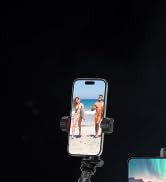
Image: Detail of the phone clamp, highlighting the non-slip silicone pads for secure phone attachment.
3.3 Bluetooth Remote Pairing
The remote shutter is integrated into the stick. Gently push it upwards to detach it. To pair:
- Turn on the Bluetooth remote control by pressing and holding the button until the indicator light flashes.
- On your smartphone, navigate to Bluetooth settings and enable Bluetooth.
- Search for available devices and select "SYNCWIRE" to connect.
- Once connected, the indicator light on the remote will stop flashing.
The remote is compatible with Bluetooth versions 3.0 and above on Android 5.0 and iOS 7.0 devices. It has a range of up to 10 meters.
Video: Official SYNCWIRE instruction video demonstrating the setup and use of the selfie stick tripod, including Bluetooth pairing.
4. Operating Instructions
4.1 Switching Between Selfie Stick and Tripod Modes
The device is designed for dual functionality. To use as a selfie stick, keep the legs folded and hold the handle. To use as a tripod, extend the legs as described in Section 3.1.

Image: A person using the SYNCWIRE device in selfie stick mode, extending their reach for a wider shot.
4.2 Adjusting Height
The 7-section telescopic pole allows for height adjustment from 31cm (12.2 inches) to 140cm (55 inches). Gently pull the pole sections to extend them to your desired height. Ensure each section is securely locked in place before use.

Image: Visual representation of the tripod extending to different heights, from compact to its maximum 55-inch extension.
4.3 Adjusting Phone Orientation and Angle
The phone holder supports portrait, landscape, and overhead modes. It can rotate vertically up to 180° and horizontally up to 360°.
- Horizontal Rotation: The phone holder can be rotated 360° to switch between portrait and landscape orientations.
- Vertical Tilt: The tripod head allows for 180° vertical tilt to achieve various shooting angles, including overhead shots.

Image: Demonstrates the flexible rotation capabilities of the phone holder and tripod head for diverse shooting angles.
4.4 Using the Bluetooth Remote
After successful pairing (Section 3.3), simply press the button on the remote to trigger your phone's camera shutter. No additional app installation is required for basic photo and video capture.
Video: Official SYNCWIRE video showcasing the all-in-one design and functionality of the 55" selfie stick tripod.
5. Maintenance
- Cleaning: Wipe the device with a soft, dry cloth. Avoid using harsh chemicals or abrasive cleaners.
- Storage: Store the selfie stick tripod in a cool, dry place away from direct sunlight and extreme temperatures. Ensure it is fully collapsed before storage.
- Battery Care: Recharge the Bluetooth remote using the provided USB Type-C cable when the battery is low. Avoid overcharging or completely draining the battery for extended periods.
- Water Resistance: This product is not water-resistant. Avoid exposure to water or high humidity.
6. Troubleshooting
| Problem | Possible Cause | Solution |
|---|---|---|
| Remote not pairing. | Remote battery low; Bluetooth not enabled on phone; remote not in pairing mode; interference. | Charge the remote; enable phone Bluetooth; press and hold remote button to enter pairing mode; move away from other Bluetooth devices. |
| Remote not taking photos. | Not paired; phone camera app not open; remote out of range. | Ensure remote is paired; open your phone's camera app; move closer to the phone (within 10m). |
| Tripod unstable. | Legs not fully extended; uneven surface; phone too heavy or off-center. | Ensure legs are fully spread; place on a flat, stable surface; center your phone in the clamp. |
| Pole sections not extending/retracting smoothly. | Dirt or debris in sections; mechanism stuck. | Gently clean the pole sections; avoid forcing the mechanism. |
7. Specifications
| Feature | Detail |
|---|---|
| Model Number | SW-SS126 |
| Brand | SYNCWIRE |
| Material | Aluminum, Polycarbonate (PC) |
| Item Weight | 350 g |
| Maximum Height | 140 cm (55 inches) |
| Minimum Height (Folded Size) | 31 cm (12.2 inches) |
| Phone Clamp Width | 56mm - 92mm |
| Compatible Devices | Smartphones 4.7-7 inches (e.g., iPhone 11-17 Series, Samsung Galaxy S/Note/Z Flip Series, Google Pixel, OnePlus, Motorola, Sony Xperia) |
| Bluetooth Remote | Bluetooth 5.0, Rechargeable (USB-C), 50mAh capacity, >20,000 photos per charge, 10m wireless range |
| Shooting Modes | Portrait, Landscape, Overhead |
| Head Type | Pan Heads |
| Water Resistance Level | Not Water Resistant |
8. Warranty & Support
8.1 Warranty Information
This SYNCWIRE product comes with a 3-Year Warranty from the date of purchase. This warranty covers manufacturing defects and material flaws under normal use. It does not cover damage caused by misuse, accidents, unauthorized modifications, or normal wear and tear.
8.2 Customer Support
For any questions, technical assistance, or warranty claims, please contact SYNCWIRE customer support through the retailer where the product was purchased or visit the official SYNCWIRE website for contact information.
Please have your purchase receipt and product model number (SW-SS126) ready when contacting support.
